
1. Ifihan
Thank you for choosing the MASTJUST 'lite' Bone Conduction Bluetooth Headphones. These headphones utilize advanced bone conduction technology to transmit sound directly to your inner ear through vibrations, allowing you to enjoy audio while remaining aware of your surroundings. The open-ear design ensures comfort during extended use and enhances safety in various environments.
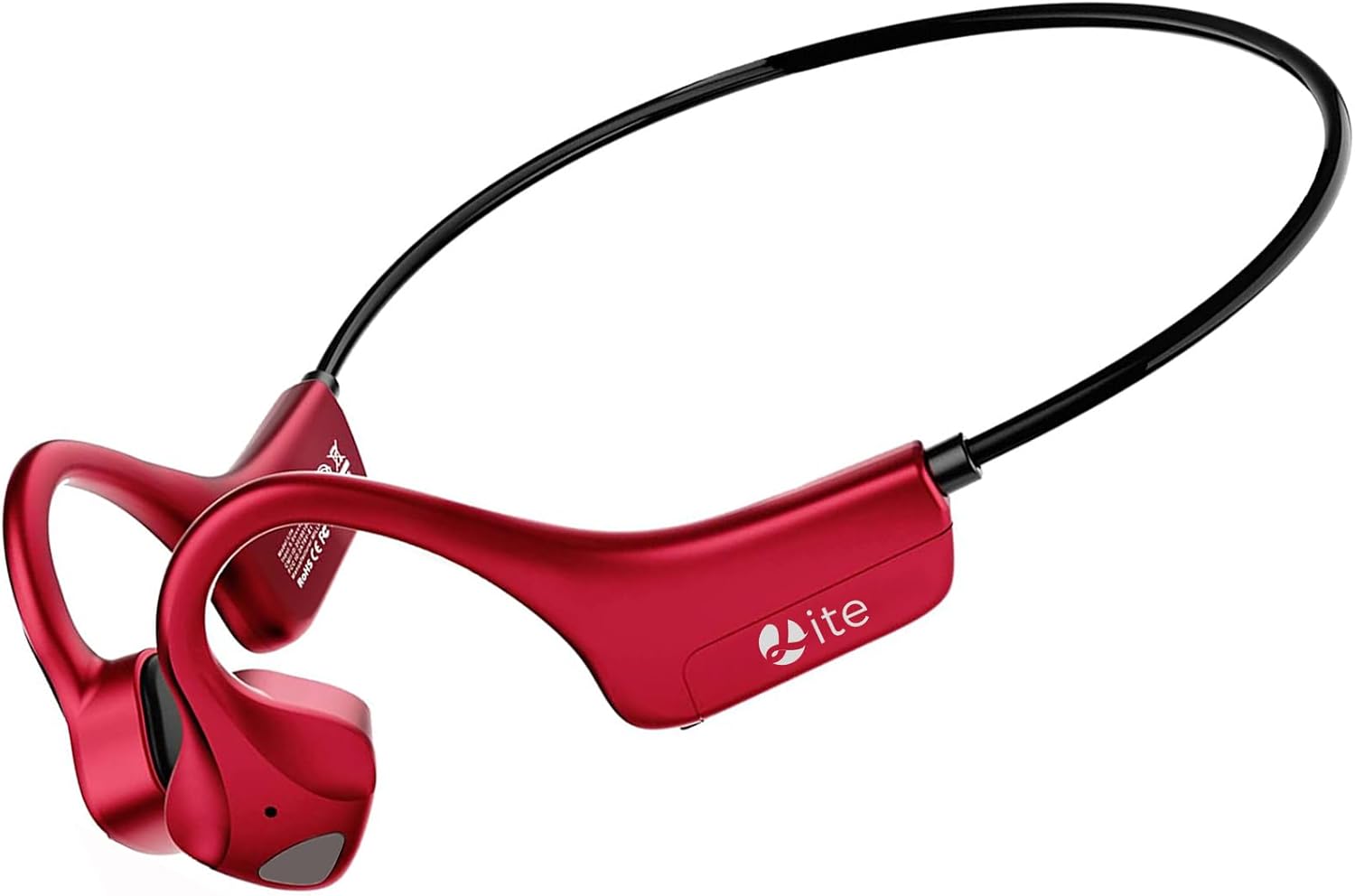
Figure 1: MASTJUST 'lite' Bone Conduction Bluetooth Headphones
2. Awọn ẹya Ọja
- Advanced Bone Conduction Technology: Delivers sound through bone vibrations, bypassing the eardrum for a unique listening experience.
- Apẹrẹ Eti-Ṣi: Keeps your ears open to ambient sounds, promoting safety during outdoor activities and comfort for long wear.
- IP67 Mabomire & Ko eruku: Designed to withstand sweat, rain, and dust, making them ideal for sports and various weather conditions.
- Bluetooth 5.2 Asopọmọra: Ensures stable, fast, and efficient wireless connection with compatible devices.
- Iru-C Gbigba agbara Yara: Offers quick charging capabilities for minimal downtime.
- Integrated Microphone with Noise Cancellation: Provides clear hands-free calling, suitable for telework and online meetings.
- Lightweight and Secure Fit: Weighing approximately 25g, the ergonomic ear-hook design ensures a comfortable and stable fit, even during intense activities.

Ṣe nọmba 2: Awọn ẹya bọtini Pariview

Àwòrán 3: Àwòrán IP67 tí kò ní omi àti tí kò ní eruku
3. Package Awọn akoonu
- MASTJUST 'lite' Bone Conduction Bluetooth Headphones
- USB Iru-C Ngba agbara USB
- Afowoyi Olumulo (iwe-ipamọ yii)
4. Ifilelẹ ẹrọ ati Awọn iṣakoso
The MASTJUST 'lite' headphones feature intuitive controls for easy operation. The main control buttons are located on the side of the headphone unit.
- Power Button / Volume +: Used to power the device on/off and increase volume.
- Bọ́tìnì - Ìwọ̀n: Ti a lo lati dinku iwọn didun.
- Bọtini iṣẹ-pupọ: Controls playback (play/pause), call management (answer/end calls), and voice assistant activation.
- Ibudo Gbigba agbara USB: Iru-C ibudo fun gbigba agbara ẹrọ.
5. Eto
5.1. Ngba agbara si awọn Agbekọri
Before first use, fully charge the headphones. Connect the provided USB Type-C charging cable to the charging port on the headphones and a compatible USB power source. The charging indicator will show the charging status.
- Akoko gbigba agbara: O fẹrẹ to awọn wakati 2 fun idiyele ni kikun.
- Gbigba agbara kiakia: Gbigba agbara iyara iṣẹju 10 le pese to awọn wakati 1.5 ti lilo.
5.2. Sisopọ Bluetooth
Lati so agbekọri rẹ pọ mọ ẹrọ kan:
- Rii daju pe awọn agbekọri ti wa ni pipa.
- Tẹ mọlẹ Bọtini agbara until the indicator light flashes, indicating pairing mode.
- Lori ẹrọ rẹ (foonuiyara, tabulẹti, kọǹpútà alágbèéká), mu Bluetooth ṣiṣẹ ki o wa awọn ẹrọ to wa.
- Select "MASTJUST lite" from the list of found devices to connect.
- Ni kete ti a ti sopọ, ina Atọka yoo yipada, ati pe iwọ yoo gbọ ohun orin idaniloju kan.
The headphones support automatic re-pairing. After the initial connection, they will automatically connect to the last paired device when powered on.

Figure 4: Automatic Pairing and Instant Connection
6. Awọn ilana Iṣiṣẹ
6.1. Agbara Tan / Paa
- Agbara Tan: Tẹ mọlẹ Bọtini agbara fun isunmọ 3 aaya.
- Agbara Pa: Tẹ mọlẹ Bọtini agbara fun isunmọ 5 aaya.
6.2. Sisisẹsẹhin Orin
- Ṣiṣẹ/Daduro: Tẹ awọn Olona-iṣẹ Button lẹẹkan.
- Orin t’okan: Double-tẹ awọn Olona-iṣẹ Button.
- Tẹlẹ Orin: Meteta-tẹ awọn Olona-iṣẹ Button.
6.3. Iṣakoso ipe
- Idahun/Ipe Ipari: Tẹ awọn Olona-iṣẹ Button once during an incoming call or active call.
- Kọ Ipe: Tẹ mọlẹ Olona-iṣẹ Button for 2 seconds during an incoming call.
- Mu Oluranlọwọ Ohun ṣiṣẹ: Tẹ mọlẹ Olona-iṣẹ Button for 2 seconds when not on a call.
6.4. Iṣakoso iwọn didun
- Mu iwọn didun pọ si: Tẹ awọn Iwọn didun + Bọtini.
- Din iwọn didun silẹ: Tẹ awọn Iwọn didun - Bọtini.

Figure 5: Awareness of Surroundings During Use

Figure 6: Extended Battery Life for Active Lifestyles
7. Itọju
To ensure the longevity and optimal performance of your MASTJUST 'lite' headphones, follow these maintenance guidelines:
- Ninu: Fi aṣọ rírọ̀ tí ó gbẹ nu agbekọri naa. Fun eruku líle, lo iwọn d diẹ.amp aṣọ kí o sì gbẹ ẹ́ dáadáa. Má ṣe lo àwọn kẹ́míkà líle tàbí àwọn ohun ìfọmọ́ tí ó máa ń pa ara.
- Ifihan omi: While the headphones are IP67 rated for water and dust resistance, avoid prolonged submersion in water. After exposure to sweat or rain, wipe them dry before charging.
- Ibi ipamọ: Tọju awọn agbekọri naa ni itura, aye gbigbẹ kuro lati orun taara ati awọn iwọn otutu to gaju.
- Gbigba agbara: Always use the provided USB Type-C cable or a certified equivalent for charging.
8. Laasigbotitusita
Ti o ba pade awọn ọran pẹlu awọn agbekọri rẹ, tọka si awọn solusan ti o wọpọ wọnyi:
- Ko si Ohun:
- Rii daju pe awọn agbekọri ti wa ni titan ati gbigba agbara.
- Ṣayẹwo boya awọn agbekọri naa ti so pọ daradara pẹlu ẹrọ rẹ.
- Ṣàtúnṣe iwọn didun lórí agbekọri ati ẹrọ ti o so pọ mọ.
- Ko le So pọ:
- Rii daju pe Bluetooth ti ṣiṣẹ lori ẹrọ rẹ.
- Rí i dájú pé àwọn agbekọri náà wà ní ipò ìsopọ̀ (ìmọ́lẹ̀ tí ń tànmọ́lẹ̀).
- Pa ati tan agbekọri ati ẹrọ rẹ, lẹhinna gbiyanju lati so pọ mọ lẹẹkansi.
- Move closer to your device to ensure a strong Bluetooth signal.
- Njo ohun:
- Bone conduction technology inherently allows some sound to be audible to others at higher volumes. This is normal.
- Reduce the volume to minimize sound leakage.
- Consider using earplugs in conjunction with the headphones in noisy environments if privacy is a concern.
- Intermittent Connection/Sound Drops:
- Rí i dájú pé kò sí ìdènà láàárín agbekọri ati ẹrọ rẹ.
- Yago fun awọn agbegbe pẹlu kikọlu itanna eletiriki.
- Keep the headphones within the effective Bluetooth range (typically 10 meters).
9. Awọn pato
| Orukọ awoṣe | Lite |
| Asopọmọra Technology | Ailokun (Bluetooth 5.2) |
| Ariwo Iṣakoso | Ifagile Ariwo Nṣiṣẹ (fun awọn ipe) |
| Gbigbe Eti | Ṣii-Eti |
| Agbekọri Fọọmù ifosiwewe | Alailowaya otitọ |
| Mabomire Ipele | IP67 |
| Iwọn Nkan | 150 g |
| Akoko gbigba agbara | Awọn wakati 2 |
| Lemọlemọfún Lilo Aago | Awọn wakati 8 |
| Akoko Iduro | Up to 1 Week (480 Hours) |
| Ipalara | 8 ohms |
| Ohun elo | Rubber, Plastic |
| Awọn ẹrọ ibaramu | Tablet, Laptop, Mobile Phone |
10. Atilẹyin ọja ati Support
MASTJUST provides a reliable warranty and customer support for your product:
- 30-Day Free Exchange/Return/Refund: If you are not satisfied with the product within 30 days of purchase, you are eligible for a free exchange, return, or refund.
- 12-Month Long-Term Warranty: Ọja naa wa pẹlu atilẹyin ọja 12-osu lati ọjọ rira.
- Atilẹyin Onibara: If you encounter any issues or have questions during use, please contact us through your order history.
Bii o ṣe le Kan si Atilẹyin:
- Go to "Your Account" > "Order History".
- Find your order for the MASTJUST 'lite' headphones.
- Click on "Sold by" > "Ask a question".
We are committed to providing the best possible service and support.