
1. Ifihan
The Hidizs S8 Pro Robin is a portable USB-C Digital-to-Analog Converter (DAC) designed to elevate your audio experience. It features a dual 32-bit DAC chip architecture, precise volume control, and versatile output options, ensuring high-fidelity sound across various devices and operating systems.
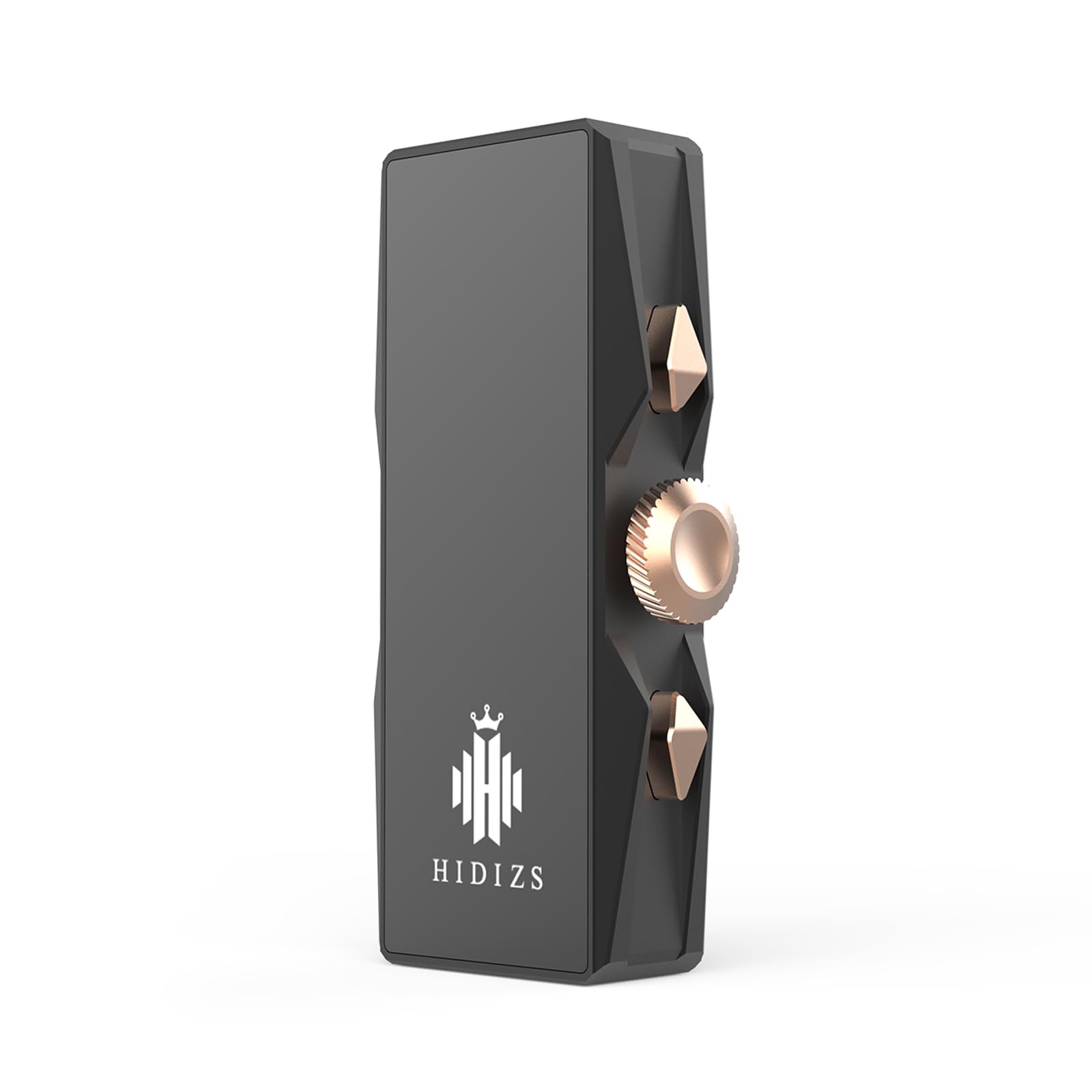
Image 1: Hidizs S8 Pro Robin Portable USB-C DAC. This image shows the compact and sleek design of the S8 Pro Robin, highlighting its portability.
2. Key Awọn ẹya ara ẹrọ
- Dual DAC Chip Architecture: Equipped with two CS43131 chips from CIRRUS LOGIC, providing a balanced 32-bit oversampling multi-bit modulator for distortion-free audio.
- Volume Control & 6 Filter Options: Convenient function buttons for quick volume adjustments and selection from 6 optional filter responses to tailor your sound.
- Mainstream Output Interfaces: Features both 3.5mm single-ended and 4.4mm balanced outputs to fully utilize the dual DAC architecture.
- Ibamu gbooro: Standard Type-C data interface ensures excellent compatibility with Windows, macOS, Android, iOS, and HarmonyOS.
- Package Ẹya ara ẹrọ pipe: Includes a Type-C to Type-C cable, a Type-C to USB-A adapter, and a Type-C to Lightning adapter (note: Lightning OTG cable for iOS users must be purchased separately).

Image 2: Dual 32-bit DAC Chip. This image highlights the CS43131 DAC chip, central to the device's high-fidelity audio processing.

Image 3: DAC Dongle Block Diagram. A schematic representation of the internal components and signal flow within the Hidizs S8 Pro Robin.
3. Package Awọn akoonu
- Hidizs S8 Pro Robin Portable USB-C DAC
- Iru-C to Iru-C USB
- Type-C to USB-A Adapter
- Type-C to Lightning Adapter (Note: Lightning OTG cable for iOS users must be purchased separately for optimal functionality.)

Image 4: Hidizs S8 Pro Robin with included accessories. This image displays the DAC unit alongside its accompanying cables and adapters.
4. Eto ati Awọn ilana Iṣiṣẹ
The Hidizs S8 Pro Robin is designed for plug-and-play convenience. Follow these steps to connect your device and start enjoying high-quality audio.
General Connection Steps:
- Connect one end of the provided Type-C cable to the USB-C port on the Hidizs S8 Pro Robin.
- Connect the other end of the cable (or appropriate adapter) to your audio source device (smartphone, tablet, computer).
- Plug your headphones into either the 3.5mm single-ended or 4.4mm balanced output port on the Hidizs S8 Pro Robin.
- Ensure your audio source is playing music. The indicator light on the S8 Pro Robin will illuminate, and its color may vary depending on the song's sampoṣuwọn ling.
Connecting to Various Devices:
The Hidizs S8 Pro Robin offers broad compatibility. The following video demonstrates connection methods for various operating systems and devices:
Video 1: How to Connect different Sources to DS2? This video demonstrates the connection process for a portable USB-C DAC/amp with various devices including Android, iOS, Mac, Windows, and external amplifiers. While the product shown is a Fosi Audio DS2, the connection principles and steps are directly applicable to the Hidizs S8 Pro Robin.
Volume Control & Filter Options:
- Use the dedicated function buttons on the side of the S8 Pro Robin to adjust the volume.
- The S8 Pro Robin offers 6 optional filter responses. Refer to the product's specific button functions for switching between these filters to customize your listening experience.

Image 5: Hidizs S8 Pro Robin Compatibility. This image illustrates the broad compatibility of the S8 Pro Robin with various operating systems including Windows, Android, iOS, iPad OS, Mac OS, and Harmony OS.
5. Itọju
- Jeki ẹrọ naa di mimọ nipa fifẹ rẹ pẹlu asọ ti o gbẹ. Yago fun lilo awọn kẹmika lile tabi awọn ohun elo abrasive.
- Store the Hidizs S8 Pro Robin in a cool, dry place away from direct sunlight and extreme temperatures.
- Yago fun fifi ẹrọ naa han si omi tabi ọrinrin pupọ.
6. Laasigbotitusita
- Ko si Ohun: Ensure all cables are securely connected. Check the volume levels on both the S8 Pro Robin and your audio source device. Verify that the correct audio output is selected on your source device.
- Ohun Yiyi: Try reducing the volume on both the S8 Pro Robin and your audio source. Ensure your audio files are not corrupted. Check if your headphones are properly connected and functioning.
- Awọn oran Asopọmọra: If using with a computer, ensure the necessary drivers are installed (usually plug-and-play for most modern OS). Try a different USB port or cable.
- Indicator Light Not On: Verify the device is properly connected to a power source and an active audio source.
7. Awọn pato
| Ẹya ara ẹrọ | Apejuwe |
|---|---|
| Brand | Hidisi |
| Awoṣe | S8 PRO |
| Ni wiwo Iru | USB Iru-C |
| O wu Awọn atọkun | 3.5mm Oni-ipari Kan, 4.4mm Oniwọntunwọnsi |
| DAC Chip | Dual CS43131 (CIRRUS LOGIC) |
| Ohun elo | Aluminiomu |
| Awọn ẹrọ ibaramu | Windows, macOS, Android, iOS, HarmonyOS, MP3 Player |

Image 6: Hidizs S8 Pro Robin Audio Parameters. This table details the audio performance specifications for both the 3.5mm and 4.4mm output ports, including frequency response, distortion, SNR, separation, and output power.
8. Atilẹyin ọja ati Support
The Hidizs S8 Pro Robin comes with a 1-odun atilẹyin ọja lati ọjọ ti o ra. Atilẹyin ọja yi ni wiwa awọn abawọn iṣelọpọ ati ailagbara labẹ lilo deede.
For technical support, warranty claims, or any questions regarding your device, please contact Hidizs customer service through their official webojula tabi ni aṣẹ awọn alatuta. Jọwọ ṣe idaduro ẹri rira rẹ fun ijẹrisi atilẹyin ọja.