
1. Ifihan
This manual provides essential instructions for the safe and effective use of your Sony Alpha a7 II ILCE-7M2/B Full-Frame Mirrorless Camera. Please read this manual thoroughly before operating the camera and retain it for future reference. The Sony Alpha a7 II is designed for high-quality photography and videography, featuring a 24.3MP full-frame sensor, 5-axis in-body image stabilization, and a fast hybrid autofocus system.
2. Ọja Ipariview
The Sony Alpha a7 II is a full-frame mirrorless camera body equipped with advanced features for capturing detailed images and smooth videos. Key features include:
- 24.3MP Full-Frame Exmor CMOS Sensor: Delivers high resolution and excellent low-light performance.
- 5-Axis SteadyShot INSIDE Image Stabilization: Compensates for camera shake across five axes, enhancing sharpness for both stills and video, even with non-stabilized lenses.
- Fast Hybrid Autofocus System: Combines 117 phase-detection and 25 contrast-detection points for quick and accurate subject tracking.
- Full HD 1080p Video Recording: Supports up to 60 fps with XAVC S compression and S-Log2 gamma for professional-grade video.
- BIONZ X Aworan isise: Ensures rapid processing and high image quality.
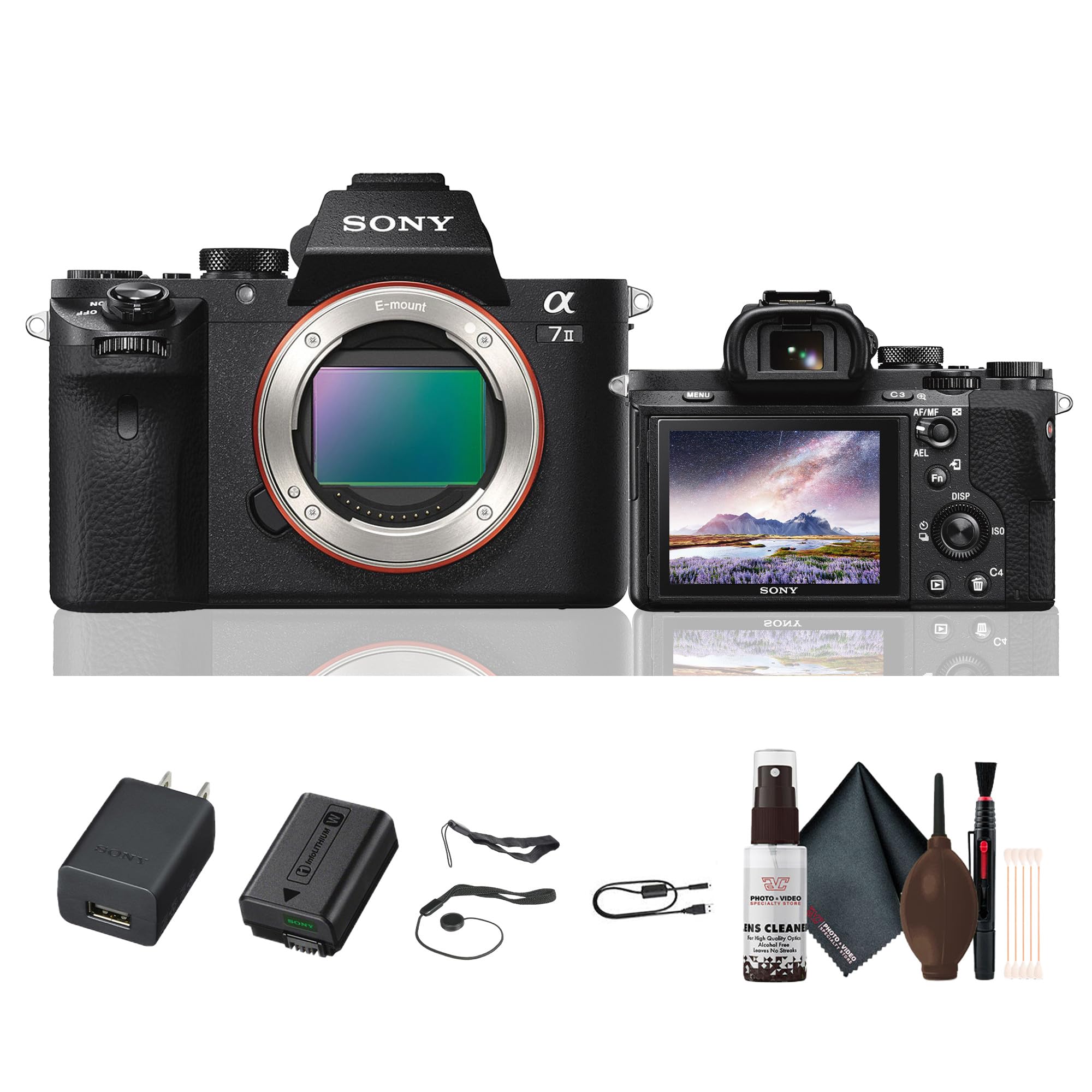
olusin 2.1: Ẹyìn view of the Sony Alpha a7 II camera with the LCD screen closed, showing the electronic viewfinder, control dials, and buttons.
3. Eto
3.1. Unpacking ati Ibẹrẹ Ayewo
Ni ifarabalẹ yọ gbogbo awọn paati kuro ninu apoti. Rii daju pe gbogbo awọn nkan ti o wa ni isalẹ wa. Ti awọn ohun kan ba nsọnu tabi bajẹ, kan si alagbata rẹ.
Awọn nkan to wa:
- Sony Alpha a7 II Mirrorless Digital Camera Body
- Batiri gbigba agbara
- AC Adapter
- Okun USB
- Okùn ejika
- Fila ara
- Ẹya ẹrọ Bata fila
- Eyepiece Cup
3.2. So awọn lẹnsi
- Yọ fila ara kuro ninu kamẹra ati fila lẹnsi ẹhin lati lẹnsi naa.
- Mu aami atọka funfun pọ si lẹnsi pẹlu ami atọka funfun lori ara kamẹra.
- Gbe lẹnsi naa soke nipa titan-an ni ọna aago titi ti o fi tẹ sinu aaye.
Note: The a7 II uses Sony E-mount lenses. A-mount lenses can be used with an optional adapter.
3.3. Fi Batiri ati Kaadi Iranti sii
- Ṣii ideri batiri/ kaadi iranti ti o wa ni isalẹ kamẹra.
- Insert the fully charged battery pack with the arrow pointing towards the camera, pushing it in until it locks.
- Insert a compatible memory card (SD card, Memory Stick PRO Duo) into the memory card slot with the notched corner facing the correct direction, pushing until it clicks.
- Pa batiri naa/ ideri kaadi iranti ni aabo.
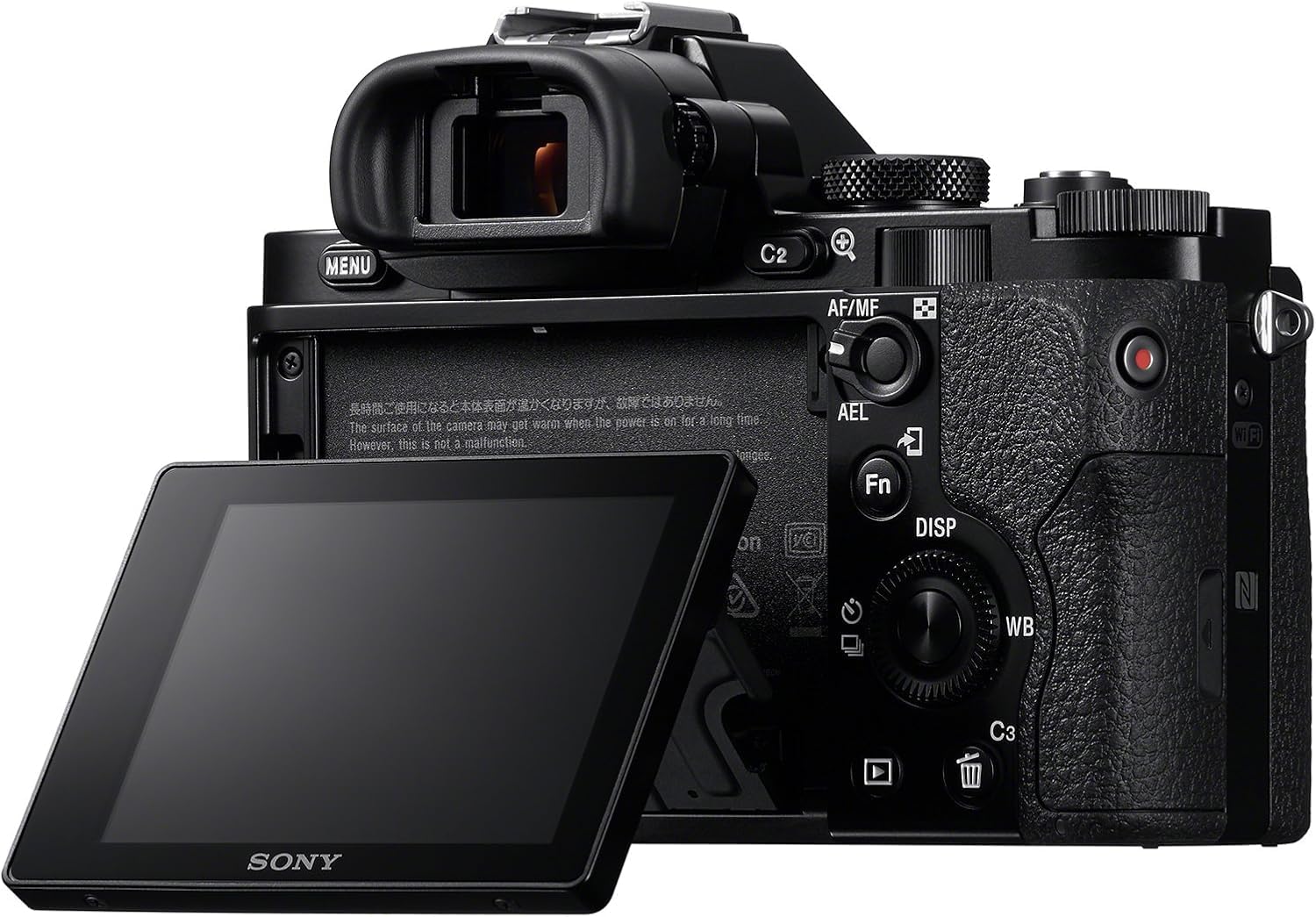
olusin 3.1: Ẹyìn view of the Sony Alpha a7 II camera with the LCD screen tilted outwards, showing the battery/memory card compartment.
3.4. Ngba agbara si Batiri naa
Connect the camera to the AC adaptor using the supplied USB cable. The charging indicator lamp will light up during charging and turn off when charging is complete. A full charge typically takes approximately 150 minutes.
4. Ṣiṣẹ kamẹra
4.1. Agbara Tan / Paa
Láti tan tàbí pa kámẹ́rà náà, yọ sẹ́ẹ̀tì ON/OFF tí ó wà ní àyíká bọ́tìnì ìdènà náà.
4.2. Ipilẹ ibon ipa
Rotate the Mode Dial (located on the top plate) to select your desired shooting mode:
- Aifọwọyi: Kamẹra n ṣatunṣe awọn eto laifọwọyi fun awọn abajade to dara julọ.
- Eto Aifọwọyi (P): Kamẹra ṣeto iho ati iyara oju, ṣugbọn o le ṣatunṣe awọn eto miiran.
- Itoju Iho (A): O ṣeto iho, kamẹra ṣeto iyara oju.
- Iṣaju Shutter (S): O ṣeto iyara oju, kamẹra ṣeto iho.
- Afọwọṣe (M): O ṣakoso mejeeji iho ati iyara oju.
- Fiimu: Fun gbigbasilẹ awọn fidio.
- Aṣayan Iwoye: Pre-set modes for specific scenes (e.g., Landscape, Portrait, Sports).
4.3. Fojusi
The a7 II features a Fast Hybrid Autofocus system. To focus, half-press the shutter button. The camera will automatically detect and focus on your subject. You can also manually select focus points or use manual focus (MF) by setting the focus mode switch on your lens or in the camera menu.
4.4. Aworan idaduro
The camera's 5-axis SteadyShot INSIDE image stabilization system is active by default. This system helps reduce blur caused by camera shake, especially useful in low light or when using longer focal lengths. The system works with both native E-mount lenses and adapted lenses.
4.5. Awọn fidio gbigbasilẹ
To record video, set the Mode Dial to the Movie mode. Press the dedicated MOVIE button (usually located on the side or rear of the camera grip) to start and stop recording. The camera records Full HD 1080p video at various frame rates up to 60 fps.
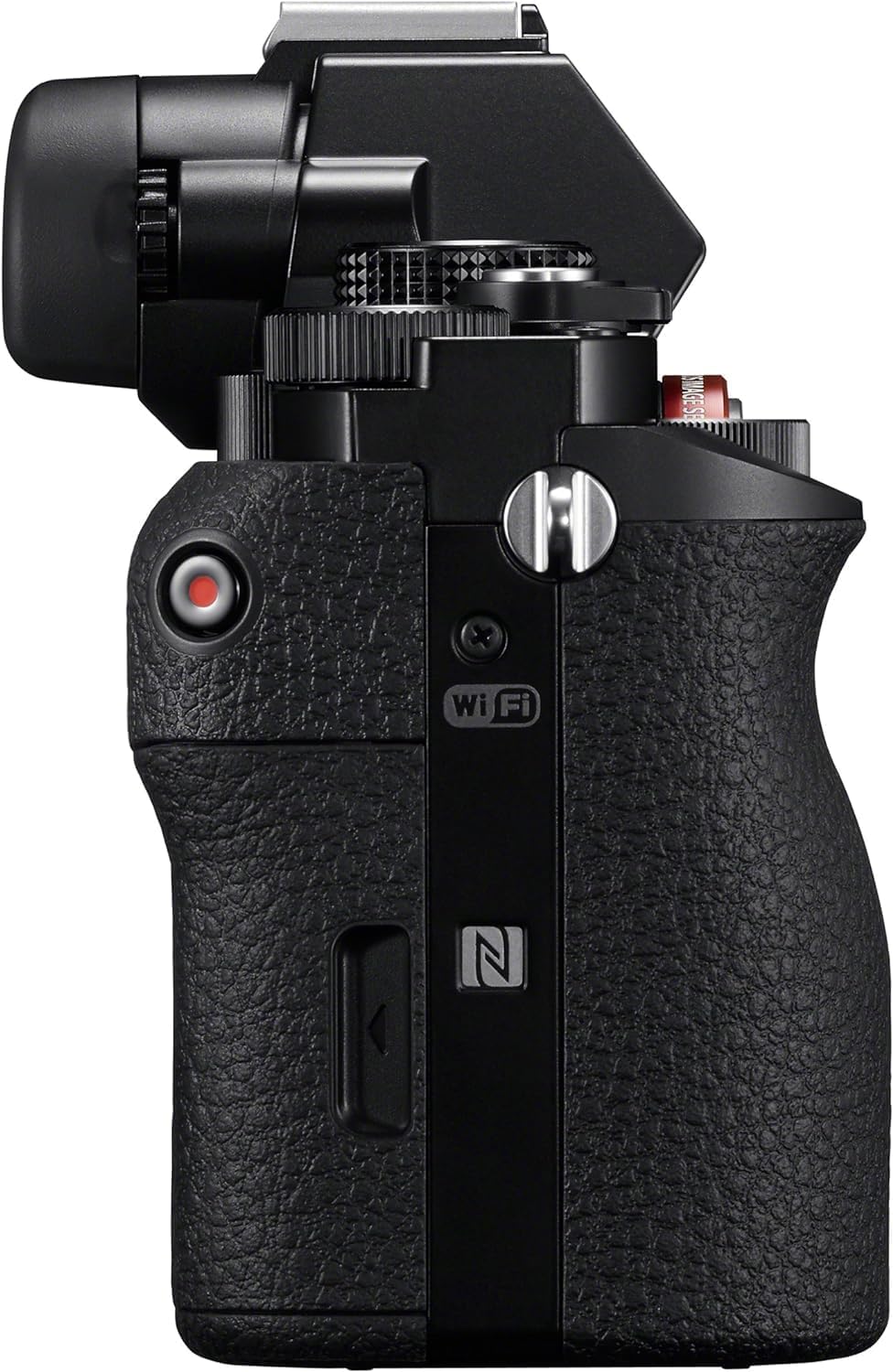
olusin 4.1: Apa view of the Sony Alpha a7 II camera, highlighting the grip and movie record button.
4.6. Asopọmọra
The camera supports HDMI and USB connectivity. Use the HDMI output to view photos and videos on a compatible display. The USB port can be used for charging, data transfer to a computer, or connecting to other compatible devices.
5. Itọju
5.1. Ninu Kamẹra
- Ara Kamẹra: Mu ese pẹlu asọ ti o gbẹ. Fun idoti agidi, lo asọ ni sere dampti a fi omi kun. Yago fun awọn kẹmika lile.
- Lẹnsi: Use a lens brush or blower to remove dust. For smudges, use a lens cleaning solution and a microfiber cloth specifically designed for optics.
- Sensọ: Sensor cleaning should only be performed by authorized service personnel or experienced users with appropriate tools to avoid damage.
- Iboju LCD: Gently wipe with a soft, dry cloth.
5.2. Itọju batiri
- Always use genuine Sony battery packs.
- Charge the battery fully before first use and after extended periods of non-use.
- Store batteries in a cool, dry place. Do not expose to extreme temperatures.
5.3. Ibi ipamọ
When storing the camera for an extended period, remove the battery and memory card. Store the camera in a dry, well-ventilated area, preferably with a desiccant to prevent mold and mildew.
6. Laasigbotitusita
Ti o ba pade awọn iṣoro pẹlu kamẹra rẹ, tọka si awọn igbesẹ laasigbotitusita ti o wọpọ wọnyi:
- Kamẹra ko tan:
- Rii daju pe batiri ti gba agbara ni kikun ati fi sii daradara.
- Gbìyànjú láti lo bátìrì mìíràn tí ó ti gba agbára tán tí ó sì wà níbẹ̀.
- Ko le ya awọn aworan:
- Ṣayẹwo boya o ti fi kaadi iranti sii ati pe o ni aaye ọfẹ ti o to.
- Rí i dájú pé a ti yọ ideri lẹ́ńsì náà kúrò.
- Verify the camera is not in a mode that prevents shooting (e.g., playback mode).
- Awọn aworan ko ṣoro:
- Check focus settings (Autofocus vs. Manual Focus).
- Ensure shutter speed is fast enough for the shooting conditions to prevent motion blur.
- Verify image stabilization is active if shooting handheld in low light.
- Clean the lens if smudges are present.
- Batiri n ṣan ni kiakia:
- Din LCD imọlẹ.
- Pa Wi-Fi/NFC nígbà tí o kò bá lò ó.
- Ṣe opin si gbigbasilẹ fidio tabi gbigbasilẹ nigbagbogbo.
- Rí i dájú pé batiri náà kò ti gbó tàbí ó ti bàjẹ́.
Fun alaye siwaju sii nipa iṣoro, wo itọsọna ori ayelujara ti o wa lori atilẹyin Sony webojula.
7. Awọn pato
| Nọmba awoṣe | ILCE-7M2/B |
| Sensọ Iru | Full Frame (35mm) Exmor CMOS |
| Ipinnu Iduro ti o munadoko | 24.3 MP |
| Iduroṣinṣin Aworan | 5-axis Sensor-shift (SteadyShot INSIDE) |
| Autofocus System | Fast Hybrid AF (117 phase-detection, 25 contrast-detection points) |
| Ipinnu fidio | Full HD 1080p (up to 60 fps) |
| Fidio kika | XAVC S, AVCHD, MP4 |
| Aworan kika | JPEG, aise |
| Awọn iṣagbesori ibaramu | Sony E-oke |
| Ifihan Iru | LCD Títẹ̀ 3.0-inch (1,228,800 dot) |
| Viewoluwari | 0.5-inch XGA OLED Electronic Viewfinder (2,359,296 dots) |
| Asopọmọra | HDMI (Type A), USB 2.0, Wi-Fi, NFC |
| Batiri Iru | NP-FW50 Lithium-Ion Rechargeable Battery |
| Awọn iwọn (W x H x D) | Approx. 126.9 x 95.7 x 59.7 mm (5 x 3 7/8 x 2 3/8 inches) |
| Weight (with battery and memory card) | Isunmọ. 599 g (1 lb 5.2 iwon) |
8. Atilẹyin ọja ati Support
8.1. atilẹyin ọja Information
Your Sony Alpha a7 II camera is covered by a manufacturer's limited warranty. Please refer to the warranty card included in your product packaging for specific terms and conditions, including warranty period and coverage details. Retain your proof of purchase for warranty claims.
8.2. Onibara Support
For technical assistance, service, or additional product information, please visit the official Sony support website or contact Sony customer service in your region. Online resources often include FAQs, driver downloads, and comprehensive digital manuals.
Sony Atilẹyin Webojula: www.sony.com/electronics/support