
1. Ifihan
The PHOINIKAS Q5S Wireless Gaming Headset provides a versatile audio solution for gamers across multiple platforms. Featuring 2.4GHz wireless connectivity for low-latency performance and a 3.5mm wired mode, this headset is designed for immersive gaming experiences. It includes a detachable noise-canceling microphone and 7.1 stereo sound capabilities.

Image 1.1: PHOINIKAS Q5S Wireless Gaming Headset, showing the headset, USB dongle, and 3.5mm audio cable.
2. Ohun ti o wa ninu Apoti
Jọ̀wọ́ rí i dájú pé gbogbo àwọn èròjà wà nígbà tí o bá ń yọ àpótí kúrò:
- PHOINIKAS Q5S Agbekọri ere Alailowaya
- 2.4GHz USB Transmitter Dongle
- Gbohungbohun Omnidirectional ti o yọ kuro
- Okun Ngba agbara USB (Iru-C)
- 3.5mm Audio USB
- Afowoyi Olumulo (iwe-ipamọ yii)
3. Ọja Ipariview
Familiarize yourself with the headset's controls and interfaces:

Aworan 3.1: Pariview of headset controls and ports.
- Power / Pairing Mode Button: Press and hold to power on/off. Short press to toggle 7.1 sound. Double press to turn lights on/off.
- Microphone On/Off Button: Toggles microphone mute/unmute.
- Kẹ̀kẹ́ Ṣíṣe Àtúnṣe Ìwọ̀n Ohùn: Rotates to increase or decrease audio volume.
- 3.5mm Wired Interface: For connecting the 3.5mm audio cable.
- External Microphone Interface: Port for attaching the detachable microphone.
- Ibudo Ngba agbara Iru-C: Fun sisopọ okun gbigba agbara USB.
4. Eto
4.1 Gbigba agbara akọkọ
Before first use, fully charge the headset. Connect the USB charging cable to the headset's Type-C port and a compatible USB power source. A full charge takes approximately 2.5-3 hours and provides up to 40 hours of use (battery life varies with lighting and volume settings).

Image 4.1: Headset charging via USB-C, highlighting battery life.
4.2 Wireless Connection (2.4GHz USB Dongle)
For wireless operation, ensure the 3.5mm audio cable and charging cable are disconnected, and the headset is fully charged.
- Insert the 2.4GHz USB transmitter dongle into an available USB port on your PC, PS4, PS5, or Switch dock.
- Tan agbekọri naa nipa titẹ ati di bọtini agbara mu.
- The headset will automatically pair with the USB dongle. An indicator light on the headset will confirm a successful connection.

Image 4.2: The 2.4GHz USB dongle, illustrating its low-latency connection.
4.3 Ìsopọ̀ Onífà (Okùn Ohùn 3.5mm)
For wired use, connect the 3.5mm audio cable to the headset's 3.5mm interface and to the audio jack of your device (e.g., Xbox controller, PC, mobile phone). In wired mode, certain functions like lights and mute may be inactive.
5. Awọn ilana Iṣiṣẹ
5.1 Agbara Tan / Pa
- To power on: Press and hold the Power button until the indicator light illuminates.
- To power off: Press and hold the Power button until the indicator light turns off.
5.2 Gbohungbohun Lilo
Attach the detachable microphone to the External Microphone Interface on the headset. The microphone features noise-canceling technology for clear communication.
- To mute/unmute: Press the Microphone On/Off button.
- Adjust the flexible microphone boom for optimal voice pickup.

Image 5.1: Detachable microphone for clear voice capture.
5.3 7.1 Stereo Sound
The headset supports 7.1 stereo sound for an immersive audio experience.
- To activate/deactivate 7.1 sound: Short press the Power button.
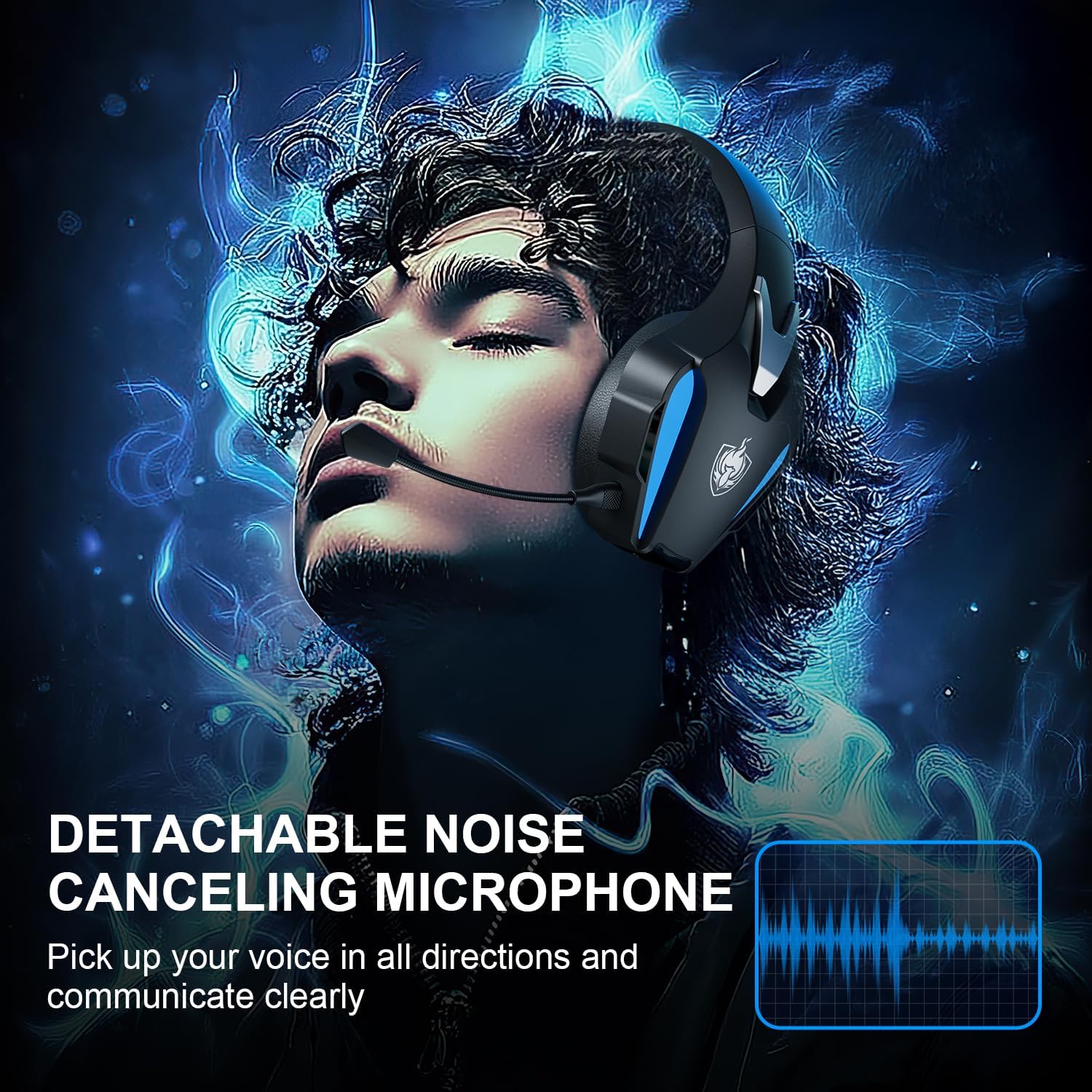
Image 5.2: Visual representation of 7.1 stereo sound capabilities.
5.4 iwọn didun tolesese
Rotate the Volume Adjustment Wheel to control the audio output level.
6. Ibamu
The PHOINIKAS Q5S headset offers broad compatibility:

Image 6.1: Multi-platform compatibility overview.
6.1 2.4GHz Alailowaya Ipo
- Compatible with: PC, PS4, PS5, Laptops, Nintendo Switch (audio only).
- Akiyesi: The microphone does not function when used wirelessly with Nintendo Switch.
- Not compatible with Xbox Series consoles in wireless mode.
Ipo Waya 6.2 3.5mm
- Compatible with: Devices featuring a 3.5mm audio interface, including Xbox controllers, PC, PS4/PS5 controllers, Nintendo Switch, laptops, tablets, and mobile phones.
- In wired mode, headset lights and mute functions may be inactive.
7. Itọju
7.1 Ninu
- Fi aṣọ rírọrùn tí ó gbẹ nu ojú àgbékalẹ̀ náà.
- For earcups, use a slightly damp fi ọṣẹ díẹ̀ hun aṣọ náà tí ó bá pọndandan, lẹ́yìn náà, fi nù ún gbẹ lẹ́sẹ̀kẹsẹ̀.
- Maṣe lo awọn kemikali lile tabi awọn afọmọ abrasive.

Image 7.1: Detail of the comfortable earcup design.
7.2 Ibi ipamọ
- Tọju agbekari naa ni itura, aye gbigbẹ kuro lati orun taara ati awọn iwọn otutu to gaju.
- Yago fun gbigbe awọn nkan ti o wuwo sori agbekari.
7.3 batiri Itọju
- Lati pẹ aye batiri, yago fun gbigba agbara agbekari ni kikun nigbagbogbo.
- Gba agbara si agbekari nigbagbogbo, paapaa ti kii ṣe ni lilo loorekoore.
8. Laasigbotitusita
| Isoro | Owun to le Fa | Ojutu |
|---|---|---|
| Agbekọri ko ni agbara. | Low battery; 3.5mm cable or charging cable connected in wireless mode. | Charge the headset fully. Ensure all cables are removed for wireless mode. |
| Kò sí ohùn ní ipò aláìlókùn. | USB transmitter not properly connected; headset not paired; volume too low. | Ensure USB transmitter is firmly inserted. Power cycle headset and transmitter. Check device audio settings. Increase headset volume. |
| Gbohungbohun ko ṣiṣẹ. | Microphone muted; not properly attached; compatibility issue (e.g., Switch wireless). | Press the Mic On/Off button to unmute. Ensure microphone is securely attached. Note that the microphone does not work with Nintendo Switch in wireless mode. Check device privacy settings for microphone access. |
| Didara ohun ko dara tabi daru. | Weak wireless signal; incorrect audio settings; low battery. | Move closer to the USB transmitter. Check device audio output settings. Charge the headset. |
| Headset not compatible with Xbox. | The headset's 2.4GHz wireless mode is not designed for Xbox consoles. | Use the 3.5mm audio cable to connect to an Xbox controller for wired audio and microphone functionality. |
9. Awọn pato
| Ẹya ara ẹrọ | Ẹ̀kúnrẹ́rẹ́ |
|---|---|
| Orukọ awoṣe | Q5S |
| Asopọmọra Technology | 2.4GHz Wireless, 3.5mm Wired |
| Alailowaya Lairi | Kere ju 25ms |
| Audio Driver Iwon | 40mm |
| Ohun Awọn ẹya ara ẹrọ | 7.1 Stereo Sound, Surround Sound |
| Gbohungbohun | Detachable, Omnidirectional, Noise-Canceling |
| Ariwo Iṣakoso | Active Noise Cancellation, Sound Isolation |
| Agbara Batiri | 1200mAh |
| Igbesi aye batiri | Titi di wakati 40 (yatọ pẹlu lilo) |
| Akoko gbigba agbara | Approx. 2.5-3 hours (via USB-C) |
| Awọn agbekọri Jack | 3.5 mm Jack |
| Ohun elo | Ṣiṣu |
| Iwọn Nkan | 12.3 iwon |
10. Atilẹyin ọja & Atilẹyin
PHOINIKAS products are designed for reliability and performance. For specific warranty information, please refer to the warranty card included with your product or visit the official PHOINIKAS website. If you encounter any issues or require technical assistance, please contact PHOINIKAS customer support through their official channels or the retailer from whom you purchased the product.
Fun iranlọwọ siwaju sii, o le ṣabẹwo si PHOINIKAS Store on Amazon.