
XNANO X3
Ìwé Ìtọ́sọ́nà Olùlò Olùgbéwò XNANO X3
WiFi and Bluetooth Home Theater Projector
1. Ifihan
This manual provides essential information for the safe and efficient operation of your XNANO X3 Projector. Please read it thoroughly before using the device and retain it for future reference. This projector is designed to deliver a high-quality home theater experience with its advanced features, including WiFi, Bluetooth, and support for 4K video decoding.
2. Alaye Aabo
- Ibi ti ina elekitiriki ti nwa: Lo oluyipada agbara pàtó kan. Rii daju pe voltage bá àwọn ohun tí olùwòran náà béèrè mu.
- Ibi: Place the projector on a stable, level surface. Avoid placing it in direct sunlight, near heat sources, or in environments with high humidity or dust. Ensure adequate ventilation around the projector.
- Ooru: The projector generates heat during operation. Do not block ventilation openings. Allow sufficient space for heat dissipation.
- Lẹnsi: Ma wo taara sinu pirojekito lẹnsi nigbati awọn lamp ó ń ṣiṣẹ́, nítorí pé ìmọ́lẹ̀ tó mọ́lẹ̀ lè fa ìpalára ojú.
- Ninu: Yọ okùn agbára náà kúrò kí o tó fọ ọ́. Lo aṣọ rírọrùn tí ó gbẹ. Má ṣe lo ohun ìfọmọ́ omi tàbí aerosol.
- Batiri: The built-in battery is rechargeable. If storing the projector for an extended period, separate the battery from the projector as instructed in the feature bullets to prevent damage.
- Awọn atunṣe: Má ṣe gbìyànjú láti tún ẹ̀rọ ìṣiṣẹ́ náà ṣe fúnra rẹ. Tọ́ka gbogbo iṣẹ́ ìtọ́jú náà sí àwọn òṣìṣẹ́ tó péye.
3. Package Awọn akoonu
Jọwọ ṣayẹwo pe gbogbo awọn ohun kan wa ninu apo rẹ:
- XNANO X3 Projector
- Isakoṣo latọna jijin
- Adapter agbara
- Afowoyi Olumulo (iwe-ipamọ yii)
4. Ọja Ipariview
The XNANO X3 Projector is a compact and versatile home theater device. It features a built-in rechargeable battery for portability, electric focus for easy image adjustment, and a smart interface with pre-installed applications.

Image 1: The XNANO X3 Projector shown with its accompanying remote control. The projector has a sleek, compact design with a prominent lens and ventilation grilles.

Image 2: The XNANO X3 Projector highlighting its RGB lighting effect and electric focus capability. The projector supports 4K video and features a modern aesthetic.
Awọn ẹya pataki:
- Built-in 15Ah Rechargeable Battery: Provides portability for outdoor and indoor use.
- Idojukọ Itanna: Adjust image clarity easily via remote control.
- Voice Remote & Touch Keys: Multiple control options for convenience.
- Ìmọ́lẹ̀ ANSI 300: Delivers clear images (recommended for dark environments).
- 4K Video Decode Support: Awọn ilọsiwaju viewiriri iriri.
- 5W Speaker: Ojutu ohun ti a ṣepọ.
- Fast 2.4G/5G WiFi & Bluetooth 5.2: Stable and quick wireless connectivity.
- Ọpọ Ibudo: HDMI, USB, Audio, LAN, Type-C for versatile connectivity.
5. Eto
5.1 Ngba agbara si Batiri naa
The projector includes a built-in 15Ah rechargeable battery. Before first use or if the battery is low, connect the power adapter to the projector and a power outlet. Charging time is approximately 6 hours. The projector can be used while charging.
5.2 Ibi
Position the projector on a flat, stable surface. Ensure there are no obstructions to the projection path or the ventilation openings. For optimal viewing, project onto a smooth, light-colored wall or a projector screen.
5.3 Titan / Pa a
- Agbara Tan: Press and hold the power button on the projector or the remote control.
- Agbara Pa: Tẹ bọtini agbara lẹẹkansi. Jẹrisi pipa ti o ba beere lọwọ rẹ.
5.4 Initial Focus Adjustment
After powering on, use the F+/- buttons on the remote control to adjust the electric focus until the projected image is clear and sharp.
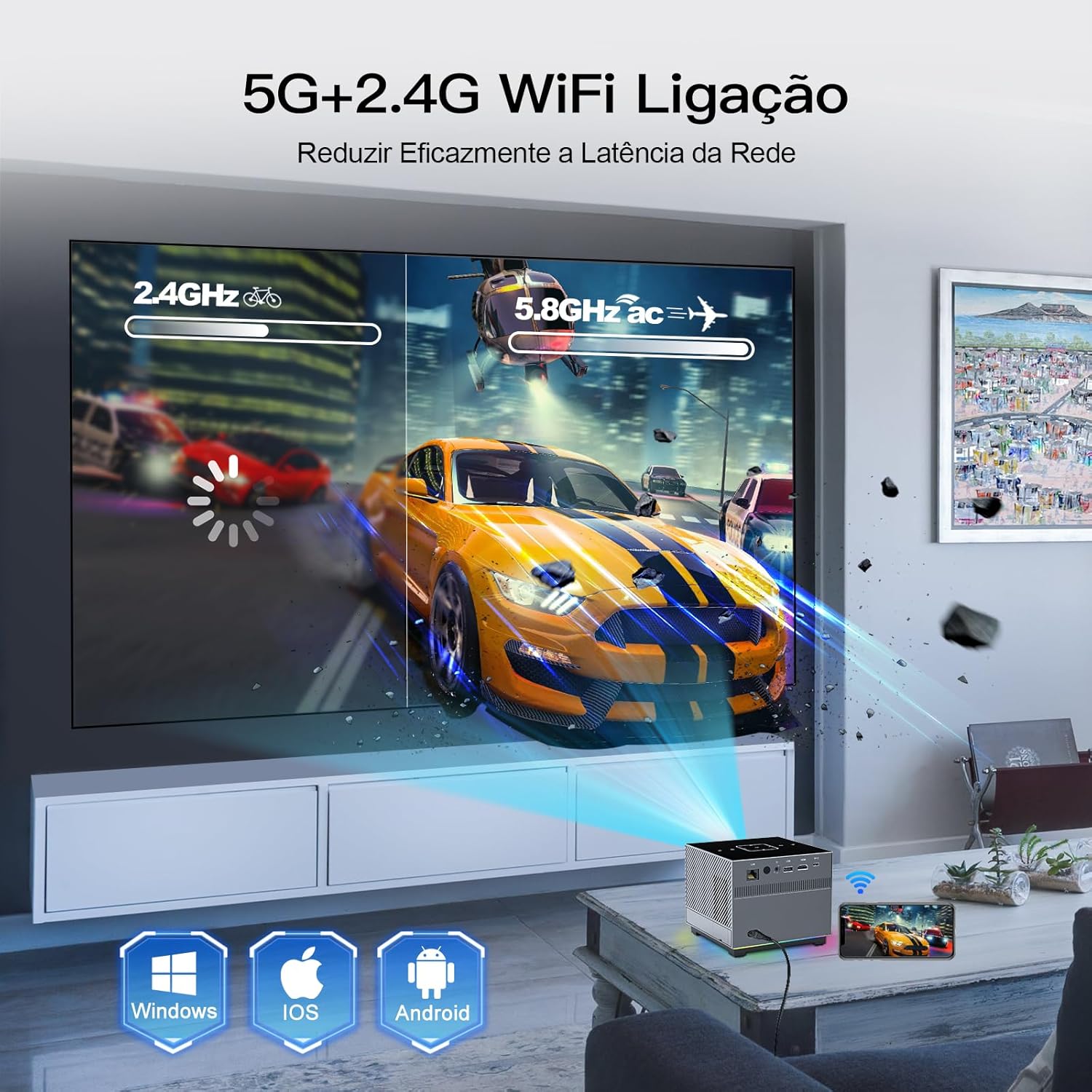
Image 3: The XNANO X3 Projector in an operational setting, projecting an image onto a screen. The image also illustrates the dual-band 2.4G and 5G WiFi connectivity.
6. Awọn ilana Iṣiṣẹ
6.1 Lilo isakoṣo latọna jijin
The remote control is your primary interface for the projector. Ensure it is paired via Bluetooth for full functionality, including the voice assistant.
- Lilọ kiri: Lo pad itọsọna ati bọtini OK lati lilö kiri awọn akojọ aṣayan.
- Idojukọ: Use F+/- buttons for electric focus adjustment.
- Oluranlọwọ ohun: Press the voice button (if available and paired) to activate voice commands for most projector functions.
- Iwọn didun: Adjust audio output.
6.2 Using Touch Keys
The projector's top panel features touch-sensitive keys for basic operations. Gently touch the keys to activate functions such as power, volume, and navigation.
6.3 Lilọ kiri ati Eto
The projector runs on a smart operating system. Navigate through the home screen to access installed applications, input sources, and system settings. Adjust picture settings (brightness, contrast, color) and sound settings as desired.
7. Asopọmọra
7.1 WiFi Setup (2.4G/5G)
- Go to the 'Settings' menu on the projector.
- Select 'Network' or 'WiFi'.
- Turn on WiFi and select your desired network (2.4G or 5G).
- Enter the password and connect. The 5G WiFi offers faster speeds for smoother streaming.
7.2 Sisopọ Bluetooth
Connect Bluetooth speakers, headphones, or the remote control for enhanced audio or control.
- Lọ sí 'Ètò' kí o sì yan 'Bluetooth'.
- Turn on Bluetooth and scan for devices.
- Yan ẹrọ rẹ lati inu akojọ lati so pọ.
7.3 Nsopọ Awọn ẹrọ ita
Pirojekito naa ni awọn ibudo oriṣiriṣi fun sisopọ awọn ẹrọ ita:
- HDMI: Connect Blu-ray players, game consoles, laptops, or TV sticks.
- USB: Mu awọn media ṣiṣẹ files taara lati awọn awakọ USB.
- Ohun Jade: Connect external wired speakers or sound systems.
- Lan: Fun isopọ Ayelujara ti a firanṣẹ.
- Iru-C: Fun awọn ẹrọ ibaramu.

Image 4: The XNANO X3 Projector displaying its smart interface with pre-installed apps like Netflix and YouTube. The image also illustrates the various connectivity options including LAN, HDMI, USB, and Type-C ports.
8. Apps and Media Playback
8.1 Built-in Applications
The projector comes with pre-installed applications such as Netflix, YouTube, and the Play Store. Access these directly from the home screen to stream movies, TV shows, and music.
8.2 Playing Local Media
Insert a USB drive into the USB port. The projector's media player will allow you to browse and play compatible video, audio, and image files ti o ti fipamọ lori drive.
8.3 iboju Mirroring
The projector supports screen mirroring from various devices, including Windows, iOS, and Android. Refer to the projector's on-screen instructions or settings for specific mirroring protocols (e.g., Miracast, AirPlay).
9. Itọju
9.1 Ninu awọn lẹnsi
Use a soft, lint-free cloth specifically designed for optical lenses. Gently wipe the lens to remove dust or smudges. Avoid using abrasive materials or harsh chemicals.
9.2 Wíwẹ ara Projector
Wipe the exterior of the projector with a soft, dry cloth. Do not use liquid cleaners directly on the device. Ensure ventilation openings are free from dust accumulation.
9.3 Battery Care for Long-Term Storage
If you do not plan to use the projector for an extended period, it is recommended to separate the battery from the projector to maintain battery health and prevent potential issues.
10. Laasigbotitusita
- Ko si Agbara: Ensure the power adapter is securely connected and the power outlet is functional. Check if the battery is charged.
- Ko si Aworan: Verify the input source is correctly selected. Check all cable connections (HDMI, etc.). Adjust focus using the remote. Ensure the lens cap is removed.
- Aworan ti ko boju mu: Use the F+/- buttons on the remote to adjust the electric focus. Ensure the projector is at an appropriate distance from the screen.
- Ko si Ohun: Check the projector's volume settings and any connected external audio devices. Ensure Bluetooth audio is correctly paired.
- Àwọn Ìṣòro Asopọmọra WiFi/Bluetooth: Ensure the projector is within range of the router/device. Restart the projector and the router/device. Re-enter WiFi password or re-pair Bluetooth device.
- Iṣakoso Latọna jijin Ko Dahun: Check battery in the remote. Ensure the remote is paired via Bluetooth for full functionality.
11. Awọn pato
| Ẹya ara ẹrọ | Sipesifikesonu |
|---|---|
| Brand | XNANO |
| Awoṣe | X3 |
| Iwọn Nkan | 1.65 iwon |
| Ọja Mefa | 10.16 x 5.43 x 5.75 inches |
| Ipinnu Ifihan | 1280 x 720 (Abínibí) |
| Asopọmọra Technology | Ethernet, WiFi (2.4G/5G), Bluetooth 5.2, HDMI, USB, Type-C, Audio |
| Pataki Awọn ẹya ara ẹrọ | Built-in Speakers, Rechargeable Battery, Electric Focus, Voice Remote |
| Niyanju Lilo | Ninu ile / ita gbangba |
| Imọlẹ | 300 ANSI Lumens |
| Video Decode Support | Titi di 4K |
12. Atilẹyin ọja ati Support
XNANO provides a one-year warranty for the X3 Projector. For technical assistance, troubleshooting, or warranty claims, please contact XNANO customer service. Professional technical support is available for the lifetime of the product.
Fun iranlọwọ siwaju sii, jọwọ ṣabẹwo si XNANO Store on Amazon.
Ask a question about this manual
Ask about setup, troubleshooting, compatibility, parts, safety, or missing instructions. Manuals+ will review the question and use this page’s manual context to help answer it.