
1Mii B03Pro+, ML100Pro
1Mii B03Pro+ & ML100Pro User Manual
Bluetooth 5.3 Transmitter Receiver & Aux Adapter
1. Ifihan
Thank you for choosing the 1Mii B03Pro+ Bluetooth 5.3 Transmitter Receiver and the 1Mii ML100Pro Bluetooth Aux Adapter. These devices are designed to enhance your audio experience by providing high-quality wireless audio transmission and reception, along with convenient hands-free capabilities for your car or home stereo systems.
1.1. Ọja Ipariview
Awọn 1Mii B03Pro+ is a versatile Bluetooth 5.3 device that functions as both a transmitter (TX) and a receiver (RX). It supports the high-resolution LDAC codec, ensuring superior audio quality for your TV and home stereo systems. Its intuitive screen display simplifies pairing and operation. The unique bypass mode allows simultaneous audio output to both wireless headphones and wired speakers.
Awọn 1Mii ML100Pro is a compact Bluetooth aux adapter, also supporting LDAC for high-resolution audio. It is ideal for car audio systems and home stereos, offering seamless wireless music streaming and a built-in microphone for clear hands-free calling.

Image: The 1Mii B03Pro+ Bluetooth Transmitter Receiver (left) and the 1Mii ML100Pro Bluetooth Aux Adapter (right).
1.2. Package Awọn akoonu
Jọwọ ṣayẹwo package fun awọn nkan wọnyi:
- 1 x 1Mii B03Pro+ Bluetooth Adapter
- 1 x 1Mii ML100Pro Bluetooth Receiver
- 1 x USB Agbara Agbara
- 1 x 3.5mm to RCA Audio Cable
- 1 x 3.5mm Audio Cable
- 1 x Okun Okun
- 1 x Agbara Adapter
- 1 x Type-C Charge Cable (for ML100Pro)
- 1 x 3.5mm Metal Adapter (for ML100Pro)
- 2 x User Manuals (one for each device)

Image: The 1Mii B03Pro+ Bluetooth Adapter and its accompanying cables and power adapter.
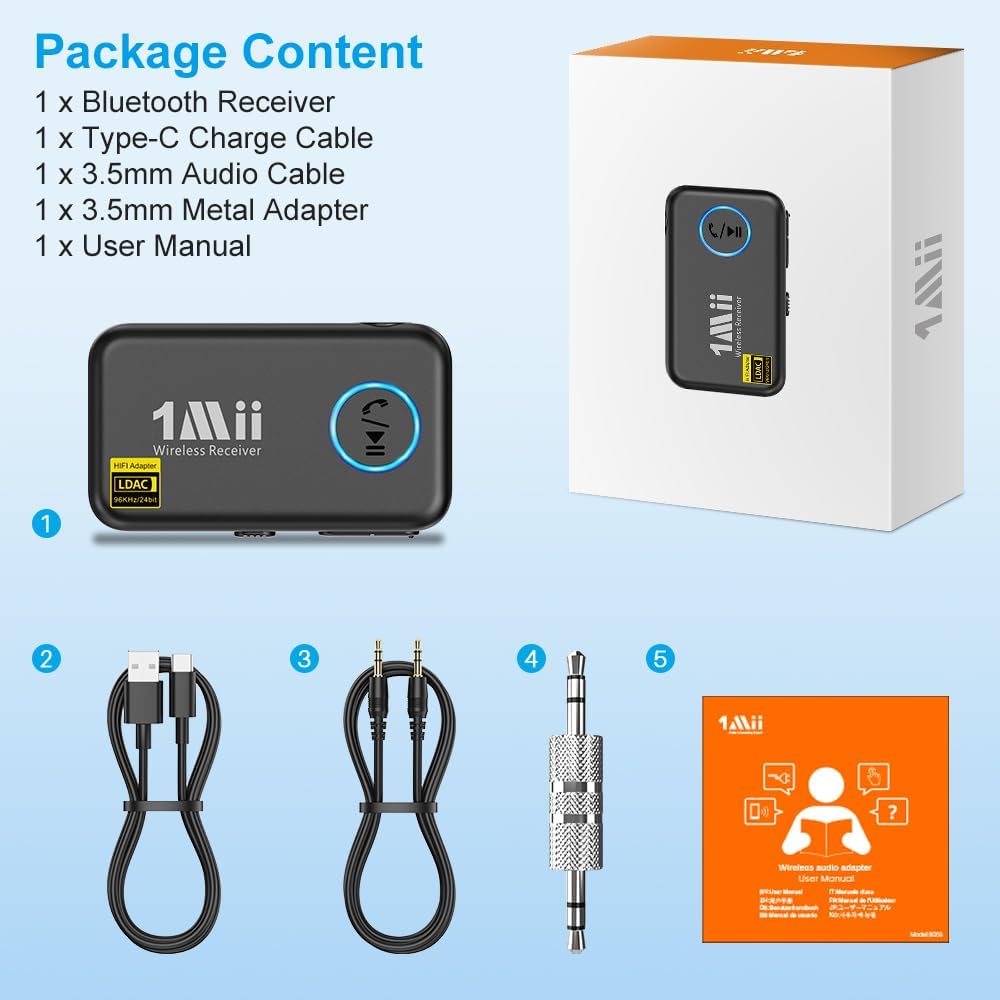
Image: The 1Mii ML100Pro Bluetooth Receiver, showing its connection and pairing process, along with its accessories.
2. Alaye Aabo
Please read all safety instructions carefully before using the product. Failure to follow these instructions may result in damage to the product or personal injury.
- Ma ṣe fi ẹrọ naa han si awọn iwọn otutu to gaju, ọriniinitutu, tabi agbegbe ibajẹ.
- Do not disassemble or modify the device. This will void the warranty.
- Jeki ẹrọ naa kuro ninu omi ati awọn olomi miiran.
- Lo oluyipada agbara ti a pese nikan ati awọn kebulu.
- Nu ẹrọ naa pẹlu asọ ti o gbẹ. Maṣe lo awọn kẹmika lile tabi awọn ohun elo abrasive.
3. B03Pro+ Product Features
The 1Mii B03Pro+ offers advanced features for a superior audio experience:
- High-Resolution LDAC Support: Streams high-resolution audio up to 24-bit/96kHz in both transmit (TX) and receive (RX) modes. Ensure your paired device also supports LDAC or aptX HD for optimal performance.
- Pass-through Mode (TX Bypass): Allows simultaneous audio output to both wireless headphones and a wired TV soundbar. This is ideal for shared viewing experiences where different volume levels are desired.
- Ifihan iboju: Features a clear LCD screen for easy navigation, device selection, and status monitoring.
- Iṣakoso iwọn didun: Dedicated buttons for adjusting audio volume directly on the device.

Image: The 1Mii B03Pro+ with its clear LCD display, showing pairing information.

Image: Close-up of the 1Mii B03Pro+ highlighting its LDAC high-resolution audio support.

Image: Diagram illustrating the B03Pro+'s Transmitter + Bypass Mode, allowing audio to both headphones and a soundbar simultaneously.
4. ML100Pro Product Features
The 1Mii ML100Pro is designed for portability and convenience:
- High-Resolution LDAC Audio: Delivers crystal-clear, high-resolution wireless audio, perfect for car and home audio systems.
- Irọrun Ọwọ: Equipped with a built-in microphone for clear hands-free calling while driving, enhancing safety and connectivity.
- Ibamu gbooro: Easily connects to various devices including phones, laptops, tablets, MP4 players, speakers, car audio systems, amplifiers, and wired headphones.
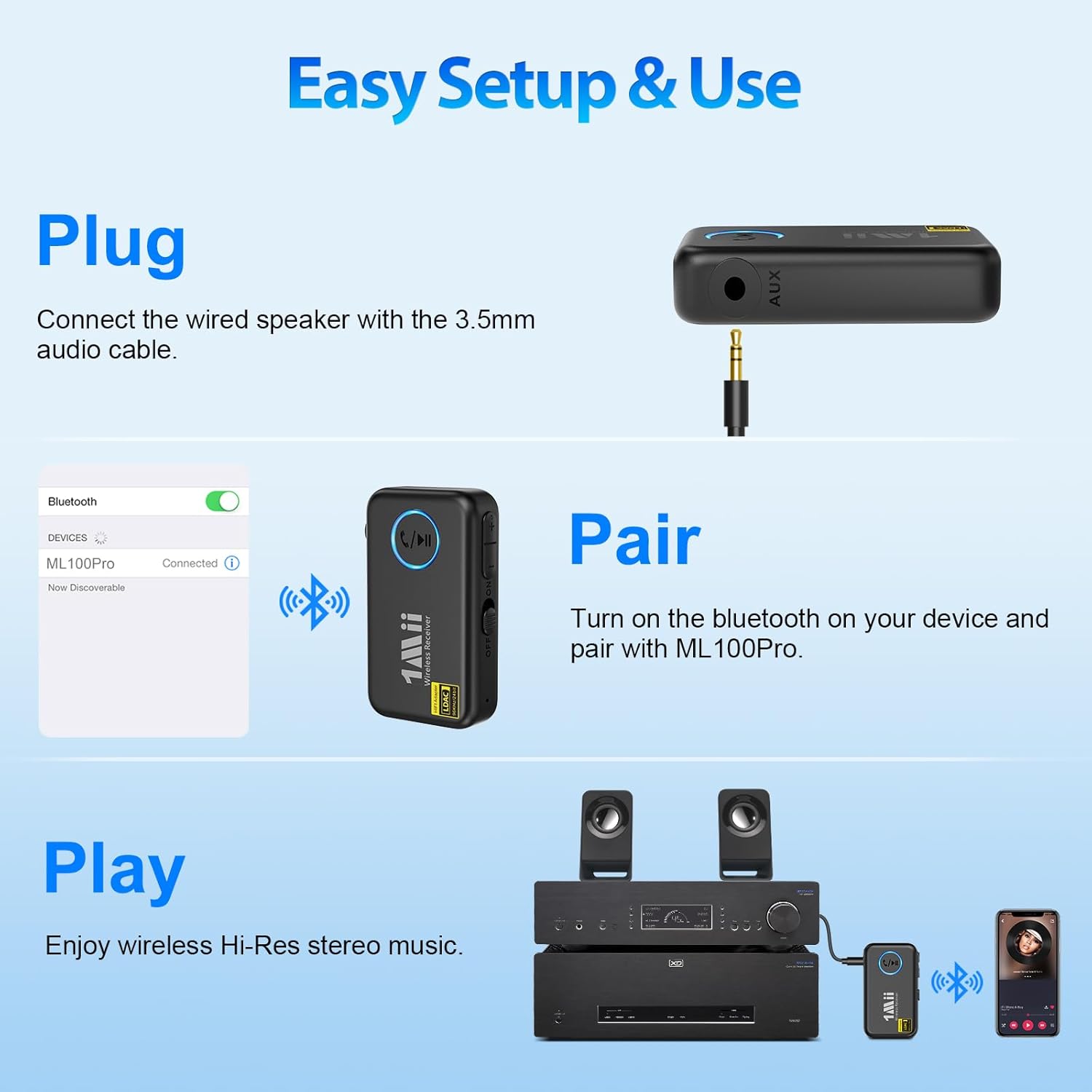
Image: Close-up of the compact 1Mii ML100Pro Wireless Receiver.
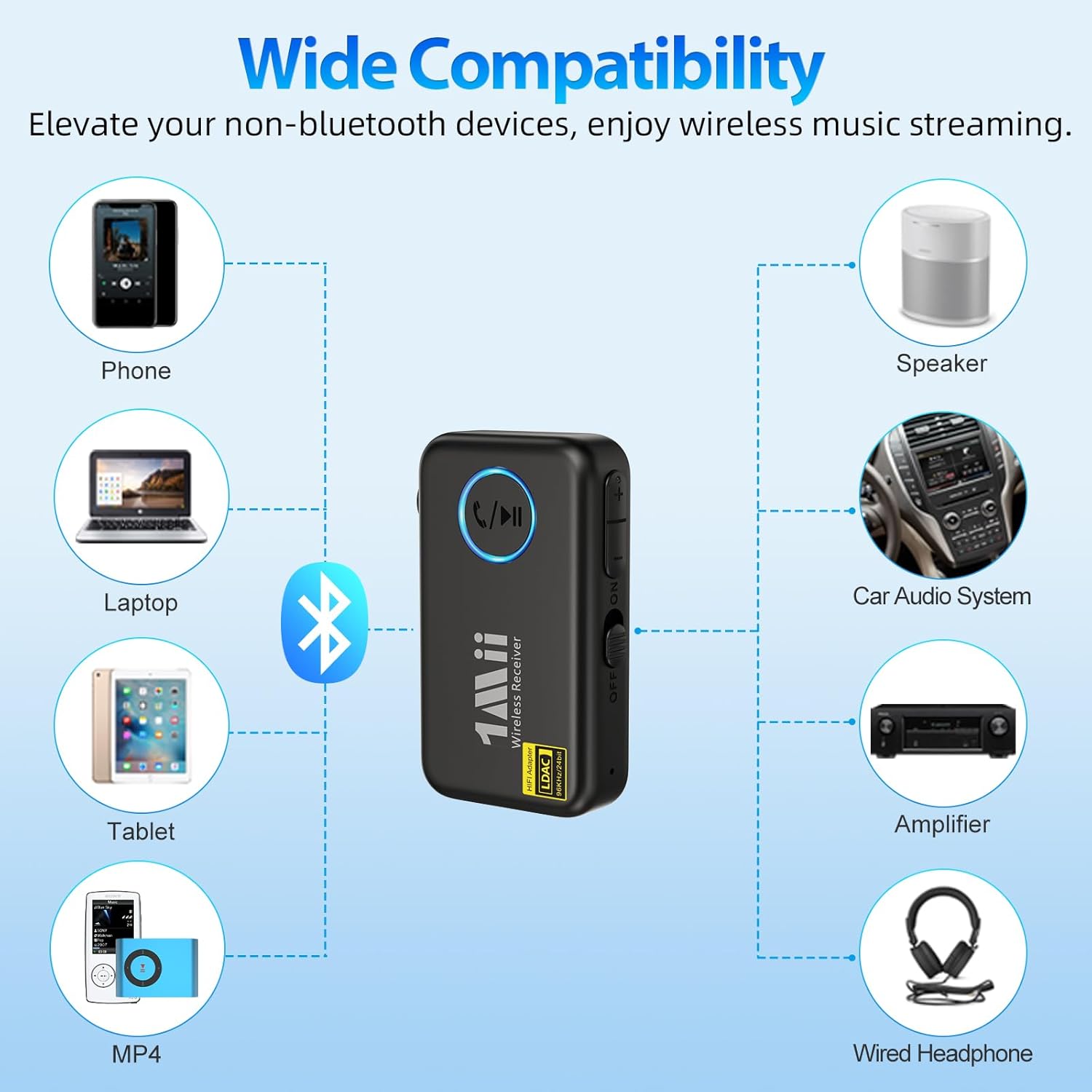
Image: The 1Mii ML100Pro in a car setting, demonstrating its hands-free streaming capability for calls and music.
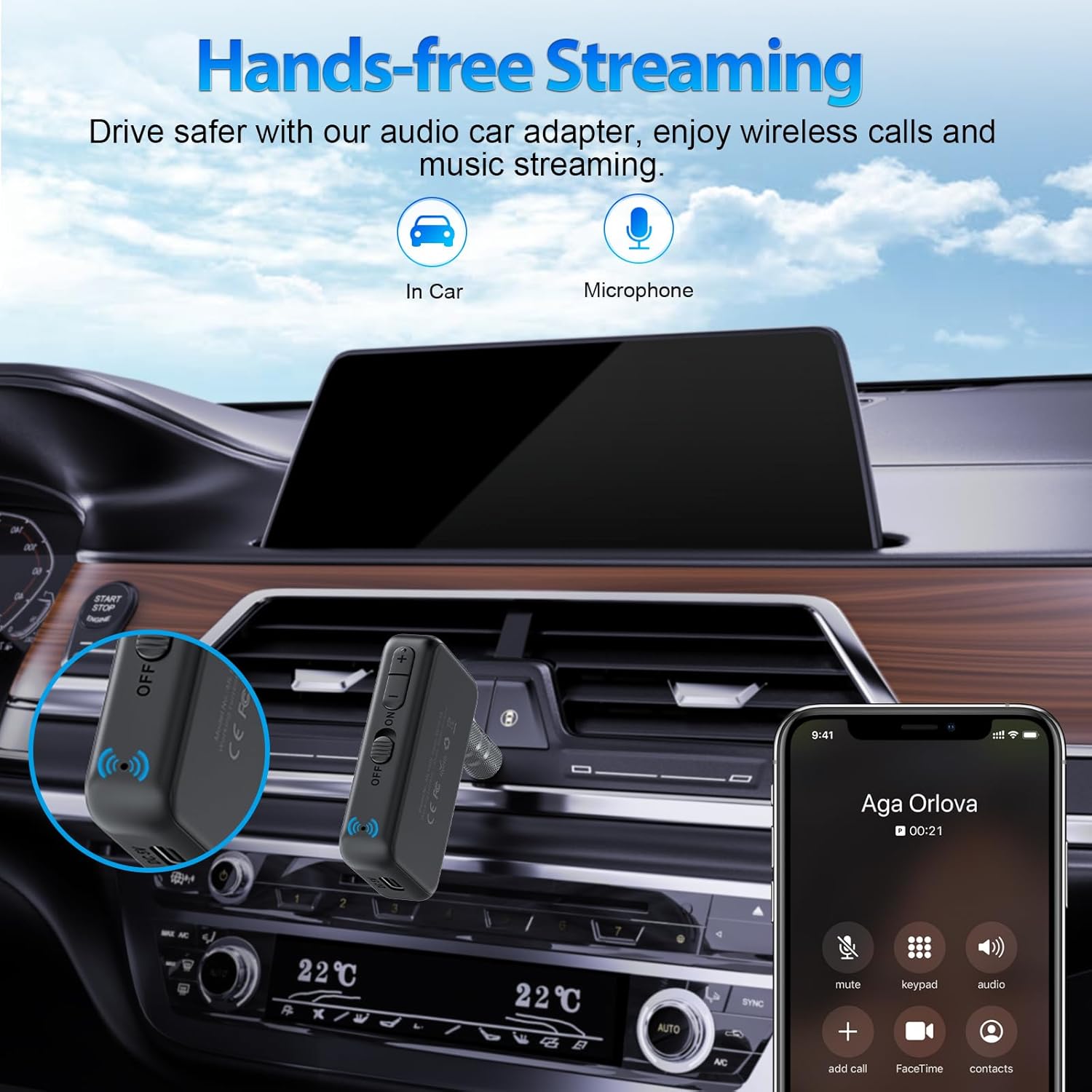
Image: Diagram showing the wide compatibility of the 1Mii ML100Pro with various audio devices.
5. Eto & Fifi sori
5.1. 1Mii B03Pro+ Setup
5.1.1. Transmitter (TX) Mode Setup (Connecting to TV/Audio Source)
- So agbara: Plug the USB power cable into the B03Pro+ and connect it to a power source (e.g., TV USB port, wall adapter).
- So Igbewọle Olohun pọ: Use the appropriate audio cable (Optical, 3.5mm, or RCA) to connect the B03Pro+ to your TV, AV receiver, or other audio source's audio output port.
- Agbara Tan: Turn on the B03Pro+. It will automatically enter TX mode if no audio input is detected in RX mode.
- Pipọpọ: The B03Pro+ will automatically enter pairing mode (indicated on the screen). Put your Bluetooth headphones or speaker into pairing mode. Select your device from the B03Pro+'s screen and confirm to pair.
5.1.2. Receiver (RX) Mode Setup (Connecting to Wired Speakers/Headphones)
- So agbara: Plug the USB power cable into the B03Pro+ and connect it to a power source.
- So Oju-iwe So pọ: Use the appropriate audio cable (3.5mm or RCA) to connect the B03Pro+ to your wired speakers, amplifier, or headphones' audio input port.
- Yipada si Ipo RX: If the device is in TX mode, switch it to RX mode using the mode switch or on-screen menu.
- Pipọpọ: The B03Pro+ will enter pairing mode. On your phone, tablet, or computer, enable Bluetooth and search for "1Mii B03Pro+" to connect.
5.2. 1Mii ML100Pro Setup
- Ẹrọ gbigba agbara: Before first use, fully charge the ML100Pro using the provided Type-C charge cable.
- Sopọ si Eto Olohun: Plug the ML100Pro into the AUX input of your car stereo or home audio system using the 3.5mm audio cable or the 3.5mm metal adapter.
- Agbara Tan: Slide the power switch to the 'ON' position. The device will automatically enter pairing mode.
- Pipọpọ: On your smartphone or other Bluetooth-enabled device, search for "1Mii ML100Pro" in the Bluetooth settings and connect.
- Mu Ohun ṣiṣẹ: Once connected, you can stream music wirelessly from your device to your car or home stereo.
6. Awọn ilana Iṣiṣẹ
6.1. 1Mii B03Pro+ Operation
- Ipo Yipada: Use the dedicated switch or on-screen menu to toggle between Transmitter (TX) and Receiver (RX) modes.
- Pairing New Devices: In TX or RX mode, press the pairing button or navigate the screen to enter pairing mode. Select the desired device from the list on the screen.
- Iṣakoso iwọn didun: Use the '+' and '-' buttons on the device to adjust the output volume.
- Ipo Fori: When in TX mode, ensure your wired audio connection (e.g., soundbar) is active. The B03Pro+ will automatically pass through audio to the wired connection while simultaneously transmitting to paired Bluetooth headphones.
- LDAC Activation: LDAC is automatically enabled when both the B03Pro+ and the connected Bluetooth device support it. The screen will indicate the active codec.
6.2. 1Mii ML100Pro Operation
- Sisisẹsẹhin orin: Once paired, simply play music from your connected device. The audio will be streamed wirelessly to your car or home stereo.
- Npe ni Ọwọ: When a call comes in, the ML100Pro will automatically switch to call mode. Press the multi-function button (usually the play/pause button) to answer or end a call. The built-in microphone will pick up your voice.
- Iṣakoso iwọn didun: Adjust volume via your connected smartphone or the car/home stereo system.
- Atunṣe: The ML100Pro will automatically attempt to reconnect to the last paired device when powered on.
7. Itọju
- Ninu: Wipe the devices with a soft, dry, lint-free cloth. Do not use liquid cleaners or aerosols.
- Ibi ipamọ: Tọ́jú àwọn ẹ̀rọ náà sí ibi gbígbẹ tí ó tutù, tí kò sí ìmọ́lẹ̀ oòrùn tààrà tàbí ooru líle nígbà tí a kò bá lò ó fún ìgbà pípẹ́.
- Battery Care (ML100Pro): For optimal battery life, avoid fully discharging the ML100Pro frequently. Charge it regularly, even if not in constant use.
8. Laasigbotitusita
8.1. No Sound / Poor Audio Quality
- Ṣayẹwo Awọn isopọ: Ensure all audio cables are securely connected to the correct input/output ports on both the 1Mii device and your audio system.
- Awọn ipele Iwọn: Verify that the volume is turned up on both the 1Mii device, your source device (phone, TV), and your receiving device (headphones, speakers).
- Ipo titọ: Ensure the B03Pro+ is in the correct mode (TX for transmitting, RX for receiving).
- Codec Compatibility: For LDAC, ensure both the 1Mii device and the paired Bluetooth device support LDAC. If not, it will default to another compatible codec like aptX or SBC.
- Ìjánu: Move the devices closer to each other and away from potential sources of interference (e.g., Wi-Fi routers, microwaves).
8.2. Cannot Pair Devices
- Ipo sisopọ: Ensure both the 1Mii device and the target Bluetooth device are in pairing mode.
- Pa Itan Isopọpọ mọ: On your source device (phone, TV), try forgetting or deleting previous Bluetooth connections. On the 1Mii device, refer to its specific instructions for clearing pairing history if available.
- Tun awọn ẹrọ bẹrẹ: Turn off and then turn on both the 1Mii device and the device you are trying to pair.
- Ijinna: Keep the devices within close proximity (within 1 meter) during the pairing process.
8.3. ML100Pro Battery Not Charging
- Ṣayẹwo Cable: Ensure the Type-C charging cable is securely connected to both the ML100Pro and the power source.
- Orisun Agbara: Gbiyanju ibudo USB miiran tabi adapter ogiri.
9. Awọn pato
| Ẹya ara ẹrọ | 1Mii B03Pro+ | 1Mii ML100Pro |
|---|---|---|
| Ẹya Bluetooth | 5.3 | 5.3 |
| Bluetooth Profiles | A2DP, AVRCP | A2DP, AVRCP, HFP, HSP |
| Awọn kodẹki ohun | LDAC, aptX HD, aptX Low Latency, aptX, SBC | LDAC, aptX HD, aptX, SBC |
| Awọn ọna ṣiṣe | Olùgbéjáde (TX), Olùgbà (RX), Àgbéjáde | Olugba (RX) |
| Audio Inputs (TX) | Optical, 3.5mm AUX, RCA | N/A |
| Audio Outputs (RX) | 3.5mm AUX, RCA | 3.5mm AUX |
| Ifihan | Iboju LCD | LED Atọka |
| Gbohungbohun | Rara | Bẹẹni (Itumọ ti) |
| Agbara Input | DC 5V | DC 5V (Iru-C) |
10. Atilẹyin ọja & Atilẹyin
1Mii products come with a standard manufacturer's warranty. For detailed warranty information, technical support, or customer service inquiries, please refer to the warranty card included in your package or visit the official 1Mii webojula. Jọwọ ṣe idaduro ẹri rira rẹ fun awọn iṣeduro atilẹyin ọja.