
1. Ifihan
This manual provides essential information for the safe and efficient use of your XIAOMI Redmi 15 5G Smartphone. Please read it carefully before using the device and keep it for future reference.
2. Package Awọn akoonu
Jẹrisi pe package rẹ ni awọn nkan wọnyi ninu:
- XIAOMI Redmi 15 5G Smartphone
- Ọran Idaabobo
- Okun USB-C
- SIM Ejector Ọpa
Akiyesi: A power adapter is not included in the package. Please use a compatible 33W fast charger for optimal charging performance.
3. Device Ìfilélẹ
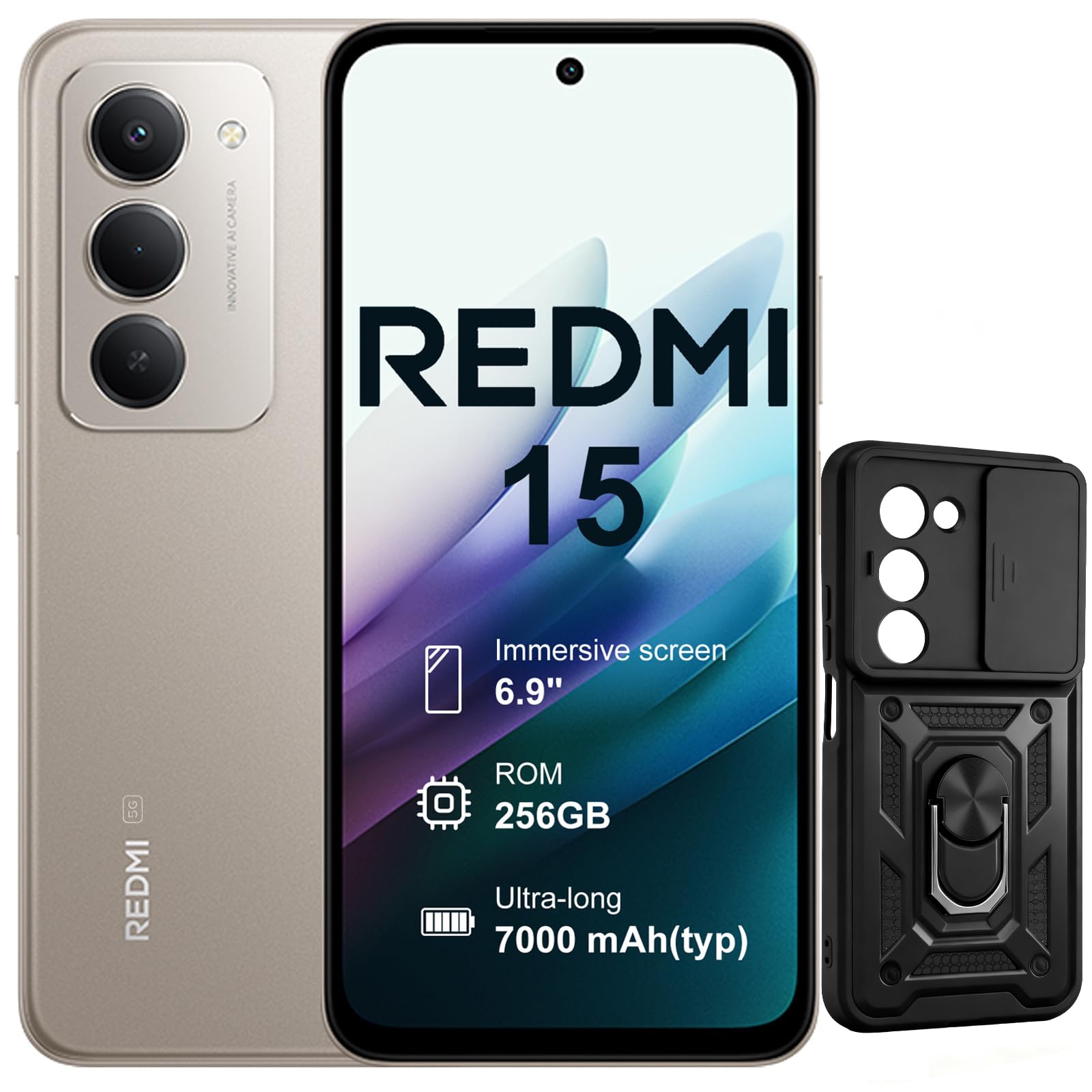
Aworan: Iwaju ati sẹhin view of the XIAOMI Redmi 15 5G Smartphone. The device features a large display on the front and a triple camera setup on the rear.
Familiarize yourself with the physical components of your smartphone:
- Bọtini agbara: Located on the side, used to power on/off or wake/sleep the device. Also integrates the fingerprint sensor.
- Awọn bọtini iwọn didun: Ti o wa ni ẹgbẹ, ti a lo lati ṣatunṣe media ati iwọn didun ipe.
- Ibudo USB-C: Ti o wa ni isalẹ, fun gbigba agbara ati gbigbe data.
- Jack agbekọri 3.5mm: Located on the top/bottom, for connecting wired headphones.
- Atẹ kaadi SIM: Located on the side, for inserting Nano SIM cards.
- Kamẹra iwaju: Located on the display, for selfies and video calls.
- Awọn kamẹra ẹhin: Multiple lenses on the back for high-quality photography and video recording.
4. Eto
4.1. Fi awọn kaadi SIM sii
- Wa atẹ kaadi SIM ni ẹgbẹ ẹrọ rẹ.
- Fi ohun elo SIM ejector sii sinu iho kekere ti o tẹle atẹ ki o tẹ ṣinṣin titi ti atẹ naa yoo jade.
- Place your Nano SIM card(s) into the designated slots on the tray. This device supports Dual SIM.
- Fi iṣọra tun fi atẹ sii sinu foonu naa.
4.2. Ibẹrẹ Agbara Tan ati Eto
- Tẹ bọtini agbara ki o si mu titi aami XIAOMI yoo fi han.
- Tẹle awọn ilana loju iboju lati yan ede rẹ, sopọ si nẹtiwọki Wi-Fi, ki o si ṣeto akọọlẹ Google rẹ.
- Configure security features such as fingerprint recognition (integrated into the power button) and screen lock.
5. Ṣiṣẹ Foonuiyara rẹ
5.1. Ifihan ati Ibaṣepọ
The Redmi 15 features an immersive 6.9-inch FHD+ display with a 144Hz refresh rate for smooth visuals. It also includes an all-day eye-care display for comfortable viewing.

Aworan: Eniyan viewing the smartphone screen in a dimly lit room, demonstrating the all-day eye-care display feature for reduced eye strain.
The device incorporates Wet Touch Technology 2.0, ensuring accurate touch response even when your fingers are wet or covered with oil or foam.

Image: A person interacting with the smartphone while at the beach, illustrating the Wet Touch Technology 2.0 which allows for accurate touch input even with wet fingers.
5.2. Awọn ẹya ara ẹrọ kamẹra
The Redmi 15 5G is equipped with a 50MP AI dual camera system, offering features like Super Resolution mode and dynamic shots. Video recording is stabilized in 4K.
5.3. Connectivity and Performance
Powered by the Snapdragon 6 Gen 3 processor with integrated 5G modem, the device provides ultra-fast downloads and smooth gaming. It ensures powerful and fluid multitasking even with demanding applications.

Image: A graphic representation of the Snapdragon 6s Gen 3 processor, highlighting its 5G capabilities and support for up to 16GB RAM with memory extension.
5.4. Pataki Awọn ẹya ara ẹrọ
Circle lati Wa pẹlu Google: This feature allows you to instantly search for anything you see on your phone by circling, scribbling, or tapping to pinpoint items without needing screenshots.

Image: A smartphone screen demonstrating the "Circle to Search with Google" feature, where a user circles an item in an image to perform a search and view related results.
6. Maintenance and Battery Management
6.1. Battery Charging and Longevity
The device is equipped with a 7000mAh battery, providing up to 2 days of typical use. It supports 33W turbo charging for quick power-ups.

Image: A smartphone screen displaying a charging animation with "86.11%" and "MI TURBO CHARGE", alongside text highlighting the benefits of 33W turbo charging.
The battery is designed for durability, maintaining at least 80% of its original capacity after 1600 full charging cycles. Even at 1% battery level, the phone can remain in standby mode for up to 7.5 hours or allow up to 59 minutes of calls.

Image: A graphic illustrating "1% power endurance" with call and standby times, and "1600 charge cycles, capacity still ≥80%", emphasizing battery longevity.
The device also supports 18W reverse charging, allowing it to function as a portable power bank for other devices.

Image: Two smartphones connected via a cable, demonstrating the 18W reverse charging feature where one phone charges another, effectively acting as a power bank.
6.2. Environmental Resilience
The Redmi 15 5G is designed for reliable performance even in low temperatures, with enhanced battery performance at -20°C. It is also water-resistant.

Image: A smartphone with frost on its edges, illustrating its reliable performance and battery endurance at -20°C, with specific video playback and call times.
7. Laasigbotitusita
Ti o ba pade awọn ọran pẹlu ẹrọ rẹ, gbiyanju awọn igbesẹ laasigbotitusita ipilẹ wọnyi:
- Ohun elo Ko dahun: Tẹ mọlẹ bọtini Agbara fun bii iṣẹju 10-15 lati fi ipa mu atunbẹrẹ bẹrẹ.
- Awọn oran Nẹtiwọọki: Check if your SIM card is properly inserted. Try toggling Airplane Mode on and off. Verify your mobile data settings.
- Awọn iṣoro gbigba agbara: Ensure the USB-C cable is securely connected to both the phone and the power adapter (not included). Try a different cable or power source.
- Awọn aiṣedeede App: Ti app naa ki o si tun un ṣii. Ti iṣoro naa ba n tẹsiwaju, paarẹ cache app naa tabi tun fi sii.
- Sensọ Atẹtẹ Ika Ko Ṣiṣẹ: Rí i dájú pé ìka rẹ mọ́ tónítóní àti pé ó gbẹ. Tún ṣe ìforúkọsílẹ̀ ìka rẹ tí ó bá pọndandan.
For more advanced troubleshooting, please refer to the official XIAOMI support resources.
8. Awọn pato
| Ẹya ara ẹrọ | Sipesifikesonu |
|---|---|
| Brand | XIAOMI |
| Orukọ awoṣe | Redmi 15 |
| Eto isesise | Android 15 |
| Àgbo | 8 GB |
| Agbara ipamọ | 256 GB |
| Iwon iboju | 6.9 inches |
| Ipinnu | 2460 x 1080 |
| Oṣuwọn sọtun | 144 Hz |
| Cellular Technology | 5G |
| Iho kaadi SIM | SIM meji |
| Ifitonileti Imudaniloju | Idanimọ itẹka |
| Omi Resistance Ipele | Omi sooro |
| Jack agbekọri | 3.5 mm |
| Ipinnu Kamẹra iwaju | 8 MP |
| Ipinnu Kamẹra ti o kẹhin | 50 MP |
| Agbara Batiri | 7000 mAh |
| Apapọ batiri Life | 2 Ọjọ |
| Awọn iwọn | 16.9 x 8 x 0.8 cm |
| Gbigba agbara Port | USB-C |
9. atilẹyin ọja Information
Your XIAOMI Redmi 15 5G Smartphone comes with a 2-odun olupese ká atilẹyin ọja. Atilẹyin ọja yi ni wiwa awọn abawọn ninu awọn ohun elo ati iṣẹ ṣiṣe labẹ lilo deede. Jọwọ ṣe idaduro ẹri rira rẹ fun awọn iṣeduro atilẹyin ọja.
For detailed warranty terms and conditions, please visit the official XIAOMI webojula tabi kan si atilẹyin alabara.
10. Atilẹyin
For further assistance, technical support, or service inquiries, please contact XIAOMI customer support through their official channels. You can also visit the official XIAOMI store for more information and resources: