
1. Ifihan
The be quiet! Pure Power 13M 850W is a high-performance PC power supply unit designed for reliable and quiet operation. It features 80 Plus Gold and Cybenetics Gold certification, ensuring high efficiency across various workloads, including gaming and creative applications. This power supply is compliant with ATX 3.1 and PCIe 5.1 standards, supporting high-end graphics cards with up to 600W power delivery. Its dedicated 120mm silent fan operates in a semi-passive mode, providing a quiet computing environment by only activating under sufficient load. This manual provides essential information for the safe and proper installation, operation, and maintenance of your Pure Power 13M 850W power supply.
2. Alaye Aabo
- Always disconnect the power supply from the mains electricity before installation, maintenance, or troubleshooting.
- Installation should be performed by qualified personnel. Incorrect installation can lead to damage to the unit or other components.
- Do not open the power supply unit casing. Iwọn gigatages are present inside, which can cause electric shock.
- Keep the power supply away from moisture, liquids, and extreme temperatures.
- Rii daju pe fentilesonu to dara ni ayika ipese agbara lati ṣe idiwọ igbona.
- Use only the modular cables provided with the power supply. Using incompatible cables can cause damage.
3. Package Awọn akoonu
Jẹrisi pe gbogbo awọn ohun kan wa ninu package:
- be quiet! Pure Power 13M 850W Power Supply Unit
- Modular Cable Set (including 24-pin ATX, 8-pin CPU, PCIe 6+2 pin, SATA, and PATA connectors)
- AC Agbara okun
- Iṣagbesori skru
- Ilana itọnisọna
4. fifi sori
Follow these steps to install your power supply unit:
- Mura Eto Rẹ: Ensure your computer case is compatible with ATX power supplies. Disconnect all power from your PC and open the case.
- Fi Ipese Agbara So: Carefully slide the Pure Power 13M 850W into the designated PSU bay in your PC case. Secure it with the provided mounting screws.
- So awọn okun onirin pọ: Identify the necessary cables for your components. Connect the 24-pin ATX cable to your motherboard. Connect the 8-pin (or 4+4 pin) CPU power cable to your motherboard.
- Connect Graphics Card (GPU): For high-end graphics cards, use the appropriate PCIe 6+2 pin connectors. The Pure Power 13M 850W is compliant with PCIe 5.1, supporting up to 600W for modern GPUs.
- Awọn Agbeegbe Sopọ: Connect SATA power cables to your storage drives (SSDs, HDDs) and PATA cables to any other compatible peripherals.
- Iṣakoso USB: Utilize the full modular design to connect only the cables you need, improving airflow and reducing clutter inside your case.
- Ṣayẹwo Ipari: Double-check all connections to ensure they are secure and correctly seated. Close your PC case.
- Connect to Mains: So okun agbara AC pọ si ipese agbara ati lẹhinna si iṣan ogiri.
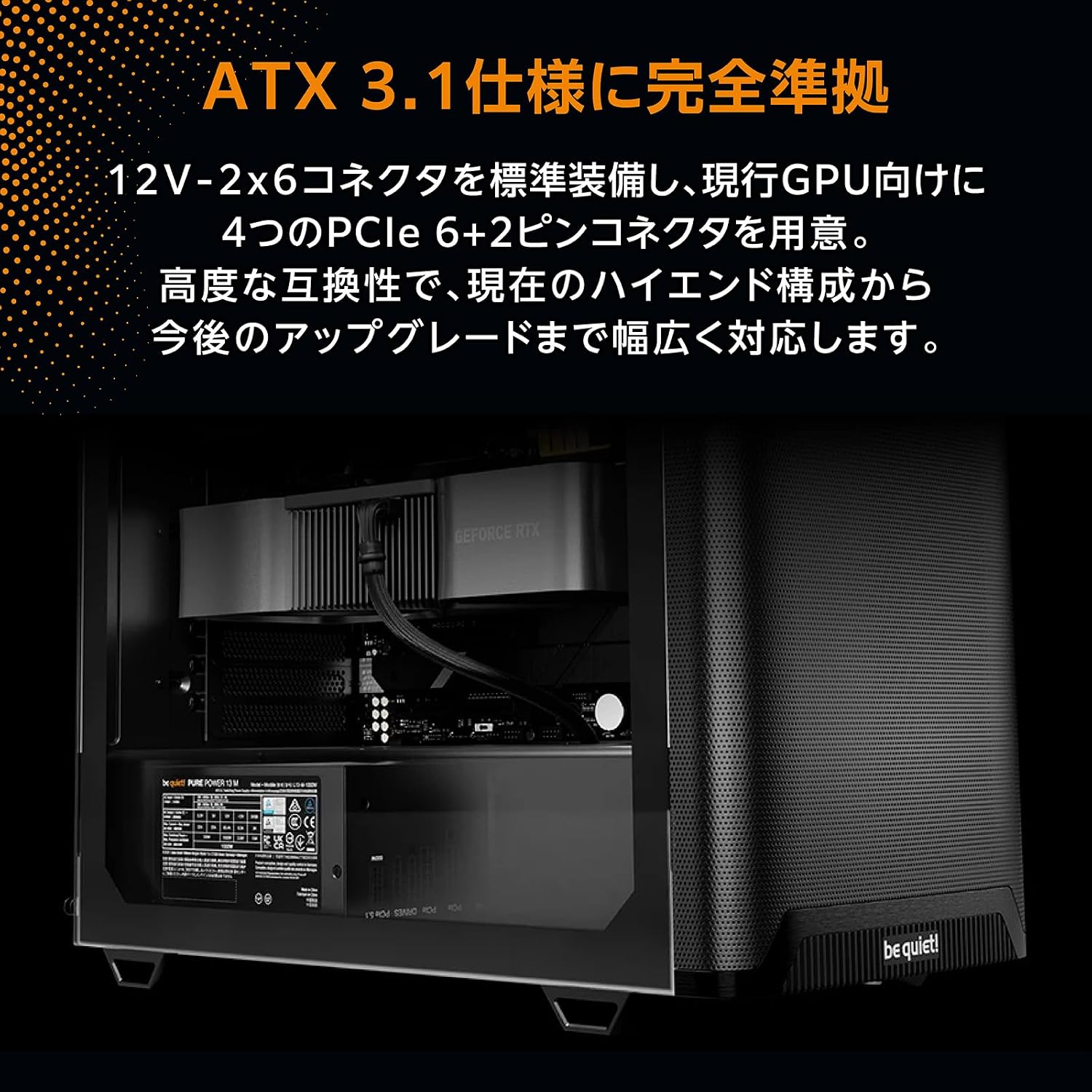
Image: The Pure Power 13M 850W power supply unit correctly installed within a computer case, demonstrating cable routing.

Aworan: A sunmọ-soke view of the modular cable ports on the power supply, showing labels for motherboard (MB), PCIe, and drive connections.
5. Isẹ
Once installed, turn on your computer. The Pure Power 13M 850W operates with a focus on quietness and efficiency:
- Semi-Passive Mode: The integrated 120mm fan is designed to remain off during low system loads. This semi-passive operation ensures near-silent performance when your PC is idle or performing light tasks.
- Ṣiṣẹ Olufẹ: The fan will automatically start spinning once the power supply reaches a certain internal temperature or load threshold. This intelligent control optimizes cooling while minimizing noise.
- Iṣiṣẹ to gaju: With 80 Plus Gold and Cybenetics Gold certification, the power supply delivers up to 94.4% efficiency, reducing energy waste and operating costs.

Aworan: A alaye view of the 120mm fan on the Pure Power 13M 850W, highlighting its quiet design.

Image: An angled top-down view ti ipese agbara, ifihanasing the fan grill and the 'be quiet!' branding on the fan.
6. Itọju
To ensure optimal performance and longevity of your power supply, follow these maintenance guidelines:
- Yiyọ eruku kuro: Periodically clean the exterior of the power supply and its fan grill to prevent dust buildup. Use compressed air or a soft brush. Ensure the power supply is disconnected from the mains before cleaning.
- Afẹfẹ: Ensure that the air intake and exhaust vents of the power supply are not obstructed. Good airflow is crucial for efficient cooling.
- Ṣayẹwo USB: Occasionally check that all modular cables are securely connected to both the power supply and your components.
7. Laasigbotitusita
Ti o ba pade awọn ọran pẹlu ipese agbara rẹ, tọka si awọn igbesẹ laasigbotitusita ti o wọpọ wọnyi:
- Ko si Agbara:
- Ṣàyẹ̀wò bóyá okùn agbára AC náà so mọ́ ibi tí agbára náà wà àti ibi tí agbára náà ti wà ní ògiri.
- Rí i dájú pé ẹ̀rọ ìyípadà agbára tó wà lẹ́yìn PSU wà ní ipò 'ON'.
- Verify that all modular cables (24-pin ATX, CPU, GPU) are correctly and firmly seated.
- Ṣe ìdánwò ibi ìtajà ògiri pẹ̀lú ẹ̀rọ mìíràn láti jẹ́rìí sí i pé ó ní agbára.
- Aisedeede/iparun eto:
- Rii daju pe awọn ibeere agbara eto rẹ ko kọja agbara 850W ti PSU.
- Ṣayẹwo awọn asopọ okun alaimuṣinṣin.
- Ṣe àkíyèsí iwọn otutu eto lati yọju si liloju ti awọn paati miiran.
- Ariwo Dani:
- Confirm that the noise is coming from the PSU and not another component.
- Check for dust buildup on the fan. Clean if necessary (refer to Maintenance section).
- Note that the fan operates in semi-passive mode; it will only spin under load. If the noise occurs only under heavy load, it may be normal operation.
If problems persist after following these steps, contact be quiet! customer support.
8. Awọn pato
| Ẹya ara ẹrọ | Sipesifikesonu |
|---|---|
| Brand | dake! |
| Awoṣe | Pure Power 13M 850W (BP027JP) |
| Agbara Ijade | 850 W |
| Ijẹrisi ṣiṣe | 80 PLUS Gold, Cybenetics Gold (up to 94.4%) |
| Fọọmù ifosiwewe | ATX |
| Fan Iwon | 120mm |
| USB Management | Modulu ni kikun |
| Awọn iwọn (L x W x H) | 160 x 150 x 86 mm |
| Iye owo ti ATX | 3.1 |
| PCIe Standard | 5.1 (up to 600W for high-end video cards) |
| MTBF (Aago Itumọ Laarin Awọn Ikuna) | wakati meji 100,000 |
| Ipilẹṣẹ | Jẹmánì |

Image: Official 80 PLUS Gold and Cybenetics Gold certification logos, indicating high power efficiency.

Aworan: inu view of a power supply unit's circuit board, illustrating the advanced LLC topology for stable voltage control and efficiency.
9. Atilẹyin ọja ati Support
The be quiet! Pure Power 13M 850W power supply unit comes with a 10-odun olupese ká atilẹyin ọja lati ọjọ ti o ra. Atilẹyin ọja yi ni wiwa awọn abawọn ninu awọn ohun elo ati iṣẹ ṣiṣe labẹ lilo deede.
For technical support, warranty claims, or further assistance, please visit the official be quiet! website or contact their customer service department. Please have your product model and proof of purchase ready when contacting support.
Atilẹyin Ayelujara: www.bequiet.com


