
Ọrọ Iṣaaju
Thank you for choosing the EUQQ YYK-Q10 AI Translator Earbuds. These earbuds are designed to provide seamless real-time language translation, high-quality audio, and effective noise cancellation, making them ideal for communication across language barriers, business meetings, and everyday use. This manual will guide you through the setup, operation, and maintenance of your new device to ensure optimal performance and user experience. Please read this manual thoroughly before using the product.
Package Awọn akoonu
Jọwọ ṣayẹwo package fun awọn nkan wọnyi:
- EUQQ YYK-Q10 AI Translator Earbuds (L/R)
- Ngba agbara Case
- Okun Ngba agbara USB
- Ọpọ titobi ti Eti Italolobo
- Itọsọna olumulo
Ti awọn ohun kan ba nsọnu tabi bajẹ, jọwọ kan si atilẹyin alabara.
Ọja Pariview
The EUQQ YYK-Q10 features a compact design with intuitive controls and a smart charging case. Familiarize yourself with the components below.
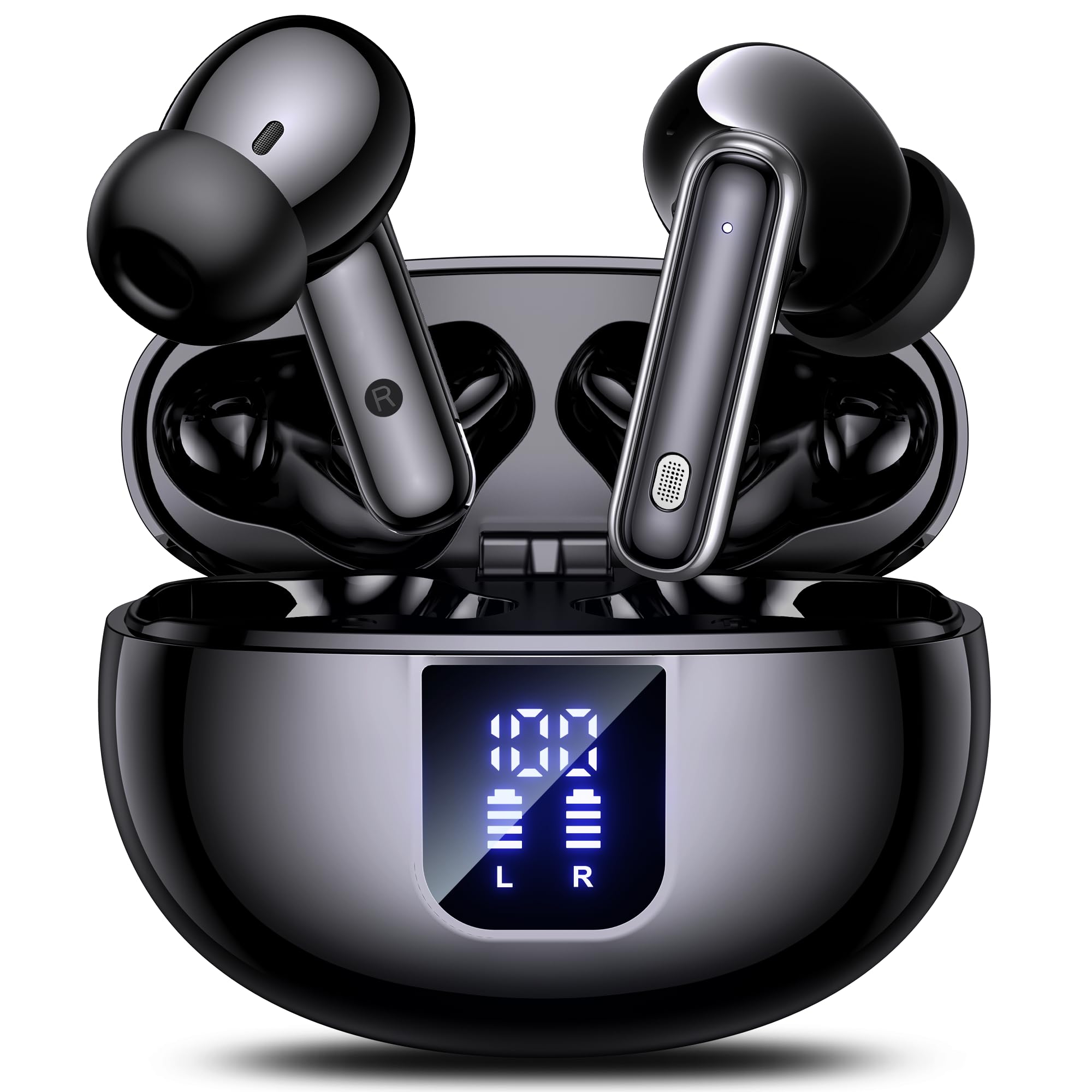
Image: The EUQQ YYK-Q10 AI Translator Earbuds are shown inside their open charging case. The case is black and features a digital display on the front, indicating battery levels for both the case and individual earbuds (L and R). The earbuds themselves are black with silver accents.
Awọn eroja pataki:
- Awọn afetigbọ: Left (L) and Right (R) earbuds with touch control areas and microphones.
- Ngba agbara: Stores and charges the earbuds. Features a digital display for battery status.
- Ibudo gbigba agbara: USB-C port on the charging case for power input.
- Awọn itọkasi LED: On earbuds and case to show charging status and connection.
Ṣeto
1. Gbigba agbara akọkọ
- Gbe awọn afikọti mejeeji sinu ọran gbigba agbara.
- So okun gbigba agbara USB pọ si ibudo gbigba agbara lori ọran ati orisun agbara kan.
- The digital display on the case will show the charging status. Ensure both earbuds and the case are fully charged before first use (approximately 1-2 hours).
2. Sisopọ Bluetooth
- Open the charging case. The earbuds will automatically enter pairing mode, indicated by flashing LED lights.
- Lori foonuiyara tabi ẹrọ rẹ, mu Bluetooth ṣiṣẹ ki o wa awọn ẹrọ to wa.
- Select "EUQQ YYK-Q10" from the list of devices.
- Once connected, the earbud LEDs will stop flashing, and a voice prompt will confirm the connection.
3. App Installation (for Translation Features)
To utilize the real-time translation features, download the dedicated EUQQ translation app from your device's app store (iOS App Store or Google Play Store). Follow the in-app instructions to connect your earbuds and configure language settings.
Awọn ilana Iṣiṣẹ
Titan / Paa
- Agbara Tan: Ṣii apoti gbigba agbara, tabi mu awọn agbekọri kuro ninu ọran naa. Wọn yoo ṣiṣẹ laifọwọyi.
- Agbara Pa: Gbe awọn agbekọri naa pada sinu apoti gbigba agbara ki o pa ideri naa. Wọn yoo pa a laifọwọyi.
Music Playback Controls (Touch Controls)
- Ṣiṣẹ/Daduro: Fọwọ ba ẹyọkan lori boya agbekọri.
- Orin t’okan: Fọwọ ba lẹẹmeji lori agbekọri ọtun.
- Tẹlẹ Orin: Fọwọ ba lẹẹmeji lori agbekọri osi.
- Iwọn didun Up: Fọwọ ba meteta lori agbekọri ọtun.
- Iwọn didun isalẹ: Tẹ ni kia kia ni igba mẹta lori agbekọri osi.
Call Management (Touch Controls)
- Idahun/Ipe Ipari: Fọwọ ba ẹyọkan lori boya agbekọri.
- Kọ Ipe: Tẹ mọlẹ boya agbekọri fun iṣẹju 2.
Translation Mode
Activate translation mode through the dedicated EUQQ app. The app will guide you through selecting source and target languages. Depending on the app's features, you may use different modes:
- Ipo ibaraẹnisọrọ: Speak into your earbud's microphone, and the translation will be played through the other person's earbud or your phone's speaker.
- Interpreter Mode: One person wears an earbud, the other speaks into the phone.
- Touch-to-Speak Mode: Tap an earbud to speak, release to translate.
Refer to the EUQQ app's help section for detailed instructions on specific translation modes and features.
Ifagile Ariwo
The earbuds feature dual-mic noise cancelling. This feature is typically active by default or can be toggled via the companion app. It helps reduce ambient noise during calls and translation sessions for clearer communication.
Itoju
- Ninu: Mọ awọn afikọti nigbagbogbo ati apoti gbigba agbara pẹlu asọ ti o gbẹ, asọ ti ko ni lint. Maṣe lo awọn kẹmika lile tabi awọn ohun elo abrasive.
- Italolobo Eti: Remove and clean ear tips periodically with water and mild soap. Ensure they are completely dry before reattaching.
- Awọn olubasọrọ gbigba agbara: Rọra nu awọn olubasọrọ gbigba agbara lori mejeeji agbekọri ati ọran pẹlu swab owu gbigbẹ lati rii daju gbigba agbara to dara.
- Ibi ipamọ: When not in use, store the earbuds in their charging case to protect them and keep them charged. Avoid extreme temperatures and humidity.
Laasigbotitusita
| Isoro | Ojutu |
|---|---|
| Earbuds ko so pọ |
|
| Ko si ohun tabi iwọn didun kekere |
|
| Awọn ọran gbigba agbara |
|
| Itumọ ko ṣiṣẹ |
|
Awọn pato
| Ẹya ara ẹrọ | Ẹ̀kúnrẹ́rẹ́ |
|---|---|
| Brand | EUQQ |
| Orukọ awoṣe | YYK-Q10 |
| Asopọmọra Technology | Ailokun |
| Agbekọri Fọọmù ifosiwewe | Ninu Eti |
| Àwọ̀ | Dudu |
| Awọn irinše to wa | Instruction Manual (and other standard accessories like earbuds, case, cable, ear tips) |
| Nọmba ti Awọn nkan | 1 (product unit) |
| Awọn batiri ti a beere | No (built-in rechargeable) |
| Nọmba awoṣe olupese | YYK-Q10 |
| Package Mefa | 0.1 x 0.1 x 0.1 cm; 45.36g |
| ASIN | B0FN3WC8LW |
Alaye atilẹyin ọja
The EUQQ YYK-Q10 AI Translator Earbuds come with a standard manufacturer's warranty. For detailed information regarding warranty coverage, terms, and conditions, please refer to the warranty card included in your package or visit the official EUQQ webojula. Jọwọ ṣe idaduro ẹri rira rẹ fun awọn iṣeduro atilẹyin ọja.
Onibara Support
If you encounter any issues or have questions regarding your EUQQ YYK-Q10 AI Translator Earbuds, please do not hesitate to contact our customer support team. You can find contact information on the official EUQQ website or through the support section of the EUQQ translation app.
Awọn orisun Ayelujara:
- Official EUQQ Webojula: Visit EUQQ Store on Amazon
- EUQQ Translation App (for in-app support)