
Ọja Pariview
The EKSA H8 USB Headset is engineered for clear and efficient communication in professional environments. It features 40mm audio drivers for balanced sound and incorporates EKSA telecom VoicePure Technology with Environmental Noise Cancelling (ENC) for the microphone, effectively reducing up to 99.8% of background noise. This ensures your voice is transmitted with clarity. The headset offers versatile connectivity via 3.5mm jack, USB-C, or USB-A, making it compatible with a wide range of devices and communication platforms. Designed for comfort during extended use, it includes ultra-soft memory foam ear cushions and an adjustable headband.
Ohun ti o wa ninu Apoti
- 1x EKSA H8 Wired Office Headset
- 1x USB-A/USB-C In-line Control Cable
- 1x Itọsọna olumulo

Image: The EKSA H8 headset package contents, showing the headset, USB-A/USB-C inline control cable, and user manual.
Awọn ilana iṣeto
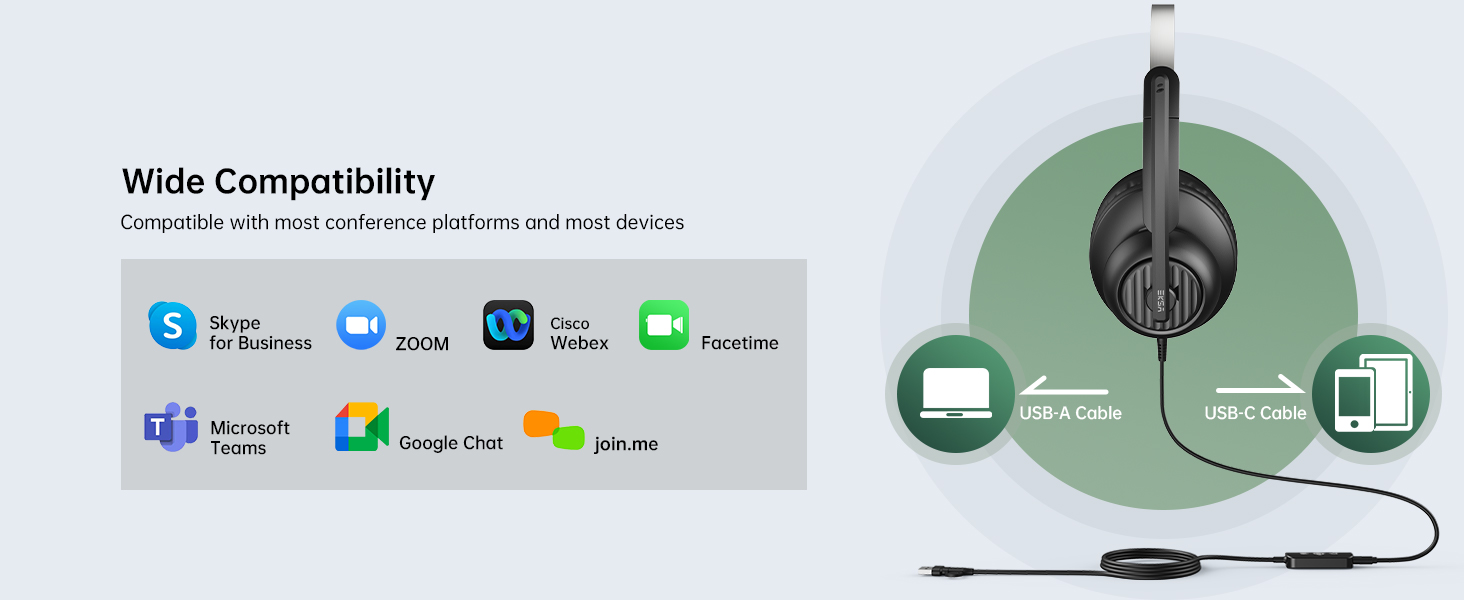
The EKSA H8 headset offers flexible connectivity options for various devices.
Connecting via 3.5mm Jack:
- Locate the 3.5mm audio jack on your device (e.g., laptop, mobile phone).
- Plug the 3.5mm connector from the headset directly into your device's audio jack.
- Akiyesi: When using the 3.5mm jack, inline button adjustments (volume, mute) are not supported, and microphone noise cancellation is not active.
Connecting via USB-A or USB-C:
- Connect the 3.5mm connector from the headset into the inline control unit.
- For USB-A connection: Plug the USB-A end of the inline control cable into an available USB-A port on your computer or laptop.
- For USB-C connection: If your device has a USB-C port, use the integrated USB-C adapter on the inline control cable.
- The headset is plug-and-play; no additional drivers are typically required.
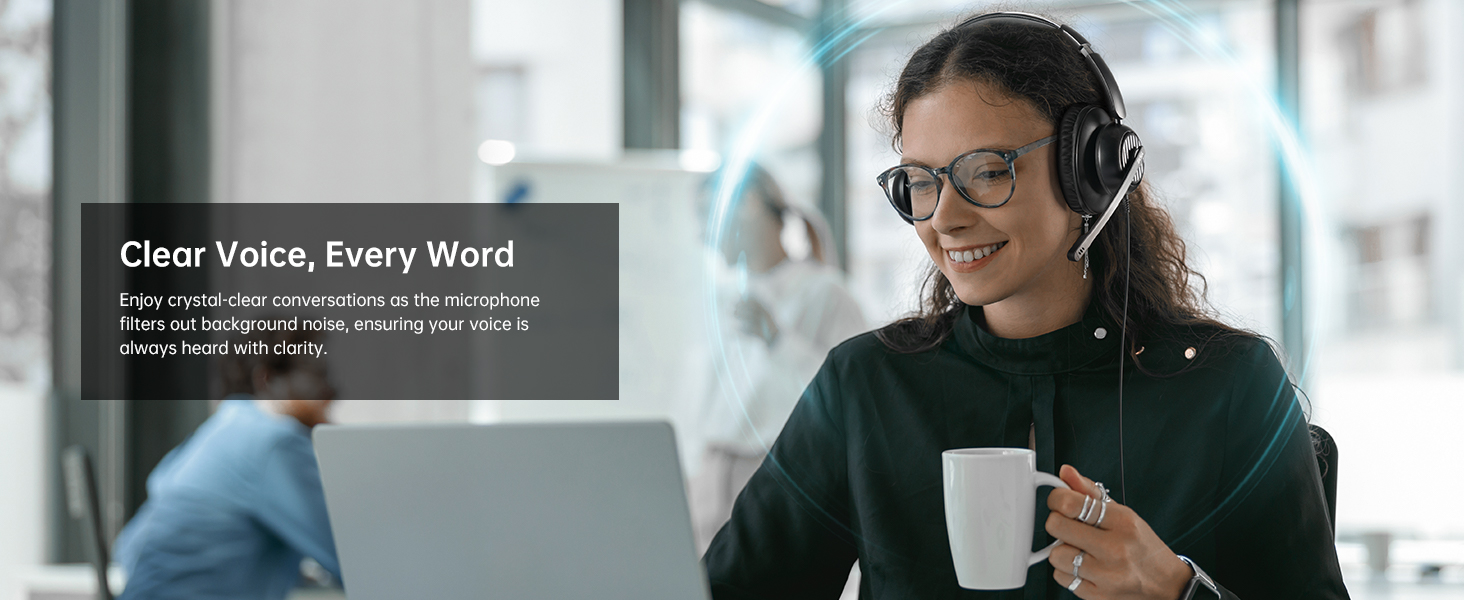
Image: The EKSA H8 headset demonstrating its versatile connectivity options, including USB-C, USB-A, and a 3.5mm audio jack, compatible with various devices and communication platforms.
Awọn ilana Iṣiṣẹ
The inline control unit provides easy access to essential functions when connected via USB.
- Iṣakoso iwọn didun: Use the '+' and '-' buttons on the side of the inline control to adjust the listening volume.
- Pa gbohungbohun: Press the microphone icon button to mute or unmute your microphone. A voice prompt will indicate "Mic On" or "Mic Off".
- Bọtini iṣẹ-ọpọlọpọ (Ṣiṣere/Daduro): This button can be used to play or pause audio playback.
- Bọtini Awọn ẹgbẹ: A dedicated 'T' button allows for quick answering or ending of Microsoft Teams calls.
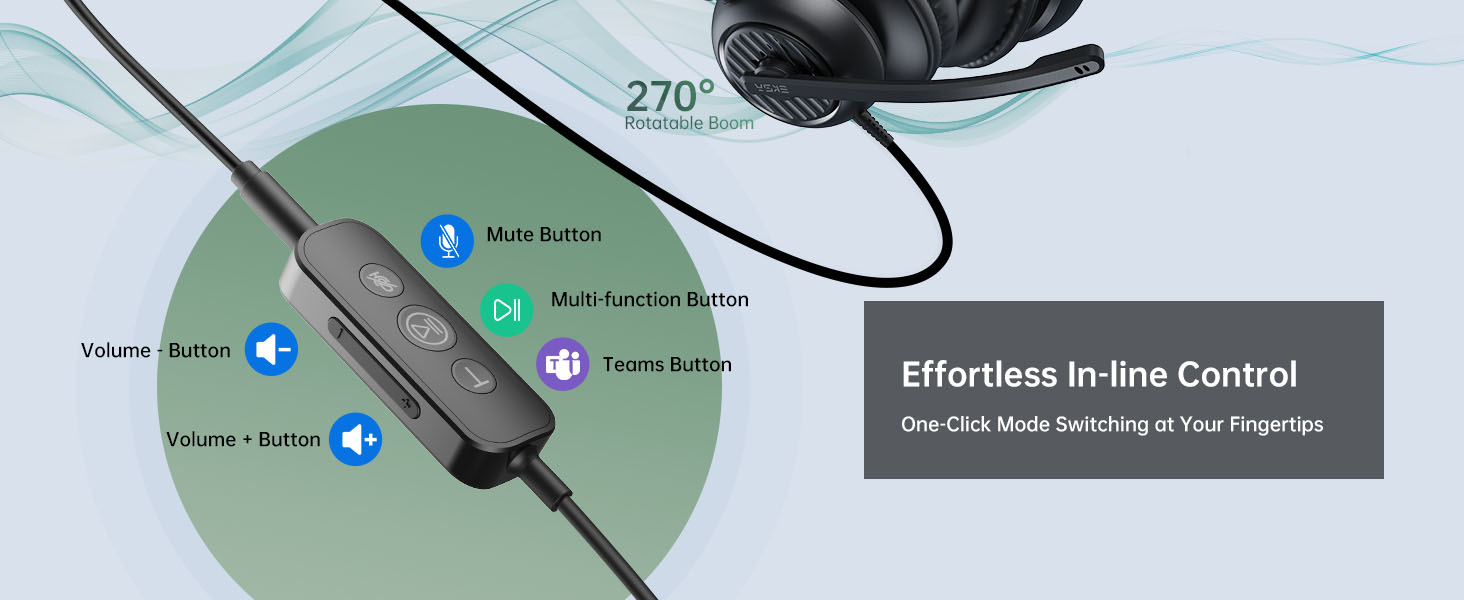
Aworan: Alaye view of the EKSA H8 headset's inline control unit, highlighting buttons for Microsoft Teams calls, play/pause, microphone mute, and volume adjustment.
Ṣíṣe àtúnṣe gbohùngbohùn:
The 270° adjustable boom mic can be positioned for optimal voice capture. Rotate it up and out of the way when not in use.
Itunu ati Fit
The EKSA H8 headset is designed for comfortable all-day wearing.
- Akọkọ ti o le ṣatunṣe: The reinforced headband can be extended or retracted to fit various head sizes.
- Ultra-Soft Ear Cushions: The over-ear memory foam cushions fully enclose your ears, providing comfort without pressure.
- Swivel Ear Cups: The ear cups can swivel for a personalized fit and easy storage.
- Apa Gbohungbohun Rọrun: The 270° bendable boom arm allows precise positioning of the microphone.
Aworan: Ohun exploded view diagram of the EKSA H8 headset, pointing out key comfort features such as soft ear cushions, an adjustable headband, swivel ear cups, and a 270° bendable boom arm for personalized fit.
Awọn pato
| Ẹya ara ẹrọ | Ẹ̀kúnrẹ́rẹ́ |
|---|---|
| Orukọ awoṣe | H8 |
| Agbọrọsọ Opin | 40 mm |
| Impedance Agbọrọsọ | 32 ± ± 15% |
| Idahun Igbohunsafẹfẹ | 20 Hz - 20,000 Hz |
| Ifamọ Gbohungbo | -40 ± 2 dB |
| Ariwo Iṣakoso | Active Noise Cancellation (via USB connection) |
| Asopọmọra Technology | Wired (3.5mm Jack, USB-C, USB-A) |
| USB Ipari | 7.71 ẹsẹ (2.35 m) |
| Gbigbe Eti | Lori Eti |
| Ohun elo | Plastic with Foam Ear Cups |
Itọju ati Itọju
- Ninu: Lo aṣọ rírọrùn tí ó gbẹ láti nu agbekọri naa. Yẹra fún àwọn kẹ́míkà líle tàbí àwọn ohun èlò ìfọ́mọ́ra.
- Ibi ipamọ: Tọju agbekari naa ni itura, aye gbigbẹ kuro lati orun taara ati awọn iwọn otutu to gaju.
- Itọju USB: Yago fun didasilẹ didasilẹ tabi fifa pupọ lori okun lati yago fun ibajẹ.
- Awọn iṣu Eti: Replaceable ear cushions are available to maintain hygiene and comfort over time.
Laasigbotitusita
Ko si Ohun tabi Didara Ohun Ko dara:
- Ensure the headset is securely plugged into the correct port (3.5mm, USB-A, or USB-C).
- Check your device's volume settings and the inline volume control on the headset.
- Daju pe agbekari ti yan bi ẹrọ ti o wu ohun aiyipada ninu awọn eto ohun ti kọnputa rẹ.
- If using the 3.5mm jack, note that microphone noise cancellation is not active.
Gbohungbohun Ko Ṣiṣẹ:
- Ensure the microphone is not muted via the inline control or your device's software.
- Check that the microphone is selected as the default input device in your computer's sound settings.
- Adjust the boom mic closer to your mouth for optimal voice pickup.
- Ensure the 3.5mm connection is fully inserted into the inline control unit if using USB.
Awọn ọrọ itunu:
- Ṣatunṣe aṣọ-ori fun snug sibẹsibẹ itunu fit.
- Ensure ear cushions are properly positioned over your ears.
Atilẹyin ọja ati Support
The EKSA H8 headset is backed by EKSA’s trusted warranty and customer service.
- Apejuwe atilẹyin ọja: 2 Years Warranty.
- Iṣẹ onibara: Fun atilẹyin, jọwọ ṣabẹwo www.eksatelecom.com/pages/warranty or contact GLOBAL: +852 6940 4955 (Mon to Fri 9:00 am-6:30 pm, UTC +8 HKT).
Awọn fidio Iranlọwọ
No official product videos from the seller were found in the provided data. The videos available are user-generated reviews and are not embedded as per the 'creator_type: Seller' requirement.