
1. Ifihan
Thank you for choosing the SANSUI AI Translation Earbuds W12. These earbuds are designed to provide real-time language translation, high-definition audio, and smart features for various communication needs. This manual provides detailed instructions for setup, operation, maintenance, and troubleshooting to ensure optimal performance and user experience.

Figure 1: SANSUI AI Translation Earbuds W12 highlighting key functionalities.
2. Eto
2.1. Unboxing ati Ni ibẹrẹ idiyele
Upon unboxing, ensure all components are present: SANSUI W12 earbuds, charging case, USB-C cable, W12 User Manual, and SANSUI AI Smart App User Guide.

Figure 2: Package contents of the SANSUI AI Translation Earbuds W12.
Before first use, fully charge the earbuds and charging case using the provided USB-C cable. The charging time is approximately 1.5 hours for a full charge.
2.2. App Download ati fifi sori
The SANSUI AI Smart App is essential for full functionality. You can download the app by scanning the QR code found on the packaging or in the instruction manual. Alternatively, search for "SANSUI" directly in your device's app store (iOS App Store or Google Play Store).
2.2.1. iOS App Download and Connection
Video 1: Tutorial for downloading and connecting the SANSUI AI Smart App on iOS devices.
- Locate the app QR code on the product packaging or manual.
- Use your phone's built-in QR code scanner to scan the code.
- On the page that appears, select the iOS system option.
- You will be redirected to the App Store. Download and open the SANSUI app.
- Rii daju pe Bluetooth ti ṣiṣẹ lori iPhone rẹ.
- Yọ awọn afikọti mejeeji lati ọran gbigba agbara.
- In your iPhone's Bluetooth settings, search for and connect to "SANSUI W12".
- Open the SANSUI app, click the '+' sign to search for devices, and select "SANSUI W12" to connect within the app.
2.2.2. Android App Download and Connection
Video 2: Tutorial for downloading and connecting the SANSUI AI Smart App on Android devices.
- Locate the app QR code on the product packaging or manual.
- Use your phone's built-in QR code scanner to scan the code.
- On the page that appears, you can switch between Chinese and English. Select the Google Play option.
- You will be redirected to the Google Play Store. Download and open the SANSUI app.
- Rii daju pe Bluetooth ti ṣiṣẹ lori foonu Android rẹ.
- Yọ awọn afikọti mejeeji lati ọran gbigba agbara.
- In your Android phone's Bluetooth settings, search for and connect to "SANSUI W12".
- Open the SANSUI app, click the '+' sign to search for devices, and select "SANSUI W12" to connect within the app.
2.3. Ergonomic Fit
The W12 earbuds feature an open-ear design with TPEE (elastic) ear hooks for a comfortable and secure fit. This design allows for situational awareness while wearing. The earbuds are lightweight at 8.3g per earbud, designed to be comfortable even for glasses wearers.

Figure 3: Earbuds designed for comfort and compatibility with glasses.
3. Awọn ilana Iṣiṣẹ
3.1. Itumọ Akoko-gidi
The earbuds support over 100 languages for real-time translation. Access the AI function window in the SANSUI app to select your desired translation mode (e.g., Free Conversation, Speech Translation, Text Translation, Simultaneous Interpretation, Dialog Translation) and languages. Begin speaking, and the app will translate and display the conversation.

Figure 4: Earbuds facilitating communication in various scenarios.
3.2. Audio Awọn ẹya ara ẹrọ
- Immersive 8D Surround Sound: Experience balanced low frequencies and clear audio across a 20Hz-20kHz range.
- Precision Directional Audio: Beamforming sound delivery system concentrates acoustic energy directly into the ear canal for focused sound.
- Adaptive Bass Enhancement: The system automatically adjusts bass based on music genre and listening environment.
- Awọn ipe Itumọ Giga: Dual microphones and advanced noise cancellation ensure clear communication.
- Sound Equalization (EQ Settings): Customize your audio experience through the SANSUI AI Smart App.

Figure 5: SANSUI AI Smart App displaying EQ settings.
3.3. Smart AI App Functions
The SANSUI AI Smart App offers additional features:
- Awọn ibaraẹnisọrọ AI: Engage with AI for various interactions.
- Awọn ipa didun ohun isọdi: Choose from various ambient sound effects.
- Ipilẹṣẹ Aworan lati Ọrọ: Utilize AI for creative tasks.
- Awọn imudojuiwọn sọfitiwia: Keep your earbuds' firmware up-to-date.
- Itọsọna Ipa Ohun: Explore different audio profiles.
3.4. Asopọmọra Bluetooth 6.0
The earbuds feature advanced Bluetooth 6.0 technology, offering:
- 2x faster data transfer speeds compared to Bluetooth 5.4.
- 50% wider coverage.
- 40% less power consumption.
- 8 times more device connections.
- 6dB boost in signal-to-noise ratio.

Figure 6: Internal components highlighting Bluetooth 6.0 and dynamic driver.
3.5. Awọn iṣakoso ifọwọkan
The earbuds feature intuitive touch controls for managing calls, music playback, volume, and activating AI functions. Refer to the SANSUI AI Smart App User Guide for detailed touch control configurations.
4. Itọju
4.1. Gbigba agbara
The earbuds provide up to 8 hours of playtime per charge, with a total of 42 hours using the charging case. Monitor battery life via the SANSUI AI Smart App. Use the provided USB-C cable for charging. Ensure the charging contacts on both the earbuds and the case are clean and dry before charging.
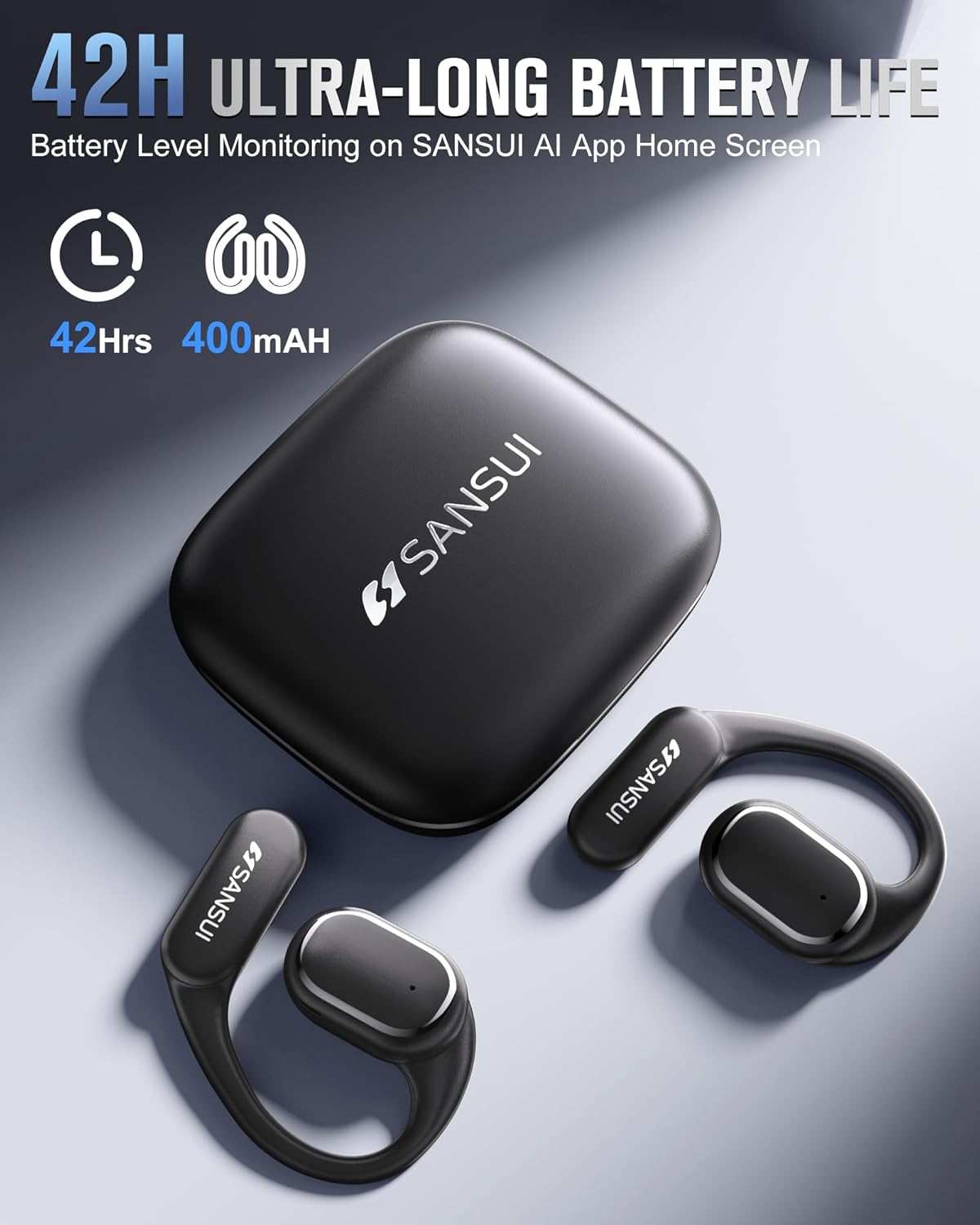
Figure 7: Earbuds and charging case, emphasizing battery life.
4.2. Omi Resistance
The earbuds are designed with a nano-coating for water resistance, protecting against sweat and rain. They are suitable for activities like cycling, jogging, gym sessions, and yoga. However, they are not intended for submersion in water.
4.3. Ninu
Regularly clean the earbuds and charging case with a soft, dry cloth. Avoid using abrasive materials or harsh chemicals. Ensure no moisture enters the charging port or speaker grilles.
5. Laasigbotitusita
- Awọn ọran Gbigbasilẹ App: If you encounter problems downloading the SANSUI AI Smart App, ensure your device's app store is up-to-date. Recent compatibility issues with Google Play Store have been resolved.
- Ìkùnà ìsopọ̀ Bluetooth:
- Ensure both earbuds are removed from the charging case and fully charged.
- Rii daju pe Bluetooth ti ṣiṣẹ lori ẹrọ rẹ.
- Gbagbe ẹrọ naa ninu eto Bluetooth foonu rẹ ki o si gbiyanju lati so pọ mọ ara rẹ lẹẹkansi.
- Restart your phone and the earbuds.
- Translation Inaccuracy or Lag:
- Ensure a stable internet connection for optimal translation performance.
- Sọ kedere ati ni iyara iwọntunwọnsi.
- Update the SANSUI AI Smart App to the latest version.
- In very noisy environments, translation accuracy may be affected.
- Ko si Ohun tabi Didara Ohun Ko dara:
- Ṣayẹwo awọn ipele iwọn didun lori ẹrọ rẹ mejeeji ati awọn agbekọri.
- Rii daju pe awọn agbekọri ti joko daradara ni awọn eti rẹ.
- Nu gbogbo idoti kuro ninu awọn grills agbọrọsọ.
- Try resetting the earbuds (refer to the app for factory reset option).
6. Awọn pato
| Ẹya ara ẹrọ | Sipesifikesonu |
|---|---|
| Orukọ awoṣe | W12 |
| Brand | SANSUI |
| Asopọmọra Technology | Ailokun |
| Imọ-ẹrọ Ibaraẹnisọrọ Alailowaya | Bluetooth |
| Ẹya Bluetooth | 6.0 |
| Bluetooth Ibiti | 15 Mita |
| Ariwo Iṣakoso | Ti nṣiṣe lọwọ Noise Ifagile |
| Idahun Igbohunsafẹfẹ | 20 kHz |
| Audio Driver Type | Bass Awakọ |
| Audio Driver Iwon | 14.2 millimeters |
| Igbesi aye batiri (Earbuds) | Titi di wakati 8 |
| Igbesi aye batiri (pẹlu apoti gbigba agbara) | Awọn wakati 42 |
| Akoko gbigba agbara | Awọn wakati 1.5 |
| Ni wiwo Hardware | USB Iru C |
| Iṣakoso Iru | App Control/Touch Control/Volume Control |
| Ìwúwo Nkan (Earbuds) | 8.3g fun agbekọri |
| Ìwọ̀n Nǹkan (Àpapọ̀) | 67.9 Giramu (2.4 iwon) |
| Ọja Mefa | 2.95 x 2.61 x 1.02 inches |
| Omi Resistance Ipele | Omi sooro |
| Apẹrẹ Akọti | Ìkọ́ |
| UPC | 198401999525 |
7. Atilẹyin ati Atilẹyin ọja
For any inquiries, technical assistance, or support, please refer to the contact information provided in your product packaging or the SANSUI AI Smart App. SANSUI is committed to providing comprehensive after-sales support.
Please note that protection plans may be available for purchase separately to extend coverage beyond the standard product warranty. Refer to your retailer for details on available protection plans.