
FOREVER iGo Watch 4 JW-600
Forever iGo Watch 4 JW-600 Smartwatch User Manual
1. Ifihan
Welcome to the user manual for your new Forever iGo Watch 4 JW-600 Smartwatch. This guide provides essential information on how to set up, operate, and maintain your device, ensuring you get the most out of its features. The iGo Watch 4 combines modern design with advanced functionalities, including an AMOLED touch screen, comprehensive health monitoring, and over 100 sport modes.
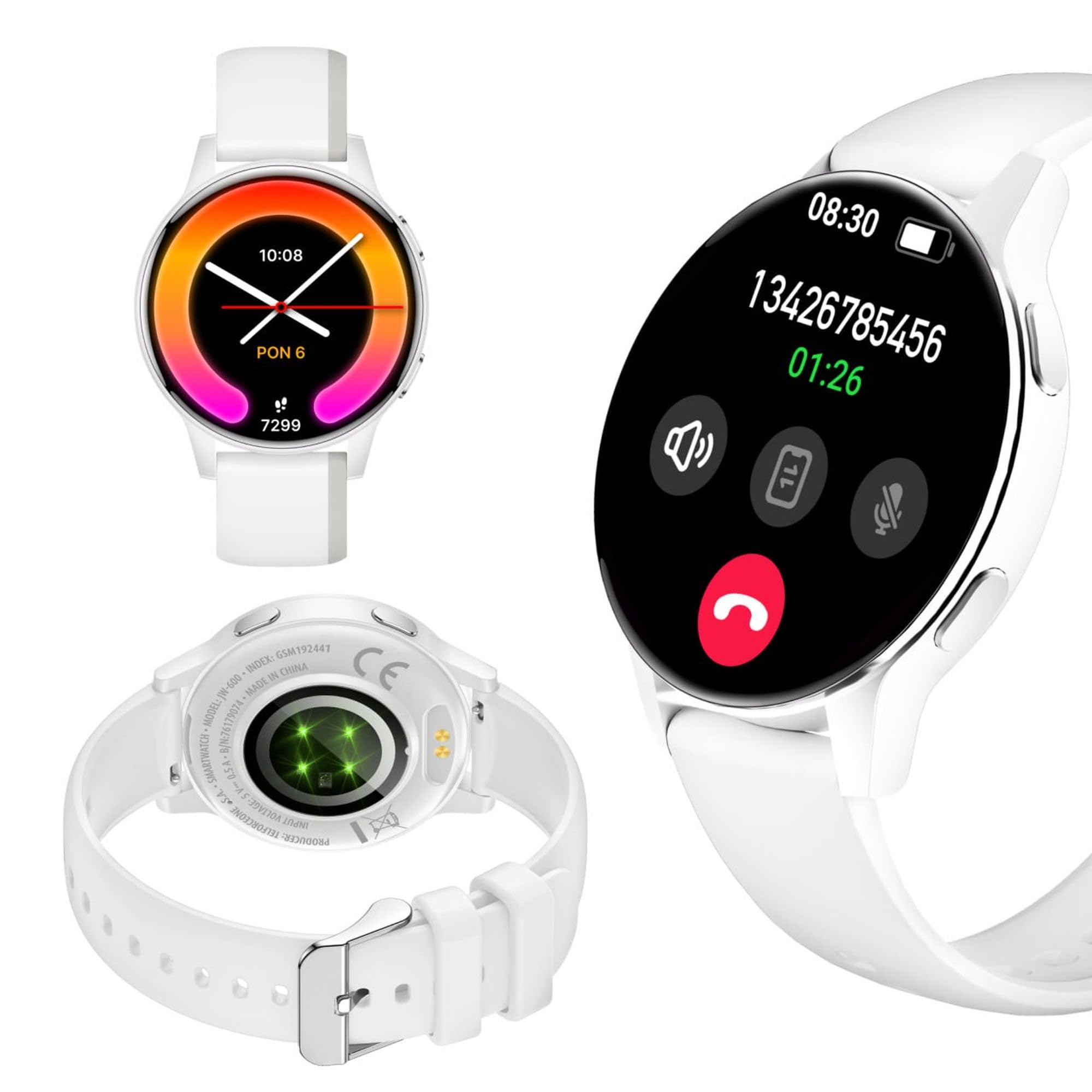
Image: Silhouette of a person wearing the Forever iGo Watch 4 smartwatch, highlighting its sleek design.

Image: Three Forever iGo Watch 4 smartwatches in black, white, and pink, illustrating the available color versions.
2. Package Awọn akoonu
Upon opening your Forever iGo Watch 4 package, please ensure all items are present and in good condition. Your package should contain:
- Forever iGo Watch 4 Smartwatch
- Oofa Ngba agbara USB
- Two interchangeable straps (e.g., one pre-installed, one additional)
- Afowoyi Olumulo (iwe-ipamọ yii)

Image: Packaging for the white Forever iGo Watch 4, indicating included items and features.

Image: Two Forever iGo Watch 4 smartwatches, one white and one black with an orange accent, highlighting the two included straps.
3. Eto
3.1. Gbigba agbara Smartwatch
Before first use, fully charge your smartwatch. Connect the magnetic charging cable to the charging points on the back of the watch and plug the USB end into a power adapter (not included) or a computer's USB port. A full charge takes approximately 2 hours and provides up to 7 days of typical use.

Image: Illustration of the smartwatch's durable battery, capable of up to 7 days of typical usage.
3.2. Agbara lori / Paa
- Lati Fi agbara: Tẹ mọlẹ bọtini ẹgbẹ titi ti iboju yoo fi tan.
- Lati Paarẹ: Navigate to the settings menu on the watch, select 'Power Off', and confirm. Alternatively, press and hold the side button and select 'Power Off' when prompted.
3.3. Fifi sori App ati Sisopọ
To unlock the full potential of your iGo Watch 4, download the dedicated companion app on your smartphone (compatible with Android and iOS). Wa fun the app name (usually 'Forever Smart' or similar, check packaging for exact name) in your phone's app store.
- Ṣe igbasilẹ ati fi ẹrọ naa sori ẹrọ lori foonuiyara rẹ.
- Mu Bluetooth ṣiṣẹ lori foonuiyara rẹ.
- Ṣii app naa ki o tẹle awọn ilana loju iboju lati ṣẹda akọọlẹ kan tabi wọle.
- In the app, select 'Add Device' or 'Pair Device' and choose 'iGo Watch 4' from the list of available devices.
- Jẹrisi ibeere sisopọ lori mejeeji foonuiyara rẹ ati smartwatch naa.
4. Ṣiṣẹ Smartwatch
4.1. Lilọ kiri ati Ifihan
The iGo Watch 4 features a responsive 1.28-inch AMOLED touch screen with a resolution of 416x416 pixels, providing clear visuals even in bright sunlight. Navigate through menus and functions by swiping across the screen and tapping icons.
- Ra soke/isalẹ: Yi lọ nipasẹ awọn akojọ aṣayan tabi awọn iwifunni.
- Ra osi/Ọtun: Access quick functions or different widgets.
- Fọwọ ba: Yan ohun kan tabi ṣii ohun elo kan.
- Bọtini ẹgbẹ: Tẹ lati pada si iboju ile tabi ji ẹrọ naa.

Aworan: A sunmọ-soke view of the smartwatch display, showing its vibrant AMOLED screen and clear resolution.

Image: Visual representation of the AMOLED screen's size (1.28 inches) and resolution (416x416 pixels).
4.2. asefara Watch oju
Personalize your smartwatch by choosing from a variety of free watch faces available through the companion app. You can switch between classic and futuristic designs to match your mood or style.

Image: A selection of customizable watch faces available for the iGo Watch 4.

Image: Different watch face options, illustrating the ability to change your watch's appearance daily.
4.3. Notifications and Bluetooth Calls
Once paired with your smartphone, the iGo Watch 4 allows you to receive notifications for calls, SMS messages, and various applications directly on your wrist. You can also make and receive Bluetooth calls without needing to take out your phone.
- Awọn ipe ti nwọle: The watch will vibrate and display the caller ID. You can answer or reject calls directly from the watch.
- Awọn ifiranṣẹ: Read SMS and app notifications (e.g., WhatsApp, Messenger) on the watch screen.

Image: A person interacting with the smartwatch, with icons representing phone calls and messages, demonstrating Bluetooth connectivity.

Image: Visual representation of the smartwatch's Bluetooth call and notification capabilities.
4.4. Abojuto Ilera
The iGo Watch 4 is equipped with various sensors to help you monitor your health and well-being. Access these features through the watch's menu or the companion app.
- Iwọn Iwọn ọkan: Máa ṣe àkíyèsí ìlù ọkàn rẹ ní gbogbo ọjọ́.
- Abojuto oorun: Track your sleep patterns, including different sleep phases, to help improve your sleep quality.
- Stress Measurement: Check your stress levels and receive suggestions for breathing exercises to help manage tension.
- Ẹjẹ Atẹgun Ekunrere (SpO2): Ṣe iwọn awọn ipele atẹgun ẹjẹ rẹ.
- Iwọn Iwọn Ẹjẹ: Monitor your blood pressure (note: this feature is for reference only and not a medical device).
- Ilera Awọn Obirin: Track menstrual cycles and related data.
- Water Intake Reminder: Set reminders to drink water throughout the day.

Image: A smartphone displaying the health monitoring app, surrounded by icons for various health metrics like heart rate, blood pressure, and sleep.

Image: Illustration of the sleep monitoring feature, showing sleep duration and phases.

Image: The stress measurement feature, showing how the watch helps monitor stress levels and suggests breathing exercises.
4.5. idaraya Awọn ọna
With over 100 sport modes, the iGo Watch 4 is designed to track a wide range of physical activities, from running to tennis. The watch accurately counts your steps, distance, and burned calories, providing detailed insights into your workouts through the companion app.

Image: The smartwatch displaying activity data, including calories, steps, and distance, during a workout.

Image: Illustration of the smartwatch's capability to track over 100 sport modes, counting steps and calories.
4.6. Àwọn Iṣẹ́ Ọlọ́gbọ́n Míràn
The iGo Watch 4 offers several additional smart features to enhance your daily life:
- Iṣakoso Orin: Ṣakoso ṣiṣiṣẹsẹhin orin lori foonuiyara rẹ taara lati aago rẹ.
- Oluranlọwọ ohun: Wọle si oluranlọwọ ohun ti foonu alagbeka rẹ.
- Àfojúsùn ojú ọjọ: Gba awọn imudojuiwọn oju ojo ni akoko gidi.
- Wa Ẹrọ: Locate your paired smartphone if it's within Bluetooth range.
- Aago itaniji: Ṣeto awọn itaniji ati awọn olurannileti.
- Iṣakoso kamẹra jijin: Lo aago rẹ gẹ́gẹ́ bí ohun tí ó ń dènà àgbékalẹ̀ láti ọ̀nà jíjìn fún kámẹ́rà fóònù rẹ.

Image: The smartwatch displaying icons for various smart functions, including music control, weather, and remote camera.

Image: The smartwatch's interactive 3D menu, highlighting useful smart functions like music control and voice assistant.
5. Itọju
5.1. Nu agogo smart rẹ mọ́
To keep your iGo Watch 4 in optimal condition, regularly clean the device. Use a soft, dry, lint-free cloth to wipe the screen and body. For stubborn smudges, slightly dampen the cloth with water. Avoid using harsh chemicals or abrasive materials, as these can damage the watch.
5.2. Omi Resistance (IP67)
The iGo Watch 4 is rated IP67, meaning it is protected against dust ingress and can withstand immersion in water up to 1 meter for up to 30 minutes. This makes it suitable for daily use, such as washing hands or being exposed to rain and splashes. However, it is not recommended for swimming, showering with hot water, or diving, as steam and high water pressure can compromise the seals.
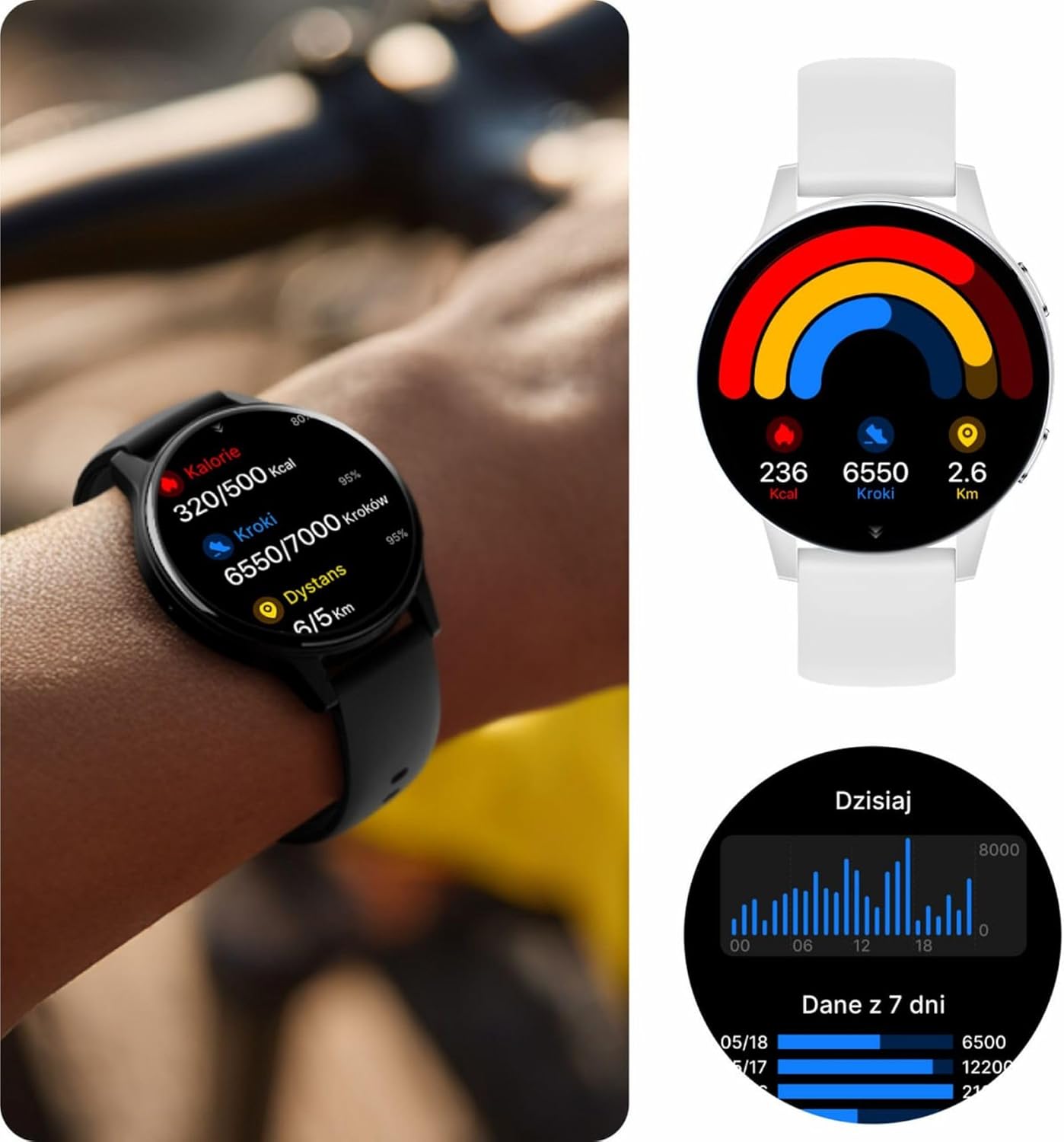
Image: Visual representation of the IP67 waterproof rating, indicating protection against water splashes and brief immersion.

Image: Stylized graphic emphasizing the IP67 waterproof feature of the smartwatch.
6. Laasigbotitusita
If you encounter any issues with your Forever iGo Watch 4, please refer to the following common solutions:
- Wo ti ko tan: Rii daju pe aago naa ti gba agbara ni kikun. Sopọ mọ ṣaja fun o kere 30 iṣẹju.
- Ko le so pọ pẹlu foonuiyara:
- Rii daju pe Bluetooth ti ṣiṣẹ lori foonuiyara rẹ.
- Rii daju pe aago wa laarin iwọn ti foonuiyara rẹ.
- Tun bẹrẹ mejeeji foonuiyara rẹ ati smartwatch.
- Ṣayẹwo boya ohun elo ẹlẹgbẹ ti ni imudojuiwọn si ẹya tuntun.
- Awọn iwifunni ko han:
- Daju pe awọn igbanilaaye iwifunni jẹ fifunni si ohun elo ẹlẹgbẹ lori foonu alagbeka rẹ.
- Rí i dájú pé aago náà so pọ̀ dáadáa nípasẹ̀ Bluetooth.
- Check the app's settings to ensure notifications for specific applications are enabled.
- Awọn alaye ilera ti ko pe:
- Rii daju pe aago naa ti wọ daradara lori ọwọ ọwọ rẹ, kii ṣe alaimuṣinṣin tabi ju.
- Nu awọn sensọ lori ẹhin aago naa.
- Yago fun gbigbe pupọ lakoko awọn wiwọn.
- Igbesi aye batiri kukuru:
- Din imọlẹ iboju din.
- Disable unnecessary features or continuous monitoring if not required.
- Limit the number of notifications received.
If the problem persists, please consult the official Forever support resources or contact customer service.
7. Awọn pato
Below are the technical specifications for the Forever iGo Watch 4 JW-600 Smartwatch:
| Ẹya ara ẹrọ | Sipesifikesonu |
|---|---|
| Brand | LAIYE |
| Awoṣe | iGo Watch 4 JW-600 (GSM192441) |
| Ifihan Iru | AMOLED |
| Iwọn Ifihan | 1.28 inches |
| Ipinnu Ifihan | 416 x 416 awọn piksẹli |
| Agbara Batiri | 280 mAh |
| Apapọ batiri Life | Titi di ọjọ 7 |
| Akoko gbigba agbara | Awọn wakati 2 |
| Omi Resistance | IP67 |
| Iwọn | 33.9 g |
| Sisanra | 10.6 mm |
| Awọn ẹrọ ibaramu | Foonu alagbeka (Android, iOS) |
| Human Interface Input | Igbimọ Fọwọkan |
| Pataki Awọn ẹya ara ẹrọ | 100+ Sport Modes, Sleep Monitor, Heart Rate, Stress, Blood Oxygen, Blood Pressure, Bluetooth Calls, Notifications |
| Agbara ipamọ | 128 GB (for data storage, not app installation) |
| GPS | Ko si |
| Alailowaya Iru | 802.11n |

Image: Illustration of the smartwatch's ultra-slim and light form, detailing its weight and thickness.
8. Atilẹyin ọja ati Support
Your Forever iGo Watch 4 JW-600 Smartwatch comes with a manufacturer's warranty. Please refer to the warranty card included in your package or the official Forever webaaye fun alaye alaye nipa awọn ofin ati ipo atilẹyin ọja.
For technical support, troubleshooting assistance, or any other inquiries, please visit the official Forever support page or contact their customer service through the contact information provided on their webaaye tabi ninu iwe ọja rẹ.