
Ọrọ Iṣaaju
Thank you for choosing the AJAZZ AJ139PRO Dual-Mode Gaming Mouse. This manual provides essential information for setting up, operating, and maintaining your new gaming mouse. Please read it carefully to ensure optimal performance and longevity of your device.

Image: The AJAZZ AJ139PRO Dual-Mode Gaming Mouse in black, showcasing its ergonomic design and key features like dual-mode connectivity, lightweight build, PAW3395 sensor, 26000 DPI, and 300mAh battery.
Package Awọn akoonu
- AJAZZ AJ139PRO Dual-Mode Gaming Mouse
- USB-C si okun USB-A
- 2.4GHz USB olugba
- Itọsọna olumulo
Ṣeto
1. Gbigba agbara si Asin
Connect the provided USB-C cable to the mouse and the USB-A end to your computer or a USB power adapter. The mouse features a 300mAh battery, offering up to 40 hours of continuous use on a full charge.
2. Asopọmọra Aw
2.1. 2.4GHz Alailowaya Ipo
- Locate the 2.4GHz USB receiver, typically stored in a compartment on the underside of the mouse.
- So olugba USB pọ mọ ibudo USB-A ti o wa lori kọmputa rẹ.
- Turn on the mouse using the switch on its underside. Select the '2.4G' mode.
- Kọmputa rẹ yẹ ki o ṣawari laifọwọyi ati fi awọn awakọ pataki sii.
2.2. Ipo USB-C onirin
- So okùn USB-C tí a pèsè mọ́ àwo asin àti okùn USB-A mọ́ kọ̀mpútà rẹ.
- Asin yoo yipada laifọwọyi si ipo ti firanṣẹ ati bẹrẹ gbigba agbara.
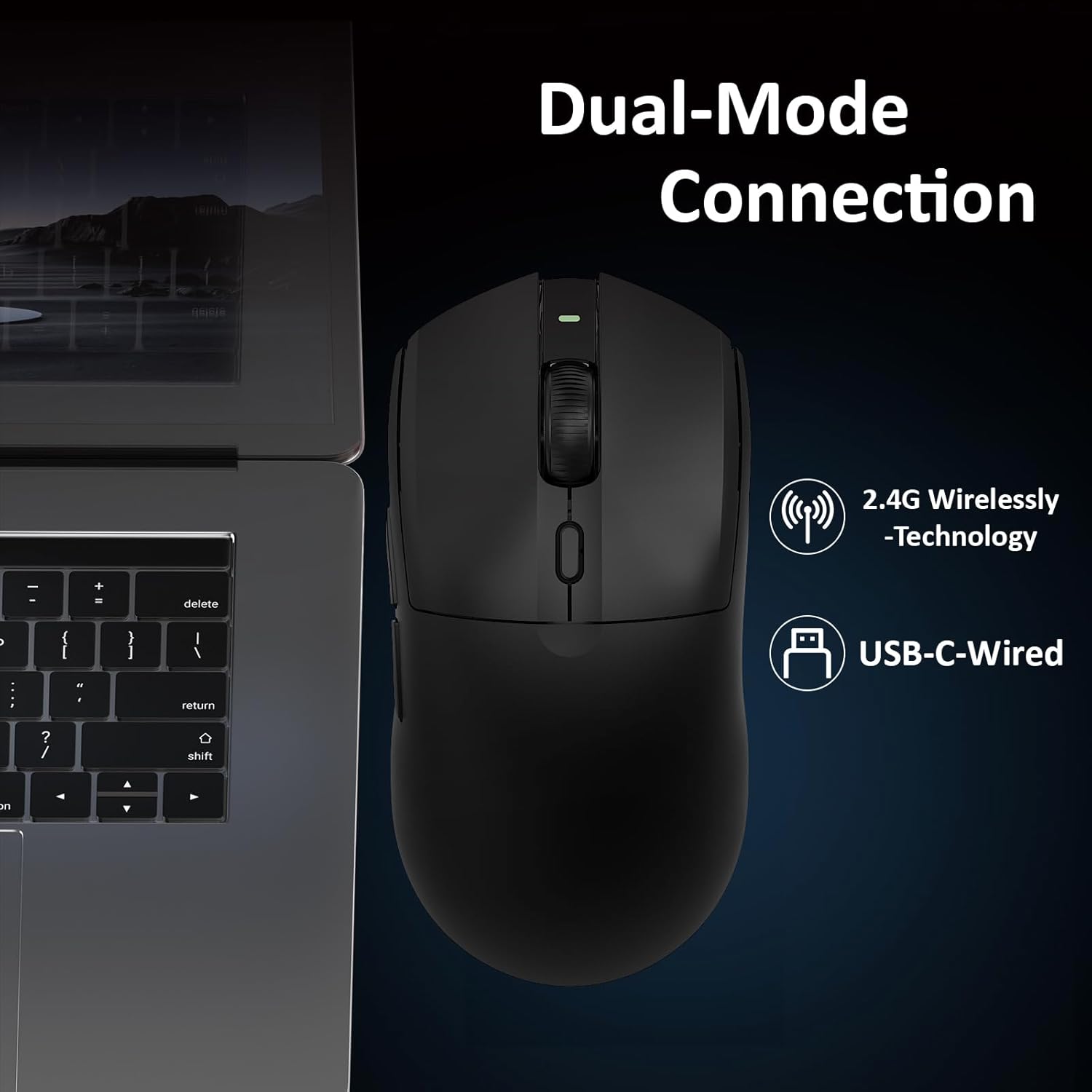
Image: A close-up of the AJAZZ AJ139PRO mouse connected to a laptop, illustrating both 2.4G wireless and USB-C wired connection options.
Awọn ilana Iṣiṣẹ
1. DPI Atunṣe
The mouse features a dedicated DPI button, usually located near the scroll wheel. Press this button to cycle through preset DPI levels. For fine-tuning and custom DPI settings (200 to 26,000 DPI in 100-increment steps), use the official driver software.
2. Awọn bọtini eto
The AJ139PRO includes multiple programmable buttons (left-click, right-click, middle-click/scroll wheel, two side buttons, and DPI loop). These can be customized using the driver software to assign macros, keyboard functions, or other commands for enhanced gaming and productivity.
3. Idibo Oṣuwọn
The mouse operates at a 1000Hz polling rate, ensuring rapid response times and smooth cursor movement. This setting can typically be adjusted via the driver software if needed.
4. Atọka Ipo batiri
The mouse may feature an LED indicator that changes color or blinks to show the current battery level. Refer to the driver software for precise battery percentage.

Image: Details on the mouse's 300mAh battery, providing approximately 40 hours of continuous use, and its 1000Hz refresh rate for responsive performance.
Awọn ẹya ara ẹrọ
- Professional Gaming Sensor: Equipped with the Pixart PAW3395 optical sensor, offering up to 26,000 DPI, 650 IPS tracking speed, and 50G acceleration for precise and responsive control.
- Asopọmọra-Ipo Meji: Seamlessly switch between 2.4GHz wireless for freedom of movement and a wired USB-C connection for stable, lag-free performance and charging.
- Apẹrẹ-Funwọnwọn: Weighing just 59 grams, the mouse is engineered for comfort during extended use and rapid, effortless movements.
- Durable Microswitches: Features ASUS microswitches rated for over 80 million clicks, providing crisp feedback and long-lasting reliability.
- Batiri Igba pipẹ: A 300mAh high-capacity battery delivers up to 40 hours of continuous use, suitable for both work and gaming sessions.
- Itunu Ergonomic: Designed with an ergonomic shape to fit hand lengths from 17 to 19 cm, ensuring a comfortable and secure grip.

Aworan: A alaye view of the PAW3395 sensor, highlighting its esports-grade optical tracking performance with 26000 DPI, 650 IPS, and 50G acceleration.
Awọn pato
| Ọja Mefa | 5 x 2.5 x 0.1 inches |
| Iwọn Nkan | 4 iwon (59g) |
| Nọmba Awoṣe Nkan | AJ139 PRO |
| Brand | AJAZZ |
| Asopọmọra Technology | USB, 2.4GHz Wireless |
| Imọ-ẹrọ Iwari išipopada | Ojú (PAW3395 Sensọ) |
| Iye ti o ga julọ ti DPI | 26,000 |
| Idibo Oṣuwọn | 1000Hz |
| Agbara Batiri | 300mAh |
| Igbesi aye batiri | Titi di wakati 40 |
Itoju
- Ninu: Lo asọ ti o rọ, ti o gbẹ lati nu dada asin naa. Fun sensọ opiti, lo swab owu ni sere dampened pẹlu isopropyl oti.
- Itọju Batiri: Má ṣe jẹ́ kí batiri náà máa jáde dáadáa nígbà gbogbo. Máa gba agbára lórí àwokòtò déédéé láti lè máa rí i pé batiri náà ní ìlera tó dára.
- Ibi ipamọ: Tọju Asin ni itura, aye gbigbẹ kuro lati orun taara ati awọn iwọn otutu to gaju.
Laasigbotitusita
- Asin ko dahun: Ensure the mouse is charged and powered on. Check the USB receiver connection or try wired mode.
- Aisun tabi Ge asopọ: Ensure the USB receiver is not obstructed and is close to the mouse. Avoid interference from other wireless devices. Update mouse drivers.
- DPI ko yipada: Ensure the DPI button is functioning. Check the driver software for custom profiles that might override settings.
- Awọn iṣoro gbigba agbara: Try a different USB port or cable. Ensure the cable is securely connected to both the mouse and the power source.
Atilẹyin ọja ati Support
The AJAZZ AJ139PRO Gaming Mouse comes with a standard manufacturer's warranty. For detailed warranty information, technical support, or service inquiries, please refer to the official AJAZZ webojula tabi kan si alagbata rẹ. Jeki ẹri rira rẹ fun awọn iṣeduro atilẹyin ọja.
Visual Itọsọna
Ọja Pariview

Image: The AJAZZ AJ139PRO mouse from a side angle, emphasizing its 59g ultra-lightweight design for easy targeting and tracking.

Image: Technical drawing showing the dimensions of the AJAZZ AJ139PRO mouse: 125mm length, 63.3mm width, and 38mm height.
Awọn fidio ọja osise
Ajazz AJ139 V2 MC Gaming Mouse
Video: This video demonstrates the features and performance of the AJAZZ AJ139 V2 MC Gaming Mouse, highlighting its design and functionality.
Extra-long battery life, precise clicks
Fídíò: Ìfihàn fídíò kúkúrú kanasing the extended battery life and precise clicking capabilities of the AJAZZ gaming mouse.
Newly upgraded gaming mouse, ultra-fast clicking
Video: This video highlights the ultra-fast clicking response of the newly upgraded AJAZZ gaming mouse.
The ultimate choice for gaming mice
Video: A promotional video presenting the AJAZZ mouse as a top choice for gamers, emphasizing its features and benefits.
500mAh battery, extended battery life
Video: This video focuses on the mouse's 500mAh battery (note: product specs state 300mAh, this video may be for a similar model or contain a slight discrepancy) and its extended battery life.
Original Phase Sensor, Precision. Super cool!!!
Video: A video highlighting the precision and advanced technology of the mouse's original phase sensor.