
1. Ifihan
Thank you for choosing the comiso M11 Wearable Bluetooth Speaker. This manual provides essential information for setting up, operating, and maintaining your speaker. The M11 is designed for portability and convenience, featuring IPX7 waterproofing, Bluetooth 6.0 connectivity, and a built-in microphone for hands-free calls.
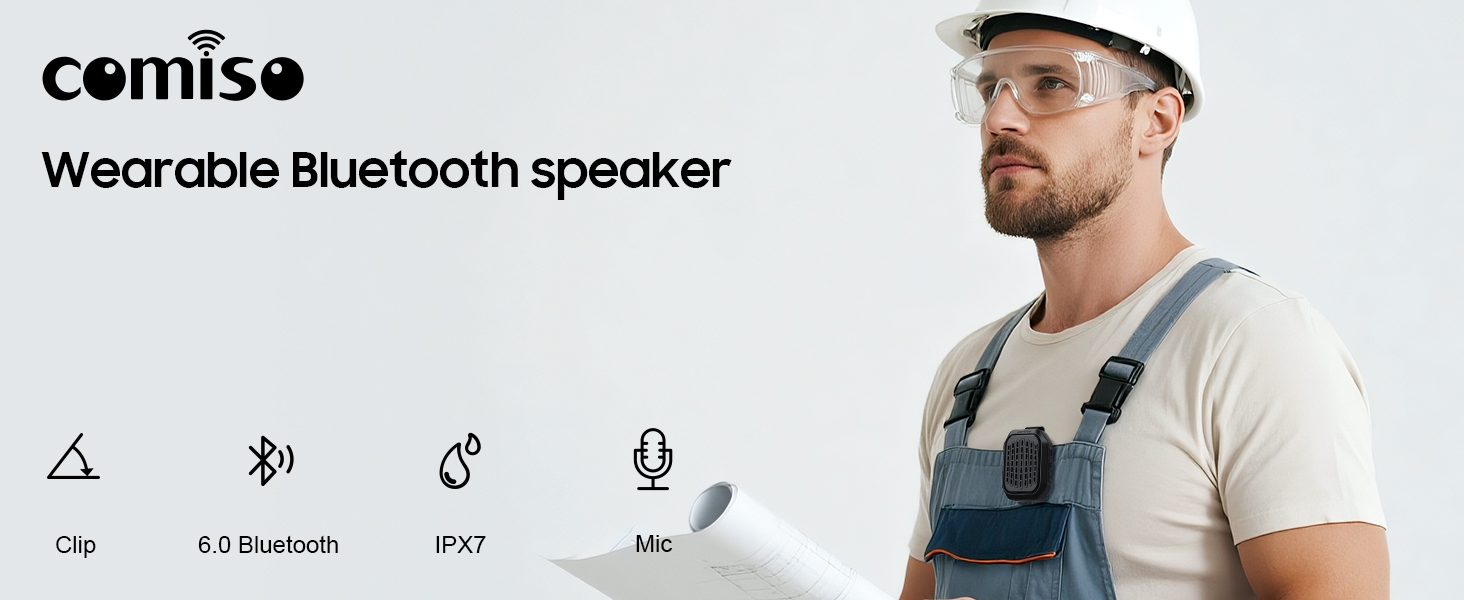
Aworan 1.1: Pariview of the comiso M11 speaker highlighting its key features: clip-on design, Bluetooth 6.0, IPX7 waterproof rating, and built-in microphone.
2. Package Awọn akoonu
Jọwọ ṣayẹwo package fun awọn nkan wọnyi:
- 1 x comiso M11 Wearable Bluetooth Speaker
- 1 x Okun Ngba agbara USB-C
- 1 x Lanyard
- 1 x Itọsọna olumulo (iwe yii)
3. Ọja Ipariview
The comiso M11 speaker features a compact design with a durable clip for easy attachment. Familiarize yourself with the speaker's components:
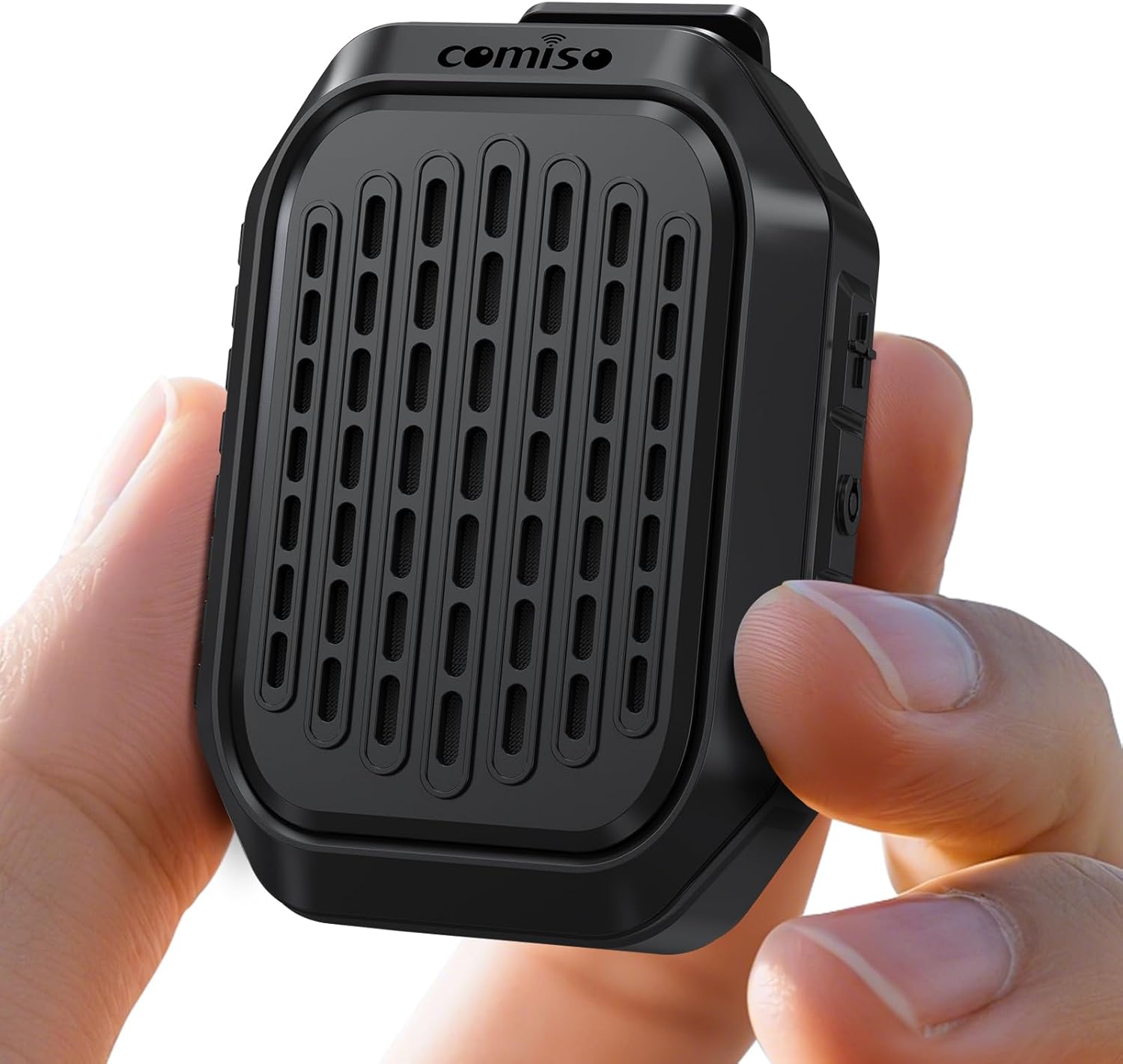
Image 3.1: The comiso M11 speaker, demonstrating its small, portable form factor when held in a hand.
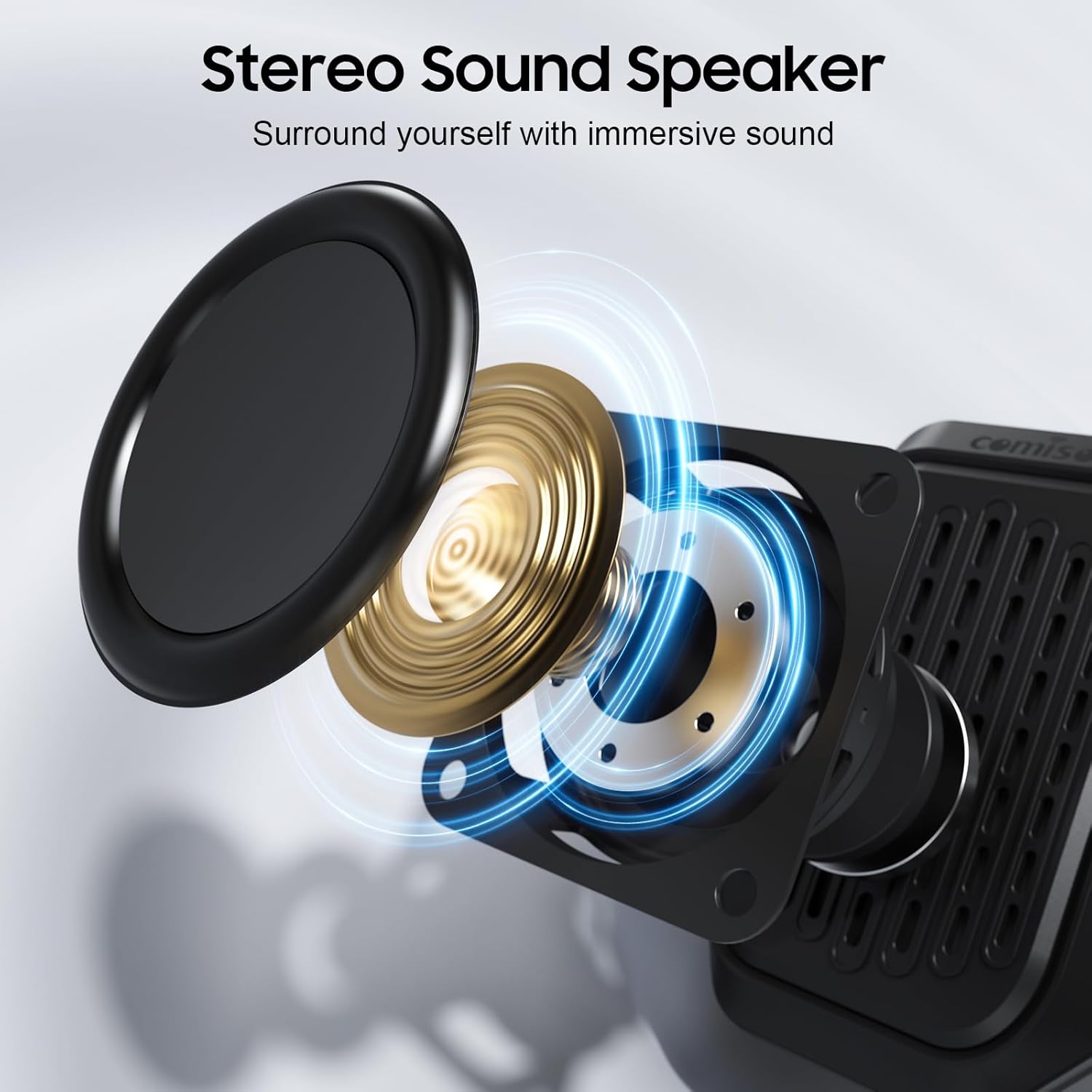
Image 3.2: An exploded diagram illustrating the internal components of the speaker, including the sound driver, designed for stereo sound output.
4. Eto
4.1 Gbigba agbara si Agbọrọsọ
Before first use, fully charge your comiso M11 speaker. Use the included USB-C cable to connect the speaker to a compatible USB power source (e.g., wall adapter, computer USB port).
- Ìmọ́lẹ̀ àmì ìgbóná yóò máa tàn nígbà tí a bá ń gba agbára.
- A full charge provides over 10 hours of playtime at 50% volume.
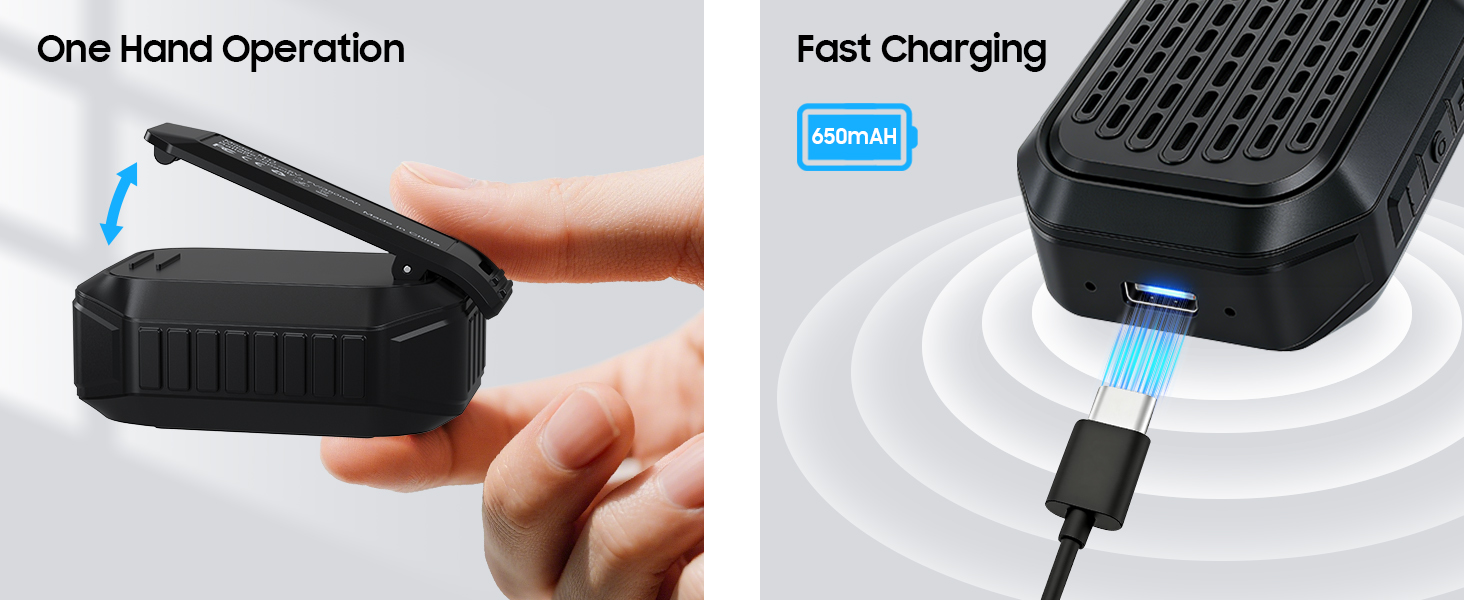
Image 4.1: The speaker's USB-C port connected for fast charging, alongside an illustration of its one-hand operable clip.
4.2 Sisopọ Bluetooth
Láti so agbọ́hùnsọ rẹ pọ̀ mọ́ ẹ̀rọ tí ó ní Bluetooth:
- Rii daju pe a ti gba agbara ati agbara si agbọrọsọ.
- Mu Bluetooth ṣiṣẹ lori foonu alagbeka rẹ tabi ẹrọ miiran.
- Wa fun awọn ẹrọ ti o wa ki o yan "M11" lati inu akojọ naa.
- Once connected, the speaker will indicate a successful pairing (e.g., an audible tone or LED indicator change).

Image 4.2: A smartphone screen showing the Bluetooth pairing process, with the M11 speaker visible and ready for connection.
5. Awọn ilana Iṣiṣẹ
5.1 Agbara Tan / Pa
- Lati Fi agbara: Tẹ mọlẹ bọtini agbara fun isunmọ awọn aaya 2.
- Lati Paarẹ: Tẹ mọlẹ bọtini agbara fun isunmọ awọn aaya 3.
5.2 Sisisẹsẹhin Orin
Once connected via Bluetooth, you can control music playback from your device or directly on the speaker (if applicable buttons are present).
- Ṣiṣẹ/Daduro: Tẹ bọtini Play/Sinmi ni ẹẹkan.
- Iwọn didun Up: Tẹ bọtini Iwọn didun Up.
- Iwọn didun isalẹ: Tẹ bọtini Iwọn didun isalẹ.
- Orin t’okan: Tẹ mọlẹ bọtini Iwọn didun Up.
- Tẹlẹ Orin: Tẹ mọlẹ bọtini Iwọn didun isalẹ.
5.3 Awọn ipe laisi ọwọ
The built-in microphone allows for clear hands-free communication.
- Idahun Ipe: Tẹ bọtini Play/Duro lẹẹkan nigbati ipe ba wọle.
- Ipe Ipari: Tẹ bọtini Play/Sinmi ni ẹẹkan lakoko ipe kan.
- Kọ Ipe: Tẹ mọlẹ Bọtini Play/Daduro fun iṣẹju meji 2.

Image 5.1: A user demonstrating hands-free calling with the speaker clipped to their clothing, suitable for active environments.
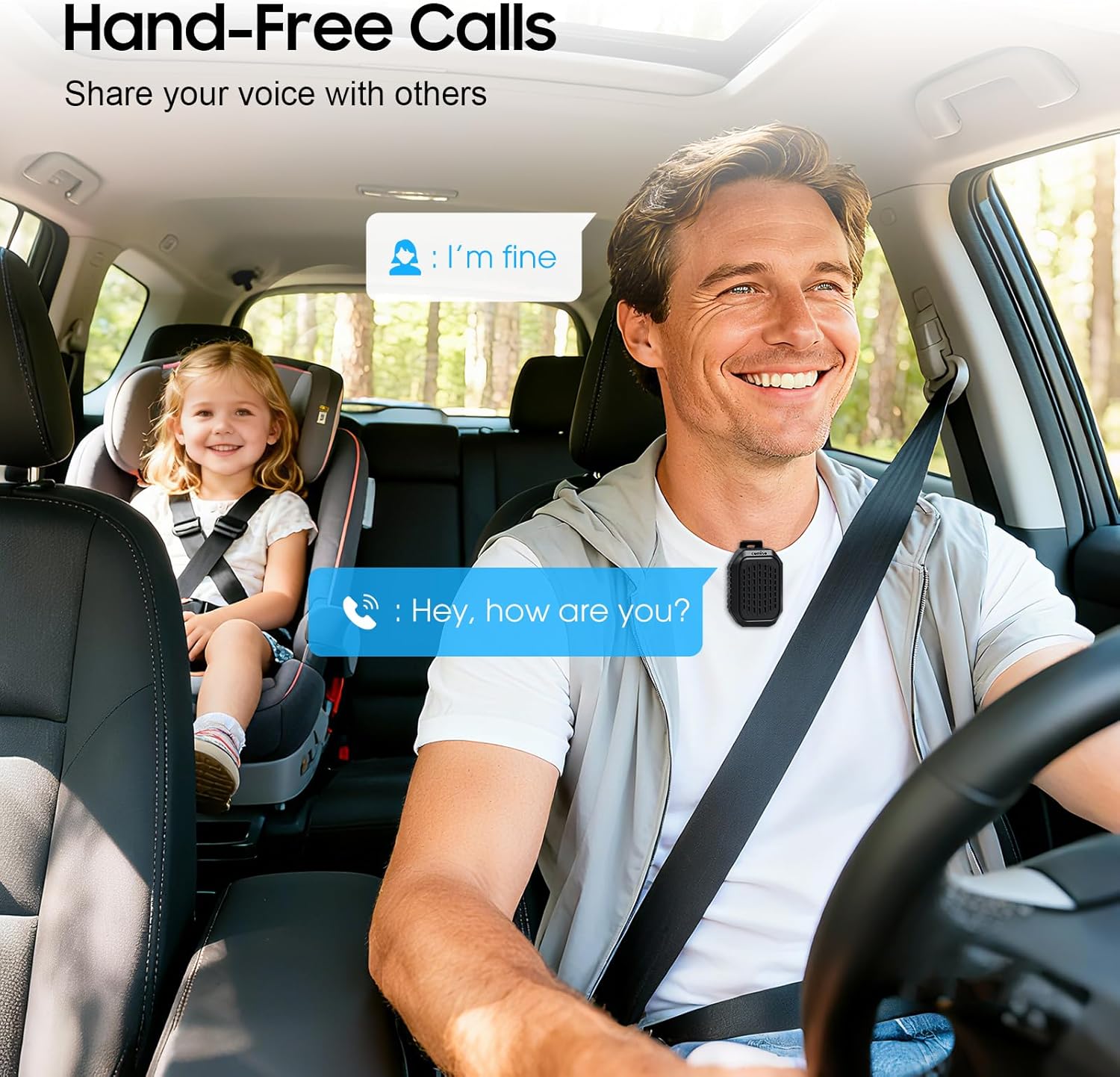
Image 5.2: The speaker facilitating hands-free communication while driving, clipped securely to a seatbelt.
5.4 Otitọ Sitẹrio Alailowaya (TWS) Sisọpọ
For an enhanced audio experience, you can pair two M11 speakers together to create a stereo sound system.
- Rí i dájú pé àwọn agbọ́hùnsọ̀ M11 méjèèjì wà ní agbára àti pé wọn kò so mọ́ ẹ̀rọ Bluetooth mìíràn.
- On either speaker, triple-press the Power button to enter TWS pairing mode.
- The speakers will automatically search for and connect to each other.
- Once paired, connect your device to one of the speakers via Bluetooth as described in Section 4.2.
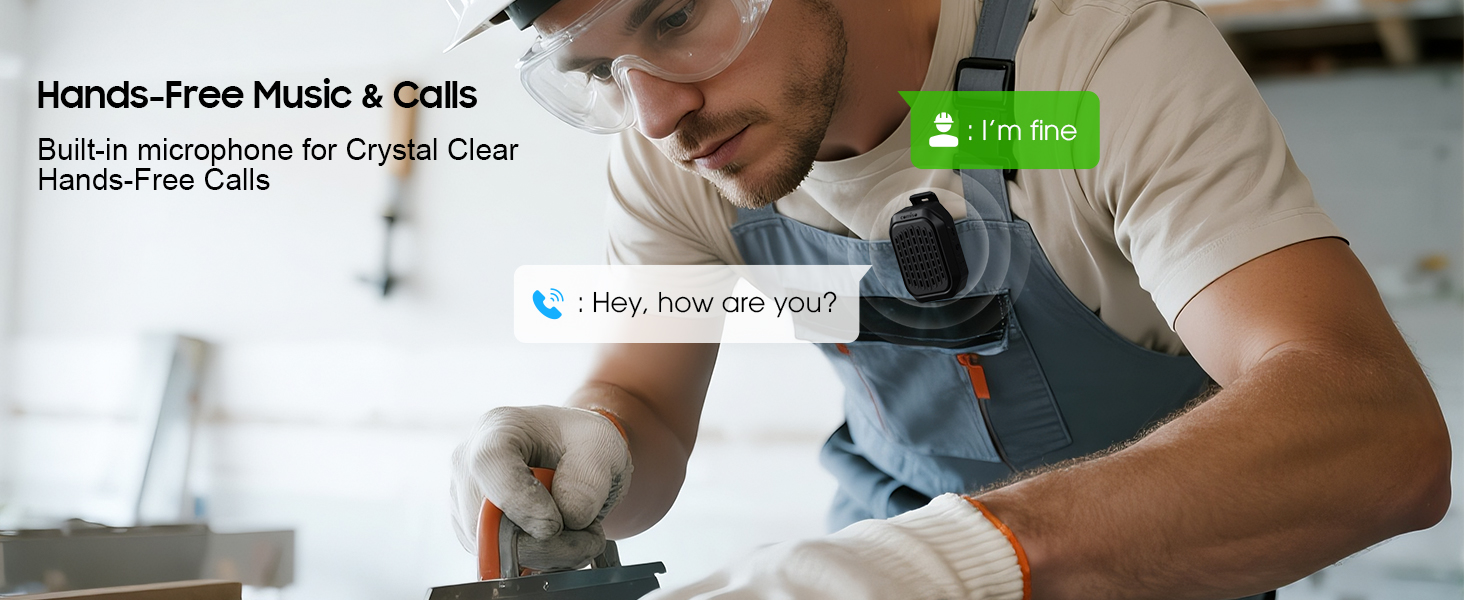
Image 5.3: Two M11 speakers wirelessly connected for a stereo audio experience, enhancing sound immersion.
5.5 Wọ Agbọrọsọ
The M11 speaker's anti-slip clip and included lanyard offer versatile wearing options.
- Agekuru: Easily attach the speaker to your shirt, backpack strap, belt, or jacket.
- Lanyard: Use the lanyard to hang the speaker on your bag, bike, or car.
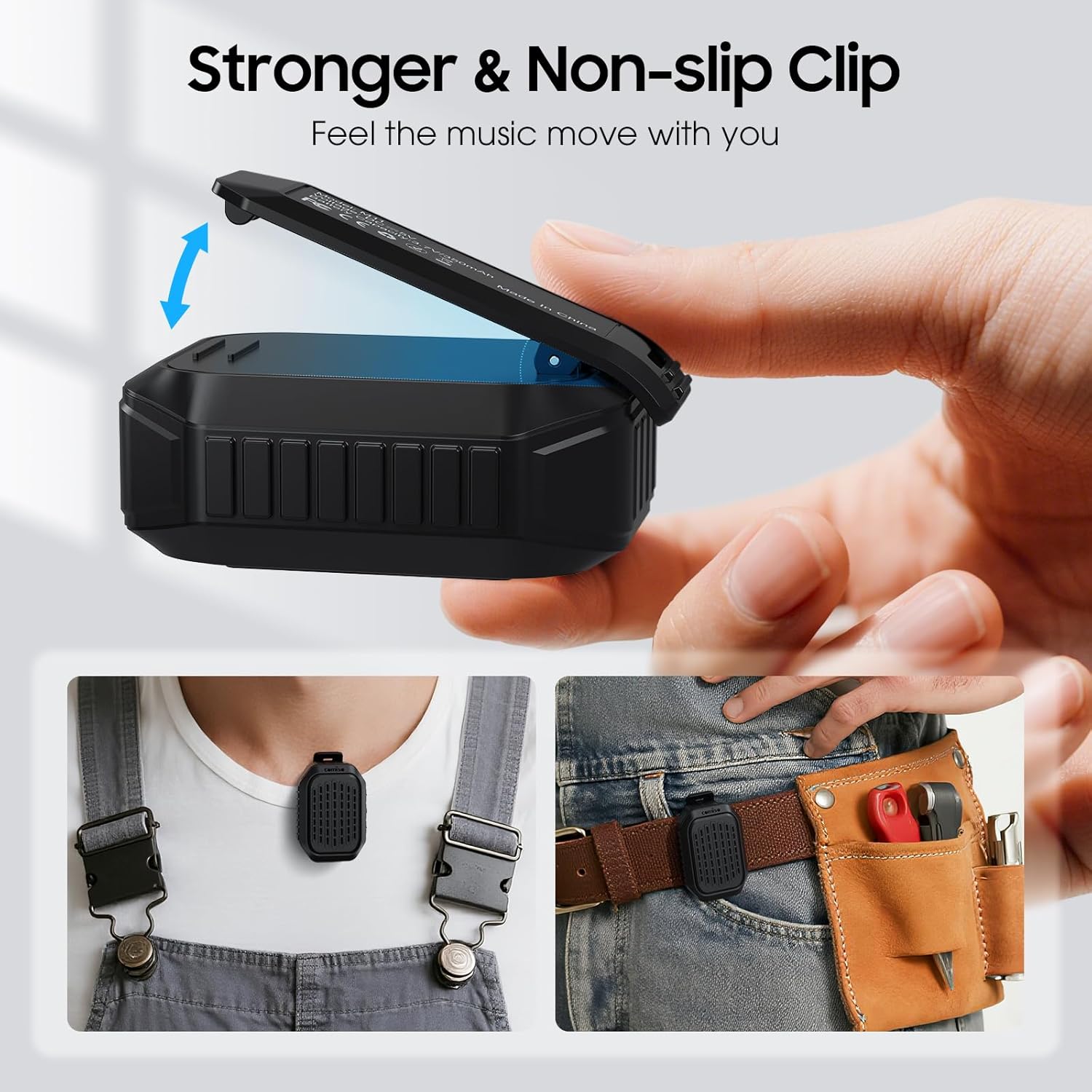
Aworan 5.4: alaye view of the speaker's strong, non-slip clip, designed for secure attachment to various items.
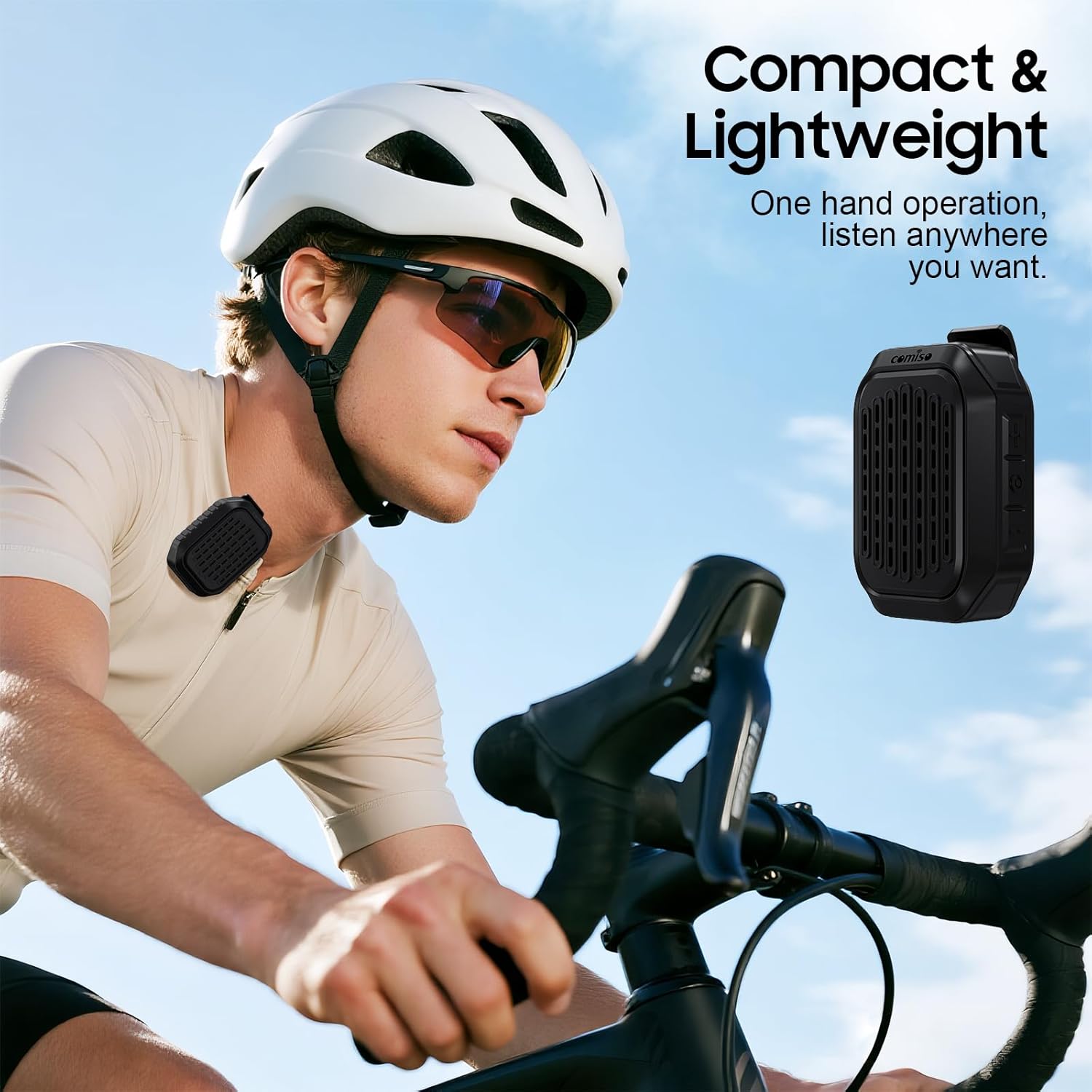
Image 5.5: A cyclist wearing the compact and lightweight speaker, demonstrating its suitability for outdoor activities.
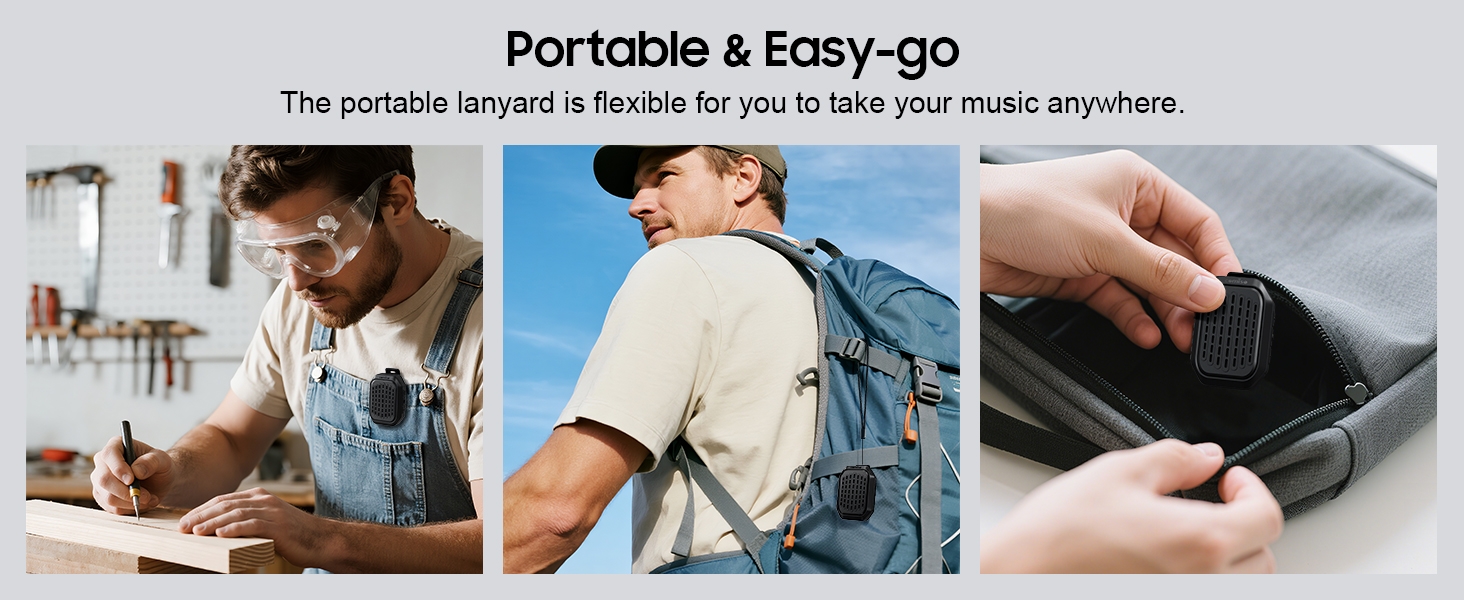
Aworan 5.6: Examples of the speaker's portability and ease of use, including being clipped to clothing, a backpack, and stored in a pocket.
6. Itọju
6.1 Omi Resistance (IPX7)
The comiso M11 speaker is IPX7 waterproof, meaning it can be immersed in water up to 1 meter deep for 30 minutes. This makes it suitable for outdoor use and resistant to splashes and rain.
- Rí i dájú pé a ti ti ibora ibudo gbigba agbara pa dáadáa kí a tó fi omi sí agbọ́hùnsọ̀ náà.
- Má ṣe mọ̀ọ́mọ̀ fi agbọ́hùnsọ̀kan sínú omi fún ìgbà pípẹ́ tàbí ju ìwọ̀n tí a sọ lọ.
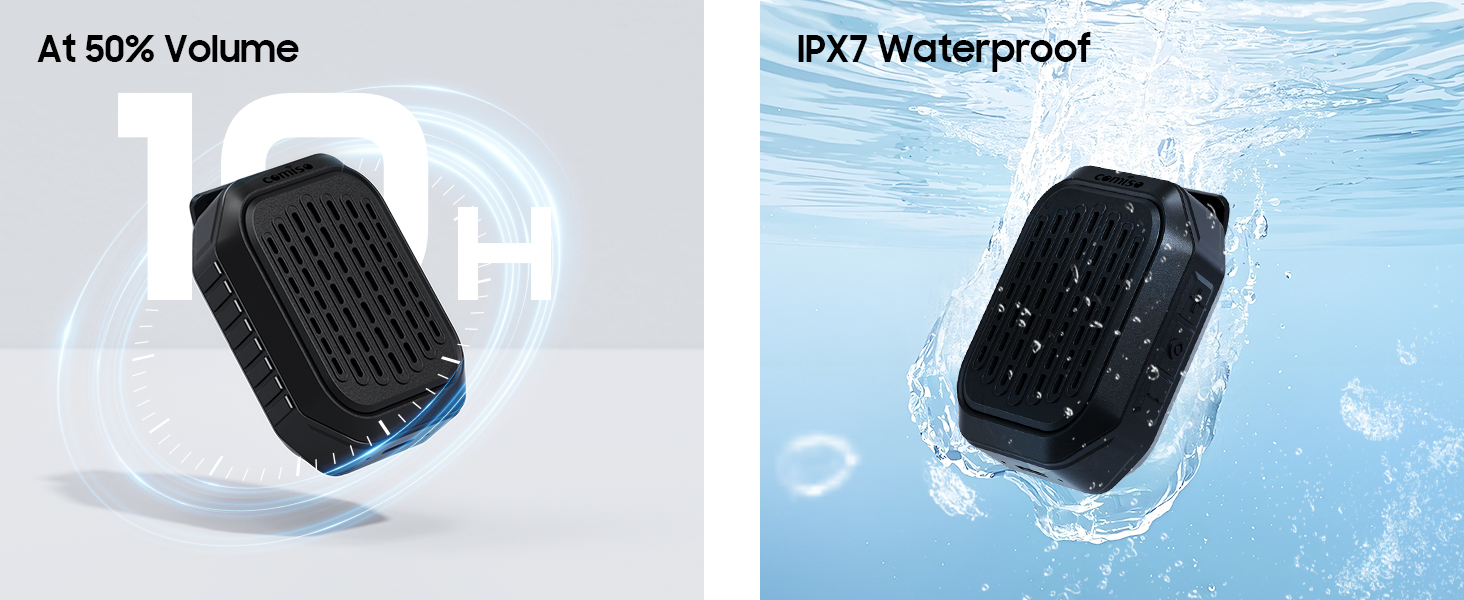
Image 6.1: The speaker submerged in water, illustrating its IPX7 waterproof capability, alongside an indicator of its 10-hour battery life.
6.2 Ninu ati Ibi ipamọ
- Fọ agbohunsoke pẹlu asọ, damp asọ. Ma ṣe lo abrasive ose tabi epo.
- Tọju agbohunsoke ni itura, ibi gbigbẹ kuro lati awọn iwọn otutu ti o pọju ati imọlẹ orun taara.
- If not used for a long period, charge the speaker at least once every three months to maintain battery health.
7. Laasigbotitusita
If you encounter issues with your comiso M11 speaker, please refer to the following common solutions:
- Agbọrọsọ ko ni agbara lori:
Ensure the speaker is fully charged. Connect it to a power source using the USB-C cable and try again. - Ko le so pọ pẹlu ẹrọ Bluetooth:
Make sure the speaker is in pairing mode (check indicator light). Turn off and on Bluetooth on your device. Ensure the speaker is within the 10-meter range. Clear previous Bluetooth connections on your device and try pairing again. - Ko si ohun tabi iwọn kekere:
Check the volume levels on both the speaker and your connected device. Ensure the speaker is properly paired. If using TWS, ensure both speakers are connected correctly. - Didara ipe ti ko dara:
Ensure the speaker is close enough for the microphone to pick up your voice clearly. Check for environmental noise interference. - Speaker not charging:
Verify the USB-C cable is securely connected to both the speaker and the power source. Try a different USB-C cable or power adapter.
8. Awọn pato
| Ẹya ara ẹrọ | Ẹ̀kúnrẹ́rẹ́ |
|---|---|
| Orukọ awoṣe | M11 |
| Agbọrọsọ Iru | Agbọrọsọ Bluetooth ti a wọ |
| Ẹya Bluetooth | 6.0 |
| Agbọrọsọ Agbara Ijade ti o pọju | 5 Wattis |
| Omi Resistance Ipele | IPX7 (to mita 1 fun iṣẹju 30) |
| Igbesi aye batiri | Over 10 hours (at 50% volume) |
| Gbigba agbara Port | USB-C |
| Awọn iwọn Ọja (D x W x H) | 1.9" x 2.9" x 1.3" |
| Iwọn Nkan | 75 Giramu (2.65 iwon) |
| Iwọn Bluetooth to pọju | 10 Mita |
| Gbohungbohun ti a ṣe sinu | Bẹẹni |
| TWS Sisopọ | Bẹẹni |
9. Alaye Aabo
Please read and follow these safety guidelines to ensure safe operation and prolong the life of your speaker:
- Do not disassemble, repair, or modify the speaker. This may void the warranty and pose safety risks.
- Jẹ́ kí agbọ́rọ̀sọ náà jìnnà sí ooru tó le koko, oòrùn tààrà, àti iná tó ṣí sílẹ̀.
- Yago fun sisọ tabi tẹriba agbọrọsọ si awọn ipa to lagbara.
- Do not use the speaker while charging in wet conditions.
- Jeki kuro ni arọwọto awọn ọmọde.
- Jọ́ agbọ́hùnsọ̀ àti bátìrì rẹ̀ kúrò ní ìbámu pẹ̀lú òfin àdúgbò.
10. Atilẹyin ọja ati Support
For warranty information or technical support, please contact comiso customer service through the retailer where you purchased the product or visit the official comiso website. Please have your model number (M11) and purchase details ready.