
1. Ifihan
Welcome to the user manual for your new vivo Y31 5G smartphone. This guide provides essential information to help you set up, operate, maintain, and troubleshoot your device. Please read this manual thoroughly to ensure proper usage and to maximize your phone's capabilities.
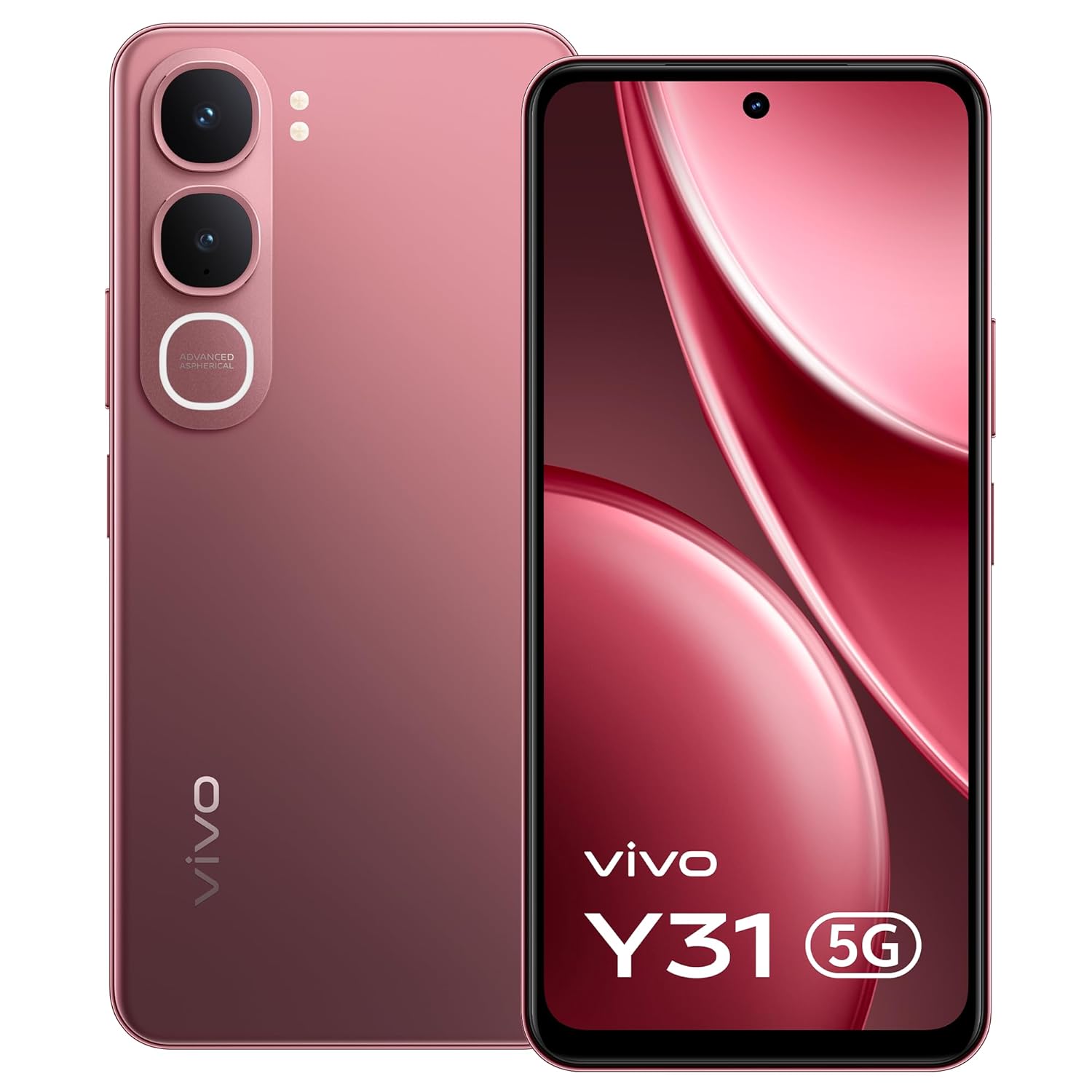
Aworan: Iwaju view of the vivo Y31 5G smartphone in Rose Red.
2. Ohun ti o wa ninu Apoti
Daju pe gbogbo awọn ohun kan wa ninu apoti ọja rẹ:
- vivo Y31 5G Smartphone
- Foonu Case
- Adapter agbara
- SIM Atẹ ejector
- Abojuto Iboju (Ti a ti lo tẹlẹ)
- Okun USB
3. Eto
3.1. Inserting the SIM Card and SD Card
- Wa atẹ kaadi SIM ni ẹgbẹ foonu rẹ.
- Fi SIM atẹ ejector ọpa sinu kekere iho tókàn si awọn atẹ ki o si tẹ rọra titi ti atẹ yoo jade.
- Place your Nano-SIM card(s) and/or microSD card (if applicable) into the tray with the gold contacts facing down, ensuring they are correctly oriented.
- Fi iṣọra Titari atẹ naa pada sinu foonu titi yoo fi tẹ sinu aaye.

Aworan: Apa view of the vivo Y31 5G, illustrating the SIM tray location.
3.2. Ngba agbara ẹrọ
Before first use, fully charge your phone. Use only the provided power adapter and USB cable.
- So okun USB pọ mọ oluyipada agbara.
- Plug the USB Type-C end of the cable into the charging port at the bottom of your phone.
- Pulọọgi ohun ti nmu badọgba agbara sinu iṣan ogiri kan.
- Atọka gbigba agbara yoo han loju iboju.

Aworan: Isalẹ view of the vivo Y31 5G, highlighting the USB Type-C charging port.
3.3. Agbara Titan ati Eto Ibẹrẹ
- Tẹ ki o si mu bọtini agbara (ti o wa ni apa ọtun) titi ti aami vivo yoo fi han.
- Follow the on-screen instructions to select your language, connect to Wi-Fi, set up your Google account, and configure security features like fingerprint or face unlock.
4. Ṣiṣẹ ẹrọ rẹ
4.1. Ipilẹ Lilọ kiri
Your vivo Y31 5G uses Funtouch OS 15, based on Android, for intuitive touch-based navigation:
- Fọwọ ba: Yan ohun kan tabi ṣii ohun elo kan.
- Ra: Yi lọ nipasẹ awọn iboju tabi awọn akojọ.
- Fun pọ: Sun-un sinu tabi jade lori awọn fọto ati web awọn oju-iwe.
- Long Tẹ: Wọle si awọn akojọ aṣayan ọrọ-ọrọ tabi gbe awọn aami app.
4.2. Ṣiṣe Awọn ipe ati Fifiranṣẹ Awọn ifiranṣẹ
- Lati ṣe ipe, ṣii Foonu app, enter the number, and tap the call icon.
- To send a message, open the Awọn ifiranṣẹ app, tẹ aami ifiranṣẹ titun, tẹ olugba ati ifiranṣẹ rẹ sii.
4.3. Lilo kamẹra
Your phone features a 50 MP AI main camera and an 8 MP front camera.
- Ṣii awọn Kamẹra app.
- Select your desired mode (Photo, Portrait, Video, etc.).
- Tẹ bọtini ideri lati ya aworan tabi bẹrẹ/dawọ gbigba fidio kan.
- Use the on-screen controls to switch between front and rear cameras, adjust zoom, or apply filters.
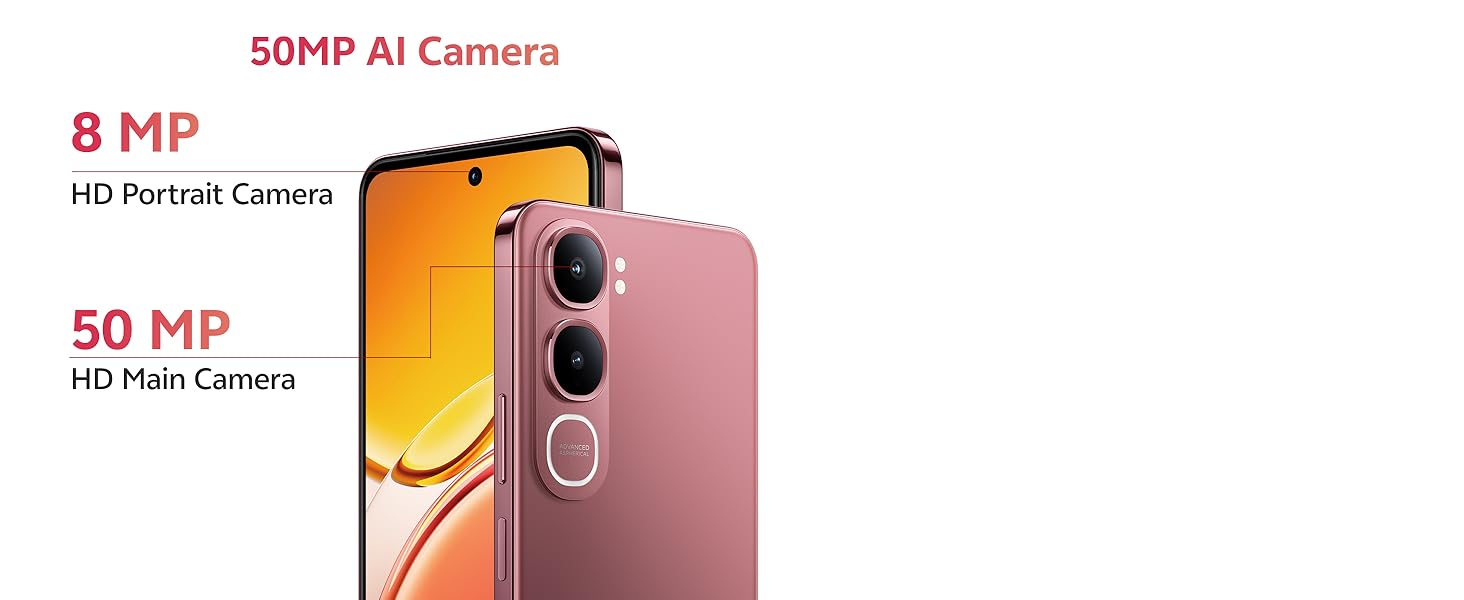
Image: Detail of the 50MP AI Camera system on the vivo Y31 5G.

Aworan: Examples of Smart AI features like AI Erase and AI Photo Enhance.
4.4. Asopọmọra
- Wi-Fi: Lọ si Eto> Nẹtiwọọki & intanẹẹti> Wi-Fi lati sopọ si awọn nẹtiwọki ti o wa.
- Bluetooth: Lọ si Eto > Awọn ẹrọ ti a ti sopọ > Bluetooth lati so pọ pẹlu awọn ẹrọ miiran.
- Nẹtiwọọki 5G: Your device supports 5G cellular technology. Ensure your SIM card and plan support 5G for optimal network speeds.
5. Itọju
5.1. Ninu Rẹ Device
Lo asọ rirọ, ti ko ni lint lati nu iboju ati ara foonu rẹ mọ. Yago fun lilo awọn kẹmika lile tabi awọn ohun elo abrasive.
5.2. Itọju batiri
Lati pẹ igbesi aye batiri:
- Yago fun awọn iwọn otutu to gaju.
- Má ṣe jẹ́ kí bátírì náà máa gbẹ pátápátá nígbà gbogbo.
- Use the provided 44W FlashCharge adapter for efficient charging.
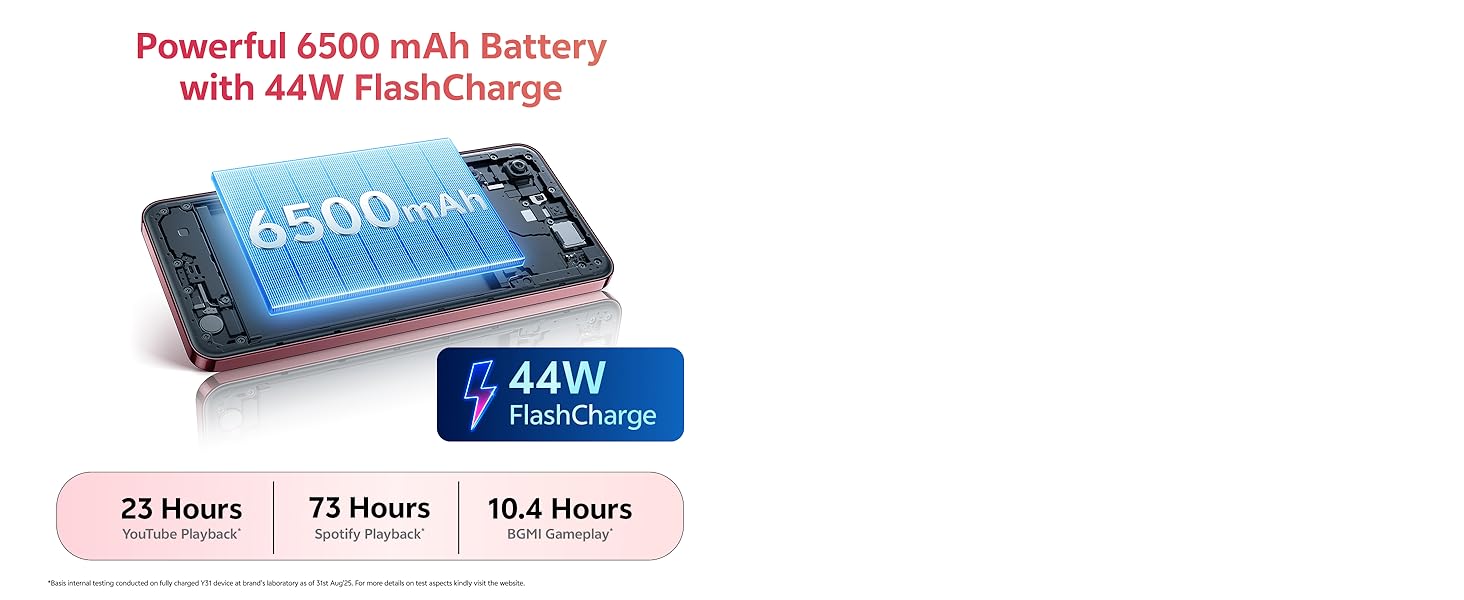
Image: Illustration of the 6500 mAh battery and 44W FlashCharge capability.
5.3. Software imudojuiwọn
Ṣayẹwo nigbagbogbo fun ati fi awọn imudojuiwọn sọfitiwia sori ẹrọ lati rii daju iṣẹ ṣiṣe ati aabo to dara julọ. Lọ si Eto> Eto> Imudojuiwọn eto.
5.4. Ibi ipamọ Management
To manage your 128GB internal storage, go to Eto > Ibi ipamọ. You can clear cache, uninstall unused apps, or move files si kaadi microSD kan (ti o ba fi sori ẹrọ).
6. Laasigbotitusita
If you encounter issues with your vivo Y31 5G, try the following solutions:
- Ẹrọ ti ko tan: Rii daju pe batiri ti gba agbara. Tẹ mọlẹ bọtini Agbara fun o kere ju iṣẹju 10.
- Awọn ohun elo kọlu tabi didi: Close the app and reopen it. Clear the app's cache (Settings > Apps > [App Name] > Storage & cache). Restart your phone.
- Awọn iṣoro nẹtiwọọki (ko si ifihan agbara, data ti o lọra): Check if your SIM card is properly inserted. Restart your phone. Go to Eto > Nẹtiwọọki & intanẹẹti > Awọn SIM kí o sì rí i dájú pé SIM rẹ ti ṣiṣẹ́.
- Didara ipe ti ko dara: Check network signal strength. Move to an area with better reception.
- Ẹrọ ti ko dahun: Perform a force restart by pressing and holding the Power button for about 10-15 seconds until the device restarts.
- Àtúntò Ilé-iṣẹ́ (Ìgbádùn Ìkẹyìn): If problems persist, you may need to perform a factory reset. Ìkìlọ̀: Èyí yóò pa gbogbo ìwífún lórí fóònù rẹ rẹ́. Ṣe àtìlẹ́yìn fún àwọn ìwífún pàtàkì kí o tó tẹ̀síwájú. Lọ si Eto> Eto> Awọn aṣayan atunto> Pa gbogbo data rẹ (atunto ile-iṣẹ).
7. Awọn pato
Key technical specifications for the vivo Y31 5G:
| Ẹya ara ẹrọ | Sipesifikesonu |
|---|---|
| Brand | vivo |
| Eto isesise | Funtouch OS 15 |
| Ramu Memory | 4 GB |
| Sipiyu Awoṣe | Snapdragon Octa-mojuto |
| Sipiyu Iyara | 2.2 GHz |
| Ibi ipamọ inu | 128 GB |
| Àwọ̀ | Rose Red |
| Iho kaadi SIM kika | SIM meji |
| Asopọmọra Iru | USB Iru C |
| Fọọmù ifosiwewe | Pẹpẹ |
| Omi Resistance Ipele | Ko Omi Resistant |
| Awọn agbekọri Jack | Ko si jaketi agbekọri |
| Ipinnu Kamẹra iwaju | 8 MP |
| Ipinnu Kamẹra ti o kẹhin | 50 MP |
| Agbara Batiri | 6500 Milionuamp Awọn wakati |
| Iwọn Nkan | 209 giramu |
| Awọn iwọn Nkan | 16.6 x 7.7 x 0.8 centimeters |
| Iwon iboju | 6.68 inches |
| Ipinnu Ifihan | 1608 x 720 awọn piksẹli |
| Ifihan Iru | LCD |
| Cellular Technology | 5G |
| Odun awoṣe | 2025 |
| Ilu isenbale | India |
8. atilẹyin ọja Information
Your vivo Y31 5G comes with a 1-year manufacturer warranty for the device ati 6 months for in-box accessories, effective from the date of purchase. Please retain your proof of purchase for warranty claims. For detailed terms and conditions, refer to the warranty card included in your packaging or visit the official vivo webojula.
9. Atilẹyin
For further assistance, technical support, or service inquiries, please contact vivo customer support:
- Olupese: Vivo Mobile India Pvt Ltd
- Adirẹsi: Plot No 08, Sector 24, Yamuna Expressway Area, Gautam Buddha Nagar, Uttar Pradesh, 201310
- Webojula: Refer to your product packaging or official vivo documentation for the latest support contact information.