
Ọja Pariview
The pTron Studio Pro are wireless over-ear headphones designed for extended listening and clear communication. They feature an ergonomic design with soft earpads and an adjustable headband for comfortable wear. Key features include long battery life, advanced audio drivers, and versatile connectivity options.
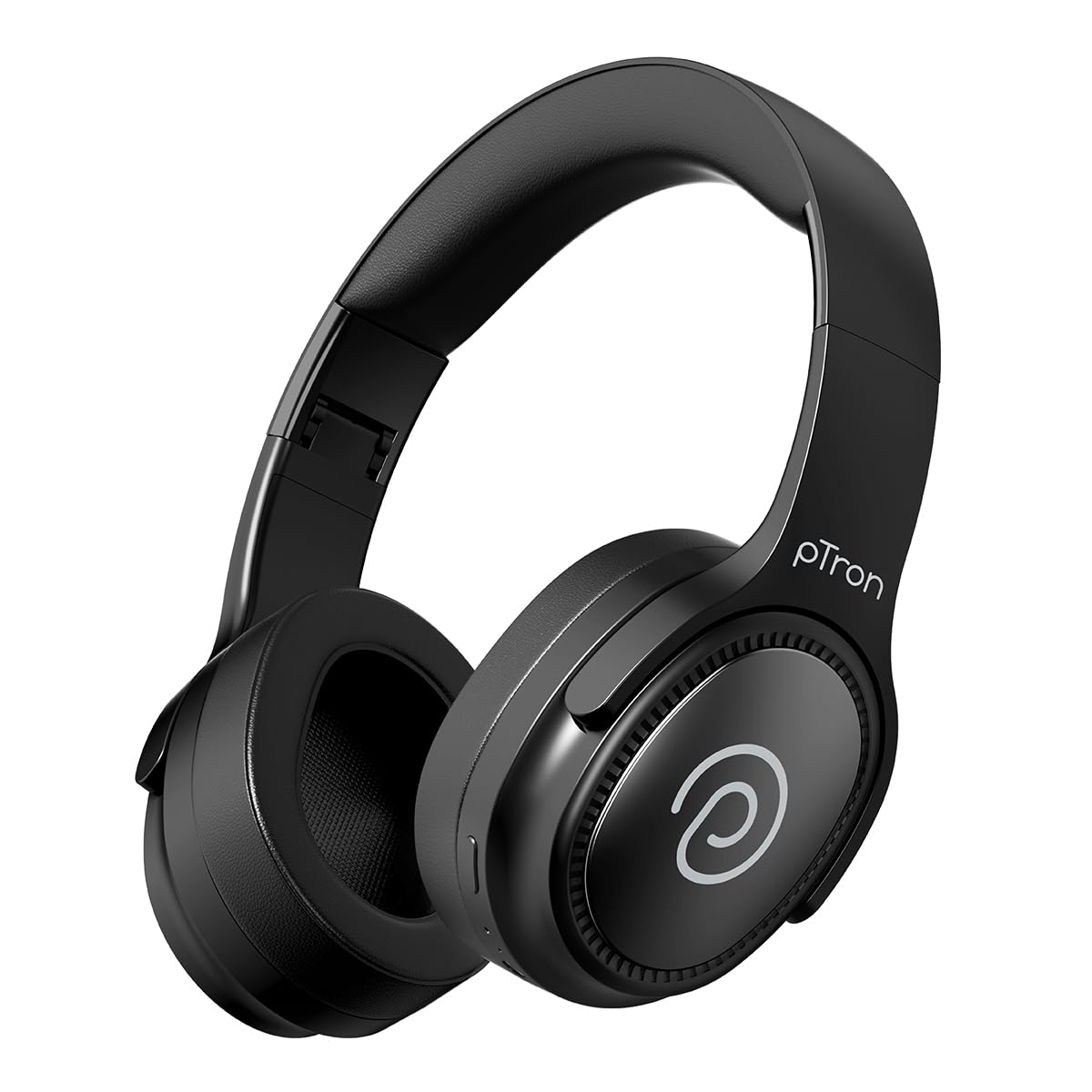
Image: pTron Studio Pro Wireless Over-Ear Headphones in Jet Black, showcasing awọn aso oniru.
Key Awọn ẹya ara ẹrọ
- Akoko Idaraya: Up to 65 hours of music playback on a single full charge.
- Gbigba agbara yiyara: 2.5 hours for a full charge via Type-C. A 10-minute charge provides approximately 4 hours of playtime.
- Ohun Didara to gaju: Equipped with 40mm Neody Drivers for pristine stereo sound.
- Ko awọn ipe kuro: Built-in HD Microphone with TruTalk AI-ENC (Environmental Noise Cancellation) for crystal-clear calls.
- Ilọsiwaju Asopọmọra: Fast Bluetooth v5.4 for instant pairing and stable connection.
- Pipọpọ Ẹrọ Meji: Seamlessly connect and switch between two devices simultaneously.
- Awọn ọna Iwapọ: Dedicated Low-Latency Gaming Mode and Music Mode.
- Omi Resistance: IPX4 rating, making them resistant to water splashes and sweat.
- Comfort & Portability: Ergonomic, lightweight, and foldable design with soft earpads and an adjustable headband for a perfect fit and easy storage.
- Awọn iṣakoso irọrun: Multi-functional buttons for managing music, calls, and activating voice assistant.

Image: Infographic detailing the main features of the pTron Studio Pro headphones, including battery life, drivers, and connectivity.
Ohun ti o wa ninu Apoti
Upon unboxing your pTron Studio Pro headphones, you will find the following items:
- pTron Studio Pro Wireless Over-Ear Headphones
- Ngba agbara USB (Iru-C)
- Itọsọna olumulo
Video: An official product video demonstrating the unboxing and key features of the pTron Studio Pro headphones.
Product Layout and Controls
Familiarize yourself with the physical components and control buttons of your pTron Studio Pro headphones.

Aworan: Alaye view of the multi-function control buttons located on the ear cup, including power, volume, and track controls.
Control Button Functions:
| Bọtini / Action | Išẹ |
|---|---|
| Bọtini agbara (Tẹ gun) | Tan-an/Paa, Tẹ Ipo Asopọmọra sii |
| Bọtini Muu ṣiṣẹ/Daduro (Tẹ ẹyọkan) | Mu orin ṣiṣẹ/Danuduro, Dahun/Pari ipe |
| Play/Pause Button (Long Press) | Kọ ipe, Mu Oluranlọwọ Ohun ṣiṣẹ |
| Volume Up (+) (Single Press) | Mu iwọn didun pọ si |
| Volume Down (-) (Single Press) | Din iwọn didun silẹ |
| Iwọn didun soke (+) (Tẹ gun) | Next Track |
| Iwọn didun isalẹ (-) (Tẹ gun) | Ti tẹlẹ Track |
| Mode Button (Single Press) | Switch between Game Mode and Music Mode |
Ṣeto
1. Ngba agbara si awọn Agbekọri
- So okun gbigba agbara Iru-C ti a pese si ibudo gbigba agbara lori awọn agbekọri.
- Connect the other end of the cable to a USB power source (DC5V-1A max.).
- Atọka LED yoo fihan ipo gbigba agbara. Gbigba agbara ni kikun gba to awọn wakati 2.5.
- A 10-minute charge can provide up to 4 hours of playtime.

Image: The pTron Studio Pro headphones highlighting the Type-C charging port and emphasizing the 65-hour playtime.
2. Sisopọ Bluetooth
- Rii daju pe awọn agbekọri ti gba agbara ni kikun.
- Press and hold the Power button until the LED indicator flashes red and blue alternately, indicating pairing mode.
- Lori ẹrọ rẹ (foonuiyara, tabulẹti, kọǹpútà alágbèéká), mu Bluetooth ṣiṣẹ ki o wa awọn ẹrọ to wa.
- Select "pTron Studio Pro" from the list of devices.
- Ni kete ti a ti sopọ, Atọka LED yoo tan buluu to lagbara tabi da ikosan duro.
3. Dual Device Pairing
- Pa awọn agbekọri pọ pẹlu ẹrọ akọkọ bi a ti salaye loke.
- Mu Bluetooth ṣiṣẹ lori ẹrọ akọkọ. Awọn agbekọri naa yoo tun tẹ ipo sisopọ sii.
- Pa awọn agbekọri pọ pẹlu ẹrọ keji.
- Tun-ṣiṣẹ Bluetooth lori ẹrọ akọkọ. Awọn agbekọri yẹ ki o sopọ laifọwọyi si awọn ẹrọ mejeeji.
- You can now switch audio playback between the two connected devices.

Image: The headphones connected to both a laptop and a smartphone, demonstrating the dual device pairing feature.
4. Wired Connection (3.5mm Aux-in)
- Insert one end of a 3.5mm audio cable (not included) into the Aux-in port on the headphones.
- Connect the other end of the cable to your audio source's 3.5mm jack.
- Awọn agbekọri yoo yipada laifọwọyi si ipo ti firanṣẹ.

Image: The headphones connected to a smartphone using a 3.5mm Aux-in cable, illustrating wired music playback.
Awọn ilana Iṣiṣẹ
Titan / Paa
- Agbara Tan: Tẹ mọlẹ bọtini agbara fun isunmọ awọn aaya 3 titi ti Atọka LED yoo tan imọlẹ.
- Agbara Pa: Tẹ mọlẹ bọtini agbara fun isunmọ awọn aaya 5 titi ti itọkasi LED yoo wa ni pipa.
Awọn iṣakoso orin
- Ṣiṣẹ/Daduro: Nikan tẹ bọtini Play/Sinmi.
- Orin t’okan: Tẹ bọtini iwọn didun Up (+) gun.
- Tẹlẹ Orin: Tẹ bọtini Iwọn didun isalẹ (-) gun.
- Iwọn didun Up: Single press the Volume Up (+) button.
- Iwọn didun isalẹ: Single press the Volume Down (-) button.
Awọn iṣakoso ipe
- Idahun/Ipe Ipari: Nikan tẹ bọtini Play/Sinmi.
- Kọ Ipe: Gun tẹ bọtini Play/Sinmi.
Oluranlọwọ ohun
- Mu Oluranlọwọ Ohun ṣiṣẹ: Long press the Play/Pause button (after rejecting a call, if applicable, or when not on a call).
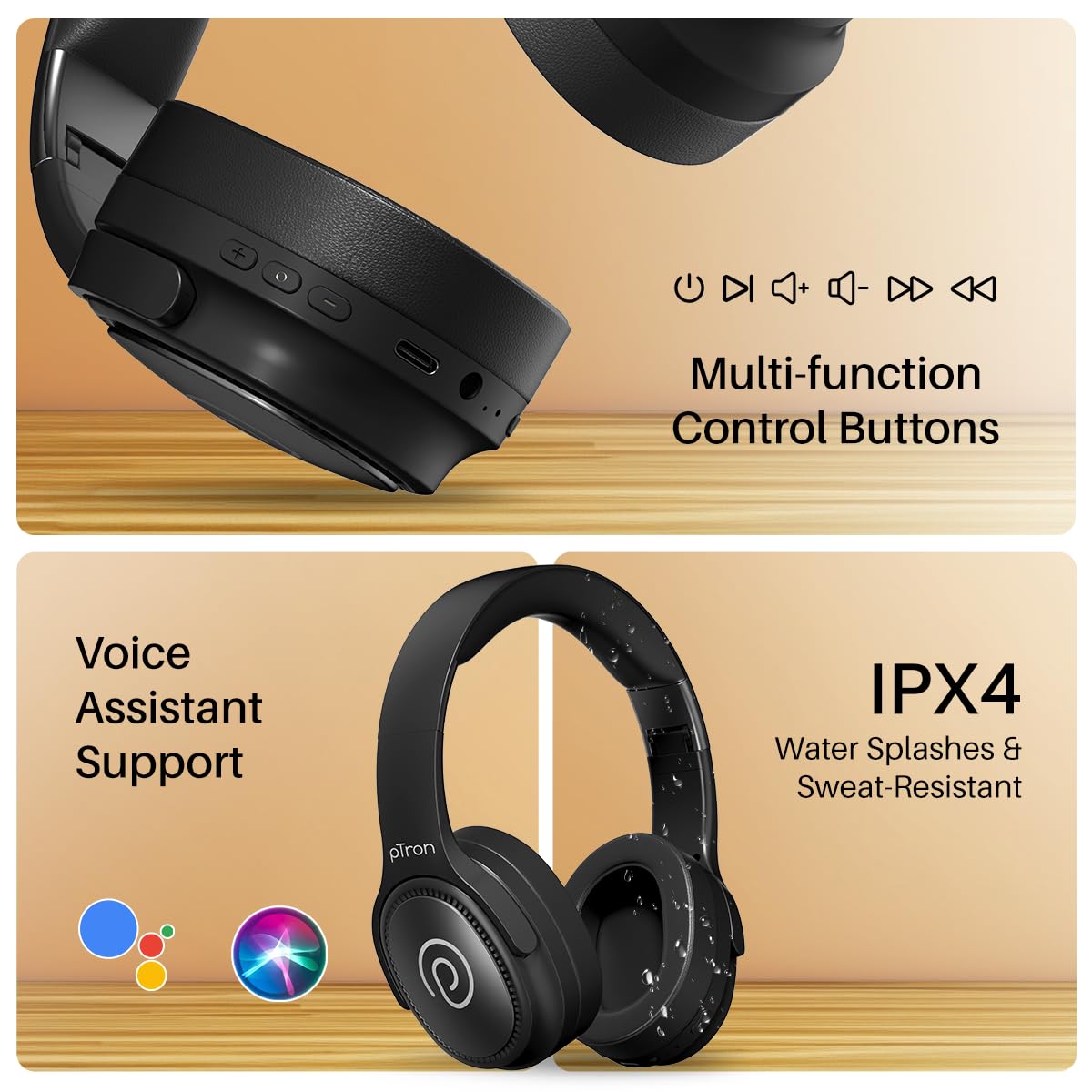
Image: The headphones illustrating support for voice assistants like Google Assistant and Siri, along with their IPX4 water-resistant rating.
Game & Music Modes
- Awọn ọna Yipada: Single press the Mode button to toggle between Low-Latency Gaming Mode and standard Music Mode.
Itoju
To ensure the longevity and optimal performance of your pTron Studio Pro headphones, follow these maintenance guidelines:
- Ninu: Lo asọ asọ ti o gbẹ lati nu agbekọri naa. Ma ṣe lo abrasive ose tabi epo.
- Ibi ipamọ: Nigbati o ko ba si ni lilo, tọju awọn agbekọri naa ni itura, aaye gbigbẹ. Apẹrẹ ti a ṣe pọ gba laaye fun ibi ipamọ iwapọ.
- Ifihan omi: While rated IPX4 for water splashes and sweat resistance, avoid submerging the headphones in water or exposing them to heavy rain. Dry them thoroughly if they get wet.
- Gbigba agbara: Use only the provided Type-C cable and a compatible power adapter (DC5V-1A max.) for charging.
- Yago fun Awọn iwọn otutu to gaju: Ma ṣe fi awọn agbekọri han si iwọn otutu ti o ga tabi kekere.
Laasigbotitusita
If you encounter any issues with your pTron Studio Pro headphones, refer to the following common troubleshooting steps:
| Isoro | Ojutu |
|---|---|
| Awọn agbekọri ko ṣiṣẹ. | Rii daju pe awọn agbekọri ti gba agbara ni kikun. Sopọ si orisun agbara ati ṣayẹwo itọkasi gbigba agbara. |
| Ko le so pọ pẹlu ẹrọ kan. | Make sure Bluetooth is enabled on your device and the headphones are in pairing mode (LED flashing red/blue). Move closer to the device. Forget previous pairings on your device and try again. |
| Ko si ohun tabi iwọn kekere. | Check the volume levels on both the headphones and your connected device. Ensure the headphones are correctly paired. If using Aux-in, ensure the cable is fully inserted. |
| Didara ipe ko dara. | Ensure the microphone is not obstructed. Move to an area with less environmental noise. Check your device's network signal. |
| Awọn agbekọri ge asopọ nigbagbogbo. | Ensure there are no obstacles between the headphones and your device. Keep within the Bluetooth range (10 meters). Avoid strong electromagnetic interference. |
Awọn pato
| Ẹya ara ẹrọ | Ẹ̀kúnrẹ́rẹ́ |
|---|---|
| Brand | pTron |
| Orukọ awoṣe | Studio |
| Gbigbe Eti | Lori Eti |
| Ẹya Bluetooth | 5.4 |
| Bluetooth Ibiti | 10 Mita |
| Audio Driver Iwon | 40 Milimita |
| Ipalara | 32 ohms |
| Batiri Apapọ Life | Awọn wakati 65 |
| Igba agbara Batiri | Awọn wakati 2.5 |
| Gbigba agbara Port | Iru-C |
| Omi Resistance Ipele | IPX4 (Atako omi) |
| Gbohungbohun | Built-in HD Mic with AI-ENC |
| Jack agbekọri | 3.5 mm Jack |
| Iṣakoso Iru | Call Control, Push Button |
| Ọja Awọn ẹya ara ẹrọ | Fast Charging, Foldable, Microphone Included, Noise Isolation, Surround Sound |
| Iwọn Nkan | 200 giramu |
| Ohun elo | Acrylonitrile Butadiene Styrene (ABS) |
| Awọn ẹrọ ibaramu | Foonu alagbeka, Awọn tabili kọmputa, Awọn kọǹpútà alágbèéká, Awọn tabulẹti |
Atilẹyin ọja ati Support
Your pTron Studio Pro headphones come with a manufacturer's warranty and dedicated customer support.
- Atilẹyin ọja: 6 Months Manufacturer Warranty from the Date of Purchase on Manufacturing Defects Only.
- Olubasọrọ olupese: Building A1, Red Box Creative Park, No. 3 Huancheng South Road, Bantian Street, Longgang District, Shenzhen City, China 518116.
- Customer Care Contact Details: 40-67138888 / Support@ptron.in
- Olùbáṣepọ̀ Olùgbéwọlé: PALRED ELECTRONICS PVT. LTD., SY.NO. 56, 1ST FLOOR, GUNDLAPOCHAMPALLY VILLAGE, TECH PARK MTP, TSIIC-IALA NACHARAM, HYDERABAD - 500076, TELANGANA, INDIA.