
1. Ifihan
O ṣeun fun riraasing the Dyurwa ZY02 Portable Bluetooth Speaker. This manual provides essential information for setting up, operating, and maintaining your speaker. Please read it thoroughly before use to ensure optimal performance and longevity of your device.
2. Alaye Aabo
- Ma ṣe fi agbọrọsọ si awọn iwọn otutu to gaju tabi imọlẹ orun taara fun awọn akoko ti o gbooro sii.
- Yago fun sisọ tabi tẹriba agbọrọsọ si awọn ipa to lagbara.
- Jẹ́ kí agbọ́hùnsọ náà jìnnà sí àwọn ẹ̀rọ ìṣègùn, nítorí pé ó lè dí iṣẹ́ wọn lọ́wọ́.
- Má ṣe gbìyànjú láti tú agbọ̀rọ̀sọ náà, láti tún un ṣe, tàbí láti ṣe àtúnṣe rẹ̀ fúnra rẹ. Kàn sí àwọn òṣìṣẹ́ iṣẹ́ tó péye tí ó bá yẹ.
- Rí i dájú pé a ti pa ideri ibudo gbigba agbara mọ́ nígbà tí a bá ń lo agbọrọsọ lẹ́bàá omi láti mú kí ìwọ̀n IPX7 rẹ̀ má baà jẹ́ kí omi má baà wọ inú rẹ̀.
3. Package Awọn akoonu
- 1 x Dyurwa ZY02 Portable Bluetooth Speaker
- 1 x Okun gbigba agbara Iru-C
- 1 x Quick Start Guide (this document)
4. Ọja Ipariview
Awọn iṣakoso ati awọn ibudo
Familiarize yourself with the buttons and ports on your Dyurwa ZY02 speaker:

Figure 1: Top-mounted control buttons and side profile of the Dyurwa ZY02 speaker.
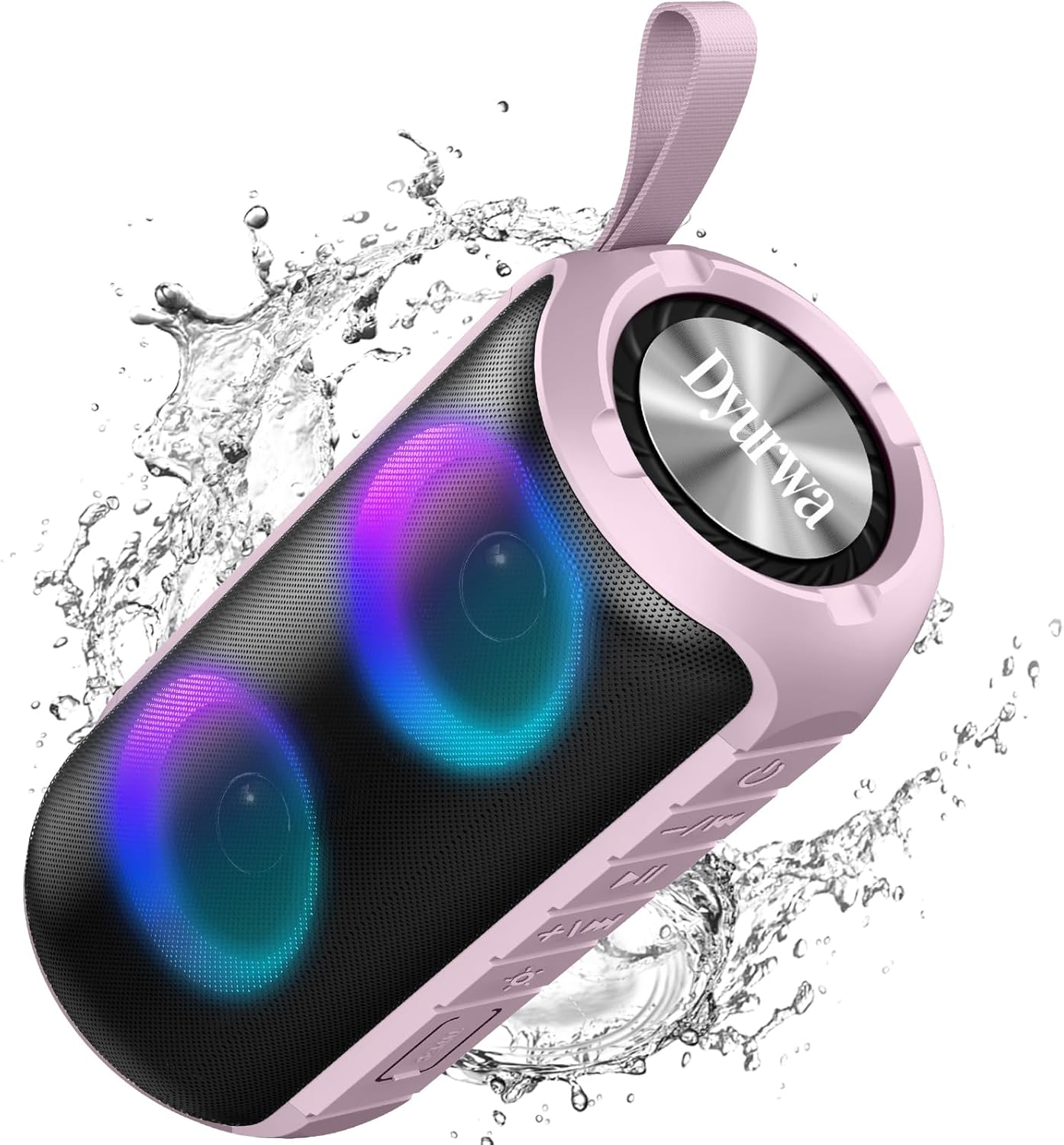
Figure 2: The sealed port area on the Dyurwa ZY02 speaker, revealing the Type-C charging port and a memory card slot.
Video 1: A finifini loriview of the Dyurwa ZY02 speaker's physical features, including its buttons, ports, and dynamic LED lighting effects.
5. Eto
5.1 Gbigba agbara si Agbọrọsọ
Before first use, fully charge your speaker. Use the provided Type-C charging cable to connect the speaker to a compatible USB power source. The charging time is approximately 2-3 hours.

Figure 3: The Dyurwa ZY02 speaker highlighting its 12-hour battery life, with a note that continuous playtime varies by volume and light settings.
5.2 Sisopọ Bluetooth
- Power on the speaker by pressing and holding the power button. The LED indicator will flash, indicating it's in pairing mode.
- Lori ẹrọ rẹ (foonuiyara, tabulẹti, kọmputa), mu Bluetooth ṣiṣẹ ki o wa awọn ẹrọ to wa.
- Select "ZY02" from the list of devices.
- Once connected, the speaker will emit an audible confirmation, and the LED indicator will remain solid.

Figure 4: The Dyurwa ZY02 speaker connected to a laptop, illustrating its Bluetooth 5.3 multi-device compatibility.
5.3 Otitọ Sitẹrio Alailowaya (TWS) Sisọpọ
To pair two ZY02 speakers for a stereo sound experience:
- Ensure both speakers are powered off and not connected to any device.
- Agbara lori awọn agbohunsoke mejeeji.
- On one speaker (this will be the primary speaker), double-press the power button. It will search for the secondary speaker.
- Once connected, both speakers will emit a confirmation tone, and their LED indicators will synchronize.
- Connect your device to the primary speaker via Bluetooth as described in section 5.2.
6. Awọn ilana Iṣiṣẹ
6.1 Ipilẹ Awọn iṣẹ
- Titan/Apapa: Tẹ mọlẹ bọtini agbara fun awọn aaya 3.
- Ṣiṣẹ/Daduro: Kukuru tẹ bọtini Play/Daduro.
- Iwọn didun Up: Kukuru tẹ bọtini '+'.
- Iwọn didun isalẹ: Kukuru tẹ bọtini '-'.
- Orin t’okan: Tẹ bọtini '+' gun.
- Tẹlẹ Orin: Tẹ bọtini '-' gun.
Awọn ọna Imọlẹ RGB 6.2
The speaker features dynamic RGB lights that can be customized:

Figure 5: The Dyurwa ZY02 speaker displaying its dynamic RGB lighting, with an icon indicating the button to browse different vibrant modes.
- Yi Ipò Imọlẹ pada: Short press the light button (often indicated by a sun or lightbulb icon) to cycle through available RGB lighting effects.
- Paa Awọn Imọlẹ: Continue pressing the light button until the lights turn off.
- The lights can also pulse with the rhythm of the music.
Video 2: Demonstration of the Dyurwa ZY02 speaker's RGB lighting features, showing how the lights change and react to sound.
6.3 Ọwọ-Ọfẹ Npe
With its built-in microphone, the speaker supports hands-free calling when connected to your smartphone:

Figure 6: The Dyurwa ZY02 speaker facilitating a hands-free call in an office environment, showcasing its built-in microphone functionality.
- Idahun/Ipe Ipari: Kukuru tẹ bọtini Play/Daduro.
- Kọ Ipe: Gun tẹ bọtini Play/Sinmi.
7. Itọju
7.1 Apẹrẹ Omi Ti Ko Lo Omi (IPX7)
The Dyurwa ZY02 speaker features an IPX7 waterproof rating, meaning it can be submerged in up to 1 meter of water for 30 minutes. This makes it suitable for use in showers, by the pool, or at the beach.

Figure 7: The Dyurwa ZY02 speaker demonstrating its IPX7 waterproof capability by being partially submerged in water.

Figure 8: The Dyurwa ZY02 speaker on a beach, showcasing its durable and IPX7 waterproof design, suitable for outdoor use.
- Rí i dájú pé a ti dí ibojú ibudo gbigba agbara mọ́ra kí o tó fi omi sí agbọ́hùnsọ̀ náà.
- Lẹ́yìn tí o bá ti fi omi sí i, fi aṣọ rírọ̀ nu agbọ́rọ̀ náà gbẹ.
- Má ṣe gba agbara sí agbọ́hùnsọ̀ tí ibi tí a ti ń gba agbára bá jẹ́ omi.
7.2 Ninu
Lo asọ, damp cloth to clean the exterior of the speaker. Do not use harsh chemicals or abrasive cleaners.
8. Laasigbotitusita
| Isoro | Owun to le Fa | Ojutu |
|---|---|---|
| Agbọrọsọ ko ni agbara lori | Batiri kekere | Gba agbara si agbọrọsọ ni kikun. |
| Ko le so pọ pẹlu ẹrọ | Bluetooth not enabled on device; speaker not in pairing mode; too far from device | Ensure Bluetooth is on, speaker is in pairing mode, and within 10 meters. Restart both devices. |
| Ko si ohun tabi iwọn didun kekere | Volume too low on speaker or device; incorrect audio source | Increase volume on both speaker and device. Check device's audio output settings. |
| Sisopọ TWS kuna | Speakers not reset or too far apart | Ensure both speakers are disconnected from other devices. Place them close together and retry TWS pairing. |
9. Awọn pato
| Ẹya ara ẹrọ | Ẹ̀kúnrẹ́rẹ́ |
|---|---|
| Brand | Dyurwa |
| Nọmba awoṣe | ZY02 |
| Asopọmọra Technology | Bluetooth, AUX |
| Alailowaya Technology | Bluetooth 5.3 |
| Ipo Ijade Ohun | Sitẹrio |
| Agbọrọsọ Agbara Ijade ti o pọju | 180 Wattis |
| Agbara Batiri | 1800mAh |
| Batiri Apapọ Life | 12 Hours (varies by volume/light settings) |
| Igba agbara Batiri | Awọn wakati 2-3 |
| Mabomire Rating | IPX7 |
| Ibiti Asopọ | >10M |
| Awọn iwọn Nkan (D x W x H) | 2.54"D x 5"W x 4"H |
| Iwọn | 216g |
| -Itumọ ti Media | Okun agbara |
| Nọmba ti Audio awọn ikanni | 2.0 |
| Audio Driver Type | Yiyi Awakọ |
10. Atilẹyin ọja ati Support
The Dyurwa ZY02 Portable Bluetooth Speaker comes with a limited warranty. For specific warranty details and support inquiries, please refer to the warranty card included in your package or contact Dyurwa customer service.
For technical support or further assistance, please visit the official Dyurwa webojula tabi kan si wọn onibara iṣẹ egbe.