
1. Ifihan
The ELEGOO ESP-32 Super Starter Kit provides a comprehensive platform for learning about electronics, programming, and the Internet of Things (IoT). At its core is the powerful ESP-32 development board, featuring a dual-core processor, integrated Wi-Fi, and Bluetooth 4.2. This kit is designed for students, makers, engineers, and hobbyists of all skill levels, offering a wide array of components and a detailed online tutorial to guide you through various projects.
The ESP-32 board is fully compatible with the Arduino IDE, making programming accessible and straightforward. With over 35 different modules and electronic components, you can build projects ranging from basic circuits to advanced IoT applications like weather stations, smart home controllers, and remote-controlled devices.

Figure 1.1: The ELEGOO ESP-32 Super Starter Kit, showcasing the main components and a sample project setup.
2. Awọn akoonu Kit
This kit includes a wide variety of electronic components and modules to facilitate diverse projects. Below is a detailed list of the items you will find in your ELEGOO ESP-32 Super Starter Kit.

olusin 2.1: A okeerẹ view of the components included in the kit.
2.1 Akojọ paati
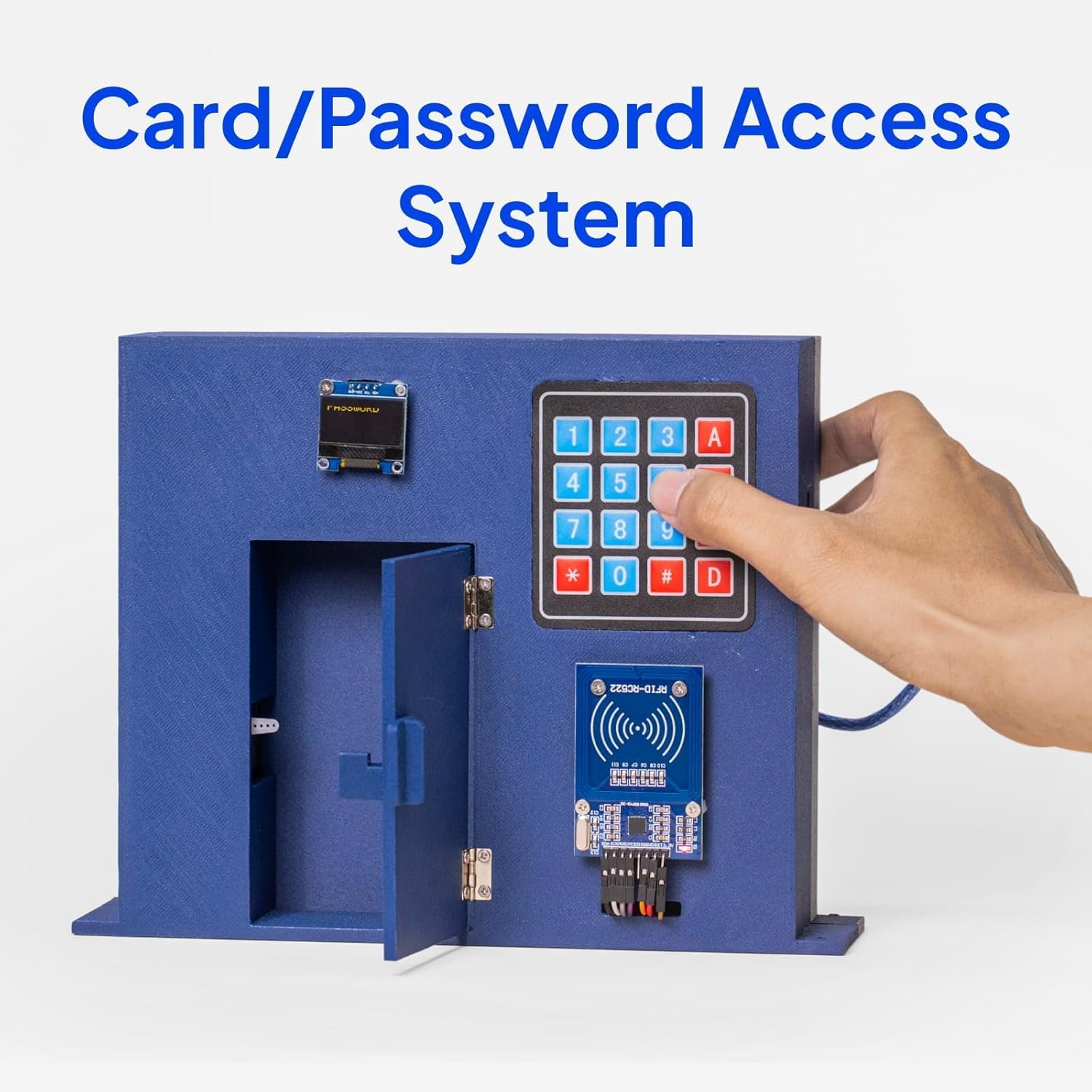
Figure 2.2: Visual representation of the kit's extensive component list.
| Ẹya ara ẹrọ | Opoiye |
|---|---|
| ESP-32 Board | 1 PC |
| GY-6500 Modulu | 1 PC |
| 0.96 inch OLED Display Module | 1 PC |
| Module Ipese Agbara | 1 PC |
| ULN2003 Stepper Motor Driver Module | 1 PC |
| Motor Stepper | 1 PC |
| 9V Battery with Snap-on Connector Clip | 1 PC |
| 5V yii | 1 PC |
| Sensọ Ultrasonic | 1 PC |
| Fan Blade and 3-6V Motor | 1 PC |
| Buzzer ti nṣiṣe lọwọ | 1 PC |
| Palolo Buzzer | 1 PC |
| 74HC595 IC | 1 PC |
| L293D IC | 1 PC |
| RC522 RFID Module | 1 PC |
| HC-SR501 PIR Motion Sensor Module | 1 PC |
| Membrane Switch Module | 1 PC |
| Bọtini | 5 PCS |
| Potentiometer 10K | 1 PC |
| 1 Digit 7-Segment Display | 1 PC |
| 4 Digit 7-Segment Display | 1 PC |
| Tilt Ball Switch | 1 PC |
| Isakoṣo latọna jijin | 1 PC |
| 400 Tie-Point Breadboard | 2 PCS |
| Okun USB A si C | 1 PC |
| Jumper Waya | 65 PCS |
| Servo Motor SG90 | 1 PC |
| IR Receiver Module | 1 PC |
| IR Emission Module | 1 PC |
| Joystick Module | 1 PC |
| DHT11 Temperature and Humidity Module | 1 PC |
| Female-to-Male Dupont Wire | 10 PCS |
| Alatako | 120 PCS |
| LED | 25 PCS |
| RGB LED | 2 PCS |
| Themmistor | 1 PC |
| Diode Rectifier | 2 PCS |
| Photoresistor (Photocell) | 2 PCS |
| NPN Transistor PN2222 | 2 PCS |

Figure 2.3: The organized storage box for the kit components.
3. Eto
3.1 ESP-32 Board Connection
The ESP-32 board is the central component of this kit. It features a USB-C port for power and data communication. To begin, connect the ESP-32 board to your computer using the provided USB A to C cable.

Figure 3.1: The ESP-32 board with its USB-C connection.
3.2 Software Installation (Arduino IDE)
- Ṣe igbasilẹ Arduino IDE: Ṣabẹwo si Arduino osise webAaye (www.arduino.cc/en/software) and download the latest version of the Arduino IDE for your operating system.
- Install ESP-32 Board Support: Follow the instructions in the online tutorial to add ESP-32 board support to your Arduino IDE. This typically involves adding a board manager URL in preferences and then installing the ESP32 boards package.
- Fi sori ẹrọ Awakọ USB: The ESP-32 board uses a CP2102 USB-to-UART bridge chip. If your operating system does not automatically install the necessary driver, you may need to download and install it manually from the Silicon Labs webojula.
- Select Board and Port: In the Arduino IDE, go to Àwọn irinṣẹ́ > Pátákó and select the appropriate ESP-32 Dev Module. Then, go to Àwọn Irinṣẹ́ > Ibudo and select the serial port corresponding to your connected ESP-32 board.
3.3 Breadboard Usage
The kit includes breadboards for easy prototyping without soldering. The ESP-32 board is designed to fit onto standard breadboards. It is recommended to use two breadboards side-by-side to provide ample space for connections.
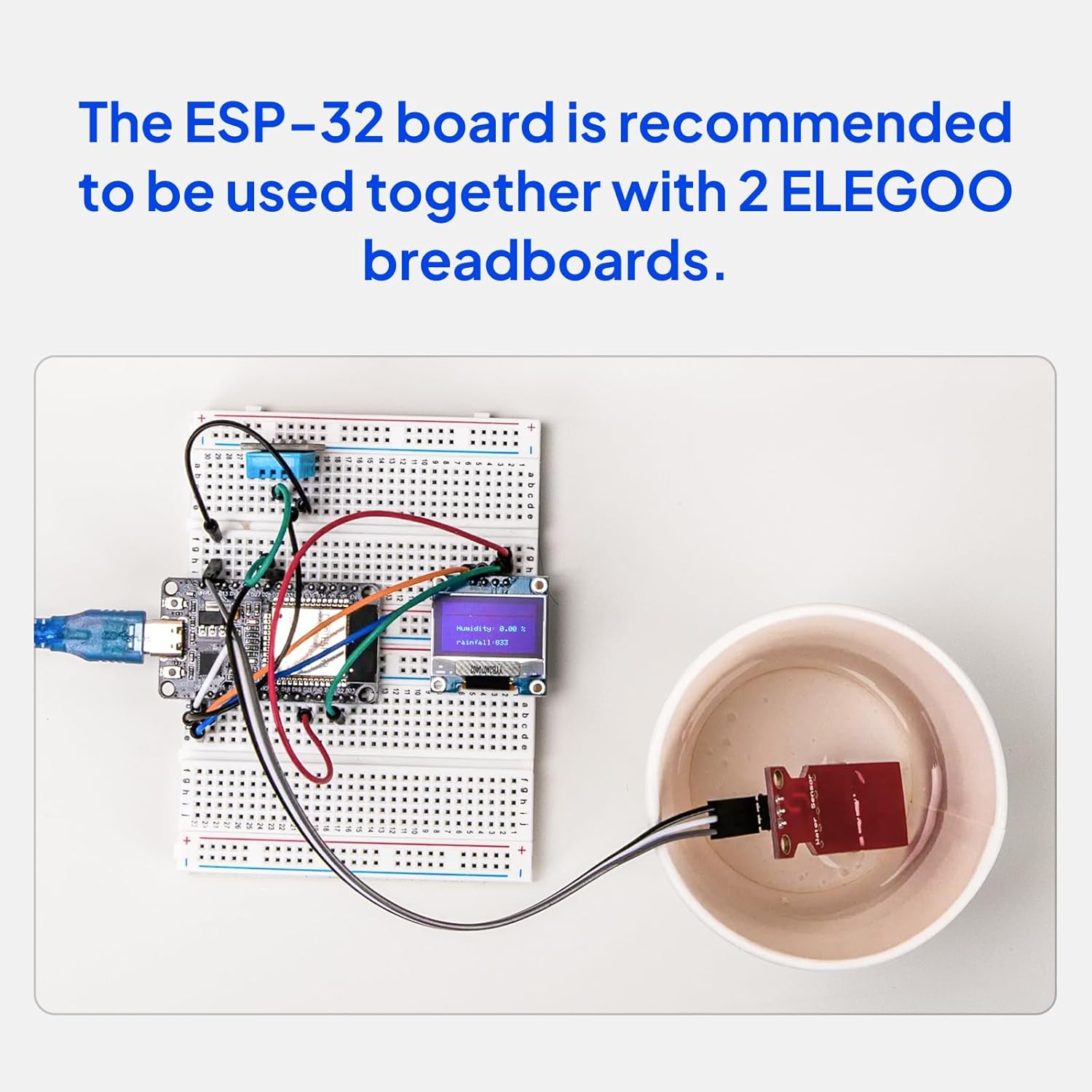
Figure 3.2: ESP-32 board connected to breadboards for a project.
4. Awọn ilana Iṣiṣẹ
The ELEGOO ESP-32 Super Starter Kit comes with a detailed online tutorial that provides step-by-step instructions for over 30 projects. This section outlines general operating principles.
4.1 Accessing the Online Tutorial
Refer to the Quick Start Guide included in your kit for instructions on how to access the online tutorial. The tutorial includes complete code, clear circuit diagrams, and explanations for each project.
4.2 Basic Project Workflow
- Review Àwòrán Circuit: Before connecting any components, carefully study the circuit diagram provided in the tutorial for your chosen project.
- Assemble Hardware: Connect the components to the ESP-32 board on the breadboard according to the circuit diagram. Ensure all connections are secure and correctly oriented.
- Kóòdù ìrùsókè: Open the provided example code in the Arduino IDE. Verify the code for errors, then upload it to your ESP-32 board.
- Test and Observe: After successful upload, test the project functionality. Use the Serial Monitor in Arduino IDE for debugging and observing output if applicable.
4.3 Eksample Projects
The tutorial guides you through building various practical applications:
- Ibusọ Oju-ọjọ: Utilize sensors to measure environmental data like temperature and humidity, displaying it on an OLED screen or sending it to the cloud.
- Card/Password Access System: Implement security features using RFID modules and keypads.
- Retro Snake Game: Develop interactive games using the OLED display and joystick module.
Figure 4.1: Weather Station project example.

Figure 4.2: Card/Password Access System project example.

Figure 4.3: Retro Snake Game project example.
5. Itọju
Proper care and maintenance will ensure the longevity and optimal performance of your ELEGOO ESP-32 Super Starter Kit components.
- Ibi ipamọ: Store all components in the provided organized box in a cool, dry place away from direct sunlight and extreme temperatures.
- Mimu: Handle electronic components, especially integrated circuits (ICs) and the ESP-32 board, with care. Avoid touching pins directly to prevent damage from electrostatic discharge (ESD).
- Ninu: If necessary, gently clean components with a soft, dry cloth. Avoid using liquids or abrasive cleaners.
- Ibi ti ina elekitiriki ti nwa: Nigbagbogbo rii daju awọn ti o tọ voltage and current are supplied to the ESP-32 board and other modules. Incorrect power can cause permanent damage.
- Iṣakoso USB: Keep jumper wires and cables organized to prevent tangles and accidental disconnections.
6. Laasigbotitusita
If you encounter issues while using your kit, refer to the following common troubleshooting steps:
- A ko ri bọ́ọ̀dù:
- Ensure the USB cable is securely connected to both the ESP-32 board and your computer.
- Verify that the correct USB driver (CP2102) is installed.
- Check if the correct serial port is selected in the Arduino IDE (Àwọn Irinṣẹ́ > Ibudo).
- Code Upload Errors:
- Confirm that the correct ESP-32 board type is selected in the Arduino IDE (Àwọn irinṣẹ́ > Pátákó).
- Ensure no other applications are using the serial port.
- Try pressing the BOOT button on the ESP-32 board while uploading, if instructed by the IDE or tutorial.
- Component Not Working:
- Double-check all wiring connections against the circuit diagram. Loose or incorrect connections are common causes.
- Verify that the component is correctly oriented (e.g., LEDs, ICs).
- Ensure the component is receiving the correct power supply.
- Test the component with a known working example from the tutorial.
- Awọn ọran Isopọmọra Wi-Fi/Bluetooth:
- Ensure your Wi-Fi credentials (SSID, password) are correct in your code.
- Check that the ESP-32 is within range of your Wi-Fi network or Bluetooth device.
- Verify that the correct libraries for Wi-Fi/Bluetooth are installed in the Arduino IDE.
For more detailed troubleshooting and specific project issues, consult the online tutorial or the ELEGOO technical support resources.
7. Awọn pato
Key technical specifications for the ELEGOO ESP-32 Super Starter Kit and its main components:
| Ẹya ara ẹrọ | Ẹ̀kúnrẹ́rẹ́ |
|---|---|
| Brand | ELEGOO |
| Orukọ awoṣe | EL-KIT-032 |
| Asopọmọra Technology | Bluetooth, USB, Wi-Fi |
| Ibamu System isẹ | Arduino IDE, Linux |
| isise Brand | Espressif |
| Iwọn ero isise | 2 (Dual-Core) |
| Ramu Memory Technology | DDR |
| Lapapọ Awọn ibudo USB | 1 (USB-C) |
| Iwọn Ẹka | 35.0 Count (modules/components) |
8. atilẹyin ọja Information
The ELEGOO ESP-32 Super Starter Kit comes with a 1 Odun olupese atilẹyin ọja. Please retain your proof of purchase for any warranty claims. For details regarding warranty terms and conditions, please refer to the official ELEGOO webojula tabi kan si atilẹyin alabara.
9. Atilẹyin
ELEGOO is committed to providing quality products and excellent customer support. If you require assistance with your kit, have technical questions, or encounter any issues, please utilize the following resources:
- Online Tutorial: The most comprehensive resource for project guides, code examples, and circuit diagrams. Access details are in your Quick Start Guide.
- Egbe Atilẹyin Imọ-ẹrọ: ELEGOO provides a dedicated technical support team ready to assist you. Contact information can typically be found on the official ELEGOO webAaye (www.elegoo.com).
- Àwùjọ Orí ayélujára: Join the active ELEGOO online community for peer support, project ideas, and shared knowledge.