
Ọrọ Iṣaaju
This manual provides detailed instructions for the operation and maintenance of your ZAQE M505 MP3 Player. Please read this manual thoroughly before using the device to ensure proper function and to maximize your user experience. Keep this manual for future reference.
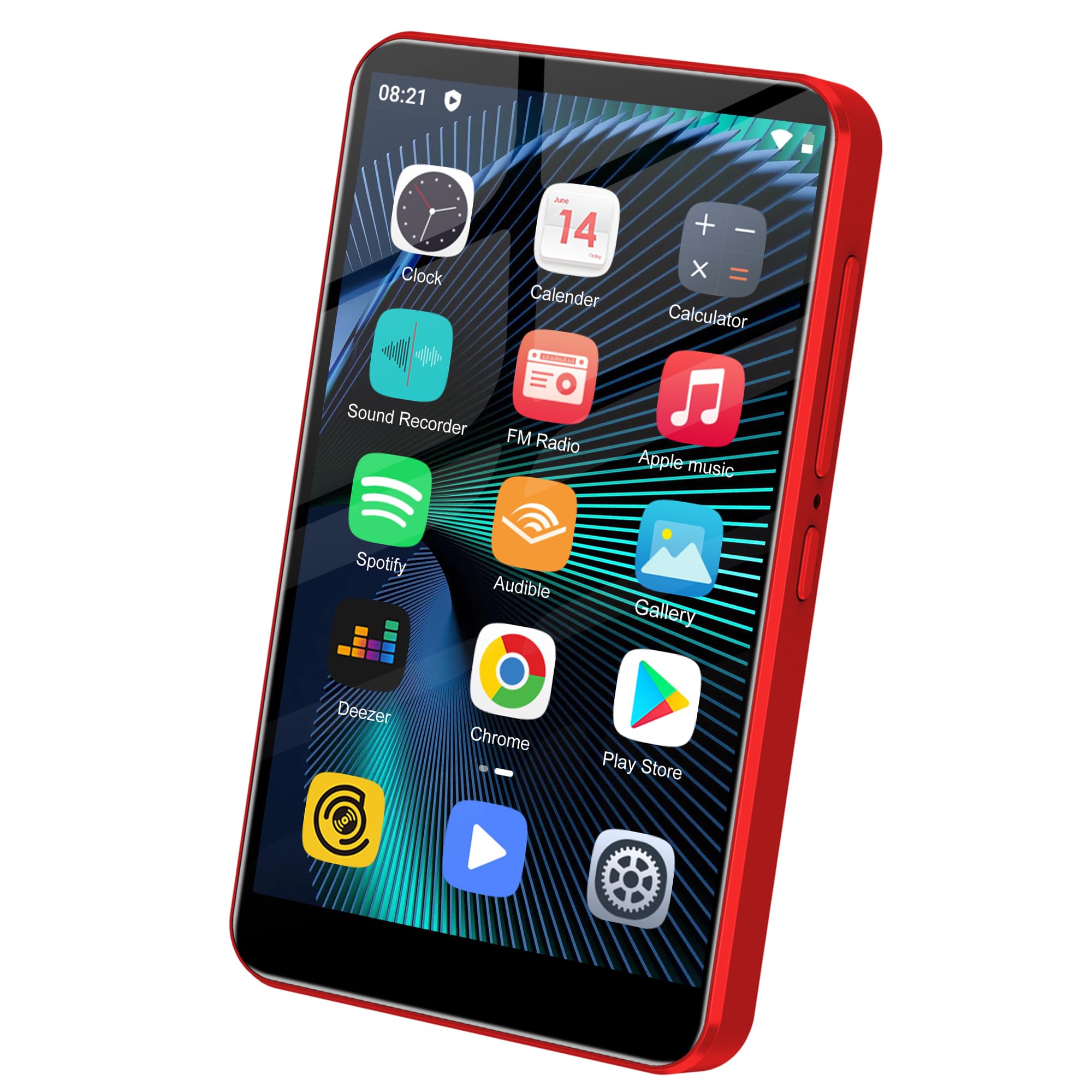
Aworan: Iwaju view of the ZAQE M505 MP3 Player, showcasing its 4-inch touch screen.
Ohun ti o wa ninu Apoti
Lẹhin ṣiṣi silẹ, jọwọ rii daju pe gbogbo awọn nkan wọnyi wa pẹlu:
- ZAQE M505 MP3 Player
- Okun USB (Iru-C)
- Itọsọna olumulo
- 128GB Memory Card (pre-installed or included separately)
Ọja Pariview
Familiarize yourself with the device's physical components.

Image: The ZAQE M505 MP3 Player displaying its Android interface with various pre-installed applications.
Awọn ẹya pataki:
- 4-inch IPS Fọwọkan iboju
- Android OS
- Bluetooth Asopọmọra
- Wi-Fi Asopọmọra
- Redio FM
- Agbohunsile
- Ibudo USB-C
- Orin Jack 3.5mm
- SD Card Slot (up to 1TB support)
Ṣeto
1. Ngba agbara ẹrọ
Before first use, fully charge the MP3 player. Connect the provided USB-C cable to the device's USB-C port and the other end to a compatible USB power adapter (not included) or a computer's USB port.

Image: The ZAQE M505 MP3 Player being charged via its USB Type-C port, highlighting its 2000mAh battery capacity.
2. Agbara Tan / Paa
- Lati Fi agbara: Press and hold the Power button (usually on the side) until the screen illuminates.
- Lati Paarẹ: Press and hold the Power button, then select "Power Off" from the options that appear on the screen.
3. Fifi sori ẹrọ ati ilana kika kaadi iranti
The device supports up to 1TB expandable storage via an SD card slot. A 128GB memory card is included.
- Wa aaye kaadi SD lori ẹrọ naa.
- Fi kaadi iranti sii sinu iho titi yoo fi tẹ si aaye.
- Pataki: Format the memory card before first use. Navigate to Settings > Storage > SD Card and select the option to format. Ensure you select the "Portable" option when prompted to copy songs from your computer to the card.

Image: The ZAQE M505 MP3 Player with an SD card being inserted, illustrating its expandable storage capability up to 1TB.
4. Initial Setup (Wi-Fi and Google Account)
Upon first power-on, follow the on-screen prompts to complete the initial setup, including connecting to a Wi-Fi network and optionally logging into your Google account to access the Google Play Store.
Awọn ilana Iṣiṣẹ
1. Basic Navigation (Touch Screen)
The device features a 4-inch IPS touchscreen for navigation. Swipe, tap, and pinch to interact with the interface, similar to a smartphone.

Image: A hand interacting with the responsive 4-inch full touch screen of the ZAQE M505 MP3 Player.
2. Sisisẹsẹhin Orin
The integrated music player supports MP3, OGG, FLAC, AAC, WAV, WMA, APE formats. You can also use preloaded apps like Spotify or download others from the Google Play Store.
- Orin agbegbe: Open the "Music" app. Your music library can be classified by Track Name, Performer, etc. You can create custom playlists and choose playback styles (Random Play, Full List Repeat, Single Track Loop, Ordered Playback).
- Awọn ohun elo ṣiṣanwọle: Open preloaded apps like Spotify or download others. Ensure you are connected to Wi-Fi for streaming.

Image: The ZAQE M505 MP3 Player showing its music playback interface, emphasizing HiFi sound quality and various playback options.
3. Sisisẹsẹhin fidio
The built-in video player supports 720P and 1080P HD videos in formats including RM, RMVB, FLV, MP4, DAT, MKV, MPG, MOV, TS.
- Open the "Video" app or a third-party video player.
- Yan fidio naa file o fẹ lati mu ṣiṣẹ.

Image: The ZAQE M505 MP3 Player displaying a video, highlighting its powerful 8-core CPU and support for 1080P HD video playback.
4. Bluetooth Asopọmọra
Connect to Bluetooth headphones, speakers, or other compatible devices for wireless audio.
- Lọ si Eto > Awọn ẹrọ ti a ti sopọ > Bluetooth.
- Tan Bluetooth.
- Ensure your Bluetooth accessory is in pairing mode.
- Select your accessory from the list of available devices to pair.

Image: The ZAQE M505 MP3 Player next to wireless earbuds, demonstrating its Bluetooth compatibility for stable and fast connections.
5. Wi-Fi Asopọmọra
Connect to Wi-Fi networks to access online content, download apps, and stream media.
- Lọ si Eto> Nẹtiwọọki & intanẹẹti> Wi-Fi.
- Tan Wi-Fi.
- Yan nẹtiwọki ti o fẹ lati atokọ ki o tẹ ọrọ igbaniwọle sii ti o ba nilo.
6. Redio FM
The device includes a built-in FM radio (87.5-108MHz).
- Connect wired headphones (not included) to the 3.5mm audio jack; they act as the antenna.
- Open the "FM Radio" app.
- Ṣe àyẹ̀wò fún àwọn ibùdó tó wà tàbí kí o fi ọwọ́ ṣe àtúnṣe sí ìgbóhùnsáfẹ́fẹ́ kan.

Image: The ZAQE M505 MP3 Player displaying its FM radio interface, tuned to a frequency.
7. Agbohunsile
Use the integrated voice recorder for notes, lectures, or capturing ideas.
- Open the "Sound Recorder" app.
- Tẹ bọtini igbasilẹ lati bẹrẹ ati da gbigbasilẹ duro.
- Recordings are saved internally and can be managed within the app.
8. App Management (Google Play Store)
The device comes with preloaded apps like Spotify, Pandora, Audible, and Kindle. You can install, update, or uninstall other applications via the Google Play Store.
- Ensure you are connected to Wi-Fi and logged into your Google account.
- Ṣí àpù "Play Store".
- Wa fun apps, download, and install them as needed.

Image: The ZAQE M505 MP3 Player showcasing its home screen with various popular applications, including Spotify, Audible, and Google Play Store.
Itoju
1. Ninu
Use a soft, dry, lint-free cloth to clean the device. Avoid using abrasive cleaners or solvents, which can damage the screen and finish.
2. Software imudojuiwọn
Periodically check for software updates to ensure optimal performance and access to new features. Go to Ètò > Ètò > To ti ni ilọsiwaju > Àtúnṣe sí ètò.
3. Itọju batiri
To prolong battery life, avoid exposing the device to extreme temperatures. Charge the device regularly, but avoid leaving it fully charged or fully discharged for extended periods.

Image: The ZAQE M505 MP3 Player illustrating its 2000mAh battery capacity, indicating long battery life.
Laasigbotitusita
| Isoro | Owun to le Solusan |
|---|---|
| Ẹrọ naa ko ṣiṣẹ. | Ensure the device is charged. Connect to a power source and try again. If unresponsive, perform a hard reset by holding the power button for 10-15 seconds. |
| Ko le sopọ si Wi-Fi. | Check if Wi-Fi is enabled in settings. Verify the Wi-Fi password. Restart the device and your router. |
| Ẹrọ Bluetooth ko so pọ. | Ensure Bluetooth is enabled on both devices and the accessory is in pairing mode. Move closer to the accessory. Restart both devices. |
| Music/Video files ko dun. | Ṣayẹwo awọn file format is supported (MP3, FLAC, MP4, etc.). Ensure files are not corrupted. Check if the memory card is properly inserted and formatted. |
| Ẹ̀rọ náà lọ́ra tàbí kò dáhùn. | Close unnecessary background applications. Clear cache for frequently used apps. Restart the device. Consider a factory reset if issues persist (backup data first). |
Awọn pato
- Orukọ awoṣe: M505
- Brand: ZAQE
- Iwọn iboju: 4 inches
- Imọ-ẹrọ Ifihan: IPS
- Agbara Ipamọ Iranti: 144 GB (16GB internal + 128GB SD card)
- Ibi ipamọ ti o gbooro: Up to 1TB via SD Card
- Imọ-ẹrọ Asopọmọra: Aux, Bluetooth, USB (Type-C), Wi-Fi
- Awọn ẹya pataki: Video Playback, FM Radio, Voice Recorder, Touch Screen, Bluetooth
- Awọn ọna kika ohun ti o ni atilẹyin: MP3, OGG, FLAC, AAC, WAV, WMA, APE
- Awọn ọna kika fidio ti o ni atilẹyin: RM, RMVB, FLV, MP4, DAT, MKV, MPG, MOV, TS (720P/1080P HD)
- Igbesi aye Batiri: 16 Hours (playback dependent)
- Eto isesise: Android OS
- Olupilẹṣẹ: Octa-mojuto
- Ramu: 2GB
Awọn akọsilẹ pataki
- This player is not compatible with Mac or iTunes for direct synchronization. Files must be transferred manually.
- Compatibility with all in-car Bluetooth systems cannot be guaranteed.
- Always format the memory card before its initial use in the device.
- When copying songs from your computer to the memory card, ensure you select the "Portable" option.
Atilẹyin
Fun iranlọwọ siwaju tabi atilẹyin imọ-ẹrọ, jọwọ tọka si oṣiṣẹ ti olupese website or contact their customer service. Contact information is typically found on the product packaging or the manufacturer's webojula.