
Ọrọ Iṣaaju
The Redmi Buds 8 Lite are advanced wireless earbuds designed to deliver an immersive audio experience with hybrid active noise cancellation, powerful sound, and extended battery life. This manual provides essential information for setting up, operating, and maintaining your earbuds.
Ohun ti o wa ninu Apoti
- Redmi Buds 8 Lite Earbuds (Left and Right)
- Ngba agbara Case
- USB Iru-C Ngba agbara USB
- Awọn imọran Eti Silikoni (awọn titobi oriṣiriṣi)
- Itọsọna olumulo

Image: Redmi Buds 8 Lite earbuds in their open charging case, showcasing apẹrẹ dudu didan.
Ṣeto
1. Ngba agbara si Earbuds ati Ọran
Before first use, fully charge the earbuds and the charging case. Place the earbuds into the charging case and connect the USB Type-C cable to the charging port on the case and a power source. The indicator light on the case will show charging status.

Image: The Redmi Buds 8 Lite charging case with earbuds, illustrating the extended battery life of up to 36 hours with the case.
2. Ibẹrẹ Ibẹrẹ
- Ṣii apoti gbigba agbara. Awọn agbekọri yoo tẹ ipo isọpọ sii laifọwọyi.
- Lori ẹrọ rẹ (foonuiyara, tabulẹti, ati be be lo), jeki Bluetooth.
- Wa fun "Redmi Buds 8 Lite" in the list of available Bluetooth devices and select it to connect.
- For Android devices, Google Fast Pair will simplify the connection process by displaying a pop-up notification.
Ṣiṣẹ awọn Earbuds
Awọn iṣakoso ifọwọkan
The Redmi Buds 8 Lite feature intuitive touch controls on each earbud. The functions can be customized via the Xiaomi Earbuds app.
- Ṣiṣẹ/Daduro: Fọwọ ba ẹyọkan lori boya agbekọri.
- Orin t’okan: Fọwọ ba lẹẹmeji lori agbekọri ọtun.
- Tẹlẹ Orin: Fọwọ ba lẹẹmeji lori agbekọri osi.
- Idahun/Ipe Ipari: Fọwọ ba ẹyọkan lori boya agbekọri.
- Kọ Ipe: Tẹ mọlẹ boya agbekọri.
- Mu Oluranlọwọ Ohun ṣiṣẹ: Fọwọ ba meteta lori boya agbekọri.
- Yipada Ipo ANC/Iyipada: Press and hold either earbud (customizable).
Fagilee Ariwo Ti nṣiṣe lọwọ (ANC)
The earbuds feature 42dB Hybrid Active Noise Cancellation to reduce ambient noise, allowing for a more focused listening experience. You can switch between ANC, Transparency, and Standard modes using the touch controls or the Xiaomi Earbuds app.
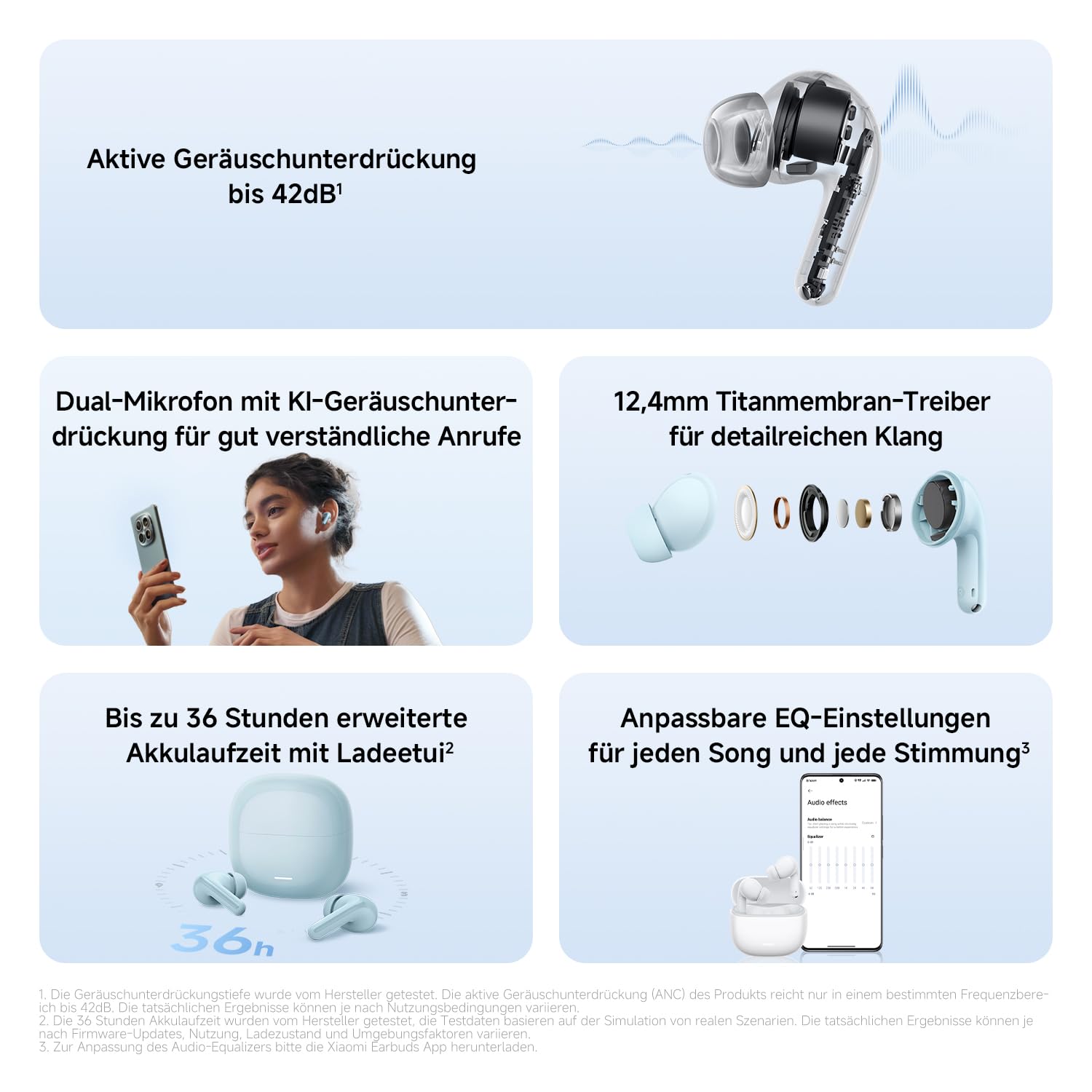
Aworan: A alaye view of the Redmi Buds 8 Lite earbud highlighting its active noise cancellation capability of up to 42dB.
Crystal-Clear Calls with AI Dual-Microphone
Equipped with an AI dual-microphone system, the earbuds effectively reduce background noise and wind interference during calls, ensuring your voice is transmitted clearly.

Image: A user wearing Redmi Buds 8 Lite earbuds while on a call, demonstrating the effectiveness of the AI dual-microphone system for clear communication.
Ohun elo Earbuds Xiaomi
Download the Xiaomi Earbuds app to unlock full customization options, including personalized EQ settings, firmware updates, and touch control adjustments.
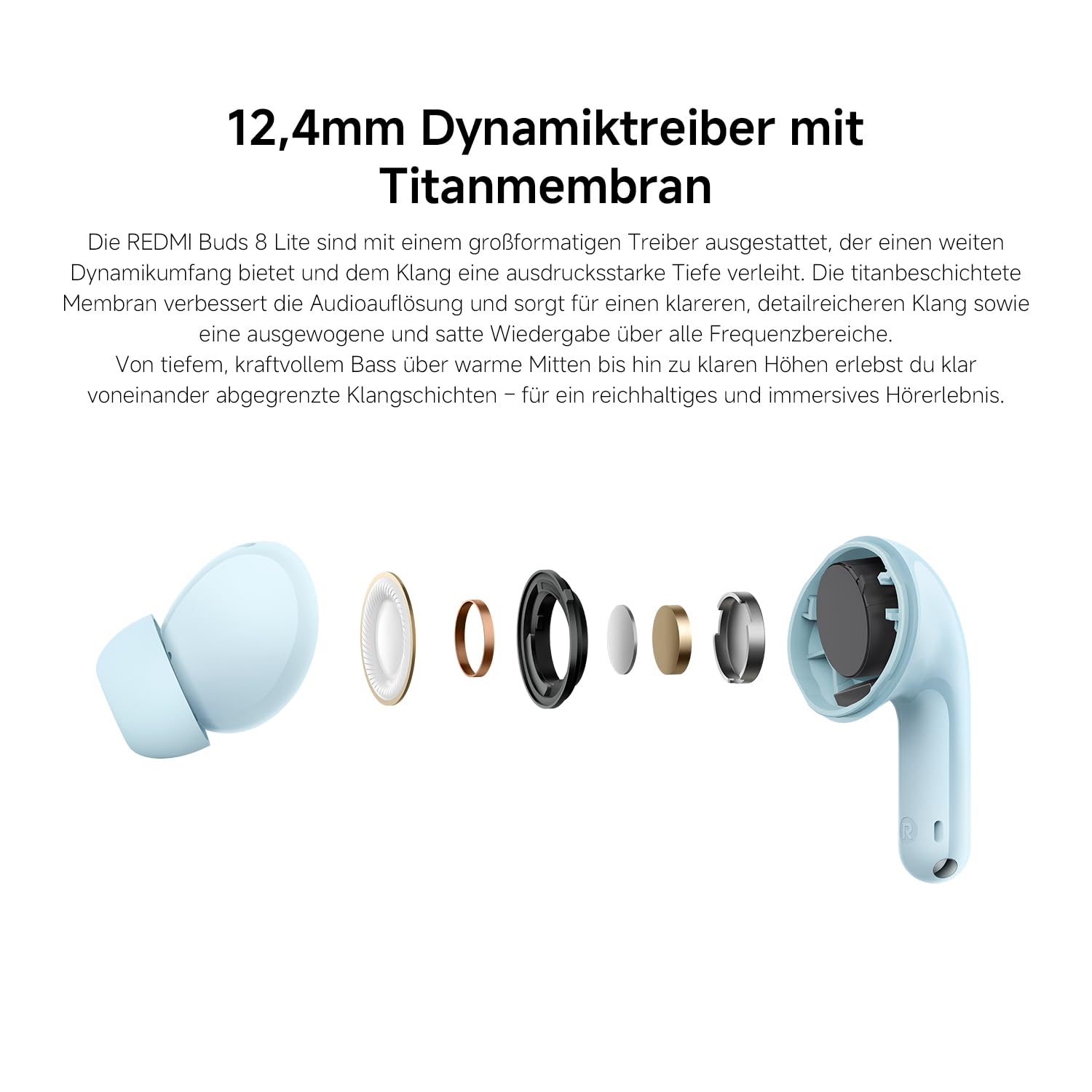
Image: A smartphone screen displaying the Xiaomi Earbuds app interface with various customizable EQ settings for audio personalization.
Key Awọn ẹya ara ẹrọ
- 42dB Hybrid Active Noise Cancellation: Provides deep quiet by blocking out ambient noise for immersive sound.
- Powerful 12.4mm Dynamic Driver: Delivers rich, detailed sound with strong bass and clear treble.
- AI Dual-Microphone System: Ensures crystal-clear calls by reducing background noise and wind interference.
- 8/36-Hour Ultra-Long Battery: Up to 8 hours on a single charge, and 36 hours total with the charging case.
- Ngba agbara iyara pupọ: Get 2 hours of music from just a 10-minute charge.
- Ohun Isese: Fine-tune audio via the Xiaomi Earbuds app with EQ settings.
- Bluetooth 5.4 Asopọmọra: Offers stable and efficient wireless connection.
- IP54 Idaabobo Omi: Protects against splashes and sweat, suitable for workouts and outdoor activities.
- Gúgù Yara Pàtàkì: Enables quick and seamless pairing with Android devices.
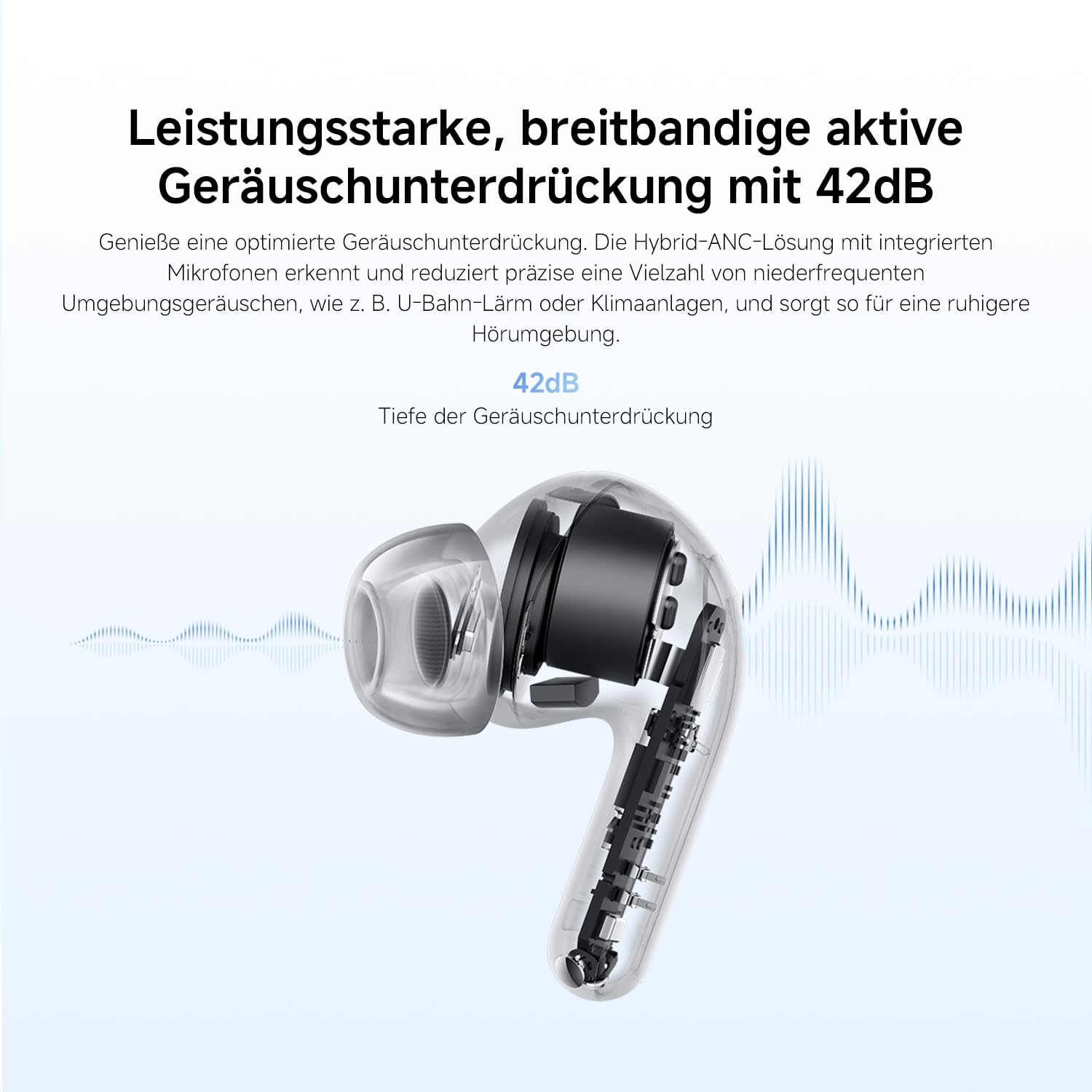
Image: An exploded diagram of the Redmi Buds 8 Lite earbud, highlighting its 12.4mm dynamic driver for detailed audio.
Itoju
To ensure the longevity and optimal performance of your Redmi Buds 8 Lite, follow these maintenance guidelines:
- Ninu: Mọ awọn afikọti nigbagbogbo ati apoti gbigba agbara pẹlu asọ ti o gbẹ, asọ ti ko ni lint. Maṣe lo awọn kẹmika lile tabi awọn ohun elo abrasive.
- Italolobo Eti: Remove and clean the silicone ear tips periodically with water and mild soap. Ensure they are completely dry before reattaching.
- Omi Resistance: The earbuds are IP54 water-resistant, meaning they are protected against splashes and sweat. Do not submerge them in water or expose them to heavy rain. Dry them thoroughly if they get wet.
- Ibi ipamọ: Nigbati ko ba si ni lilo, tọju awọn afikọti sinu apoti gbigba agbara wọn lati daabobo wọn lati eruku ati ibajẹ.
Laasigbotitusita
If you encounter any issues with your Redmi Buds 8 Lite, refer to the following common solutions:
- Awọn agbekọri ti ko so pọ: Rii daju pe awọn agbekọri mejeeji wa ninu ọran gbigba agbara, lẹhinna ṣii ideri lati bẹrẹ ipo sisopọ. Ṣayẹwo awọn eto Bluetooth ti ẹrọ rẹ ki o gbiyanju atunsopọ.
- Ko si ohun lati inu agbekọri agbekọri kan: Place both earbuds back into the case, close the lid, wait a few seconds, then open it again. This often re-syncs them.
- Awọn iṣoro gbigba agbara: Rí i dájú pé okùn gbigba agbara náà so mọ́ àpótí àti orísun agbára náà dáadáa. Nu àwọn ohun tí ó ń gbé agbára sórí àwọn ètí ìgbọ́rọ̀ àti inú àpótí náà.
- Didara ohun ti ko dara: Ensure the ear tips provide a snug fit to your ear canal. Try different sized ear tips for better seal. Check for any debris blocking the earbud speakers.
- Awọn idari ifọwọkan ko dahun: Ensure your fingers are clean and dry. A firmware update via the Xiaomi Earbuds app might resolve the issue.
- Idapada si Bose wa tele: If problems persist, perform a factory reset (refer to the Xiaomi Earbuds app or official support for specific instructions).
Awọn pato
| Ẹya ara ẹrọ | Sipesifikesonu |
|---|---|
| Brand | XIAOMI |
| Orukọ awoṣe | redmi buds 8 lite |
| Nọmba awoṣe | BHR08OMGL |
| Àwọ̀ | Dudu |
| Gbigbe Eti | Ninu Eti |
| Fọọmù ifosiwewe | Ninu Eti |
| Ipalara | 32 ohms |
| Asopọmọra Technology | Ailokun |
| Alailowaya Technology | Bluetooth |
| Ẹya Bluetooth | 5.4 |
| Bluetooth Ibiti | 10 Mita |
| Iṣakoso Iru | Iṣakoso ifọwọkan |
| Ọna Iṣakoso | App |
| Batiri Apapọ Life | Awọn wakati 38 (pẹlu apoti gbigba agbara) |
| Igba agbara Batiri | 1 Wakati |
| Ariwo Iṣakoso | Hybrid Noise Cancellation (42 dB) |
| Iwọn Igbohunsafẹfẹ | 20 Hz - 20,000 Hz |
| Audio Driver Type | Awakọ Yiyipo (12.4mm) |
| Omi Resistance Ipele | Alatako omi (IP54) |
| Iwọn Nkan | 39 giramu |
Atilẹyin ọja ati Support
The Redmi Buds 8 Lite are covered by a 1-odun olupese ká atilẹyin ọja Láti ọjọ́ tí a rà á. Àtìlẹ́yìn yìí bo àwọn àbùkù nínú àwọn ohun èlò àti iṣẹ́ ọwọ́ lábẹ́ lílò déédéé. Kò bo ìbàjẹ́ tí ó wáyé nípasẹ̀ àìlòkulò, jàǹbá, àtúnṣe tí a kò gbà láyè, tàbí ìbàjẹ́ déédé.
For warranty claims, technical support, or further assistance, please visit the official XIAOMI support webojula tabi kan si wọn onibara iṣẹ. Jeki ẹri rira rẹ fun ijẹrisi atilẹyin ọja.
Official XIAOMI Support: https://www.mi.com/global/support