
1. Ifihan
This manual provides detailed instructions for the safe and effective use of your Moukey MPS5 Portable Karaoke Machine. Please read this manual thoroughly before operating the device and retain it for future reference. The MPS5 is a versatile portable speaker system designed for various audio playback needs, including karaoke, music streaming, and public address, featuring wireless microphones and multiple connectivity options.
2. Ohun ti o wa ninu Apoti
Carefully unpack all items from the box. Ensure all components listed below are present and in good condition.
- Moukey MPS5 Portable Karaoke Machine (1 unit)
- Awọn gbohungbohun Alailowaya (awọn ẹya meji)
- Okun Ngba agbara USB (ẹyọkan 1)
- 3.5mm AUX Cable (1 unit)
- Shoulder Strap (1 unit)
- Itọsọna olumulo (ẹyọkan 1)
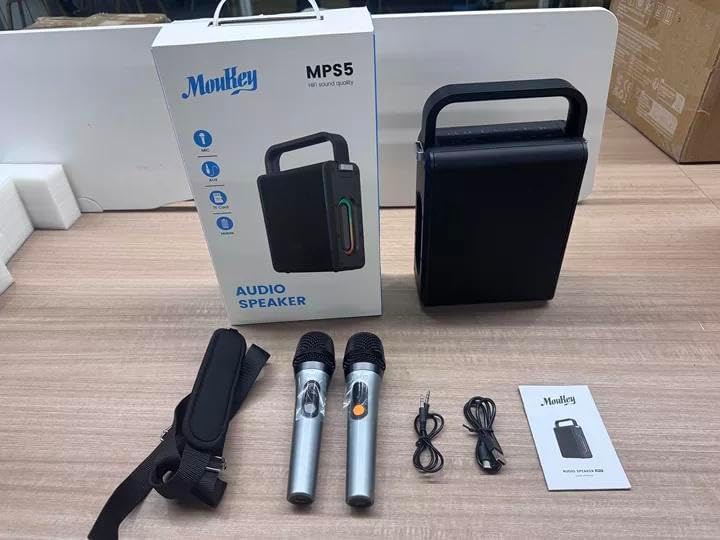
Image: All components included in the Moukey MPS5 package.
3. Ọja Ipariview
The Moukey MPS5 is a compact yet powerful portable karaoke machine. It features a robust design with integrated LED lighting on the sides, enhancing the user experience. A sturdy handle and an included shoulder strap provide convenient portability.
Aworan: Iwaju view of the Moukey MPS5 speaker.

Aworan: Apa view of the Moukey MPS5, showing the LED lighting.
4. Key Awọn ẹya ara ẹrọ
- Excellent Sound Output: The MPS5 delivers 200W peak power (RMS 60W) through a 4-inch woofer and two 2-inch tweeters, providing full-range stereo sound with enhanced bass.
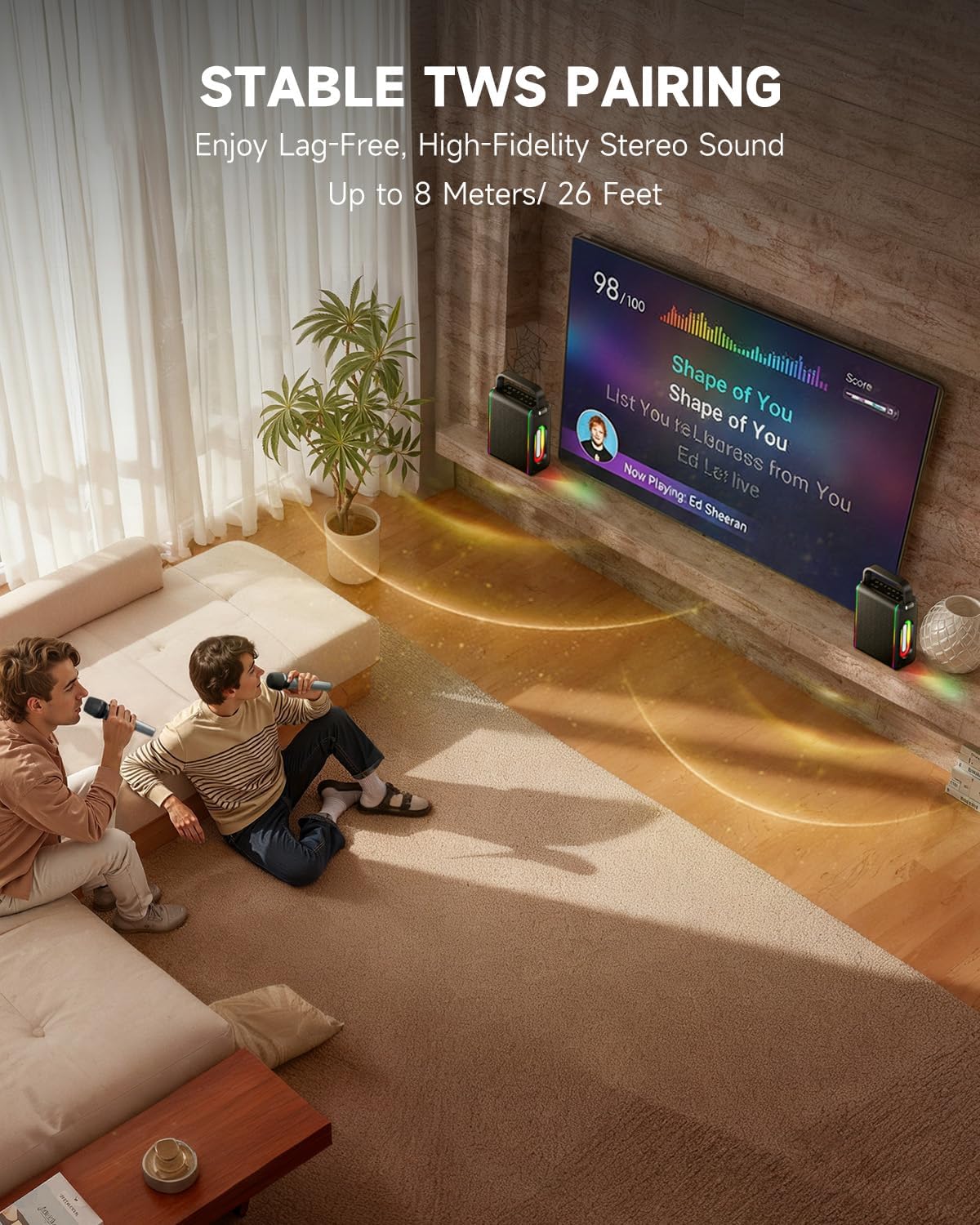
- Powerful Functionality: Supports Bluetooth 5.3 for wireless connection to various devices. Also includes Micro TF card, Flash USB, MP3, and AUX IN playback options. Features stable TWS (True Wireless Stereo) pairing for connecting two MPS5 units for a wider stereo soundstage.
- Igbesi aye Batiri Gigun: The rechargeable battery provides up to 8 hours of continuous music playback on a 2-hour charge, suitable for extended use indoors or outdoors.
- Ìwúwo Fúyẹ́ & Apẹrẹ Agbégbé: Weighing only 2kg, the MPS5 is designed for easy transport. It can be carried by hand using the integrated handle or with the included shoulder strap.
- Awọn gbohungbohun Alailowaya Meji: Includes two 2.4Ghz rechargeable microphones with a connection range of up to 60 feet and up to 8 hours of use time per charge (2-3 hours charging time). Features one-tap connectivity for effortless pairing.

Image: Internal speaker components of the MPS5.

Image: MPS5 connected to multiple devices via Bluetooth.

Image: Battery life and charging details for the MPS5.

Image: Demonstrating the portability of the MPS5 with hand and shoulder strap options.

Image: The two wireless microphones for the MPS5.
5. Eto
5.1 Gbigba agbara si Agbọrọsọ ati Gbohungbohun
Before first use, fully charge the MPS5 speaker and both wireless microphones.
- Agbọrọsọ: Connect the provided USB Type-C cable to the charging port on the speaker and to a compatible USB power adapter (not included). The charging indicator light will show charging status. A full charge takes approximately 2 hours.
- Awọn gbohungbohun: Each microphone has a charging port. Connect them to a USB power source using the provided USB cable. Charging time for microphones is 2-3 hours.
5.2 Agbara Tan / Pa
- To power on the speaker, press and hold the power button (U) on the top panel for 2 seconds.
- To power off, press and hold the power button (U) lẹẹkansi fun 2 aaya.
5.3 Sisopọ Bluetooth
- Ensure the MPS5 speaker is powered on and in Bluetooth mode (indicated by a blue LED). If not, press the 'M' (Mode) button to switch to Bluetooth mode.
- Lori ẹrọ alagbeka rẹ (foonuiyara, tabulẹti, ati bẹbẹ lọ), mu Bluetooth ṣiṣẹ ki o wa awọn ẹrọ to wa.
- Select 'Moukey MPS5' from the list of devices to pair. A voice prompt will confirm successful connection.
5.4 Ìsopọ̀ TWS (Stéréó Aláìlókùn Tòótọ́)
To achieve stereo sound, you can pair two Moukey MPS5 speakers together.
- Ensure both MPS5 speakers are powered on and in Bluetooth mode, but not connected to any other device.
- On one of the speakers, double-press the 'M' (Mode) button. The speaker will enter TWS pairing mode.
- The two speakers will automatically connect to each other. A voice prompt will confirm successful TWS pairing.
- Once TWS is established, connect your mobile device to one of the MPS5 speakers via Bluetooth as described in section 5.3. Both speakers will then play audio in stereo.
Fidio: Iyara ti pariview of the MPS5 Karaoke Machine, demonstrating TWS pairing and other features.
6. Awọn ilana Iṣiṣẹ
6.1 Iṣakoso Pariview
The top panel of the MPS5 speaker features several buttons for controlling playback, volume, and microphone settings.
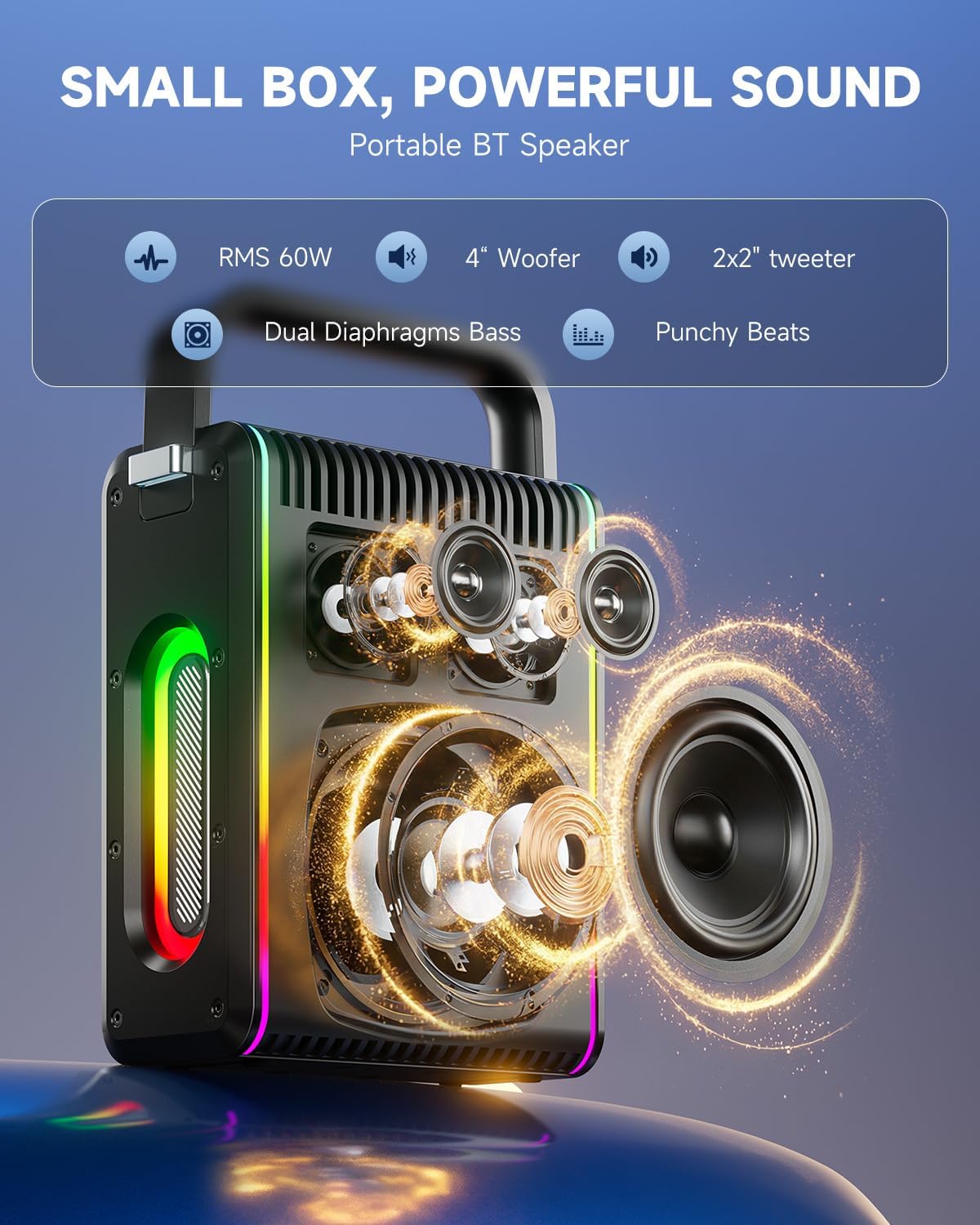
Image: Top control panel of the MPS5.
- Bọtini agbara (U): Tẹ mọlẹ fun iṣẹju-aaya 2 lati fi agbara tan/pa a.
- Bọtini ipo (M): Short press to cycle through input modes (Bluetooth, AUX, USB, TF Card). Double-press to initiate TWS pairing.
- Microphone Volume (Mic - / Mic +): Ó ń ṣe àtúnṣe iwọn didun àwọn gbohùngbohùn tí a so pọ̀.
- Echo Adjustment (R- / R+): Ó ń ṣe àtúnṣe ipa echo fún àwọn gbohùngbohùn.
- Ṣiṣẹ/Daduro (▶): Ṣiṣẹ tabi daduro orin ti isiyi.
- Iwọn didun isalẹ (-): Decreases the main speaker volume.
- Iwọn didun soke (+): Increases the main speaker volume.
- EQ A/E: Short press to switch between EQ modes. Long press to toggle between original sound and accompaniment elimination.
6.2 Gbohungbohun Lilo
The MPS5 comes with two wireless microphones for karaoke and vocal performances.
- Titan/Apapa: Press and hold the power button on the microphone to turn it on or off.
- Pipọpọ: The microphones are pre-paired with the speaker. If re-pairing is needed, ensure the speaker is on, then power on the microphone. They should connect automatically.
- Microphone Disconnect/Reconnect: Press the dedicated microphone button on the speaker's control panel to quickly disconnect or reconnect the microphones.
6.3 Awọn ọna Input Audio
In addition to Bluetooth, the MPS5 supports several wired and local storage input options.

Image: Input ports on the MPS5 speaker.
- Iṣawọle AUX: Connect an external audio device using the 3.5mm AUX cable. Select AUX mode using the 'M' button.
- Sisisẹsẹhin USB: Fi kọnputa USB ti o ni ohun MP3 sii files sinu ibudo USB. Agbọrọsọ naa yoo yipada si ipo USB laifọwọyi ati bẹrẹ si ṣiṣiṣẹ.
- Sisisẹsẹhin Kaadi TF: Insert a Micro TF card containing MP3 audio files sinu iho kaadi TF. Agbọrọsọ naa yoo yipada si ipo kaadi TF laifọwọyi ati bẹrẹ si ṣiṣiṣẹ.
6.4 Imọlẹ LED
The MPS5 features dynamic LED lighting on its sides. Use the dedicated LED button (if available, or refer to the 'M' button for light control if combined) to cycle through different light modes or turn them off.
7. Itọju
- Ninu: Lo aṣọ rírọrùn tí ó gbẹ láti nu ìta agbọ́hùnsọ náà. Má ṣe lo àwọn ohun èlò ìfọmọ́ omi tàbí àwọn ohun èlò ìpara.
- Ibi ipamọ: Tọju ẹrọ naa ni itura, aye gbigbẹ kuro lati orun taara ati awọn iwọn otutu to gaju.
- Itọju Batiri: Lati pẹ aye batiri, yago fun gbigba agbara si batiri ni kikun nigbagbogbo. Gba agbara si ẹrọ nigbagbogbo, paapaa ti ko ba wa ni lilo fun awọn akoko ti o gbooro sii.
8. Laasigbotitusita
If you encounter issues with your Moukey MPS5, refer to the following common problems and solutions:
| Isoro | Owun to le Fa | Ojutu |
|---|---|---|
| Ko si agbara | Batiri ti dinku. | Gba agbara si agbọrọsọ naa nipa lilo okun USB Type-C ti a pese. |
| Ko si ohun lati agbọrọsọ | Volume is too low or muted. Incorrect input mode selected. | Increase volume using the '+' button. Press 'M' to cycle through input modes. |
| Sisopọ Bluetooth kuna | Agbọrọsọ kò sí ní ipò ìsopọ̀. Ẹ̀rọ náà ti jìnnà jù. | Ensure speaker is in Bluetooth mode. Move device closer to speaker. Try restarting both devices. |
| Gbohungbohun ko ṣiṣẹ | Microphone is off or uncharged. Microphone is disconnected. | Ensure microphone is charged and powered on. Press the microphone button on the speaker to reconnect. |
| Sisopọ TWS kuna | Speakers are already connected to another device. | Ensure both speakers are not connected to any other Bluetooth device before initiating TWS pairing. |
9. Awọn pato
- Brand: Moukey
- Nọmba awoṣe: MPS 5
- Ijade Wattage: 200 Wattis (Ti o ga julọ)
- Imọ-ẹrọ Asopọmọra: Bluetooth 5.3
- Iṣawọle Olohun: Bluetooth, TF card, USB, MP3, AUX, Wired microphones
- Nọmba awọn ikanni: 2
- Orisun Agbara: Agbara Batiri
- Orisi Asopọmọra: USB Iru C
- Awọn Iwọn Nkan (L x W x H): 2.36 x 6.3 x 12.2 inches
- Ìwọ̀n Nkan: O to 2 kg
- Awọn ẹrọ ibaramu: Smartphone, Tablet, Laptop, MP3 Player, Microphone
- Àwọ̀: Dúdú pẹ̀lú àwọn àmì fàdákà
10. Atilẹyin ọja & Atilẹyin
The Moukey MPS5 Portable Karaoke Machine comes with a 1-odun atilẹyin ọja from the date of purchase. This warranty covers manufacturing defects and workmanship under normal use. Please retain your proof of purchase for warranty claims.
For technical support, troubleshooting assistance, or warranty inquiries, please contact Moukey customer service through the retailer where the product was purchased or visit the official Moukey webojula fun alaye olubasọrọ.