
Ọrọ Iṣaaju
This manual provides detailed instructions for the OQIMAX Kids Alarm Clock, Model WA175USKM. This device is designed to assist children with sleep training, provide a comforting night light, and offer reliable dual alarm functions. Please read this manual thoroughly before use to ensure proper operation and maintenance.
Alaye Aabo
- Ensure the device is plugged into a compatible power source (Type-C). An adapter is not included.
- Pa ẹrọ naa mọ kuro ninu omi tabi ọrinrin pupọ.
- Ma ṣe gbiyanju lati tunto tabi tun ẹrọ naa funrararẹ. Kan si atilẹyin alabara ti awọn ọran ba dide.
- Ọja yii jẹ ipinnu fun lilo inu ile nikan.
Package Awọn akoonu
- OQIMAX Kids Alarm Clock (Model WA175USKM)
- Iru-C Okun USB
- Ilana itọnisọna
Ọja Pariview
The OQIMAX Kids Alarm Clock features a friendly cat-shaped design with a digital display and intuitive controls. It combines multiple functions to support children's routines:
- Sleep Training: Visual cues (moon/sun icons, colored lights) guide children for bedtime and wake-up.
- Imọlẹ alẹ: 11 vibrant colors and adjustable brightness levels create a soothing ambiance.
- Orin & Awọn ohun: 10 soothing melodies, nature sounds, or white noise options.
- Awọn itaniji Meji: Two independent alarms with customizable schedules and a snooze function.
- Titiipa ọmọ: Idilọwọ awọn ayipada lairotẹlẹ si awọn eto.

Olusin 1: Pariview of the OQIMAX Kids Alarm Clock highlighting its main features.
Ṣeto
- Asopọ agbara: Connect the provided Type-C USB cable to the clock and plug it into a suitable USB power adapter (not included). The clock will power on automatically.
- Eto Aago Ibẹrẹ: The clock has a power-off memory function, but it's recommended to set the correct time upon first use or after extended power loss.
Awọn ilana Iṣiṣẹ
Awọn iṣẹ bọtini
Familiarize yourself with the buttons located on the front of the alarm clock:

Figure 2: Button layout and functions for the OQIMAX Kids Alarm Clock.
- Akoko SET: Short press to adjust time, long press to enter time setting mode.
- SUN/MOON ON/OFF: Short press to turn sun/moon icon on/off, long press to set appearance time of the moon.
- TUNES: Short press to select music (10 options), long press for 3 seconds to activate/deactivate child lock.
- Ifihan: Ṣatunṣe imọlẹ ifihan.
- UP (U/P): Increase value, adjust RGB brightness.
- DOWN (DOWN): Decrease value, adjust volume.
- Ilẹ Oke: Press the top of the clock to change night light colors or activate snooze.
Ṣiṣeto Akoko naa
- Gun tẹ awọn Akoko SET bọtini titi ti wakati awọn nọmba filasi.
- Lo awọn UP or SILE awọn bọtini lati ṣatunṣe awọn wakati.
- Tẹ Akoko SET again to move to minute adjustment, then use UP or SILE.
- Tesiwaju titẹ Akoko SET to cycle through year, month, day settings, adjusting each with UP or SILE.
- Tẹ Akoko SET one last time to confirm and exit.
Sleep Training Function
The sleep training feature uses visual cues to help children understand bedtime and wake-up times.
- Bedtime (Moon Icon): From 7 PM to 11 PM, a moon icon lights up, and the night light glows a gentle red, signaling it's time for bed. The red night light automatically turns off after 1 hour.
- Wake-Up (Sun Icon): 20 minutes before the set alarm time, a soft yellow light will appear. When the alarm rings, the light turns green, indicating it's time to wake up.

Figure 3: Bedtime mode with red light and moon icon.

Figure 4: Wake-up mode with yellow light and sun icon.
Night Light Isẹ
The clock offers 11 vibrant light colors and 5 brightness levels for the display and nightlight.
- Yiyipada Awọn awọ: Press the top surface of the alarm clock to cycle through the 11 light colors (7 solid colors + 4 dynamic colors).
- Ṣiṣatunṣe Imọlẹ: Lo awọn UP or SILE buttons to adjust the brightness of the night light. The display brightness can be adjusted using the Afihan bọtini.

Figure 5: Night light color options and how to change them.

Figure 6: Demonstrating 5 levels of screen brightness and automatic night brightness adjustment.
Music and Sound Selection
Choose from 10 soothing music melodies, nature sounds, or white noise options.
- Selecting Tunes: Kukuru tẹ awọn TUNES button to cycle through the 10 available melodies.
- Iṣatunṣe Iwọn didun: Lo awọn SILE button to adjust the volume level (4 levels available).
Video 1: Demonstration of the OQIMAX Kids Alarm Clock's 11 colors night light and sound options.
Alarm Setup and Snooze
The clock supports two independent alarms with customizable schedules.
- Eto Awọn itaniji: Use the dedicated Alarm 1 and Alarm 2 buttons (located on the back) to set individual alarm times and modes.
- Workday Modes: Choose from four workday modes:
- 1-1: Single day alarm
- 1-5: Ọjọ Aarọ si Ọjọ Jimọ
- 1-7: Monday to Sunday
- 6-7: Saturday and Sunday
- Iṣẹ́ lẹ́ẹ̀kọ̀ọ̀kan: When an alarm sounds, press the top surface of the clock to activate a 5-minute snooze.
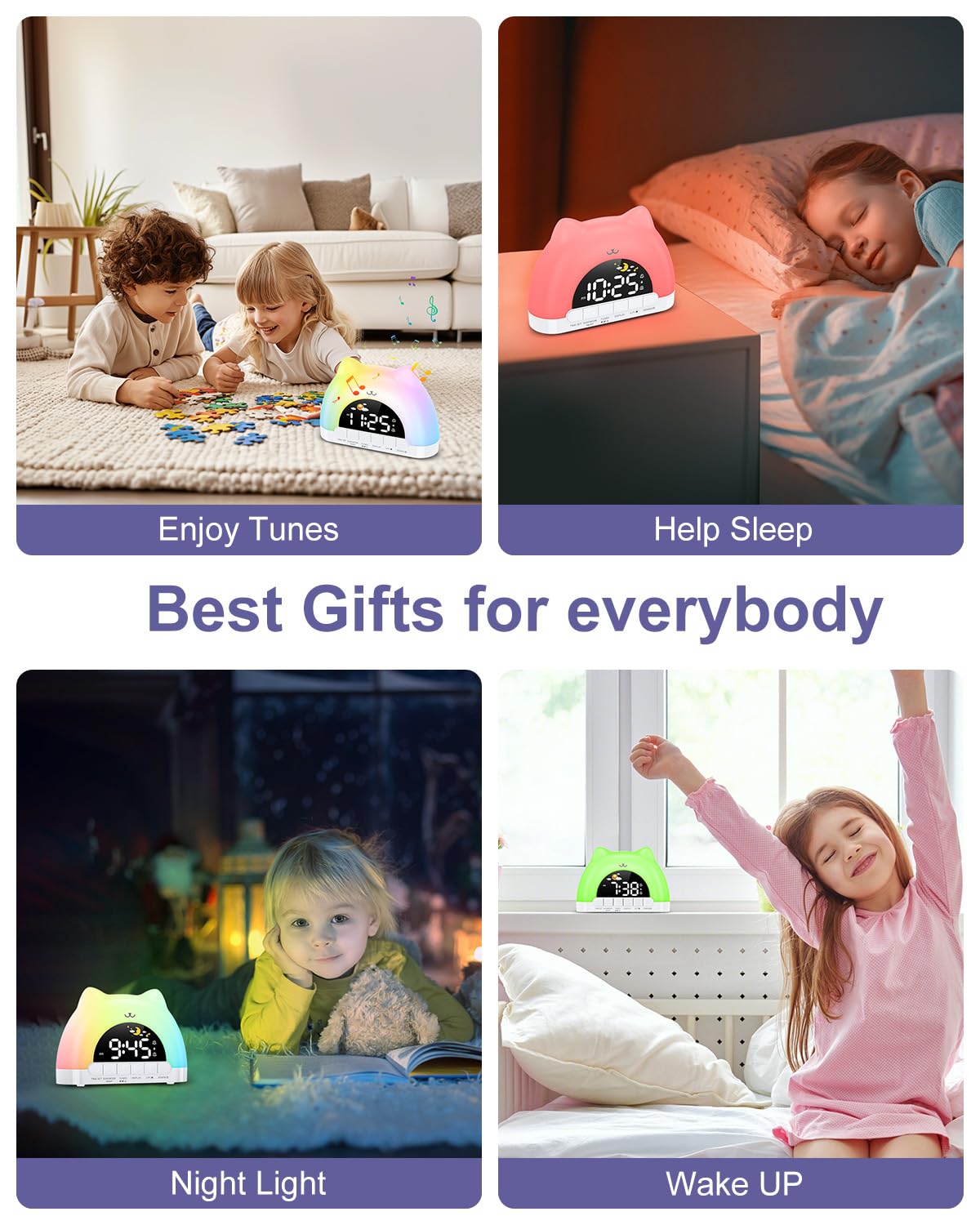
Figure 7: Dual alarm clock and snooze feature.
Titiipa ọmọ
Láti dènà àwọn ìyípadà àìròtẹ́lẹ̀ sí àwọn ètò, mu titiipa ọmọ náà ṣiṣẹ́.
- Mu ṣiṣẹ/muṣiṣẹ: Di mejeeji mu TUNES buttons for 3 seconds. When active, children can still enjoy music and lights without altering critical settings.
Itoju
- Nu ẹrọ naa pẹlu asọ ti o tutu, ti o gbẹ. Ma ṣe lo abrasive ose tabi epo.
- Keep the device free from dust and debris to ensure optimal performance.
Laasigbotitusita
| Isoro | Owun to le Fa | Ojutu |
|---|---|---|
| Clock does not turn on. | Not properly plugged in or power adapter issue. | Ensure the Type-C cable is securely connected and the power adapter is working. |
| Itaniji ko dun. | Alarm not set, volume too low, or child lock active. | Verify alarm settings, increase volume, and check child lock status. |
| Night light not changing colors. | Incorrect button press or child lock active. | Ensure you are pressing the top surface of the clock. Check if child lock is active. |
Awọn pato
| Ẹya ara ẹrọ | Ẹ̀kúnrẹ́rẹ́ |
|---|---|
| Ọja Mefa | 6.69 x 1.5 x 5.12 inches |
| Iwọn Nkan | 8.1 iwon (0.23 kilo) |
| Nọmba awoṣe | WA175USKM |
| Brand | OQIMAX |
| Orisun agbara | Type-C Plug-in (Adapter not included) |
| Night Light Awọn awọ | 11 (7 solid, 4 dynamic) |
| Music Melodies | 10 awọn aṣayan |
| Ifihan Imọlẹ | 5 ipele |
| Awọn ipele iwọn didun | 4 ipele |
Atilẹyin ọja ati Support
For warranty information or technical support, please refer to the product packaging or contact OQIMAX customer service directly. Keep your purchase receipt for any warranty claims.