1. Ifihan ati Loriview
Thank you for choosing the Yemao A83 Super Bright Rechargeable Flashlight. This manual provides essential information for the safe and efficient use of your new flashlight. The Yemao A83 is a high-performance tactical flashlight designed for various applications, offering exceptional brightness, multiple lighting modes, and robust construction.
Awọn ẹya pataki pẹlu:
- Ultra-High Brightness: Up to 5080 lumens with a beam distance of 1010 feet.
- Awọn ọna Iwapọ: 6 lighting modes (Moonlight, Low, Medium, High, Turbo, Strobe) with memory function.
- Rechargeable & Power Bank: Integrated 5000mAh battery with Type-C charging and USB output for charging other devices.
- Apẹrẹ ti o tọ: Constructed from aerospace-grade aluminum alloy, featuring impact resistance and IPX4 waterproof rating.
- Convenient Carry: Includes a pocket clip and lanyard for easy portability.
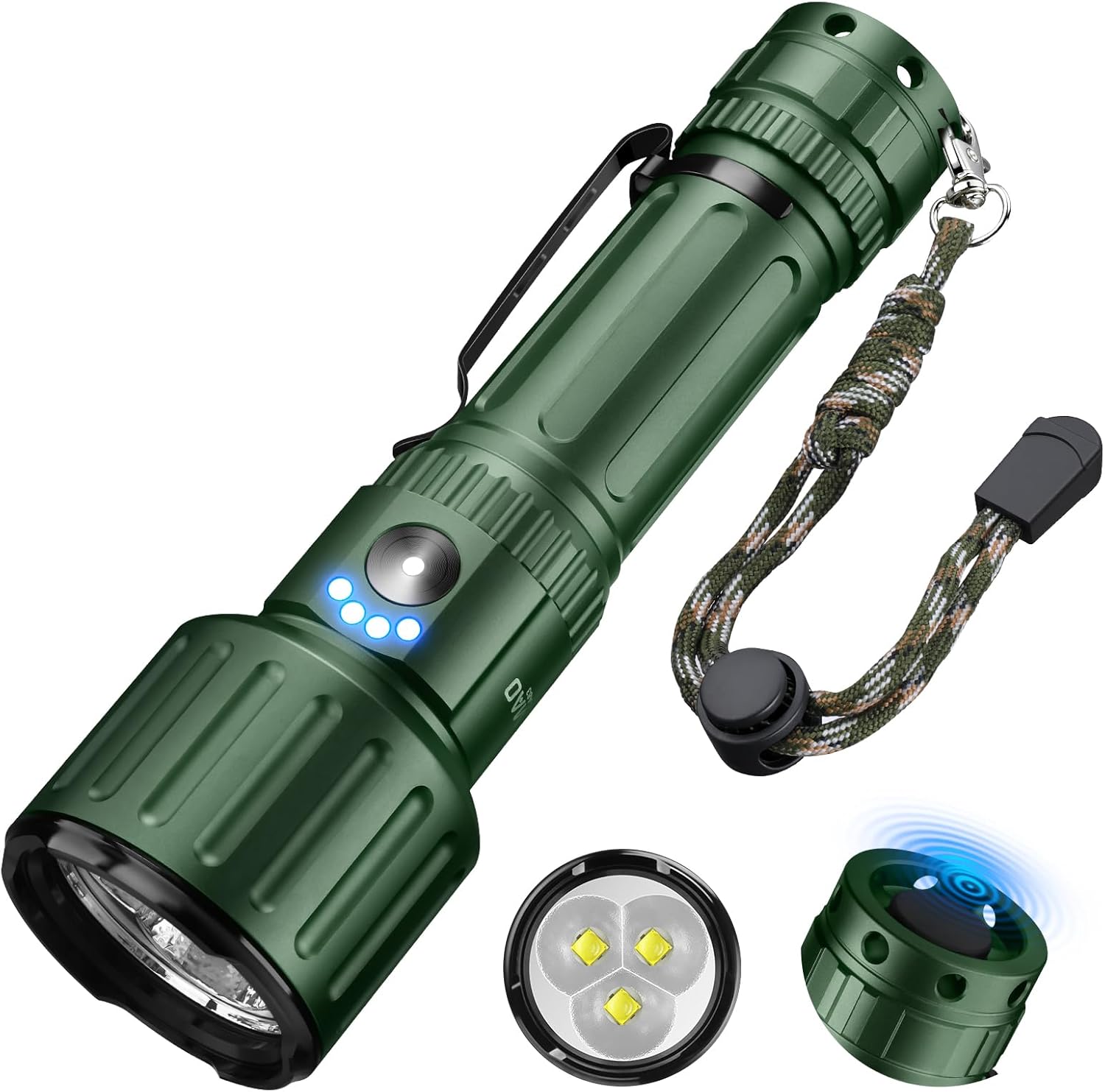
Image 1: The Yemao A83 Super Bright Rechargeable Flashlight.
2. Eto
2.1. Package Awọn akoonu
Before first use, please ensure all items are present:
- 1 x Yemao A83 LED Flashlight with Clip
- 1 x Rechargeable 5000mAh Battery (pre-installed or separate)
- 1 x Okun gbigba agbara Iru-C
- 1 x Lanyard
- 1 x Itọsọna olumulo (iwe yii)
2.2. Fifi sori batiri
If the battery is not pre-installed, follow these steps:
- Igbesẹ 1: Rotate the rear cover counter-clockwise to open the battery compartment.
- Igbesẹ 2: Distinguish the positive (+) and negative (-) poles of the battery.
- Igbesẹ 3: Insert the 5000mAh rechargeable battery into the flashlight tube, ensuring the positive (+) end faces towards the flashlight head.
- Igbesẹ 4: Rotate the rear cover clockwise to securely close the battery compartment.

Image 2: Easy battery installation steps.
2.3. Gbigba agbara akọkọ
It is recommended to fully charge the flashlight before its first use.
- Locate the Type-C charging port on the flashlight body, usually covered by a rubber flap.
- Open the rubber flap and connect the provided Type-C charging cable to the flashlight.
- Connect the other end of the USB charging cable to a compatible USB power source (e.g., wall adapter, computer USB port).
- The battery indicator lights on the flashlight body will illuminate to show charging status. A full charge is indicated when all lights are solid.
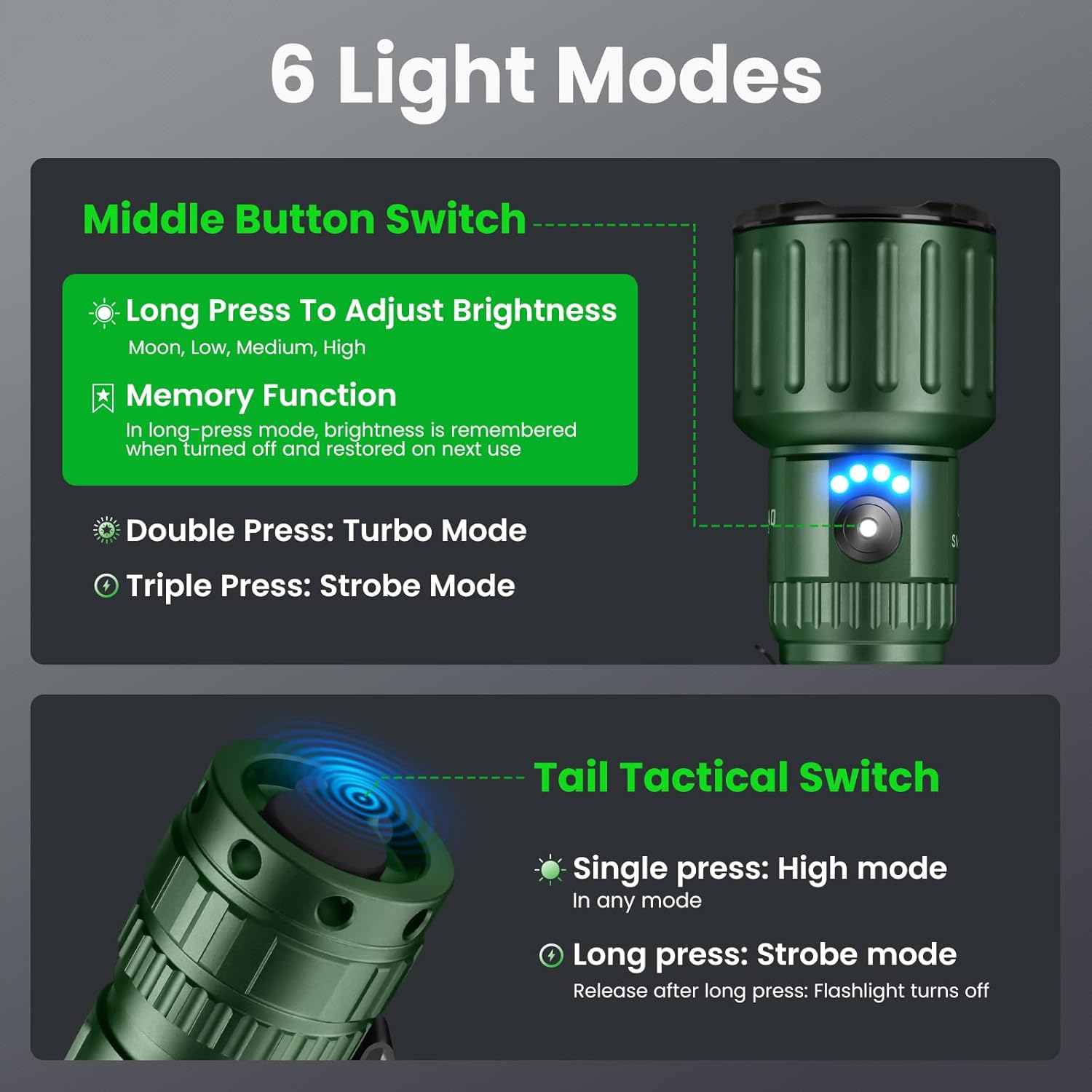
Image 3: USB-C charging port and battery indicator.
2.4. Lanyard Asomọ
Attach the lanyard to the designated loop at the tail end of the flashlight for added security and ease of carrying.

Image 4: Flashlight with lanyard for secure carrying.
3. Awọn ilana Iṣiṣẹ
3.1. Power On/Off and Mode Selection (Middle Button Switch)
The Yemao A83 features a main middle button switch for primary control and a tactical tail switch for quick access.
- Long Tẹ: Press and hold the middle button to cycle through Moonlight, Low, Medium, and High modes. Release to select the desired brightness. The flashlight has a memory function that recalls the last used setting.
- Double Tẹ: Quickly double-press the middle button to activate Turbo mode.
- Tẹ Mẹta: Quickly triple-press the middle button to activate Strobe mode.
3.2. Tactical Tail Switch Operation
- Tẹ Nikan: A single press of the tactical tail switch will activate High mode instantly.
- Long Tẹ: Press and hold the tactical tail switch to activate Strobe mode. Release the button to turn off the flashlight.

Image 5: Control interface for 6 light modes.
3.3. Iṣẹ́ Báńkì Agbára
The Yemao A83 can also serve as a portable power bank to charge other USB-powered devices.
- Open the rubber flap covering the charging ports.
- Connect your device's charging cable to the USB-A output port on the flashlight.
- The flashlight will begin charging your device.
3.4. Atọka Ipele Batiri
The flashlight features a built-in power indicator to show the remaining battery life. Refer to the indicator lights on the flashlight body for current battery status.

Image 6: Battery level indicator lights.
3.5. Beam Demonstration
Observe the powerful beam of the Yemao A83 flashlight in various environments.

Image 7: Flashlight beam demonstrating brightness and range.

Image 8: Flashlight size and portability.

Image 9: Versatile uses of the Yemao A83 flashlight.
3.6. Official ọja Video
Video 1: Official demonstration of the Yemao A83 flashlight's features and performance. (Duration: 0:24)
4. Itọju
Proper maintenance ensures the longevity and optimal performance of your Yemao A83 flashlight.
- Ninu: Wipe the flashlight body with a clean, soft cloth. For stubborn dirt, use a slightly damp asọ. Maṣe lo awọn kẹmika ti o lewu tabi awọn afọmọ abrasive.
- Omi Resistance: The flashlight has an IPX4 waterproof rating, meaning it is resistant to splashing water from any direction. Do not submerge the flashlight in water. Ensure the rubber flap covering the charging ports is securely closed to maintain water resistance.
- Itọju Batiri: Store the flashlight with a partially charged battery if not used for extended periods. Avoid fully discharging the battery frequently to prolong its lifespan.
- Lubrication: Periodically apply silicone grease to the O-rings and threads to maintain water resistance and smooth operation.
5. Laasigbotitusita
If you encounter any issues with your Yemao A83 flashlight, please refer to the following common solutions:
| Isoro | Owun to le Fa | Ojutu |
|---|---|---|
| Ina filaṣi ko tan. | Low battery, incorrect battery installation, loose connections. | Charge the battery. Ensure the battery is inserted with correct polarity. Tighten the tail cap and head. |
| Flashlight not charging. | Okùn tí ó ní àbùkù, orísun agbára, tàbí ibudo gbigba agbara. | Try a different Type-C cable and USB power source. Ensure the cable is fully inserted. Clean the charging port if necessary. |
| Ijade ina didin. | Low battery, incorrect mode selection. | Charge the battery. Cycle through modes to ensure a higher brightness setting is selected. |
| Imuwọle omi. | Loose O-rings, damaged seals, open charging port. | Ensure all parts are tightly screwed. Check O-rings for damage and lubricate if dry. Keep charging port cover closed. |
Ti iṣoro naa ba wa, jọwọ kan si atilẹyin alabara.
6. Awọn pato
| Ẹya ara ẹrọ | Ẹ̀kúnrẹ́rẹ́ |
|---|---|
| Nọmba awoṣe | A83 |
| Light Output (White Brightness) | 5080 Lumens (O pọju) |
| Ijinna tan ina | Titi di 1010 ẹsẹ |
| Imọlẹ Orisun Orisun | LED (3 x KX50) |
| Awọn ọna itanna | 6 Modes (Moonlight, Low, Medium, High, Turbo, Strobe) with Memory Function |
| Batiri Iru | 21700 Litiumu Ion (5000mAh) |
| Max asiko isise | Up to 20 hours (Moonlight mode) |
| Ngba agbara Interface | Type-C (5V1A Max) |
| Power Bank Išė | Ṣiṣejade USB-A |
| Ohun elo | Aerospace Aluminum Alloy |
| Omi Resistance Ipele | IPX4 (Mabomire) |
| Atako Ipa | 1.0M |
| Iwọn | 320g (with battery) / 251g (without battery) |
| Awọn iwọn (L x D) | 167mm x 49mm (6.57" x 1.93") |
| Awọn irinše to wa | Flashlight with clip, Rechargeable battery, Type-C charging cable, Lanyard |
7. atilẹyin ọja Information
The Yemao A83 Super Bright Rechargeable Flashlight comes with a 1-year replacement policy lati olupese. Atilẹyin ọja yi ni wiwa awọn abawọn ninu awọn ohun elo ati iṣẹ ṣiṣe labẹ lilo deede. Jọwọ ṣe idaduro ẹri rira rẹ fun awọn iṣeduro atilẹyin ọja.
The warranty does not cover damage caused by misuse, accidents, unauthorized modifications, or normal wear and tear.
8. Onibara Support
For any questions, concerns, or assistance with your Yemao A83 flashlight, please contact our customer service team. We offer 7x24 hours customer service.
You can reach us by leaving a message through the Amazon platform where you purchased the product. Please provide your order details for faster assistance.