
1. Ifihan
Thank you for choosing the RLQA Fitness Tracker Smart Watch, Model Band2. This manual provides essential information for setting up, operating, and maintaining your device. Please read it carefully to ensure optimal performance and a complete understanding of its features. This smart watch is designed to help you monitor your health, track your fitness activities, and stay connected.
2. Ohun ti o wa ninu Apoti
- RLQA Fitness Tracker Smart Watch (Model Band2)
- Ngba agbara USB
- Itọsọna olumulo
3. Eto Itọsọna
3.1 Gbigba agbara akọkọ
Before first use, fully charge your smart watch. Connect the charging cable to the magnetic charging points on the back of the watch and to a USB power source. A full charge typically takes approximately 2 hours.

Image: The RLQA Fitness Tracker Smart Watch, Model Band2, in black. This image shows the watch face displaying time and activity metrics, providing a visual reference for the device.
3.2 App Download ati fifi sori
To unlock all features and synchronize data, download the GloryFit àpù láti inú ilé ìtajà àpù fóònù rẹ (tí ó bá iOS 9.0+ àti Android 4.4+ mu).
3.3 Isọpọ ẹrọ
- Rii daju pe Bluetooth ti ṣiṣẹ lori foonuiyara rẹ.
- Ṣí àpù GloryFit kí o sì tẹ̀lé àwọn ìtọ́ni tó wà lójú ìbòjú láti ṣẹ̀dá àkọọ́lẹ̀ tàbí wọlé.
- Tap 'Add Device' or the '+' icon within the app.
- Select your RLQA Band2 from the list of nearby devices.
- Jẹrisi ibeere isopọmọ lori foonu rẹ ati aago ọlọgbọn naa.
4. Awọn ilana Iṣiṣẹ
4.1 Abojuto Ilera
The RLQA Band2 provides continuous health monitoring features.
- Abojuto Oṣuwọn Ọkàn: Ó ń tọ́pasẹ̀ ìlù ọkàn rẹ ní gbogbo ìgbà. View data akoko gidi lori aago tabi awọn aṣa alaye ninu app naa.
- Atẹgun ẹjẹ (SpO2) Abojuto: Ṣe iwọn awọn ipele atẹgun ẹjẹ rẹ.
- Titele orun: Atupalẹ orun stages (REM, light, deep sleep) and provides insights to improve sleep quality.
- Àtòjọ Ìyípo Osu: Offers reminders and predictions for menstrual cycles.
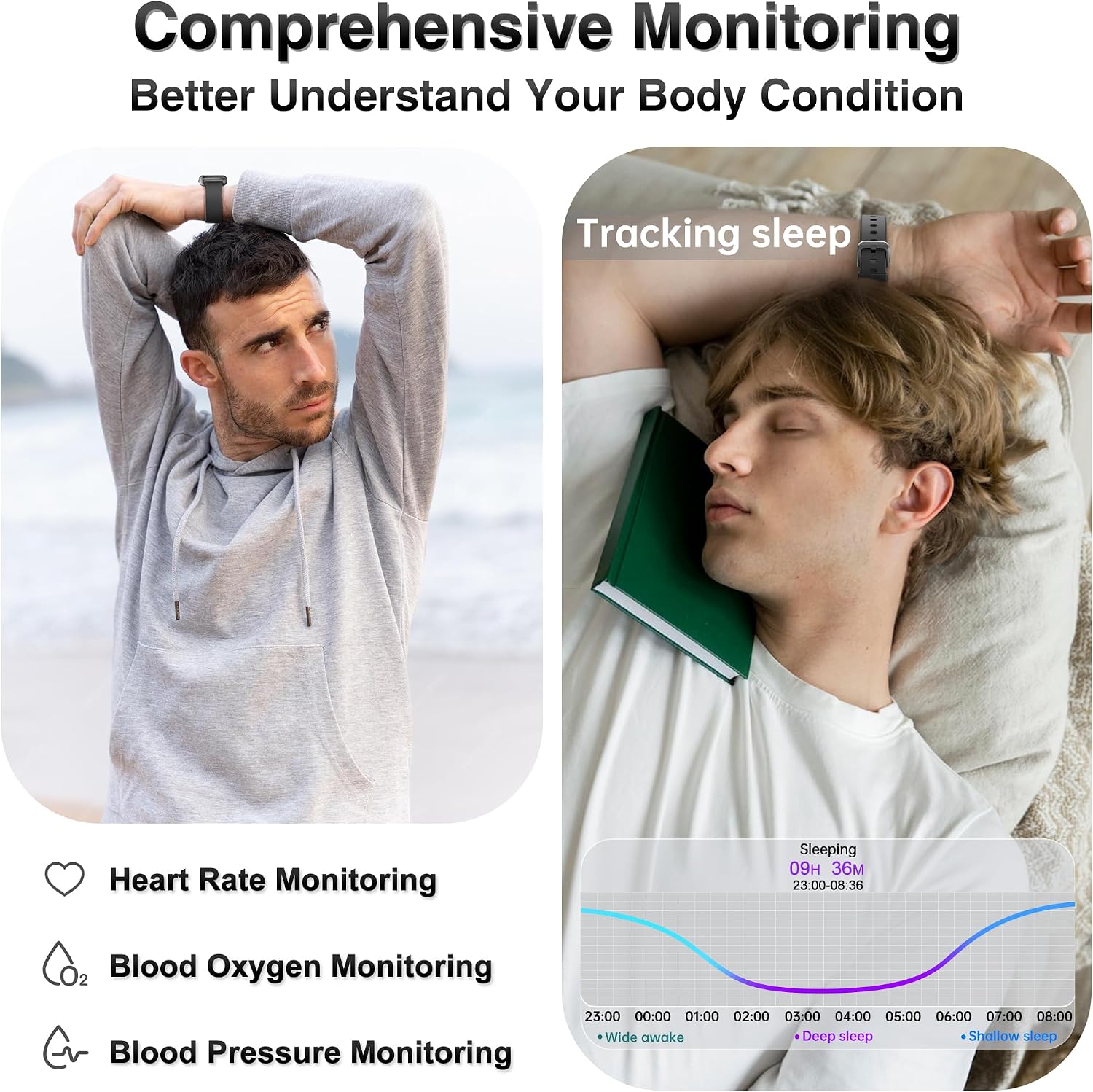
Image: This image illustrates the comprehensive health monitoring capabilities, showing a person exercising with heart rate data and another person sleeping with detailed sleep analysis from the smart watch.

Image: A close-up of the smart watch displaying sleep tracking data, including sleep duration and stages, while a person sleeps peacefully.

Image: The smart watch showing blood oxygen level measurements, with a person in an outdoor setting, highlighting the device's ability to track health metrics anywhere.

Image: The smart watch displaying real-time heart rate data during a basketball activity, emphasizing its continuous heart rate tracking feature.
Video: An official product video demonstrating the RLQA Health & Fitness Tracker's various features, including health monitoring, sports modes, and smart notifications.
4.2 Titele aṣayan iṣẹ-ṣiṣe ati Awọn ipo ere idaraya
The smart watch accurately tracks your daily activity and supports multiple sports modes.
- Iṣẹ́ ojoojúmọ́: Monitors steps taken, distance traveled, and calories burned.
- Awọn ọna Idaraya pupọ: Includes modes for running, swimming, basketball, football, yoga, cycling, and more. Select a mode to get specific data for your workout.

Image: The smart watch displaying activity data such as steps, distance, and calories during a basketball game, illustrating its fitness tracking capabilities.

Image: This image highlights the diverse sports modes available on the smart watch, showing different individuals engaged in activities like running, yoga, and cycling.
4.3 Smart Features and Notifications
Stay connected and manage your day with these smart functionalities.
- Ipe ati Awọn iwifunni Ifiranṣẹ: Receive alerts for incoming calls and messages from social media apps directly on your watch.
- Iṣakoso Orin: Ṣakoso ṣiṣiṣẹ orin lori foonu alagbeka rẹ lati aago rẹ.
- Iṣakoso kamẹra jijin: Lo aago rẹ bi isakoṣo latọna jijin fun kamẹra foonu rẹ.
- Wa Foonu: Wa foonu alagbeka rẹ ti ko tọ nipa titan itaniji lati aago rẹ.
- Àfojúsùn ojú ọjọ: Gba awọn imudojuiwọn oju ojo ni akoko gidi.
- Awọn olurannileti Iduroṣinṣin: Gba awọn itaniji lati gbe lẹhin awọn akoko aiṣiṣẹ.
Image: This image demonstrates the message notification feature, showing a smartphone with incoming messages and the smart watch displaying a notification.
Image: The smart watch showing a sedentary reminder and icons representing practical functions like weather forecast, timer, camera control, and music control, illustrating its smart assistant capabilities.
Image: This image shows the incoming call notification feature, with a smartphone receiving a call and the smart watch simultaneously displaying the caller ID.
4.4 isọdi
Personalize your smart watch to match your style.
- Awọn oju Wiwo ti o le ṣatunṣe: Choose from over 200 free watch faces via the GloryFit app or upload your own photos to create a unique display.
Àwòrán: Ìfihàn aago ọlọ́gbọ́nasing a customizable watch face with a scenic mountain background, emphasizing the personalization options available.
5. Itọju
5.1 Waterproofing
The RLQA Band2 is IP68 waterproof, meaning it is resistant to dust and can withstand immersion in water up to 1.5 meters for 30 minutes. It is suitable for everyday activities such as washing hands, sweating, and swimming. However, it is not recommended for hot showers, saunas, or diving.
Image: This image demonstrates the IP68 waterproof feature, showing the smart watch in water and a person fishing, indicating its suitability for various water-related activities.
5.2 Itọju ati Itọju
- Fi aṣọ rírọrùn àti gbígbẹ nu aago náà déédéé, kí o sì fi okùn rẹ̀ dì í.
- Yago fun lilo awọn kẹmika lile tabi awọn ohun elo abrasive.
- Rii daju pe awọn olubasọrọ gbigba agbara jẹ mimọ ati ki o gbẹ ṣaaju gbigba agbara.
6. Laasigbotitusita
- Wo ti ko tan: Rii daju pe aago naa ti gba agbara ni kikun. Sopọ mọ ṣaja fun o kere 30 iṣẹju.
- Ko le so pọ pẹlu foonu: Make sure Bluetooth is on, the GloryFit app is open, and the watch is within range. Try restarting both the watch and your phone.
- Dátà tí kò péye: Rii daju pe aago naa ti wọ snugly lori ọwọ ọwọ rẹ, kii ṣe ju tabi alaimuṣinṣin pupọ. Nu sensọ lori ẹhin aago naa.
- Awọn iwifunni ko han: Check app permissions on your phone to ensure GloryFit has access to notifications. Verify notification settings within the GloryFit app.
7. Awọn pato
| Ẹya ara ẹrọ | Ẹ̀kúnrẹ́rẹ́ |
|---|---|
| Orukọ awoṣe | Band2 |
| Ibamu System isẹ | Android 4.4+ & iOS 9.0+ |
| Iwon iboju | 1.47 inches |
| Ifihan Iru | TFT |
| Ipinnu | 280 x 160 |
| Asopọmọra | Bluetooth 5.3 |
| Agbara Batiri | 200 Milionuamp Awọn wakati |
| Igbesi aye Batiri (Apapọ) | 7 ọjọ |
| Igba agbara Batiri | Awọn wakati 2 |
| Mabomire Rating | IP68 (up to 1.5 meters for 30 minutes) |
| Agbara Ibi ipamọ Iranti | 64 MB |
| Iṣẹ -ṣiṣe GPS | GPS Nipasẹ Foonuiyara |
| Band elo Iru | Silikoni |
| Iwọn Nkan | 92 giramu |
| Metiriki Tiwon | Distance, Step Count, Heart Rate, Blood Oxygen, Sleep |
| Pataki Awọn ẹya ara ẹrọ | Activity Tracker, Calorie Consumption, Sedentary Reminder, Female Menstrual Cycle, Heart Rate Monitor, Blood Oxygen Monitor, Sleep Tracker, Pedometer, Weather Forecast, Music/Camera Control, Messages Notification |
8. Atilẹyin ọja ati Support
Your RLQA Fitness Tracker Smart Watch (Model Band2) comes with a 1-Odun Standard atilẹyin ọja from the date of purchase. This warranty covers manufacturing defects and ensures proper functioning under normal use.
For any questions, technical assistance, or warranty claims, please contact RLQA customer support through the vendor (JTian-US) or refer to the contact information provided with your purchase. Please have your purchase details and model number ready when contacting support.