
Ọrọ Iṣaaju
Thank you for choosing the Altec Lansing Comfort Pro Over Ear Bluetooth Headphones. These headphones are designed to provide a high-quality audio experience with advanced features such as Active Noise Cancellation (ANC), Environmental Noise Cancellation (ENC), Spatial Audio, and a long-lasting battery. This manual will guide you through the setup, operation, and maintenance of your new headphones.
Ohun ti o wa ninu Apoti
- Altec Lansing Comfort Pro Wireless Headphones
- USB-C Charging Cable (not explicitly listed but implied for charging)
- Audio Cable (not explicitly listed but common for wired use)
- Carrying Case (implied by images)
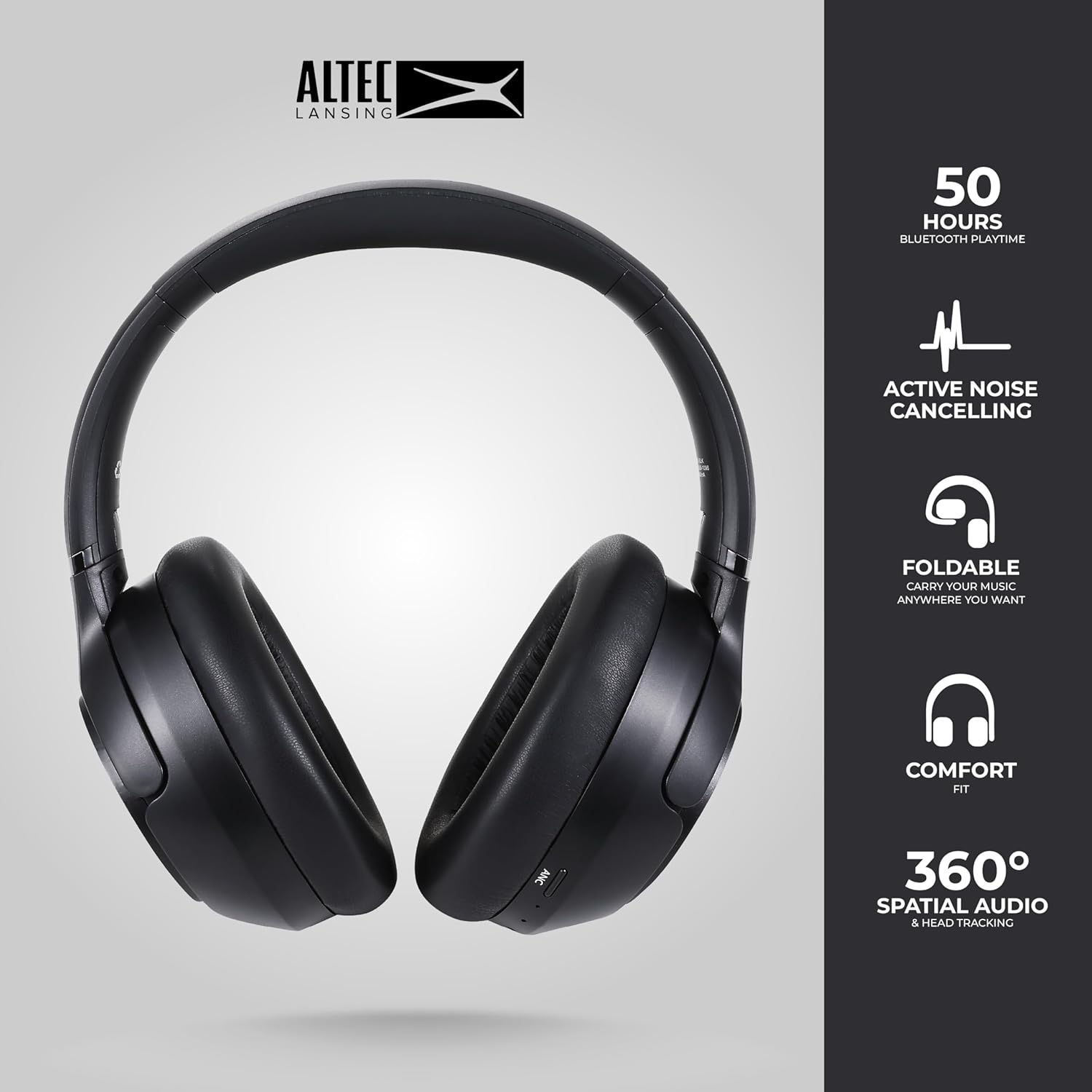
Image: The Altec Lansing Comfort Pro headphones, showcasing their sleek design and key features like 50 hours Bluetooth playtime, Active Noise Cancelling, foldable design, comfort fit, and 360° Spatial Audio & Head Tracking.
Ṣeto
1. Ngba agbara si awọn Agbekọri
Before first use, fully charge your headphones. Connect the provided USB-C charging cable to the charging port on the headphones and the other end to a USB power source. The LED indicator will show charging status and turn off or change color when fully charged. A full charge typically takes approximately two hours.
2. Agbara lori / Paa
- Lati Fi agbara: Tẹ mọlẹ bọtini agbara fun isunmọ awọn aaya 3 titi ti Atọka LED yoo tan imọlẹ.
- Lati Paarẹ: Tẹ mọlẹ bọtini agbara fun isunmọ awọn aaya 3 titi ti itọkasi LED yoo wa ni pipa.
3. Sisopọ Bluetooth
The headphones support Bluetooth 5.4 for stable connectivity and multipoint pairing for connecting to two devices simultaneously.
- Rii daju pe awọn agbekọri ti wa ni pipa.
- Press and hold the Power button for approximately 5-7 seconds until the LED indicator flashes rapidly (usually blue and red), indicating pairing mode.
- On your device (smartphone, laptop, tablet), go to Bluetooth settings and enable Bluetooth.
- Wa fun available devices and select "Altec Lansing Comfort Pro" from the list.
- Ni kete ti a ti sopọ, Atọka LED yoo da didan duro ati ki o jẹ buluu ti o lagbara.
- For multipoint pairing, connect to the first device, then put the headphones back into pairing mode and connect to the second device. The headphones will intelligently switch between the two connected devices.

Aworan: A alaye view of the Altec Lansing Comfort Pro headphones highlighting the adjustable headband and the soft, lightweight ear cushions designed for comfort during extended use.
Ṣiṣẹ
Awọn iṣakoso agbekọri
The headphones feature intuitive controls located on the earcups. Refer to the image below for button identification.

Aworan: A sunmọ-soke view of the right earcup of the Altec Lansing Comfort Pro headphones, showing the power button, volume controls, and other function buttons.
- Bọtini agbara: Press and hold to power on/off. Short press for play/pause, answer/end calls.
- Iwọn didun soke (+): Tẹ kukuru lati mu iwọn didun pọ si. Tẹ gun fun orin atẹle.
- Iwọn didun isalẹ (-): Tẹ kukuru lati dinku iwọn didun. Tẹ gun fun orin iṣaaju.
- Bọtini ANC: Press to cycle through Active Noise Cancellation modes (ANC On, Ambient Mode, ANC Off).
- Bọtini iṣẹ-ọpọlọpọ (MFB): Double press to activate Voice Assistant (Siri/Google Voice). Triple press to activate Low Latency Mode.
Active Noise Cancellation (ANC) & Environmental Noise Cancellation (ENC)
The Comfort Pro headphones feature powerful ANC to block out external noise and ENC for clear calls. Press the dedicated ANC button to toggle between ANC On, Ambient Mode (allowing some environmental sounds for awareness), and ANC Off. ENC is automatically active during calls to ensure your voice is clear.
Alaaye Audio
Experience immersive sound with Spatial Audio. This feature creates a 3D soundstage, making audio feel more lifelike. Spatial Audio is automatically enabled when supported by your device and content.
Ipo Airi Kekere
For gaming or video playback where audio-visual synchronization is critical, activate Low Latency Mode by triple-pressing the MFB. This reduces audio delay for a more synchronized experience.
Oluranlọwọ ohun
Access your device's voice assistant (Siri or Google Voice) by double-pressing the MFB. You can then issue commands through the headphone's microphone.
Isakoso Ipe
- Idahun/Ipe Ipari: Kukuru tẹ bọtini agbara.
- Kọ Ipe: Tẹ mọlẹ bọtini agbara fun iṣẹju 2.
Itoju
Ninu
Lati ṣetọju iṣẹ ati irisi awọn agbekọri rẹ:
- Mu awọn afikọti ati ideri ori rẹ kuro pẹlu asọ, gbẹ, asọ ti ko ni lint.
- Fun idoti agidi, fẹẹrẹ dampFi omi bo aṣọ náà. Yẹra fún lílo àwọn kẹ́míkà líle, àwọn ohun olómi, tàbí àwọn ohun ìfọmọ́ tí ó lè pa aṣọ náà.
- Má ṣe jẹ́ kí ọrinrin wọ inú ihò kankan.
Ibi ipamọ
When not in use, store your headphones in the provided carrying case to protect them from dust, scratches, and impacts. The foldable design allows for compact storage.

Image: The Altec Lansing Comfort Pro headphones neatly folded and stored inside their protective carrying case, emphasizing portability and protection.
Itọju Batiri
- Yago fun gbigba agbara si batiri ni kikun nigbagbogbo.
- Store the headphones with a partial charge if not used for extended periods.
- Yago fun awọn iwọn otutu to gaju, eyiti o le ba igbesi aye batiri jẹ.
Laasigbotitusita
If you encounter any issues with your Altec Lansing Comfort Pro headphones, refer to the following common solutions:
- Awọn agbekọri kii yoo tan: Rii daju pe awọn agbekọri ti gba agbara ni kikun. So wọn pọ si orisun agbara ati gbiyanju lẹẹkansi lẹhin iṣẹju diẹ.
- Ko le so pọ pẹlu ẹrọ:
- Ensure the headphones are in pairing mode (LED flashing rapidly).
- Paa ati tan Bluetooth lori ẹrọ rẹ.
- Delete "Altec Lansing Comfort Pro" from your device's Bluetooth list and attempt to pair again.
- Gbiyanju lati so pọ pẹlu ẹrọ ti o yatọ lati ṣe akoso awọn oran-ẹrọ kan pato.
- Ko si ohun tabi iwọn kekere:
- Ṣayẹwo awọn ipele iwọn didun lori mejeeji agbekọri ati ẹrọ ti o sopọ.
- Rii daju pe awọn agbekọri ti sopọ daradara nipasẹ Bluetooth.
- Ti o ba nlo asopọ ti a firanṣẹ, rii daju pe okun ohun ti fi sii ni kikun sinu mejeeji agbekọri ati orisun ohun.
- ANC ko ṣiṣẹ daradara:
- Rí i dájú pé ANC ti ṣiṣẹ́ nípa títẹ bọ́tìnì ANC.
- Ṣàtúnṣe bí àwọn agbekọri náà ṣe yẹ kí ó rí i dájú pé ó ní ìdè tó dára ní àyíká etí rẹ.
- ANC is most effective against low-frequency, constant noise. It may not completely block out voices or sudden, high-frequency sounds.
- Oluranlọwọ ohun ko dahun: Ensure your device's voice assistant is enabled and that the headphones are properly connected. Double-press the MFB firmly.
Awọn pato
| Orukọ awoṣe | MX3050 (MZX3050-BLK-STK-6) |
| Asopọmọra Technology | Ailokun (Bluetooth) |
| Ẹya Bluetooth | 5.4 |
| Igbesi aye batiri | Up to 60 Hours (40 Hours with ANC activated) |
| Àwọn Ẹ̀yà Ìṣàkóso Ariwo | Ifagile Ariwo Nṣiṣẹ (ANC), Ifagile Ariwo Ayika (ENC) |
| Apẹrẹ Akọti | Lori-Eti |
| Ọna Iṣakoso | App, Voice, On-headphone buttons |
| Awọn ẹrọ ibaramu | Foonuiyara, Kọǹpútà alágbèéká, Awọn tabulẹti |
| Ohun elo | Fabric/Silicone and Plastic/Metal (Combination) |
| Iwọn Nkan | 1 iwon |
| Omi Resistance Ipele | Mabomire |
Atilẹyin ọja ati Support
For warranty information and customer support, please refer to the documentation included with your purchase or visit the official Altec Lansing website. You can typically find detailed warranty terms, FAQs, and contact information for technical assistance there.
Awọn orisun Ayelujara: www.alteclansing.com