
1. Ifihan ati Loriview
The pTron Dynamo Storm 20000mAh Powerbank is a high-capacity portable charging solution designed to keep your devices powered on the go. Featuring 22.5W fast charging, multiple output ports, and convenient built-in cables, this power bank ensures reliable and efficient charging for a wide range of smartphones, tablets, and other USB-powered devices.
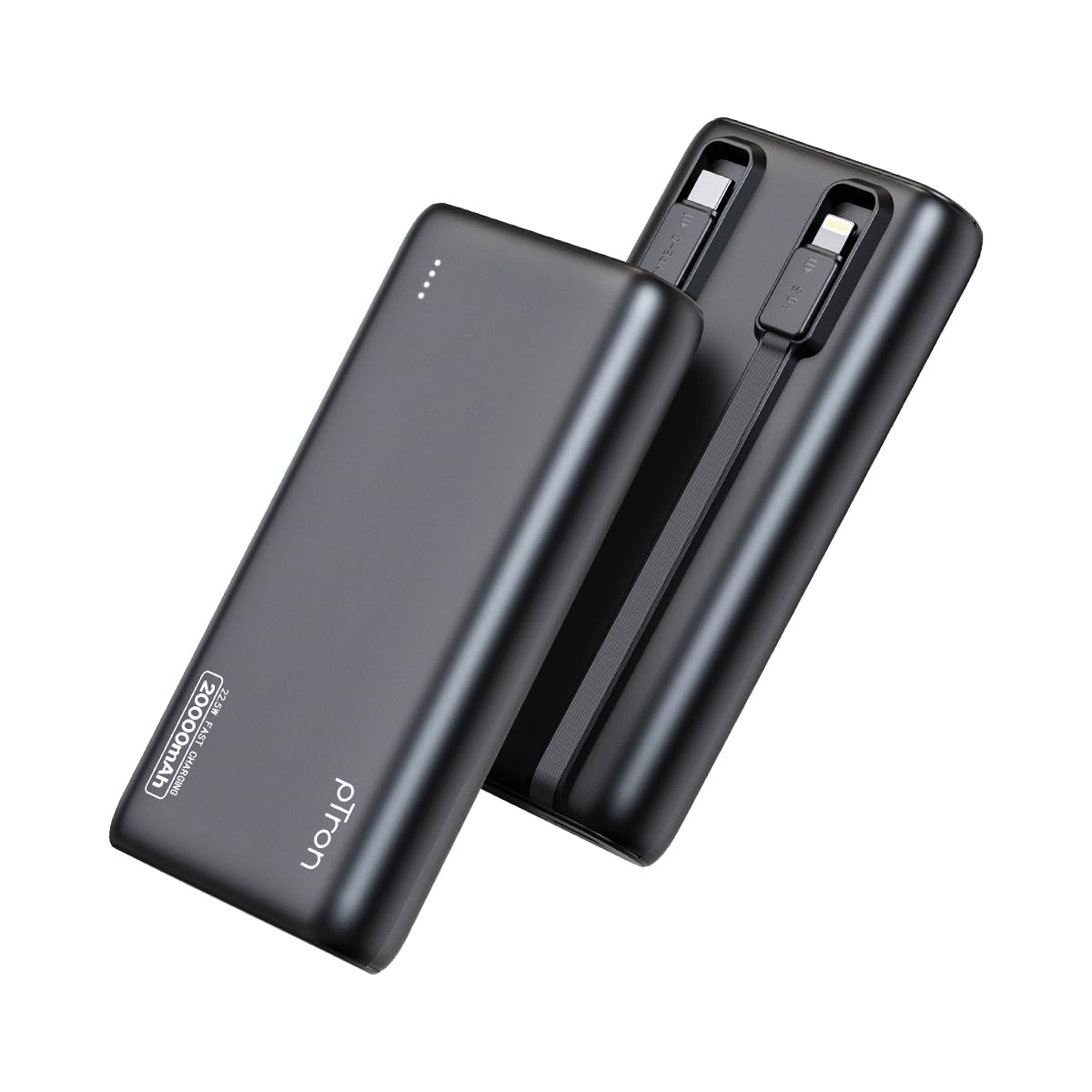
Image: The pTron Dynamo Storm 20000mAh Powerbank, showcasing rẹ iwapọ ati aso oniru.
2. Awọn ẹya Ọja
- Agbara giga 20000mAh: Provides multiple charges for smartphones and tablets, ensuring extended device usage.
- Gbigba agbara iyara 22.5W: Supports rapid charging for compatible devices via USB-A and Type-C ports.
- Awọn okun ti a ṣe sinu: Includes integrated Type-C (22.5W) and iOS (10W) cables for convenient charging without carrying extra accessories.
- Awọn Ibudo Ijade lọpọlọpọ: Equipped with 1x USB-A port, 1x Type-C/PD port, 1x built-in Type-C cable, and 1x built-in iOS cable, allowing simultaneous charging of up to 4 devices.
- Ibamu Agbaye: Compatible with various fast charging protocols including PD3.0 (Power Delivery), Quick Charge (QC3.0), VOOC/WARP/DASH, and PPS.
- Awọn ẹya Aabo To ti ni ilọsiwaju: Multiple layers of protection in the chipset guard against over-charging, over-discharging, over-current, and short circuits.
- Awọn imọlẹ Atọka LED: Four LED lights indicate the remaining battery level of the power bank.
- Apẹrẹ Ọrẹ Irin-ajo: Compact and portable, ideal for daily use and travel.

Image: Diagram illustrating the pTron Dynamo Storm Powerbank's built-in Type-C and iOS cables, along with USB and Type-C output ports.

Image: The pTron Dynamo Storm Powerbank actively charging two smartphones and a tablet, demonstrating its multi-device capability.
3. Eto
3.1 Gbigba agbara akọkọ ti Bank Power
- Before first use, fully charge your pTron Dynamo Storm Powerbank.
- Connect the power bank to a compatible wall charger (not included) using the built-in Type-C cable or a separate Type-C to Type-C cable via the Type-C port. The power bank supports 18W input.
- Àwọn iná LED tí ó ń fi àmì hàn yóò tàn láti fi bí agbára náà ṣe ń lọ hàn. Gbogbo LED mẹ́rẹ̀ẹ̀rin náà yóò dúró ṣinṣin nígbà tí agbára bá ti gba.
3.2 Ṣiṣayẹwo Ipele Batiri
Press the power button once to check the remaining battery level. The LED indicators will light up:
- 1 LED: 0-25%
- Awọn LED 2: 25-50%
- Awọn LED 3: 50-75%
- Awọn LED 4: 75-100%
4. Awọn ilana Iṣiṣẹ
4.1 Ngba agbara si Awọn ẹrọ rẹ
The pTron Dynamo Storm Powerbank offers multiple ways to charge your devices:
- Lilo awọn okun waya ti a ṣe sinu rẹ:
- For Type-C devices: Pull out the built-in Type-C cable and connect it to your device's charging port.
- For iOS devices: Pull out the built-in iOS cable and connect it to your device's charging port.
- Lilo ibudo USB-A: Connect your device's standard USB charging cable to the USB-A output port on the power bank.
- Using Type-C/PD Port: Connect your device's Type-C charging cable to the Type-C/PD output port on the power bank. This port supports 22.5W fast charging.
Charging will begin automatically. If not, press the power button once. You can charge multiple devices simultaneously using different output options.
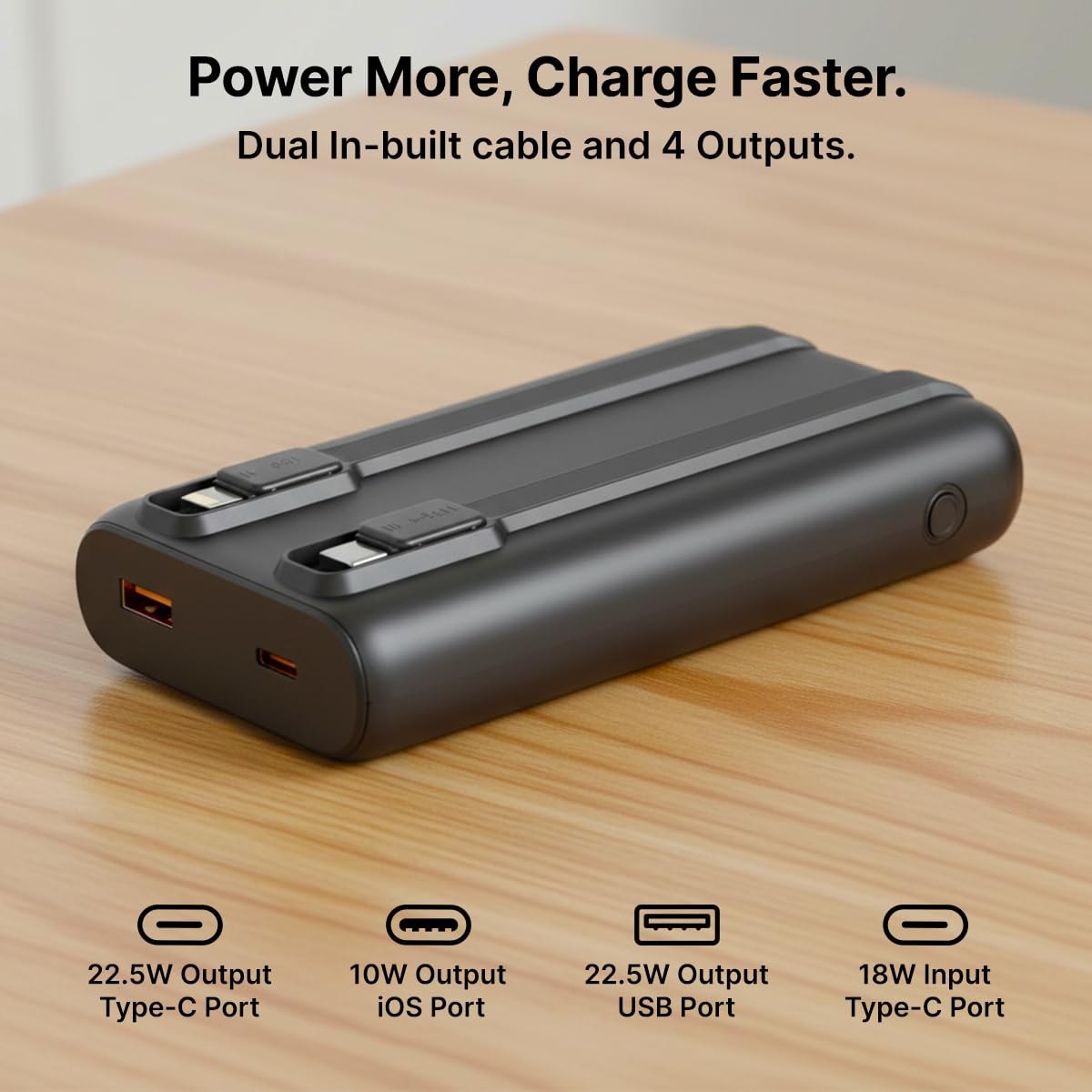
Aworan: A alaye view of the pTron Dynamo Storm Powerbank's various charging outputs, including the USB-A port, Type-C port, and the integrated Type-C and iOS cables.
4.2 Osise Video ọja
Video: A short demonstration of the pTron Dynamo Storm 20000mAh Powerbank, highlighting its sleek design, multiple charging options, and built-in cables for convenient use.
5. Itọju
- Ibi ipamọ: Tọju banki agbara ni itura, aye gbigbẹ kuro lati orun taara ati awọn iwọn otutu to gaju.
- Ninu: Use a soft, dry cloth to clean the power bank. Do not use liquid cleaners or abrasive materials.
- Itọju Batiri: Láti mú kí batiri pẹ́ sí i, gba agbára bank agbára náà ní gbogbo ìgbà lẹ́ẹ̀kan ní oṣù mẹ́ta tí kò bá sí ní lílò déédéé. Yẹra fún kí ó máa fa omi kúrò nínú batiri náà nígbàkúgbà.
- Mimu: Yago fun sisọ tabi tẹriba banki agbara si awọn ipa to lagbara.
6. Laasigbotitusita
6.1 Power Bank Ko Ngba agbara
- Rii daju pe okun gbigba agbara ti sopọ ni aabo si banki agbara ati ṣaja ogiri.
- Rí i dájú pé ẹ̀rọ amúlétutù ògiri náà ń ṣiṣẹ́ dáadáa, ó sì so mọ́ ibi tí agbára ń gbé.
- Try using a different Type-C cable or wall charger.
6.2 Ẹrọ Ko Ngba agbara lati Bank Power
- Check if the power bank has sufficient charge (refer to LED indicators).
- Ensure the device's charging cable (built-in or external) is securely connected to both the power bank and the device.
- Press the power button on the power bank to initiate charging if it doesn't start automatically.
- Try using a different port or built-in cable.
- Jẹrisi pe ẹrọ rẹ ni ibamu pẹlu awọn alaye iṣelọpọ ti banki agbara.
6.3 Ngba agbara lọra
- Ensure both the power bank and your device support fast charging protocols (PD, QC, etc.).
- Lo okun to ni ibamu didara to gaju, gbigba agbara iyara.
- Gbigba agbara fun ọpọlọpọ awọn ẹrọ ni akoko kanna le dinku iyara gbigba agbara fun awọn ẹrọ kọọkan.
7. Awọn pato
| Nọmba awoṣe | Dynamo Storm |
| Agbara Batiri | 20000mAh |
| Iṣawọle (Iru-C) | 18W |
| Ìjáde (Ibudo USB-A) | 22.5W |
| Output (Type-C/PD Port) | 22.5W |
| Output (Built-in Type-C Cable) | 22.5W |
| Output (Built-in iOS Cable) | 10W |
| Asopọmọra Iru | USB Iru A, USB Iru C |
| Pataki Awọn ẹya ara ẹrọ | Built-in Cables, Fast Charging, LED Indicator Lights, Over Charging Protection, Pocket Size |
| Àwọ̀ | Dudu |
| Iwọn Nkan | 414 g |
| Package Mefa | 14.6 x 6.9 x 3.6 cm |
| Olupese | Palred Electronics Pvt. Ltd. |
8. Atilẹyin ọja ati Support
8.1 atilẹyin ọja Alaye
This pTron Dynamo Storm Powerbank comes with a 6 Months manufacturer warranty from the date of purchase, covering manufacturing defects only. Please retain your purchase receipt for warranty claims.
8.2 Onibara Support
For any queries, technical assistance, or warranty claims, please contact pTron customer support:
- Imeeli: support@ptron.in
- Foonu: 040-67138888
© 2026 pTron. All rights reserved.