
ROCAM CR1030DAB
ROCAM CR1030DAB Solar DAB+/FM Emergency Radio User Manual
Àwòṣe: CR1030DAB
Ọrọ Iṣaaju
O ṣeun fun riraasing the ROCAM CR1030DAB Solar DAB+/FM Emergency Radio. This portable radio is designed for reliable communication and power in various situations, from daily use to outdoor adventures and emergencies. It features DAB+/FM radio reception, Bluetooth connectivity, multiple charging options including solar and hand crank, a powerful 12000 mAh battery, and integrated lighting functions. Please read this manual thoroughly before use to ensure proper operation and to maximize the product's lifespan.
Awọn Itọsọna Aabo
- Ma ṣe fi ẹrọ naa han si awọn iwọn otutu to gaju, oorun taara fun awọn akoko gigun (kọja gbigba agbara), tabi ọriniinitutu giga.
- Yago fun sisọ silẹ tabi tẹriba redio si awọn ipa to lagbara.
- Má ṣe tú gbogbo ẹ̀rọ náà ká tàbí gbìyànjú láti tún un ṣe fúnra rẹ. Tọ́ka gbogbo iṣẹ́ ìtọ́jú náà sí àwọn òṣìṣẹ́ tó péye.
- Keep the device away from water and other liquids, except for its IPX6 water resistance which protects against strong jets of water. Do not submerge.
- Ensure the USB-C port cover is securely closed when not in use, especially in wet conditions.
- When using the hand crank, turn it at a steady, moderate pace. Excessive force or speed can damage the mechanism.
- The SOS alarm is very loud. Avoid activating it unnecessarily or near sensitive ears.
- Sọ awọn batiri sọnu ni ibamu si awọn ilana agbegbe.
Package Awọn akoonu
Jẹrisi pe gbogbo awọn ohun kan wa ninu package:
- 1 × Rókàmù Rókàmù CR1030DAB Rókàmù
- 1 × USB-C Okun Gbigba agbara
- 1 × Okùn tó ṣeé gbé kiri
- 1 × Afowoyi olumulo
Ọja Pariview
Mọ ara rẹ pẹ̀lú àwọn èròjà àti àwọn ìṣàkóso rédíò náà.

Aworan: Iwaju view of the ROCAM CR1030DAB radio, highlighting its display, control buttons, and extended antenna. The radio is shown in an outdoor setting, emphasizing its portable and robust design.
Awọn eroja pataki:
- 2.4-inch Awọ Ifihan: Shows station information, battery level, time, and menu options.
- Awọn bọtini Iṣakoso: Power, Mode, Menu, Scan, Volume, Navigation (Up/Down/Left/Right/OK), SOS.
- Eriali telescopic: For optimal DAB+/FM signal reception.
- Igbimọ oorun: Located on top for solar charging.
- Ibẹrẹ Ọwọ: On the side for manual power generation.
- Imọlẹ ina: Integrated LED light on one end.
- Kika Lamp: Foldable panel with 12 LEDs.
- Ibudo Iwọle/Ijade USB-C: For charging the radio and charging external devices.
- Jack agbekọri (3.5mm): Fun ikọkọ gbigbọ.
- Abala Batiri: For AAA backup batteries.

Aworan: A alaye view of the radio's 2.4-inch color display, illustrating its clarity and the information presented, such as station name and signal strength.
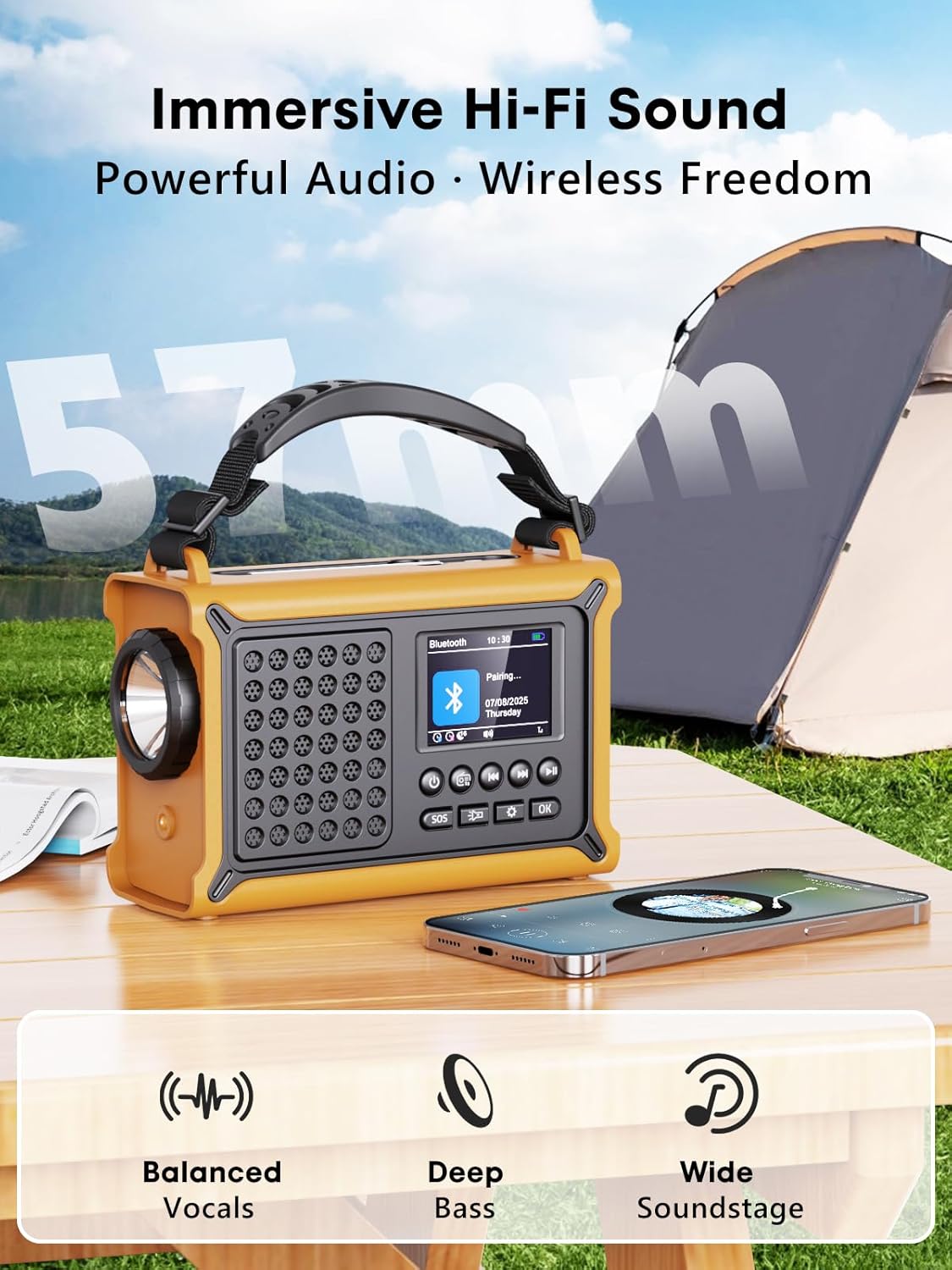
Aworan: The radio highlighting its audio capabilities, featuring 57mm speakers designed for clear, powerful sound with balanced vocals and deep bass.

Aworan: The radio held in hand, illustrating its ultra-portable design and compact dimensions (17.3 cm length, 12.1 cm height, 7.4 cm width), along with its IPX6 water resistance.
Ṣeto
1. Gbigba agbara akọkọ
Before first use, it is recommended to fully charge the radio's internal 12000 mAh battery using the supplied USB-C cable. Connect the USB-C cable to the radio's USB-C input port and the other end to a standard USB power adapter (not included) or a computer USB port. The charging indicator on the display will show the charging status. A full charge ensures maximum battery life and optimal performance.
2. Inserting AAA Batteries (Optional Backup)
For an additional power backup, you can insert 3 AAA batteries (not included) into the battery compartment. This provides an alternative power source if the internal rechargeable battery is depleted and other charging methods are unavailable.
3. Power On and Language Selection
Tẹ mọlẹ Agbara button to turn on the radio. Upon first power-on, you may be prompted to select your preferred language from the 12 available options. Use the navigation buttons to select and the OK bọtini lati jẹrisi.
Awọn ilana Iṣiṣẹ
Titan / Pipa agbara
- Lati tan-an: Tẹ mọlẹ Agbara bọtini.
- Lati paa: Tẹ mọlẹ Agbara bọtini lẹẹkansi.
DAB+/FM Radio Operation
- Yan Ipo: Tẹ awọn Ipo bọ́tìnì láti yípadà láàrín àwọn ipò rédíò DAB+ àti FM.
- Fa Antenna: Fully extend the telescopic antenna for best reception.
- Ṣiṣayẹwo Aifọwọyi: Nínú DAB+ tàbí FM mode, tẹ Ṣayẹwo button to automatically search for available stations. The radio will store up to 40 DAB+ and 40 FM stations.
- Yiyan Afọwọṣe/Aṣayan Ibusọ: Lo awọn Soke / Isalẹ navigation buttons to browse through scanned stations or manually tune frequencies.
- Iṣakoso iwọn didun: Lo awọn Iwọn didun +/- buttons to adjust the sound level.
- Awọn tito tẹlẹ: Láti fi ibùdó kan pamọ́, yí i padà sí ibùdó tí o fẹ́, lẹ́yìn náà tẹ kí o sì di i mú OK button. Use navigation buttons to select a preset number and press OK to save. To recall a preset, briefly press the OK button, then use navigation to select the preset.
Bluetooth Asopọmọra
- Tẹ Ipo Bluetooth sii: Tẹ awọn Ipo button until "Bluetooth" appears on the display. The radio will enter pairing mode, indicated by a blinking Bluetooth icon.
- Pipọpọ: On your smartphone or other Bluetooth device, enable Bluetooth and search for available devices. Select "ROCAM CR1030DAB" from the list.
- Ti sopọ: Once paired, the radio will emit a confirmation sound, and the Bluetooth icon will stop blinking. You can now play audio from your device through the radio.
Ngba agbara si Redio
The radio offers multiple charging methods for its internal 12000 mAh battery:

Aworan: The radio demonstrating its versatile charging capabilities, including the solar panel, USB-C input, hand crank, and the option for AAA batteries.
- Ngba agbara USB-C: Connect the supplied USB-C cable to a 5V/2A (or higher) USB power source. This is the fastest charging method.
- Gbigba agbara Oorun: Place the radio with the solar panel facing direct sunlight. The solar charging indicator will illuminate. This method is ideal for maintaining charge or slow charging in emergencies. The 8500 mm² panel provides 350 mA.
- Gbigba agbara ọwọ ọwọ: Rotate the hand crank clockwise or counter-clockwise at a steady pace (approx. 120-150 RPM). Cranking for 1 minute can provide several minutes of radio playback. The hand crank generates 650 mA.
- Awọn batiri AAA: If the internal battery is depleted, the radio can operate using 3 AAA batteries (not included) inserted into the battery compartment.
External Device Charging (Power Bank Function)
The radio can act as a power bank to charge external devices like smartphones. Connect your device's charging cable to the radio's USB-C output port. The radio's 12000 mAh battery provides a 5V/1A output.
Awọn iṣẹ itanna

Aworan: A composite image illustrating the radio's versatile lighting options: a powerful 5W flashlight, the SOS red flashing light, and a soft 12-LED reading lamp.
- Imọlẹ ina: Tẹ awọn Ina filaṣi button once to turn on the 5W LED flashlight. Press again to cycle through brightness levels (if available) or turn off.
- Kika Lamp: Lift the reading lamp panel. Press the Kika Lamp button (often combined with flashlight button or a separate one) to activate the 12-LED reading lamp. Press again to cycle through brightness levels or turn off.
Iṣẹ́ Ìkìlọ̀ SOS
Ní àkókò pàjáwìrì, tẹ kí o sì di mọ́lẹ̀ SOS button. The radio will emit a loud 120 dB siren and flash a red light to attract attention. Press the SOS bọtini lẹẹkansi lati mu itaniji naa ṣiṣẹ.
Itoju
- Ninu: Mu redio nu pẹlu asọ, damp asọ. Ma ṣe lo abrasive ose tabi epo.
- Ibi ipamọ: When not in use for extended periods, store the radio in a cool, dry place. It is recommended to fully charge the internal battery every 3-6 months to maintain its health.
- Itọju Batiri: Avoid completely draining the internal battery frequently. Recharge it as soon as possible when the low battery indicator appears.
Laasigbotitusita
| Isoro | Owun to le Fa | Ojutu |
|---|---|---|
| Redio ko tan. | Batiri ti dinku. | Charge the radio via USB-C, solar, or hand crank. Ensure AAA batteries are inserted correctly if using them. |
| Gbigba redio ti ko dara. | Antenna kò gùn, agbègbè àmì tí kò lágbára, ìdènà. | Fully extend the telescopic antenna. Reposition the radio to a location with better signal. Perform an auto scan again. |
| Ẹrọ Bluetooth ko le sopọ. | Radio not in pairing mode, device too far, already connected to another device. | Ensure the radio is in Bluetooth pairing mode. Move the device closer to the radio. Disconnect from other Bluetooth devices. |
| Ẹrọ ita ko gba agbara. | Radio battery too low, incorrect cable, device not compatible. | Ensure the radio has sufficient charge. Use a compatible USB-C cable. Some devices may draw too much power. |
| Ọwọ́ crank le tàbí kò gba agbara. | Mechanism obstruction, incorrect cranking speed. | Check for any obstructions. Rotate the crank at a steady, moderate pace. Do not force it. |
Awọn pato
| Awoṣe | CR1030DAB |
| Awọn ẹgbẹ redio | DAB+, FM |
| Ẹya Bluetooth | 5.0 |
| Agbara Batiri | 12000 mAh (Litiumu) |
| Awọn ọna gbigba agbara | USB-C, Solar, Hand Crank, 3x AAA Batteries (backup) |
| Oorun Panel Iwon | 8500 mm² (350 mA output) |
| Ìjáde ìfọwọ́sí ọwọ́ | 650 mA |
| Ijade USB | 5V/1A |
| Ifihan | 2.4-inch Awọ LCD |
| Awọn tito tẹlẹ | 80 (40 DAB+, FM 40) |
| Omi Resistance | IPX6 |
| Itaniji SOS | 120 dB |
| Ina filaṣi | 5W LED |
| Kika Lamp | 12-LED |
| Awọn iwọn | 12L x 17.2W x 7.3H cm (approx.) |
| Iwọn | 820 giramu (isunmọ.) |

Aworan: A comparison chart detailing the specifications of the ROCAM CR1030DAB against generic alternatives, emphasizing its advanced features like a larger color display, higher battery capacity, and more efficient charging.
Atilẹyin ọja ati Support
ROCAM products are designed for reliability and performance. This product comes with a standard manufacturer's warranty. For specific warranty details, please refer to the documentation provided with your purchase or contact ROCAM customer support.
If you encounter any issues or have questions regarding the operation or maintenance of your ROCAM CR1030DAB radio, please contact our customer support team.
- Atilẹyin Onibara: Refer to your product packaging or the ROCAM official webojula fun alaye olubasọrọ.
- Awọn orisun Ayelujara: Visit the ROCAM webojú òpó wẹ́ẹ̀bù fún àwọn ìbéèrè tó máa ń wáyé nígbà gbogbo, ìforúkọsílẹ̀ ọjà, àti àwọn ohun èlò ìrànlọ́wọ́ míìrán.