
1. Ifihan
Thank you for choosing EUQQ YYK-Q10 Wireless Earbuds. This manual provides detailed instructions for setting up, operating, and maintaining your earbuds to ensure optimal performance and longevity. Please read this manual carefully before use and retain it for future reference.
2. Package Awọn akoonu
- EUQQ YYK-Q10 Wireless Earbuds (L/R)
- Ngba agbara Case
- USB-C Ngba agbara Cable
- S/M/L Ear Tips (M pre-installed)
- Itọsọna olumulo
3. Ọja Ipariview
The EUQQ YYK-Q10 earbuds feature advanced audio technology for a superior listening experience. Key components include the earbuds with touch control areas and the charging case with an LED display.

Aworan 3.1: Internal structure of an EUQQ earbud, illustrating the Active Noise Cancellation (ANC) and Clear Voice Capture (CVC 8.0) components for enhanced audio and call clarity.
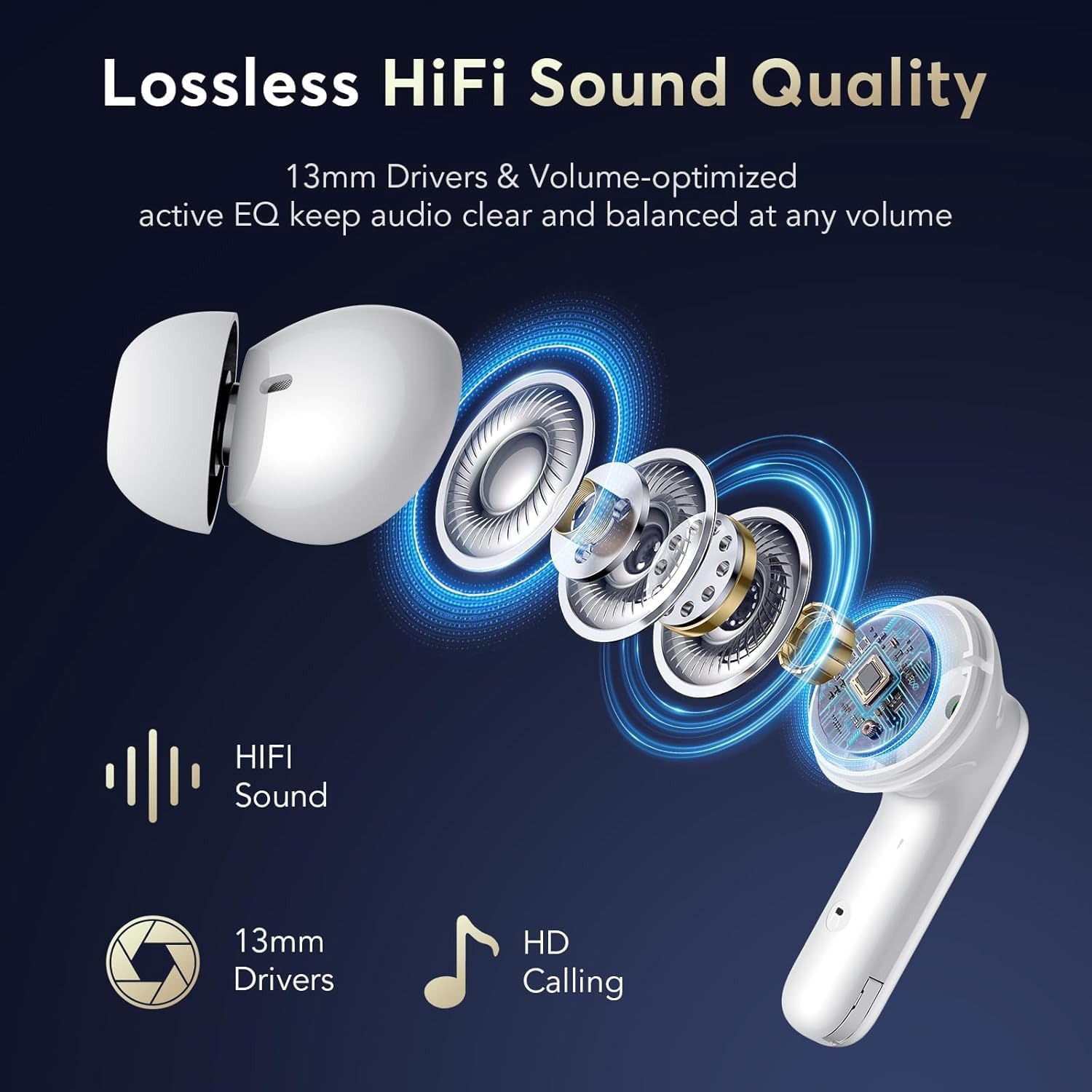
Aworan 3.2: Bugbamu view of the earbud showcasing 13mm drivers and other components responsible for delivering lossless HiFi sound quality and HD calling.
4. Eto
4.1 Ngba agbara si Earbuds ati Ọran
Before first use, fully charge the earbuds and the charging case. Place the earbuds into the charging case. Connect the USB-C charging cable to the charging port on the case and a power source. The LED display on the case will indicate the charging status and battery levels.
- A full charge for the earbuds takes approximately 1 hour.
- The charging case provides multiple charges, extending total playtime up to 36 hours.

Aworan 4.1: The earbuds inside the charging case, illustrating the USB-C charging connection and the LED display showing battery status for both earbuds and the case.
4.2 Ibẹrẹ Ibẹrẹ
- Rii daju pe awọn agbekọri ti gba agbara.
- Ṣii apoti gbigba agbara. Awọn agbekọri yoo tẹ ipo isọpọ sii laifọwọyi.
- Lori ẹrọ rẹ (foonuiyara, tabulẹti, ati be be lo), jeki Bluetooth.
- Wa fun Awọn ẹrọ Bluetooth ti o wa ko si yan "YYK-Q10" lati inu akojọ.
- Ni kete ti a ti sopọ, itọka ohun kan yoo jẹrisi isọdọkan aṣeyọri.
After the initial pairing, the earbuds will automatically connect to your last paired device when the charging case is opened, provided Bluetooth is enabled on your device.
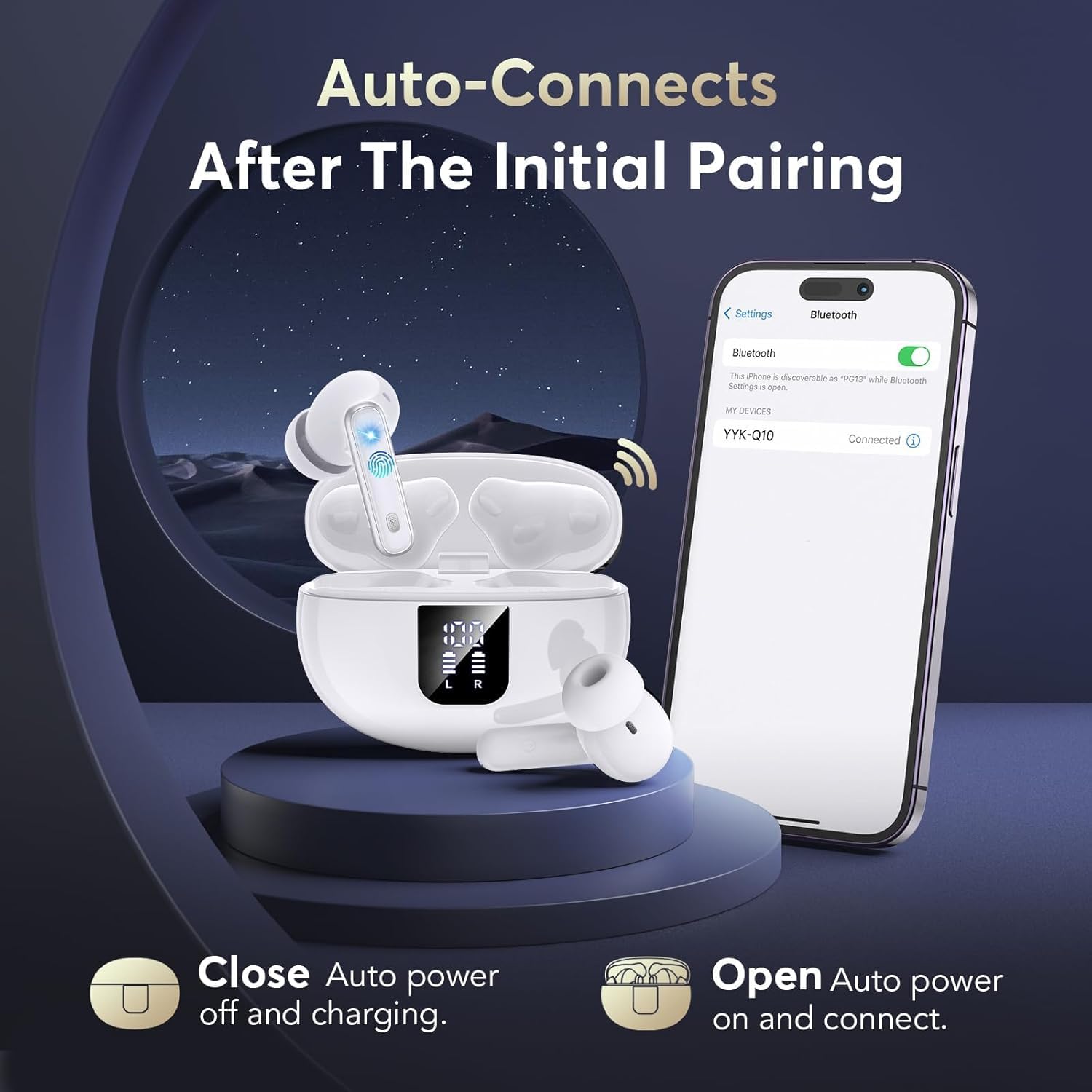
Aworan 4.2: A visual representation of the automatic connection process, showing the earbuds and case alongside a phone screen indicating a successful Bluetooth connection to "YYK-Q10".

Aworan 4.3: An infographic detailing the improvements offered by Bluetooth 5.4 technology, such as a 50% increase in connection range, 75% increase in stable connection, and 100% increase in transfer speed range.
5. Ṣiṣẹ awọn Earbuds
5.1 Fọwọkan Iṣakoso
The earbuds feature touch-sensitive areas for various functions:
| Iṣe | Išẹ |
|---|---|
| Fọwọ ba ẹyọkan (L/R) | Mu orin ṣiṣẹ/Danuduro, Dahun/Pari ipe |
| Tẹ ni kia kia lẹẹmeji (Ẹkọ Atẹti ọtun) | Next Track |
| Tẹ ni kia kia lẹẹmeji (Agbohun Akọkọ osi) | Ti tẹlẹ Track |
| Tẹ lẹẹmẹta (L/R) | Mu Oluranlọwọ Ohun ṣiṣẹ |
| Long Press (L/R, 2 seconds) | Switch between Active Noise Cancellation (ANC) and Transparency Mode |
| Long Press (L/R, 3 seconds during call) | Kọ ipe ti nwọle |
5.2 Ìpo Ìfàsẹ́yìn Ariwo Aláìṣiṣẹ́ (ANC) àti Ìpo Ìfihàn
The YYK-Q10 earbuds offer two distinct listening modes:
- Ifagile Ariwo Nṣiṣẹ (ANC): This mode reduces ambient noise, allowing for an immersive audio experience. Ideal for noisy environments.
- Ipo akoyawo: This mode allows you to hear your surroundings clearly without removing the earbuds. It enhances safety and awareness by letting in ambient sounds.
To switch between ANC and Transparency Mode, long press the touch button on either earbud for 2 seconds.

Aworan 5.1: A user demonstrating the Transparency Mode feature, highlighting the ability to hear ambient sounds by long-pressing the earbud's touch control.
6. Itunu ati Fit
For optimal sound quality and comfort, select the ear tips that best fit your ears. The YYK-Q10 comes with S, M, and L size ear tips. Experiment with different sizes to find the most secure and comfortable fit.
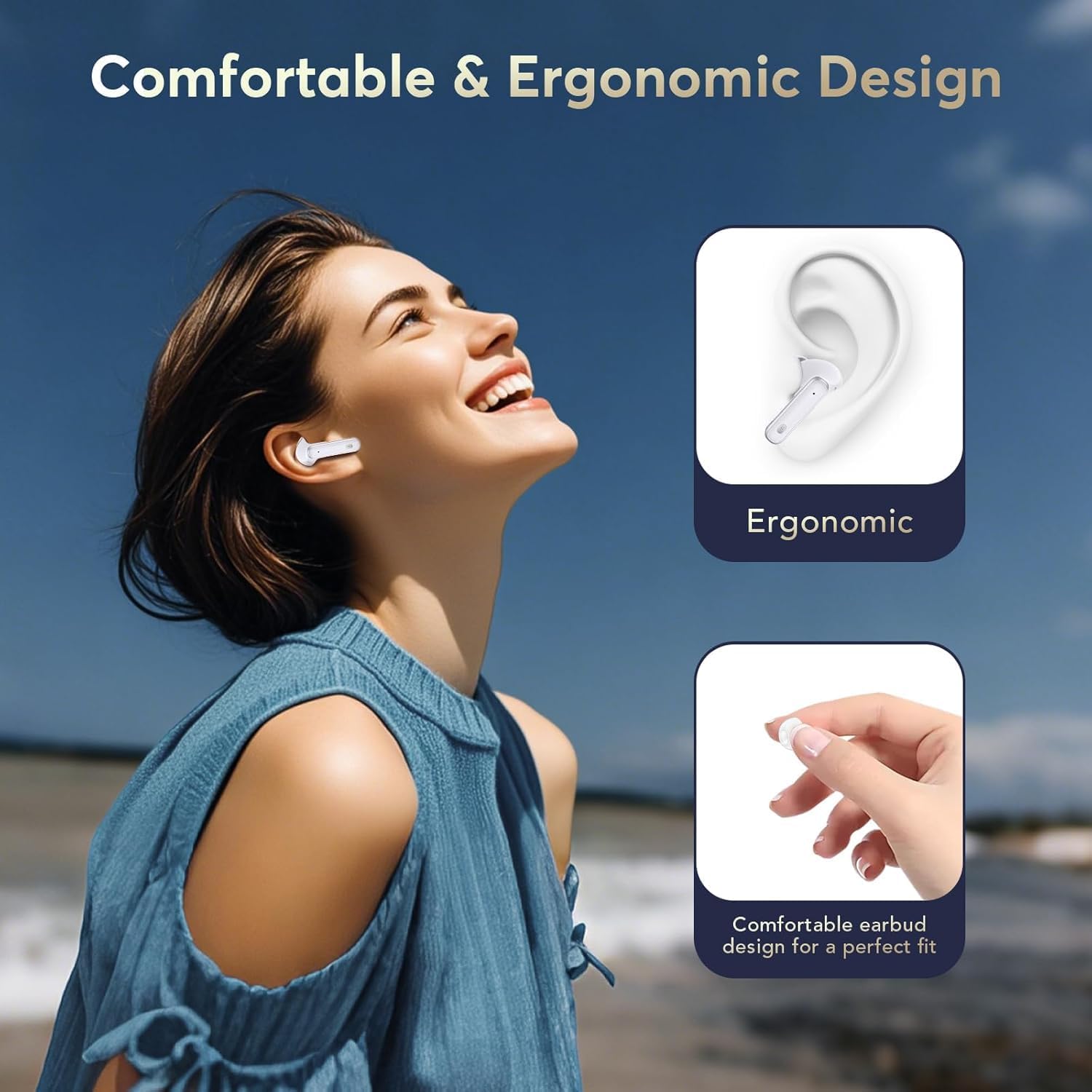
Aworan 6.1: A visual guide to the ergonomic design of the earbuds, demonstrating how they are shaped for a comfortable and secure fit within the ear.
7. Itọju
7.1 Ninu
- Mọ awọn afikọti nigbagbogbo ati apoti gbigba agbara pẹlu asọ ti o gbẹ, asọ ti ko ni lint.
- Ma ṣe lo awọn kẹmika ti o lewu, awọn nkan mimu mimọ, tabi awọn ohun ọṣẹ ti o lagbara.
- Remove ear tips and clean them separately with water if necessary, ensuring they are completely dry before reattaching.
7.2 Ibi ipamọ
Nigbati ko ba si ni lilo, tọju awọn afikọti sinu apoti gbigba agbara wọn lati daabobo wọn lati eruku ati ibajẹ. Tọju ni itura, ibi gbigbẹ kuro lati awọn iwọn otutu to gaju.
8. Laasigbotitusita
- Ko si Ohun: Ensure earbuds are charged, properly paired, and volume is adjusted on both the earbuds and your device.
- Awọn oran Isopọpọ: Turn off Bluetooth on your device, place earbuds back in the case, close and reopen the case, then try pairing again. Ensure no other devices are trying to connect.
- Earbud Ko Ngba agbara: Check that the charging contacts on the earbuds and in the case are clean and free of debris. Ensure the charging cable is securely connected.
- Asopọmọra Laarin: Ensure you are within the Bluetooth range (up to 15 meters) and there are no significant obstructions between the earbuds and your device.
9. Awọn pato
| Ẹya ara ẹrọ | Ẹ̀kúnrẹ́rẹ́ |
|---|---|
| Brand | EUQQ |
| Awoṣe | YYK-Q10 |
| Ẹya Bluetooth | 5.4 |
| Ifagile Ariwo | Dual ANC & CVC 8.0 |
| Awakọ Iwon | 13.0mm Yiyi Awakọ |
| Akoko ere (Earbuds) | Wákàtí 6-7 (owó kan ṣoṣo) |
| Lapapọ akoko ere (pẹlu ọran) | Titi di wakati 36 |
| Akoko gbigba agbara (Earbuds) | Isunmọ. 1 wakati |
| Mabomire Rating | IPX7 |
| Bluetooth Ibiti | Ti o to awọn mita 15 |
| Gbigbe Eti | Ninu Eti |
| Ipalara | 140 ohms |
10. Atilẹyin ọja ati Support
EUQQ products are designed for reliability and performance. For warranty information or technical support, please refer to the contact details provided with your purchase or visit the official EUQQ webojula. Jọwọ ṣe idaduro ẹri rira rẹ fun awọn iṣeduro atilẹyin ọja.