
Ọrọ Iṣaaju
Thank you for choosing the Acedeck L01 Super Loud Alarm Clock. This device is designed to provide a reliable and powerful wake-up experience, especially for heavy sleepers, with its 115dB dual alarms and adjustable features. This manual will guide you through the setup, operation, and maintenance of your new alarm clock.
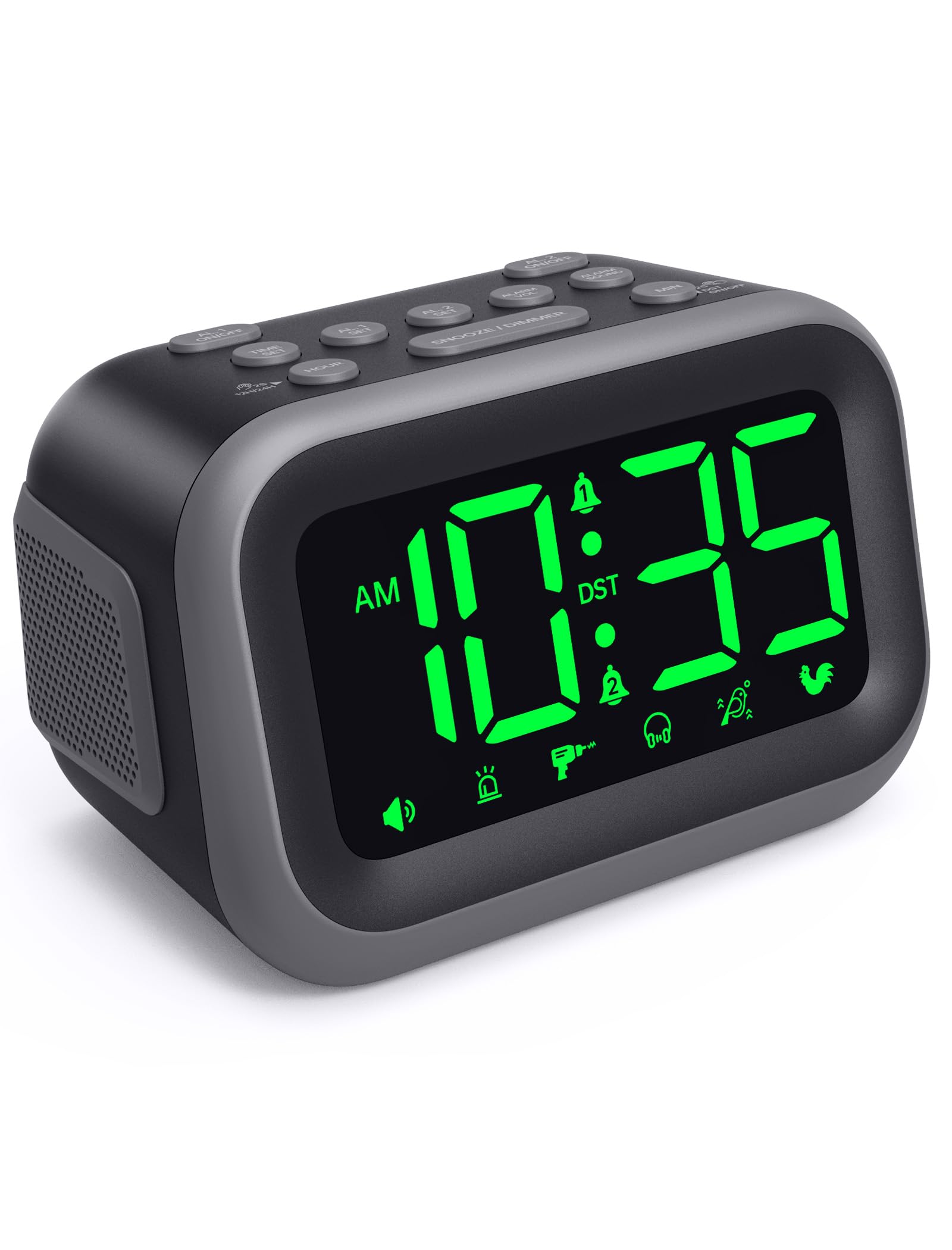
Figure 1: Acedeck L01 Super Loud Alarm Clock with green digits.
Ṣeto
1. Asopọ agbara
Connect the provided AC adapter to the DC 5V port on the back of the alarm clock and plug it into a standard wall outlet. The display will light up, indicating the clock is powered on.
2. Battery Backup (Optional)
For continuous operation during power outages, insert 3 AAA batteries (not included) into the battery compartment on the bottom of the clock. The battery backup system retains time and alarm settings and will activate the alarm function during a power loss, though the display will turn off to conserve power.

Figure 2: Power connection and battery backup functionality.
3. Ṣiṣeto Akoko naa
- Tẹ awọn Akoko SET bọtini. Awọn nọmba wakati yoo filasi.
- Lo awọn WAKATI button to adjust the hour. Press and hold for faster adjustment.
- Tẹ awọn MIN button to adjust the minutes. Press and hold for faster adjustment.
- Tẹ Akoko SET lẹẹkansi lati jẹrisi ati ipo eto akoko jade.
To toggle between 12-hour and 24-hour format, press the 12H/24H button during time setting.

Figure 3: Switching between 12-hour and 24-hour display.
4. Akoko Ifipamọ Oju-ọjọ (DST)
Tẹ awọn DST ON / PA button to activate or deactivate Daylight Saving Time. The clock will adjust automatically.
5. Button Overview

Figure 4: Labeled buttons for clear function and fast setup.
Video: Setting the Time
This video demonstrates how to set the current time on your Acedeck L01 alarm clock, including toggling between 12-hour and 24-hour formats.
Awọn ilana Iṣiṣẹ
1. Ṣíṣeto Awọn Itaniji (Awọn Itaniji Meji)
The Acedeck L01 features two independent alarms (AL1 and AL2). This allows you to set different wake-up times for different schedules.
- Tẹ awọn AL1 SET or AL2 SET Bọ́tìnì náà. Àwọn nọ́mbà wákàtí fún ìró tí a yàn yóò máa tàn yanranyanran.
- Lo awọn WAKATI bọtini lati ṣatunṣe wakati itaniji.
- Lo awọn MIN bọtini lati ṣatunṣe awọn iṣẹju itaniji.
- Tẹ awọn ti o baamu AL SET bọtini lẹẹkansi lati jẹrisi akoko itaniji naa.
- To activate or deactivate an alarm, press the AL1 ON/OFF or AL2 ON/OFF button. An alarm icon will appear on the display when an alarm is active.
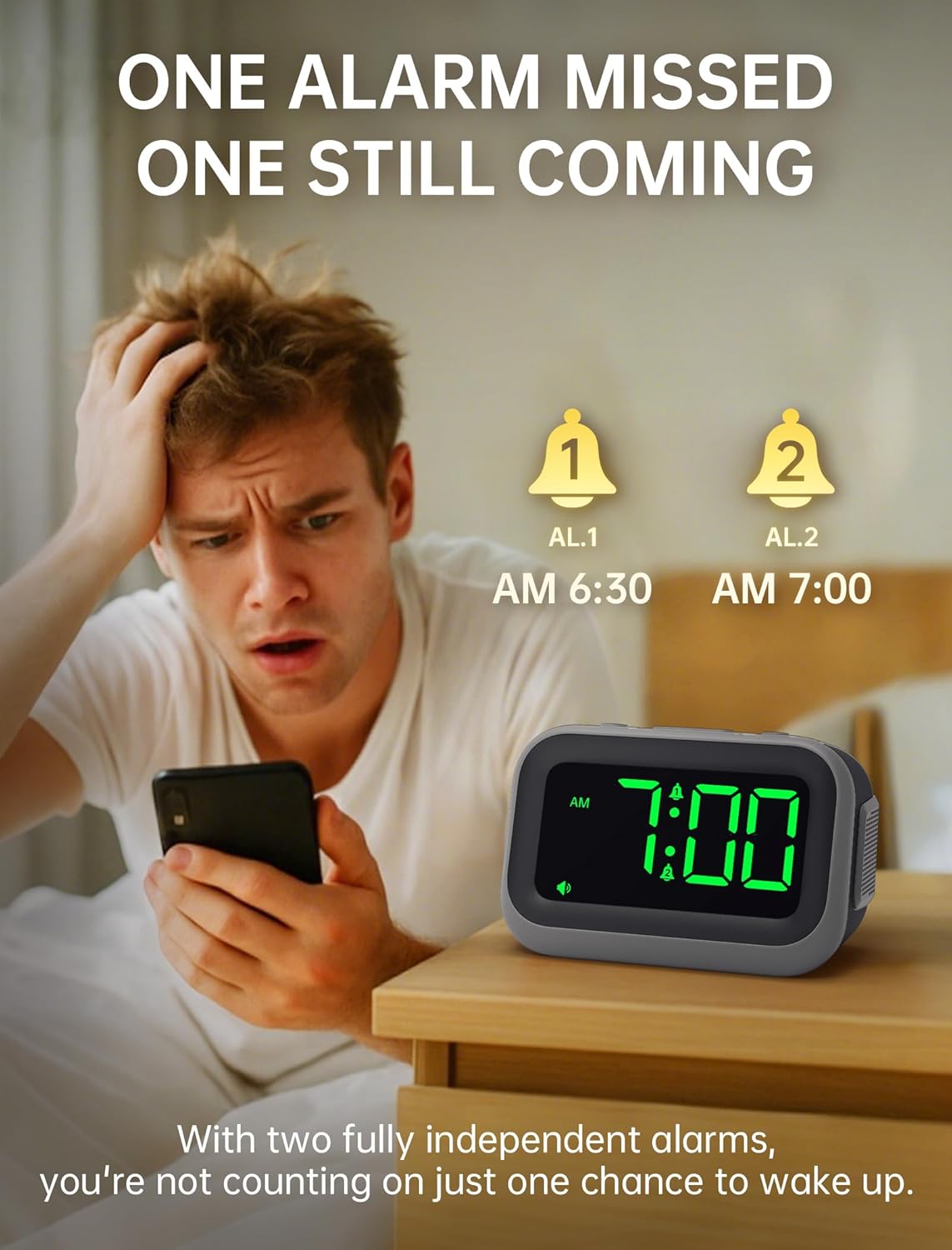
Figure 5: Dual alarm functionality for flexible scheduling.
2. Awọn ohun itaniji
Choose from 6 distinct alarm sounds to suit your preference. While setting the alarm, press the ALARM OHUN button to cycle through the available sounds: Beep, Siren, Jackhammer, Music, Bird Song, and Rooster.
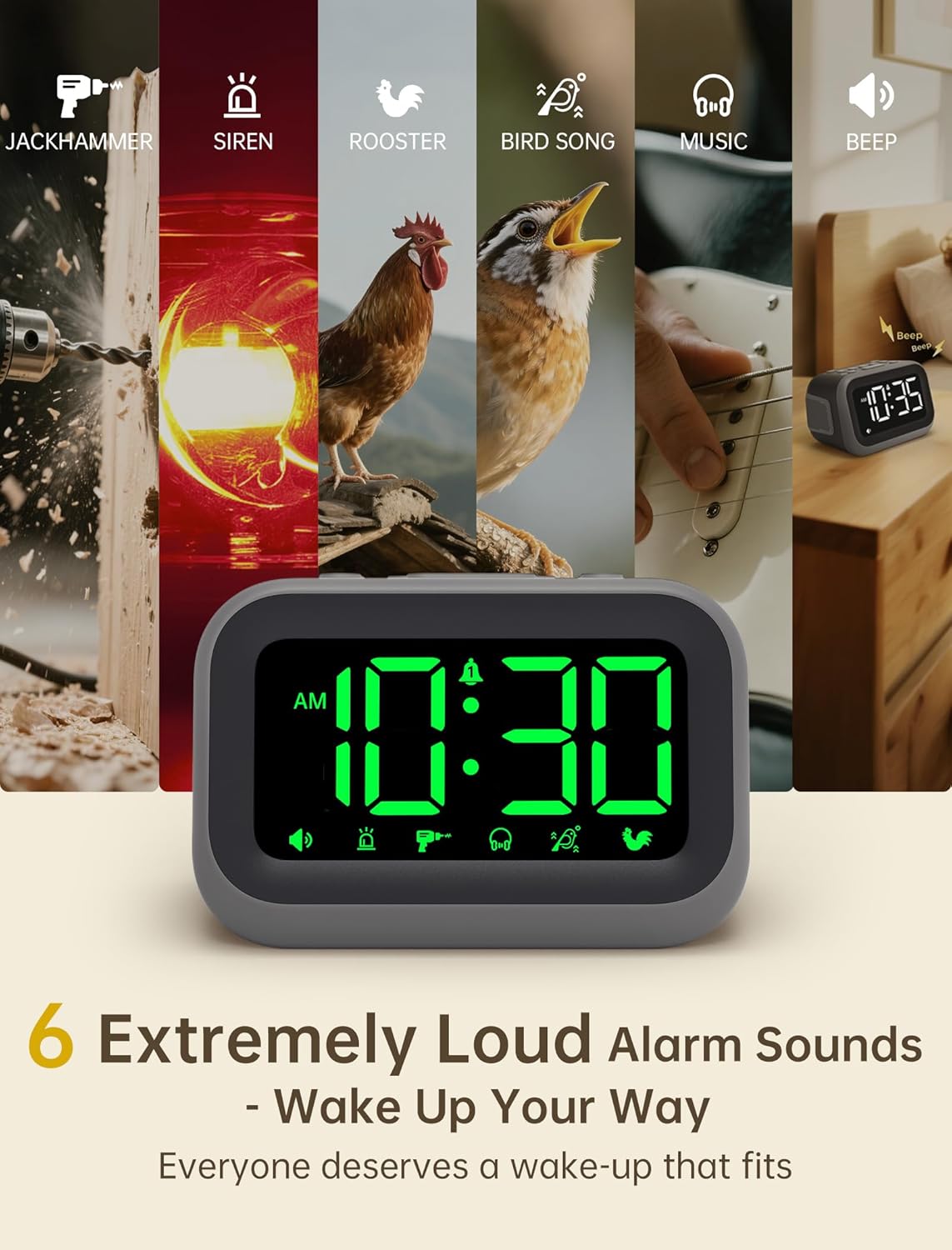
Figure 6: Selection of 6 unique alarm sounds.
3. Itaniji Iwọn didun
The Acedeck L01 features an extra-loud 115dB alarm, ideal for heavy sleepers. You can adjust the alarm volume through 6 levels. Press the ALARM VOL button to cycle through the volume settings. The default volume is set to maximum, so adjust to a comfortable level before first use.

Figure 7: Adjustable volume levels for the alarm.
4. Iṣẹ lẹẹkọọkan
Nigbati itaniji ba ndun, tẹ tobi SNOOZE / DIMMER button to temporarily silence the alarm for a few minutes. The alarm will sound again after the snooze period ends.

Figure 8: Using the snooze function.
5. Adjustable Brightness
The 4.2-inch LED display offers 5 levels of adjustable brightness. Press the SNOOZE / DIMMER button (when the alarm is not sounding) to cycle through the brightness levels, from brightest to completely off. This allows for comfortable viewing day or night without disturbing sleep.

Figure 9: Adjusting the display brightness.
6. USB Ngba agbara Port
A built-in USB port on the back of the clock allows you to charge your smartphone or other USB-powered devices overnight. This feature is active when the clock is connected to AC power.

Figure 10: USB charging port in use.
Video: Setting the Alarm
This video demonstrates how to set and activate the dual alarms on your Acedeck L01 alarm clock.
Video: Product Features Overview
This video provides a detailed demonstration of the Acedeck L01 alarm clock's features, including alarm sounds, volume, and brightness settings.
Itoju
To ensure the longevity and optimal performance of your Acedeck L01 alarm clock, follow these simple maintenance guidelines:
- Ninu: Fi aṣọ rírọrùn, gbígbẹ, nu aago náà. Má ṣe lo àwọn ohun ìfọṣọ tàbí àwọn ohun èlò ìfọṣọ, nítorí wọ́n lè ba ìpele náà jẹ́.
- Rirọpo Batiri: If using battery backup, replace the AAA batteries annually or when the battery indicator suggests low power to ensure continuous functionality during power outages.
- Ibi: Gbé aago náà sí orí ilẹ̀ tí ó dúró ṣinṣin, tí ó jìnnà sí oòrùn tààrà, ooru púpọ̀, tàbí ọ̀rinrin.
Laasigbotitusita
| Isoro | Ojutu |
|---|---|
| Ifihan aago ti wa ni pipa. | Ensure the AC adapter is securely plugged into both the clock and a working power outlet. If using battery backup, the display turns off to save power, but the alarm function remains active. |
| Itaniji ko dun. | Check if the alarm (AL1 or AL2) is activated (icon visible on display). Verify the alarm time is set correctly. Ensure the alarm volume is not set to zero. If running on battery backup, ensure batteries are fresh. |
| Akoko ko tọ. | Re-set the time following the 'Setting the Time' instructions. Check for power interruptions; if frequent, ensure battery backup is installed and functional. |
| Ngba agbara USB ko ṣiṣẹ. | Ensure the alarm clock is connected to AC power. The USB charging port does not function when the clock is running on battery power. Check the USB cable and the device being charged. |
Awọn pato
- Brand: Acedeck
- Awoṣe: L01
- Iru ifihan: LED oni-nọmba
- Àwọ̀ Àfihàn: Awọn nọmba alawọ ewe
- Iwọn Itaniji: Titi di 115dB
- Awọn ohun itaniji: 6 unique sounds
- Awọn ipele Imọlẹ: 5 awọn ipele adijositabulu
- Orisun Agbara: Corded Electric (AC 100-240V)
- Batiri Afẹyinti: Awọn batiri 3 x AAA (kii ṣe pẹlu)
- Ibudo Gbigba agbara USB: Yes (for external devices)
- Awọn iwọn ọja: 4.8"W x 3.15"H
- Ìwọ̀n Nkan: 11 iwon
- Ohun elo: Ṣiṣu

olusin 11: Awọn iwọn ọja.
Atilẹyin ọja & Atilẹyin
Your Acedeck L01 Super Loud Alarm Clock comes with an 18-month warranty from the date of purchase. This warranty covers manufacturing defects and malfunctions under normal use.
For technical support, troubleshooting assistance, or warranty claims, please contact Acedeck customer service through the retailer where you purchased the product or visit the official Acedeck webojula fun alaye olubasọrọ.