
Ọrọ Iṣaaju
This manual provides detailed instructions for the DAREU A950GM Wireless Gaming Mouse. It covers product features, setup procedures, operational guidelines, maintenance tips, troubleshooting solutions, and technical specifications. Please read this manual thoroughly before using the product to ensure optimal performance and longevity.
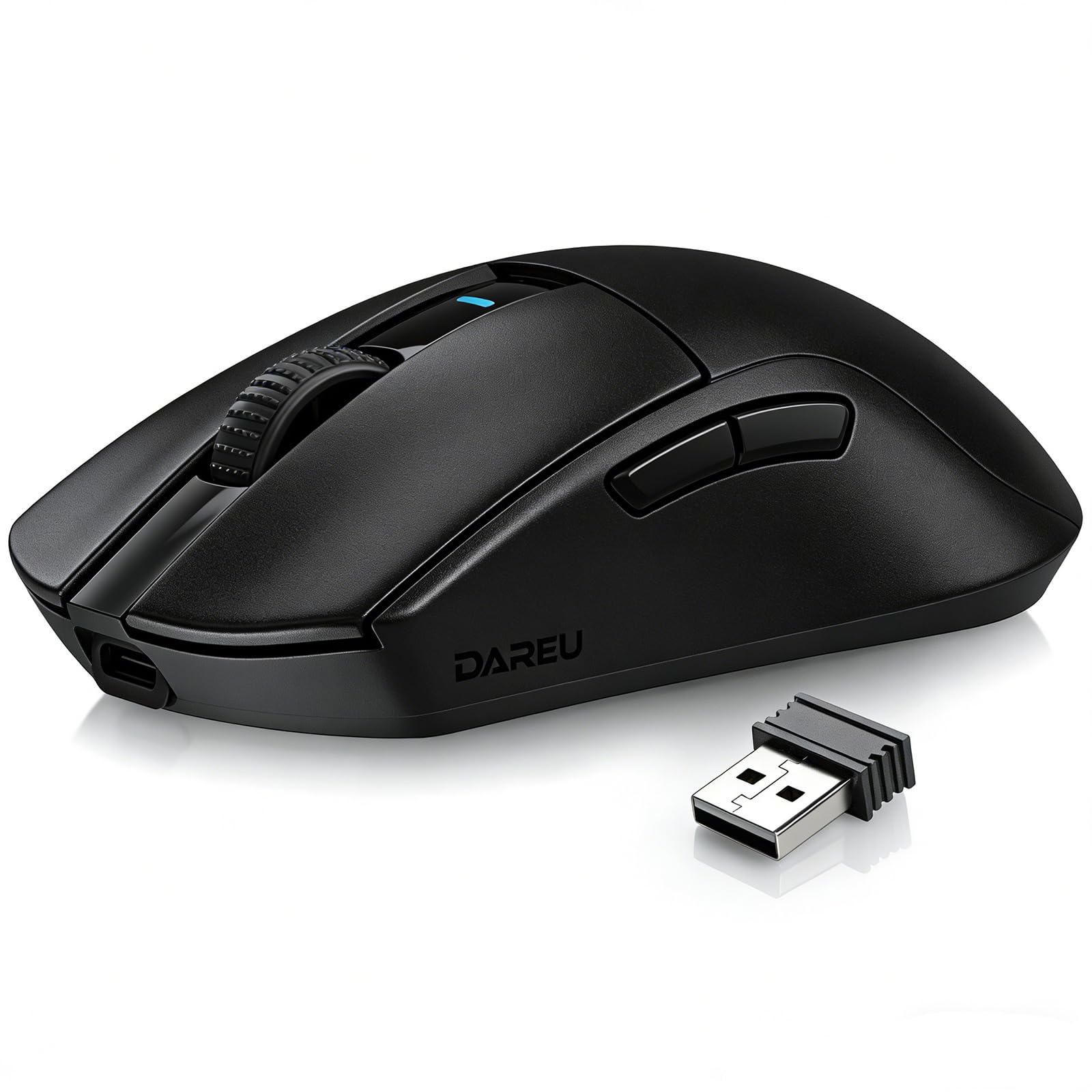
Image: The DAREU A950GM Wireless Gaming Mouse, showcasing its sleek black design and key features like lightweight design, tri-mode connectivity, high DPI, fast charge, Huano switches, and PAW3395 sensor.
Ṣeto
Package Awọn akoonu
Rii daju pe gbogbo awọn nkan wa ninu package:
- 1 x DAREU A950GM Mouse
- 1 x Okun Iru-C
- 1 x Olugba USB
- 1 x Afowoyi olumulo Gẹẹsi

Image: Contents of the DAREU A950GM package, including the mouse, Type-C cable, USB receiver, user manual, and packaging box.
Gbigba agbara ni ibẹrẹ
Before first use, it is recommended to fully charge the mouse. Connect the provided Type-C cable to the mouse and a USB power source. A full charge typically takes 30-40 minutes for the 500mAh battery, providing up to 128 hours of use (16 days in 2.4G mode, 32 days in BT5.1 mode, based on 4 hours of connection per day).

Image: The DAREU A950GM mouse indicating its fast charge capability and battery life in different modes.
Awọn ọna Asopọmọra
The DAREU A950GM supports three connection modes: 2.4GHz Wireless, Bluetooth (BT5.1), and Wired (USB-C).
- Ipo Alailowaya 2.4GHz:
- Locate the USB receiver stored in the bottom of the mouse.
- Pulọọgi olugba USB sinu ibudo USB ti o wa lori kọnputa rẹ.
- Fi switch tó wà ní ìsàlẹ̀ àwo náà sí ipò '2.4G'. Àwo náà yóò sopọ̀ láìfọwọ́sí.
- Ipo Bluetooth:
- Gbe yipada lori isalẹ ti Asin si ipo 'BT'.
- On your device (PC, laptop, smartphone, tablet), open Bluetooth settings and search for new devices.
- Select 'DAREU A950GM' from the list to pair.
- Ipo Firanṣẹ:
- Connect the provided Type-C cable to the mouse and the other end to a USB port on your computer.
- Asin yoo ṣiṣẹ bi asin ti a firanṣẹ ati gba agbara ni nigbakannaa.
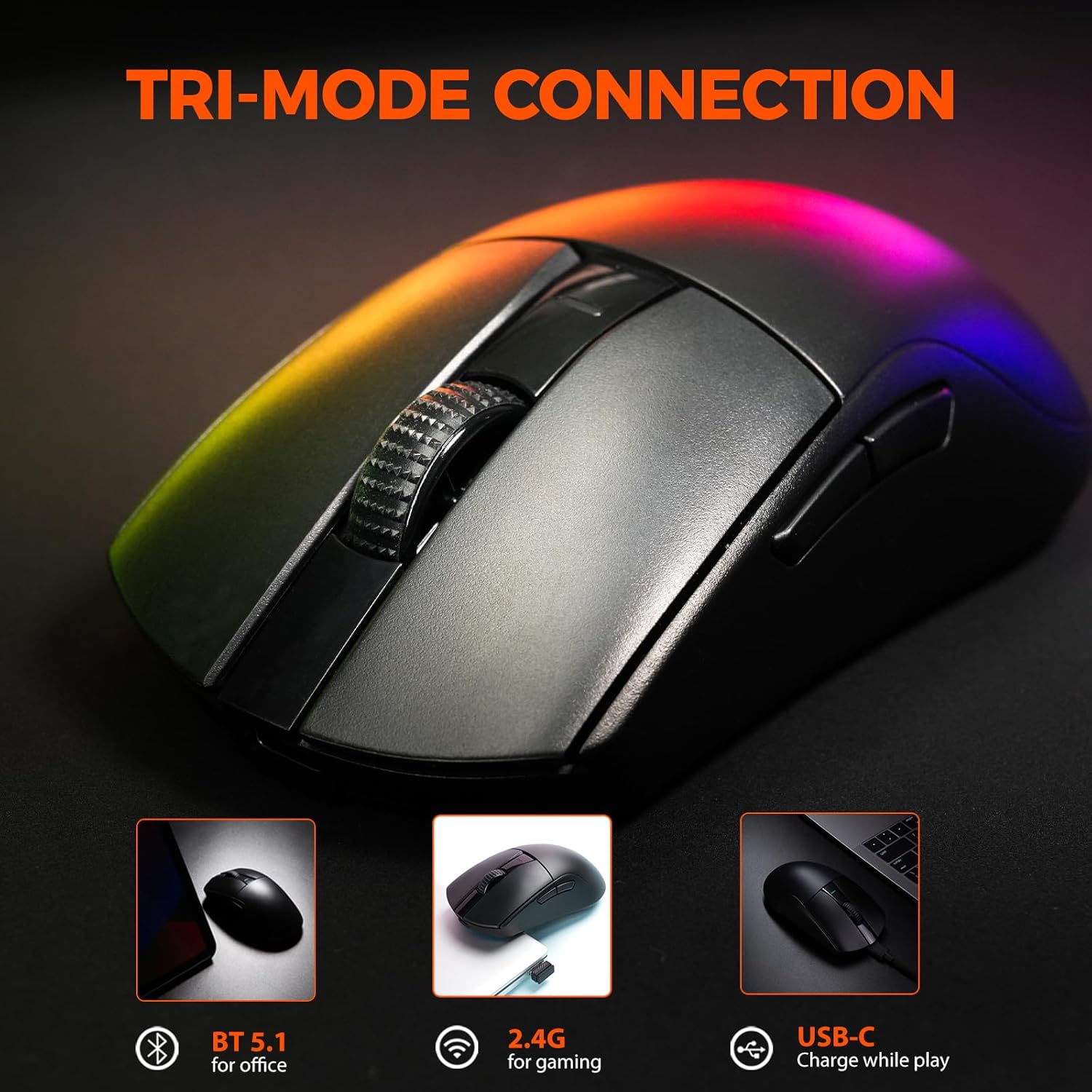
Image: The DAREU A950GM mouse demonstrating its tri-mode connectivity options: Bluetooth for office, 2.4G for gaming, and USB-C for charging while playing.
Software fifi sori
For advanced customization of buttons, macros, polling rate, and DPI settings, DAREU provides dual software support:
- Web-based Driver: Access the DAREU official webojula fun a web-based configuration tool. No installation is required.
- Desktop Software: Download and install the dedicated DAREU e-sports driver software for your operating system (Windows 7 or later, macOS).
Customized settings are saved via the mouse's onboard memory.

Image: Screenshot of the DAREU all-in-one driver software interface, showing options for button customization, macro management, DPI settings, and battery level.
Awọn ilana Iṣiṣẹ
Awọn iṣẹ bọtini
The DAREU A950GM features 5 programmable buttons:
- Osi Tẹ Bọtini
- Ọtun Tẹ Bọtini
- Kẹ̀kẹ́ Yípo (tí a lè tẹ)
- Bọ́tìnì Ẹ̀gbẹ́ 1 (Síwájú)
- Bọ́tìnì Ẹ̀gbẹ́ 2 (Sẹ́yìn)
These buttons can be customized using the DAREU software to assign various functions, shortcuts, or macros.
DPI Atunṣe
The mouse features an advanced PAW3395 optical sensor with adjustable sensitivity up to 26,000 DPI. The DPI button is located on the bottom of the mouse. Press this button to cycle through preset DPI levels. The current DPI setting is often indicated by an LED color change above the scroll wheel.

Image: The underside of the DAREU A950GM mouse, highlighting the PAW3395 optical sensor and its specifications (26000 DPI, 650 IPS, 50g Acceleration).
Ipo Yipada
To switch between 2.4GHz, Bluetooth, and Off modes, use the physical switch located on the bottom of the mouse. For wired mode, simply connect the USB-C cable.

Image: The bottom of the DAREU A950GM mouse, showing the 2.4G/OFF/BT switch, DPI button, USB receiver storage, PTFE feet, and Type-C interface. Serial number: A950GMW250901750.
Itoju
Ninu
Láti lè máa ṣiṣẹ́ dáadáa, máa fọ àsín rẹ déédéé. Lo aṣọ rírọ̀ tí ó gbẹ láti nu ojú ilẹ̀ náà. Fún ìdọ̀tí líle, fi díẹ̀ sí i.amp A le lo aṣọ, kí ó má baà wọ inú àwọn ohun èlò inú. Yẹra fún àwọn kẹ́míkà líle tàbí àwọn ohun èlò ìfọ́.
PBT Buttons and Huano Micro Switches
The DAREU A950GM features durable PBT buttons designed to resist fading and oil buildup. The Huano micro switches are rated for up to 100 million clicks, ensuring long-lasting and consistent performance. No specific user maintenance is required for these components beyond general cleaning.
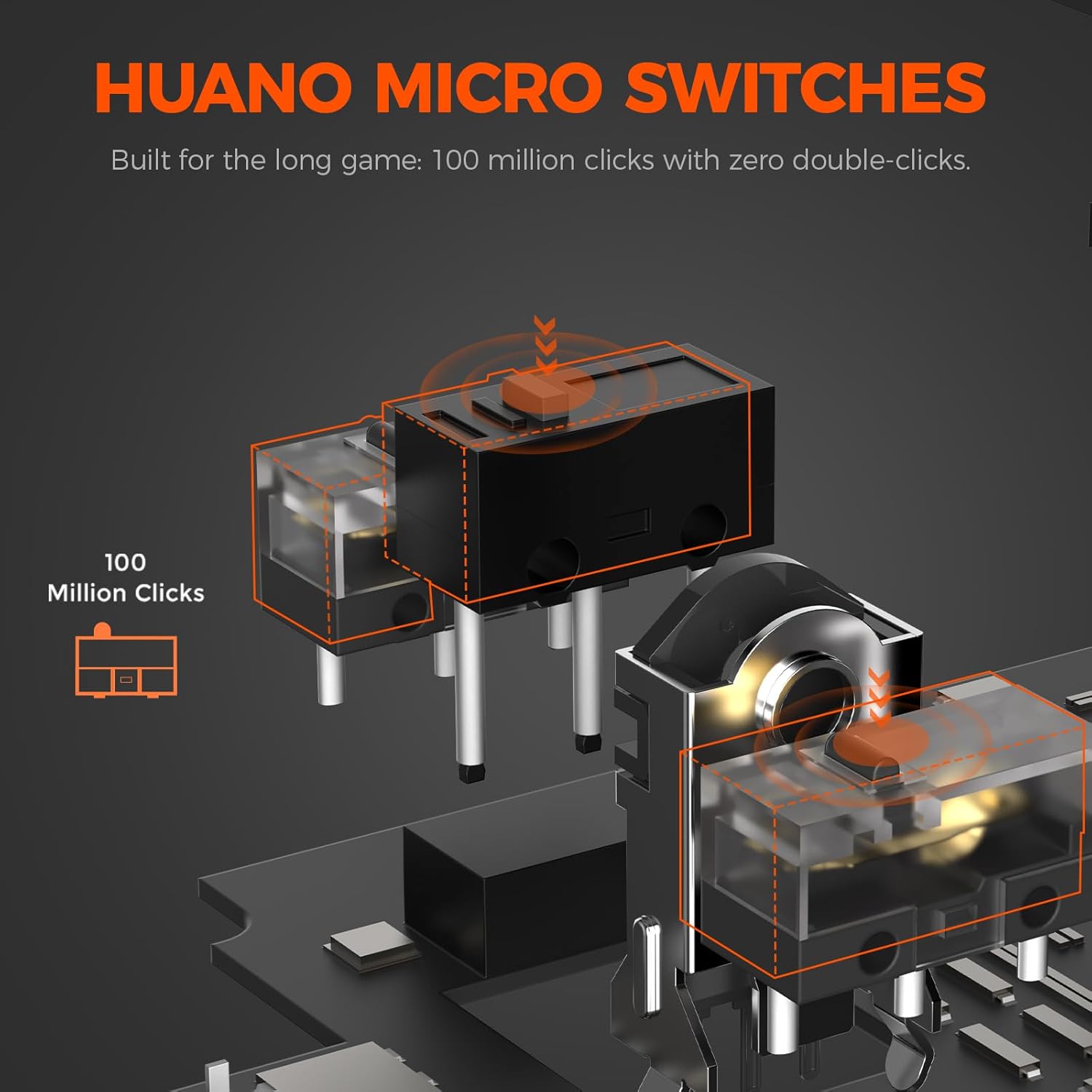
Aworan: Ohun exploded view illustrating the Huano micro switches within the DAREU A950GM mouse, highlighting their 100 million click lifespan.
Laasigbotitusita
Awọn oran Asopọmọra
- Asin ko sopọ nipasẹ Bluetooth: Ensure the mouse is in 'BT' mode and your device's Bluetooth is enabled and discoverable. Try re-pairing the mouse from your device's Bluetooth settings.
- Lag or intermittent connection in wireless modes: Ensure the USB receiver is plugged into a direct USB port, not a hub. Minimize interference from other wireless devices. If issues persist, try wired mode.
- 2.4GHz receiver not recognized: Ensure the receiver is fully inserted into the USB port. Try a different USB port.
Driver/Software Oran
- Software ko ṣe awari Asin: Ensure the mouse is connected to your computer (preferably in wired or 2.4GHz mode for initial setup). Restart the software and/or your computer.
- Settings not saving: Ensure you are using only one instance of the DAREU software (either web-based or desktop app) at a time to avoid conflicts.
DPI Button Placement
The DPI adjustment button is located on the bottom of the mouse. This design choice means on-the-fly DPI changes during gameplay may require lifting the mouse. For frequent DPI adjustments, consider pre-setting preferred DPI stages via the software.
Awọn pato
| Ẹya ara ẹrọ | Ẹ̀kúnrẹ́rẹ́ |
|---|---|
| Brand | DAREU |
| Orukọ awoṣe | A950GM |
| Àwọ̀ | Dudu |
| Asopọmọra Technology | USB/BT/2.4G Hz |
| Imọ-ẹrọ Iwari išipopada | Ojú (PAW3395 Sensọ) |
| Mouse Maximum Sensitivity | 26000 DPI |
| IPS Speed | Ọdun 650 IPS |
| Isare | 50g |
| Idibo Oṣuwọn | 1000 Hz |
| Bọtini opoiye | 5 Awọn bọtini siseto |
| Micro Yipada | Huano (100 Million Clicks) |
| Agbara Batiri | 500mAh litiumu polima |
| Batiri Apapọ Life | Up to 128 hours (BT5.1 mode), 65 hours (2.4G mode) |
| Akoko gbigba agbara | 30-40 minutes (fast charge) |
| Iwọn Nkan | 60 g |
| Awọn Iwọn Nkan (L x W x H) | 122.8 x 64 x 39 mm |
| Awọn ẹrọ ibaramu | PC, Laptop, Mac, Gaming Console, Smartphone, Tablet |
| Awọn ọna System Support | Windows 7 or later, macOS, Android |
| Awọn irinše to wa | Mouse, Type-C cable, USB receiver, English user manual |
Awọn fidio ọja
Video: An official DAREU GAMING video showcasing the DAREU A950GM Wireless Gaming Mouse, highlighting its PAW3395 sensor and black color variant.
Video: An official DAREU GAMING video demonstrating the DAREU A950GM Wireless Gaming Mouse in use.
Atilẹyin ọja
The DAREU A950GM Wireless Gaming Mouse comes with a 1 ODUN ATILẸYIN ỌJA lati ọjọ ti o ra. Jọwọ ṣe idaduro ẹri rira rẹ fun awọn iṣeduro atilẹyin ọja. Atilẹyin ọja ni wiwa awọn abawọn iṣelọpọ ati ailagbara labẹ lilo deede. Ko bo ibajẹ ti o ṣẹlẹ nipasẹ ilokulo, awọn ijamba, awọn iyipada laigba aṣẹ, tabi yiya ati aiṣiṣẹ deede.
Atilẹyin
For further assistance, technical support, or warranty inquiries, please visit the official DAREU website or contact DAREU customer service. Refer to the packaging or the DAREU webojula fun awọn julọ lọwọlọwọ alaye olubasọrọ.
O tun le ṣàbẹwò awọn DAREU Store on Amazon fun alaye ọja diẹ sii ati awọn orisun atilẹyin.