
1. Ifihan
This manual provides instructions for the assembly, operation, and maintenance of your Okin Overbed Bedside Table with Wheels, Model OKPM50502716WAS. This versatile table is designed for various uses, including reading, writing, eating, or using a laptop, and features adjustable height and a tilting desktop for ergonomic comfort.

Image 1.1: The Okin Overbed Table is suitable for various scenarios, including use over a bed, next to a couch, or with a chair.
2. Alaye Aabo
- O pọju fifuye: Má ṣe kọjá agbára ìrùsókè tí ó pọ̀ jùlọ ti 22 lbs (10 kg) on the desktop. Overloading can cause instability and damage.
- Iduroṣinṣin: Ensure the table is placed on a flat, stable surface. Lock the wheels when the table is in a stationary position to prevent unintended movement.
- Tilting Section: When the desktop is tilted, ensure items placed on it are secure and will not slide off. Avoid placing heavy or fragile items on the tilting section when it is not flat.
- Awọn olomi: Exercise caution when placing beverages on the table, especially near electronic devices. Use the integrated cup holder for added security.
- Apejọ: Tẹle gbogbo awọn ilana apejọ ni pẹkipẹki. Rii daju pe gbogbo awọn skru ati awọn fasteners ti di wiwọ ni aabo ṣaaju lilo.
- Awọn ọmọde: Keep children away from the table during assembly and adjustment to prevent injury.

Image 2.1: The H-base design provides stability, supporting up to 22 lbs (10 kg) of weight. Always adhere to the maximum load capacity.
3. Package Awọn akoonu
Rii daju pe gbogbo awọn paati wa ṣaaju ki o to bẹrẹ apejọ. Ti eyikeyi awọn ẹya ba sonu tabi bajẹ, jọwọ kan si atilẹyin alabara.
- Desktop with tilting mechanism and cup holder
- Main Support Column (with pneumatic lifting system)
- Fireemu Mimọ
- Hidden Wheels (pre-installed or to be installed)
- Apejọ Itọsọna
- Installation Tool (Hex key/Wrench)
4. Apejọ Awọn ilana
Apejọ maa n gba to iṣẹju mẹwa 15. Tẹle awọn igbesẹ wọnyi daradara:
- Yọ awọn ohun elo kuro: Fi iṣọra yọ gbogbo awọn ẹya kuro ninu apoti ki o si gbe wọn si ori mimọ, dada rirọ lati ṣe idiwọ awọn itọ.
- Attach Main Support Column to Base: Secure the main support column to the base frame using the provided screws and installation tool. Ensure it is firmly attached.
- Attach Desktop to Main Support Column: Connect the desktop assembly to the top of the main support column. Align the mounting points and secure with the provided fasteners.
- Ṣayẹwo Iduroṣinṣin: Once assembled, gently shake the table to ensure all connections are secure and the table is stable.

Image 4.1: Visual guide illustrating the quick installation process, typically completed within 15 minutes.

Aworan 4.2: exploded view of the table components, demonstrating how they fit together for assembly.
5. Awọn ilana Iṣiṣẹ
5.1. Giga tolesese
The table features a gas spring pneumatic lifting system for smooth and quiet height adjustment. To adjust the height:
- Locate the height adjustment lever, typically found under the desktop.
- Tẹ mọlẹ lefa.
- Gently raise or lower the desktop to your desired height (range: 29.7 to 43.3 inches).
- Release the lever to lock the desktop in place.

Image 5.1: The pneumatic lift system allows for easy and smooth height adjustments, accommodating both sitting and standing postures.
5.2. Desktop Tilt Function
The desktop is designed with a split surface: a larger section that tilts and a smaller fixed section with a cup holder. The tilting section can be adjusted from 0° to 70°.
- To tilt the desktop, locate the adjustment mechanism (usually a lever or knob) underneath the tilting section.
- Engage the mechanism to unlock the tilt.
- Adjust the tilting section to your desired angle. An anti-slip edge is present to prevent items from sliding off.
- Release the mechanism to lock the tilt in place.
- The smaller, fixed section remains flat, providing a stable surface for drinks or other items.

Image 5.2: The desktop can be tilted to various angles (0-70 degrees) for comfortable reading or laptop use, with a fixed section for beverages.

Image 5.3: The table features a movable desktop that tilts and a fixed desktop section to keep items steady and secure.
5.3. Arinkiri
The table is equipped with hidden wheels for easy movement. The low-profile base (1.57 inches high) allows it to slide under most beds and furniture.
- To move the table, ensure the wheels are unlocked (if applicable).
- Gently push or pull the table to its desired location.
- Once positioned, lock the wheels to prevent accidental movement.
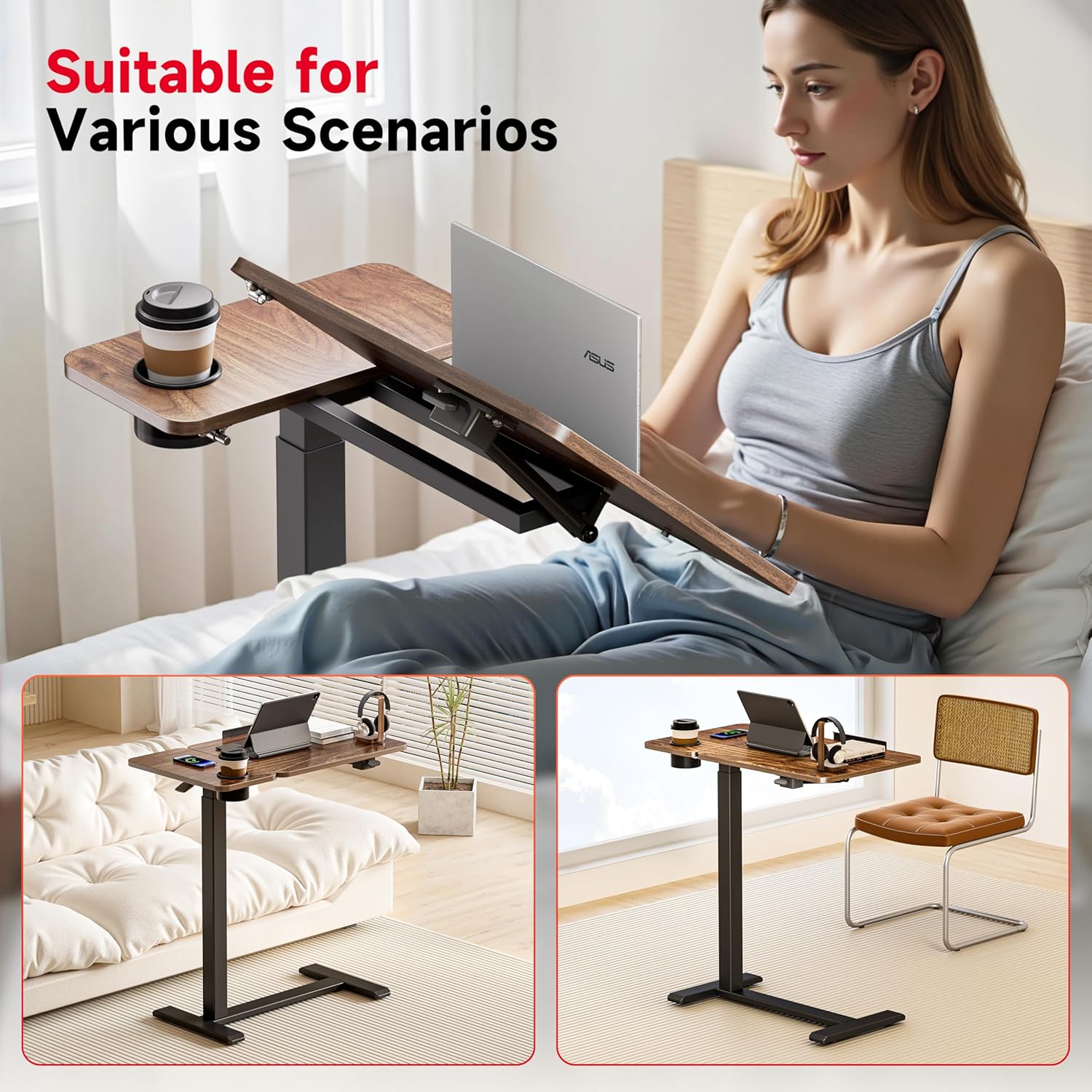
Image 5.4: The table features hidden casters for smooth movement, allowing it to easily slide under furniture.
6. Itọju
- Ninu: Wipe the tabletop and frame with a dry cloth. For stubborn marks, a slightly damp A le lo aṣọ, lẹ́yìn náà a le gbẹ ẹ lẹ́sẹ̀kẹsẹ̀. Yẹra fún àwọn ohun ìfọṣọ tàbí àwọn kẹ́míkà líle.
- Awọn iṣayẹwo deede: Lokọọkan ṣayẹwo gbogbo awọn skru ati awọn fasteners lati rii daju pe wọn wa ni wiwọ. Retighten ti o ba wulo lati ṣetọju iduroṣinṣin.
- Itọju Kẹkẹ: Jeki awọn kẹkẹ laisi eruku ati idoti lati rii daju pe gbigbe dan.
7. Laasigbotitusita
- Tabili Wobbles:
Ojutu: Ensure all assembly screws are securely tightened. Verify the table is on a level surface. - Iṣoro Iṣatunṣe Giga:
Ojutu: Check if the height adjustment lever is fully engaged or disengaged. Ensure there are no obstructions in the pneumatic lifting mechanism. - Desktop Not Tilting Smoothly:
Ojutu: Inspect the tilting mechanism for any obstructions or debris. Ensure the locking mechanism is fully disengaged before attempting to tilt. - Wheels Not Rolling:
Ojutu: Check if the wheels are locked. Clean any hair or debris that may be caught in the wheel casters.
8. Awọn pato

Image 8.1: Detailed dimensions and weight capacity of the Okin Overbed Table.
| Ẹya ara ẹrọ | Ẹ̀kúnrẹ́rẹ́ |
|---|---|
| Nọmba awoṣe | OKPM50502716WAS |
| Awọn iwọn Ọja (D x W x H) | 27.6" x 15.8" x 29.7" (minimum height) |
| Adijositabulu Giga Ibiti | 29.7" si 43.3" |
| Desktop Tilt Range | 0° si 70° |
| O pọju Aimi Fifuye Agbara | 22 lbs (10 kg) |
| Iwọn Nkan | 23.4 iwon |
| Ohun elo fireemu | Alloy Irin |
| Ohun elo ti o ga julọ | Igi |
| Mimọ iga | 1.57 inches |
| Awọn irinše to wa | Itọsọna Apejọ, Ọpa fifi sori ẹrọ |
| Ọja Itoju Awọn ilana | Mu ese pẹlu Asọ Gbẹ |
9. Atilẹyin ọja ati Support
Okin is committed to customer satisfaction. While specific warranty details are not provided in this manual, we offer 24-hour customer service for any pre- or post-purchase issues.
For assistance, please contact us via the Amazon Message Center. Your satisfaction is our priority.