
Ọrọ Iṣaaju
The ATTACK SHARK X8 Ultimate is a high-performance wireless gaming mouse designed for precision and responsiveness. It features a lightweight design, tri-mode connectivity, an advanced PixArt PAW3950MAX sensor, and an 8K polling rate for an optimal gaming experience.

Aworan: Pariview of the ATTACK SHARK X8 Ultimate Wireless Gaming Mouse highlighting its key features.
Awọn ẹya pataki:
- Apẹrẹ-Funwọnwọn: Weighing only 55g, with a Nano-ice coating for comfortable grip during extended use.
- Oṣuwọn Idibo 8K: Supports up to 8KHz polling rate in both wireless and wired modes for low latency and fast response.
- Asopọmọra ipo-mẹta: Seamlessly switch between Bluetooth, 2.4GHz wireless, and wired USB connections.
- PixArt PAW3950MAX Sensor: Advanced gaming sensor with up to 42,000 DPI sensitivity, 700 IPS accuracy, and 60G acceleration.
- Durable Switches & Long Battery Life: Equipped with Omron micro switches rated for over 100 million clicks and an 800mAh battery providing up to 800 hours of intermittent use at 1000Hz polling rate.
- Awakọ awọsanma: Atunse web-based driver for DPI adjustment, polling rate settings, competitive mode, customized buttons, macro recording, and personalized key mapping.
Package Awọn akoonu
Jọwọ ṣayẹwo package fun awọn nkan wọnyi:
- ATTACK SHARK X8 Ultimate Wireless Gaming Mouse
- USB Receiver (2.4GHz)
- Okùn Gbigba agbara/Okùn Détà USB-C
- Afowoyi Olumulo (iwe-ipamọ yii)
Eto Itọsọna
1. Gbigba agbara si Asin
Before first use, it is recommended to fully charge the mouse. Connect the provided USB-C cable to the mouse's charging port and the other end to a USB power source (e.g., computer USB port, USB wall adapter).

Image: The ATTACK SHARK X8 Ultimate mouse connected via its USB-C charging cable, illustrating the 800mAh battery capacity.
The LED indicator on the mouse will show charging status. A full charge provides up to 800 hours of intermittent use at a 1000Hz polling rate.
2. Connecting the Mouse (Tri-mode Connectivity)
The X8 Ultimate mouse offers three connection modes: 2.4GHz Wireless, Bluetooth, and Wired USB.

Image: The ATTACK SHARK X8 Ultimate mouse illustrating its three connection modes: Type-C wired, 2.4GHz wireless, and Bluetooth wireless.
2.1. 2.4GHz Asopọ Alailowaya
- Locate the USB receiver (dongle) included in the package.
- Pulọọgi olugba USB sinu ibudo USB ti o wa lori kọnputa rẹ.
- Turn on the mouse using the power switch located on the bottom. Ensure it is set to 2.4GHz mode (usually indicated by a specific switch position or LED color).
- Asin yẹ ki o sopọ laifọwọyi si kọnputa rẹ.
2.2. Asopọ Bluetooth
- Turn on the mouse and set it to Bluetooth mode (usually indicated by a specific switch position or LED color).
- Lórí kọ̀mpútà tàbí ẹ̀rọ rẹ, lọ sí àwọn ètò Bluetooth kí o sì mú Bluetooth ṣiṣẹ́.
- Wa fun new devices. The mouse should appear as "ATTACK SHARK X8 Ultimate" or similar.
- Yan àsín tí o fẹ́ so pọ̀.
2.3. Asopọ USB onirin
- Connect the provided USB-C cable to the mouse's front port.
- So opin miiran ti okun USB-C si ibudo USB ti o wa lori kọnputa rẹ.
- Asin yoo yipada laifọwọyi si ipo ti firanṣẹ ati bẹrẹ gbigba agbara.
Awọn ilana Iṣiṣẹ
1. Awọn iṣẹ Asin Ipilẹ
- Tẹ osi: Iṣe akọkọ.
- Tẹ-ọtun: Atẹle igbese/akojọ ọrọ-ọrọ.
- Yi lọ Kẹkẹ: Yi lọ soke/isalẹ, tẹ aarin.
- Awọn bọtini ẹgbẹ: Typically for forward/backward navigation in web Àwọn ẹ̀rọ aṣàwákiri. A le ṣe àtúnṣe wọn.
2. DPI Atunṣe
The X8 Ultimate features an adjustable DPI range from 50 to 42,000. DPI settings can be changed using the dedicated DPI button (if present) or through the Cloud Driver software. Refer to the Cloud Driver section for detailed customization.

Image: The ATTACK SHARK X8 Ultimate mouse highlighting the PixArt PAW3950MAX sensor and its capabilities (750 IPS, 60G, 8000Hz wireless polling rate, 50-42000 DPI).
3. Polling Rate Settings
The mouse supports an 8KHz polling rate for both wireless (2.4GHz) and wired modes, reducing operation latency to 0.163ms. The polling rate can be configured via the Cloud Driver software.
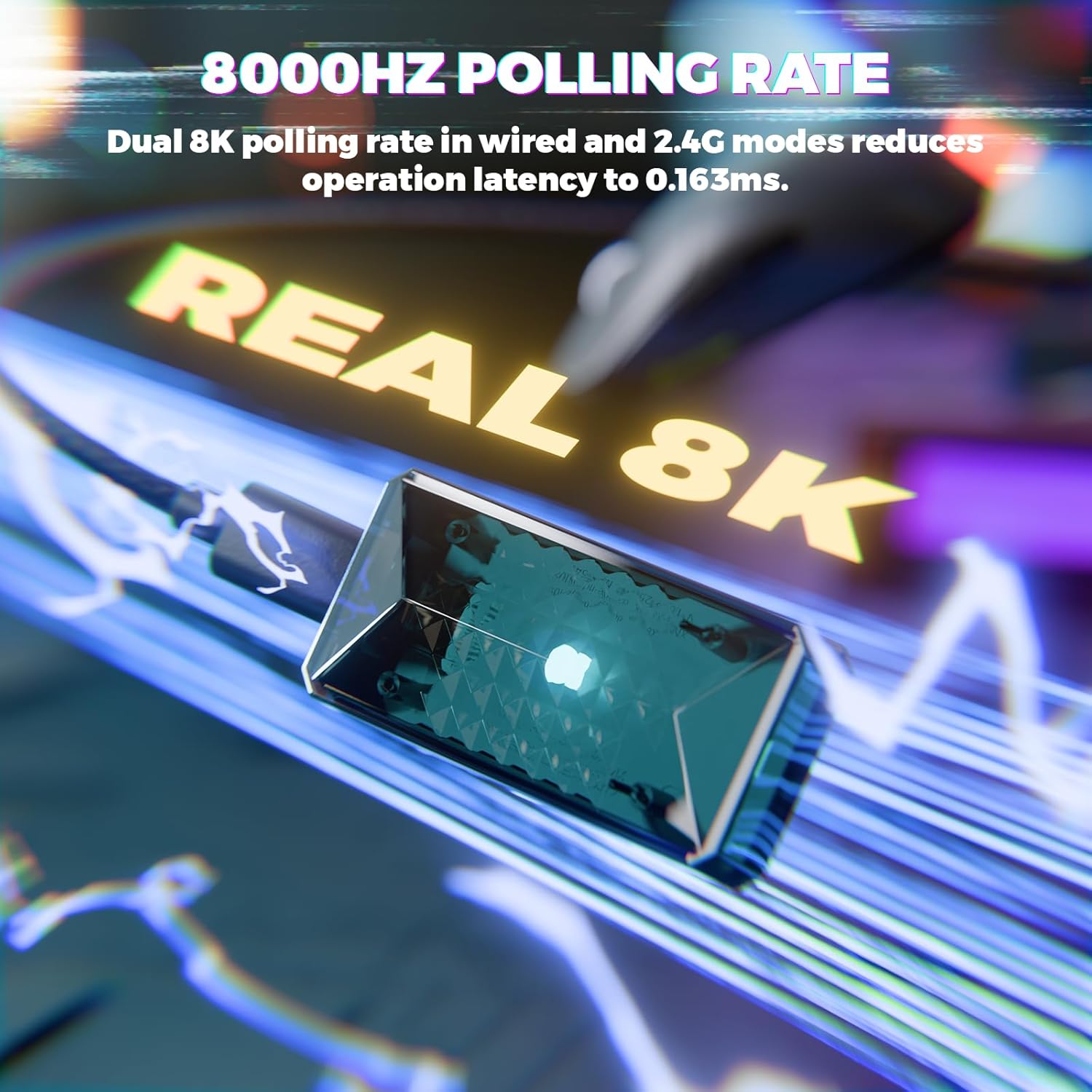
Image: Visual representation of the 8000Hz polling rate feature of the ATTACK SHARK X8 Ultimate mouse.
4. Sọfítíwọ́ọ̀tì Awakọ̀ Aláwọsánmà
The X8 Ultimate utilizes an innovative cloud-driven webpage for customization. This eliminates the need for traditional software installation.
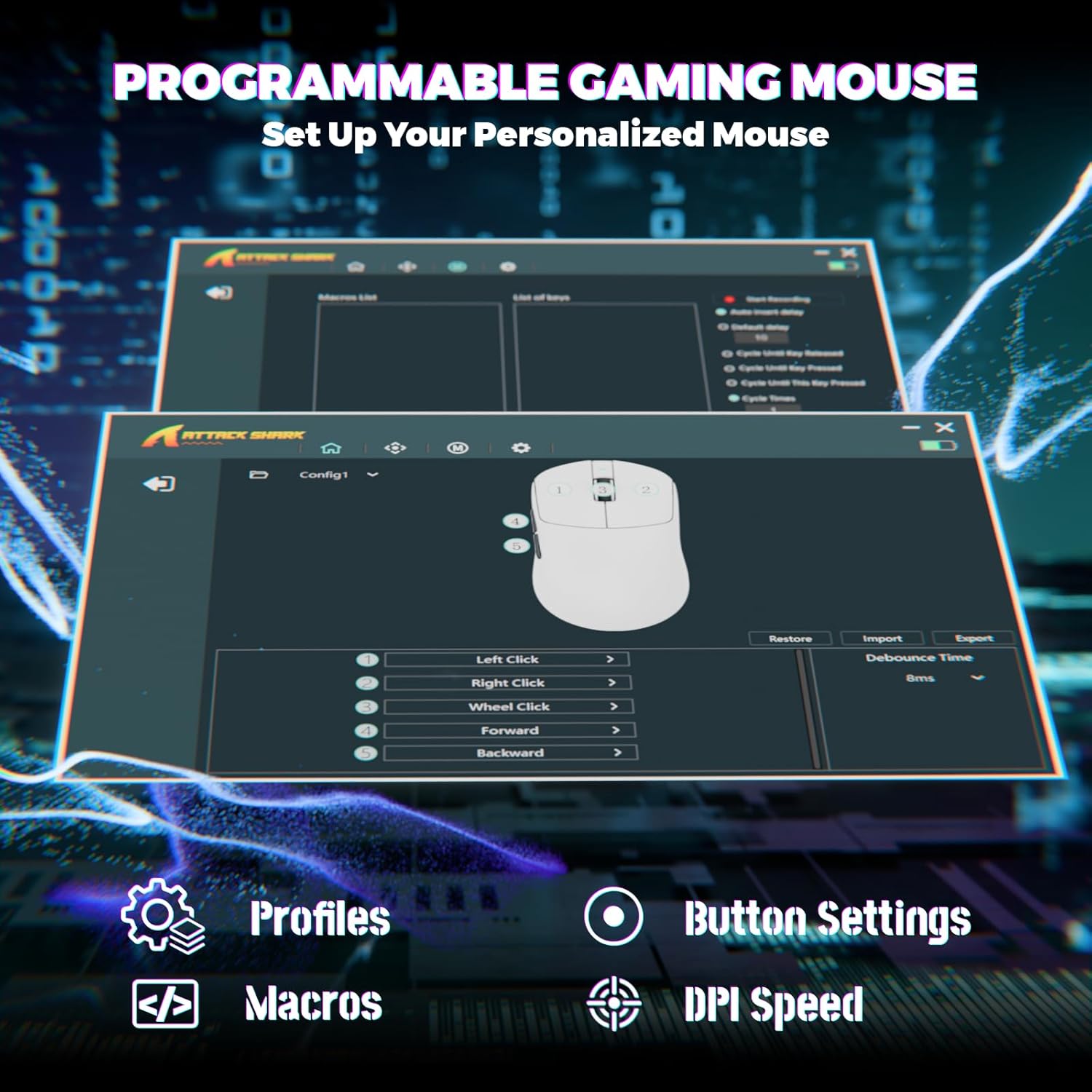
Image: Screenshot of the Cloud Driver interface for the ATTACK SHARK X8 Ultimate mouse, showing options for profiles, button settings, macros, and DPI speed.
To access the Cloud Driver:
- Ensure your mouse is connected to your computer.
- Ṣii a web browser and navigate to the official ATTACK SHARK support page or the specific Cloud Driver URL (refer to packaging or official website for the exact link).
- The open-source driver will automatically identify your computer system.
- From the Cloud Driver interface, you can:
- Ṣe àtúnṣe ìfàmọ́ra DPI.
- Set polling rate.
- Ṣe atunto awọn ipo idije.
- Ṣe akanṣe awọn iṣẹ iyansilẹ bọtini.
- Gba àwọn mákróọ̀kì sílẹ̀ kí o sì yàn wọ́n.
- Personalize key mapping and other advanced functions.
Itoju
1. Ninu
Lati ṣetọju iṣẹ ti o dara julọ ati irisi, nu asin rẹ nigbagbogbo:
- Lo asọ asọ, ti ko ni lint die-die dampened pẹlu omi tabi kan ìwọnba ninu ojutu.
- Avoid harsh chemicals, solvents, or abrasive materials.
- Clean the optical sensor on the bottom of the mouse gently with a cotton swab to ensure accurate tracking.
2. Itọju batiri
Lati pẹ igbesi aye batiri:
- Yago fun ṣiṣafihan asin si awọn iwọn otutu ti o ga (gbona tabi tutu).
- Do not fully discharge the battery frequently. Charge it when the battery indicator is low.
- Ti o ba tọju Asin fun akoko ti o gbooro sii, gba agbara si iwọn 50% ṣaaju ibi ipamọ.
Laasigbotitusita
If you encounter issues with your ATTACK SHARK X8 Ultimate mouse, try the following solutions:
- Asin ko dahun:
- Rii daju pe asin naa ti tan.
- Ṣayẹwo ipele batiri ati gba agbara ti o ba jẹ dandan.
- Verify the connection mode (2.4GHz, Bluetooth, or Wired) is correctly selected and established.
- Fún 2.4GHz, rí i dájú pé a ti so olugba USB mọ́ ọn dáadáa.
- For Bluetooth, ensure Bluetooth is enabled on your device and the mouse is paired.
- Try connecting the mouse via the wired USB cable.
- Asopọmọra tabi aisun:
- Ensure the USB receiver is not obstructed and is close to the mouse.
- Avoid using the mouse near other wireless devices that may cause interference.
- Ṣe imudojuiwọn awọn awakọ USB tabi Bluetooth ti kọmputa rẹ.
- DPI or button settings not working:
- Access the Cloud Driver software to verify and reconfigure your settings.
- Ensure the mouse firmware is up to date (check via Cloud Driver).
- Awọn iṣoro ipasẹ eku:
- Nu sensọ opitika lori isalẹ ti Asin.
- Lo Asin lori mimọ, dada aṣọ tabi paadi asin ti o ni agbara giga.
Awọn pato
| Ẹya ara ẹrọ | Apejuwe |
|---|---|
| Brand | KOLU EYAN |
| Awoṣe | X8 Ultimate |
| Asopọmọra Technology | 2.4Ghz Wireless, Bluetooth, USB (Tri-mode) |
| Imọ-ẹrọ Iwari išipopada | Optical (PixArt PAW3950MAX Sensor) |
| DPI ifamọ | 50 - 42,000 DPI (Atunṣe) |
| Idibo Oṣuwọn | Up to 8000Hz (Wireless/Wired) |
| Isare | 60G |
| Oṣuwọn Ipasẹ | Ọdun 700 IPS |
| Iwọn | 55g (Iwọn-Funwọnwọn) |
| Agbara Batiri | 800mAh |
| Yipada Iru | Omron Micro Switches (100 Million Clicks lifespan) |
| Bọtini opoiye | 5 (Ṣiṣe eto) |
| Ọwọ Iṣalaye | Ambidextrous |
| Awọn ẹrọ ibaramu | Gaming Console, Personal Computer, Tablet |
| Hardware Platform | PC |
| UPC | 752010401109 |

Image: The ATTACK SHARK X8 Ultimate mouse emphasizing its 59g ultra-light design and smooth-gliding double-layer feet.

Aworan: Alaye view of the optical micro switches inside the ATTACK SHARK X8 Ultimate mouse, highlighting their instant click and zero rebound lag features, and 100 million click lifespan.
Atilẹyin ọja ati Support
The ATTACK SHARK X8 Ultimate Wireless Gaming Mouse comes with a 1-odun atilẹyin ọja lati ọjọ ti o ra.
For technical support, warranty claims, or further assistance, please contact ATTACK SHARK customer service through their official website or the retailer where the product was purchased. Please have your proof of purchase and product model information ready.
Ile itaja SHARK Attack osise: Ile itaja Shark Kọlu lori Amazon