
1. Ifihan
Thank you for choosing the ZAQE M4 MP3 Player. This manual provides essential information for setting up, operating, and maintaining your device. Please read it thoroughly to ensure proper use and to fully enjoy its features, including HiFi lossless audio, Bluetooth 5.3 connectivity, FM radio, e-book reader, and video playback.
2. Package Awọn akoonu
Jọwọ ṣayẹwo apoti fun awọn nkan wọnyi:
- 1 x ZAQE M4 MP3 Player
- 1 x Iru-C okun USB
- 1 x Awọn agbekọri ti a firanṣẹ
- 1 x Itọsọna olumulo
- 1 x Ideri Idaabobo

Image: Package contents of the ZAQE M4 MP3 Player.
3. Ọja Ipariview
The ZAQE M4 MP3 Player features a 2.4-inch full touchscreen for intuitive navigation. It is designed to be compact and lightweight for portability.
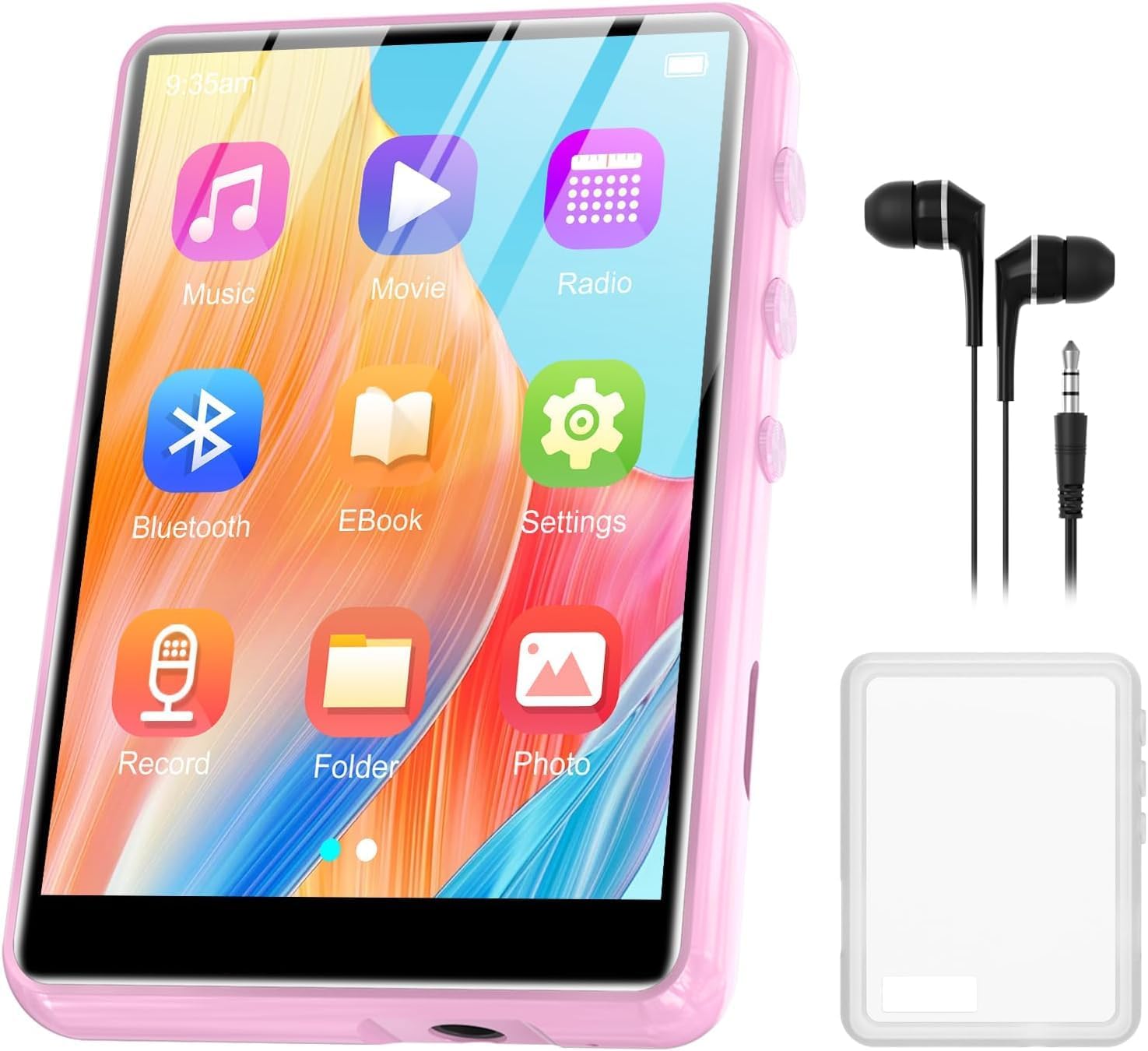
Image: ZAQE M4 MP3 Player with its 2.4-inch full touchscreen.
3.1. Touchscreen Interface
The device is equipped with a highly sensitive 2.4-inch full touchscreen, allowing for easy selection of functions and navigation through menus.
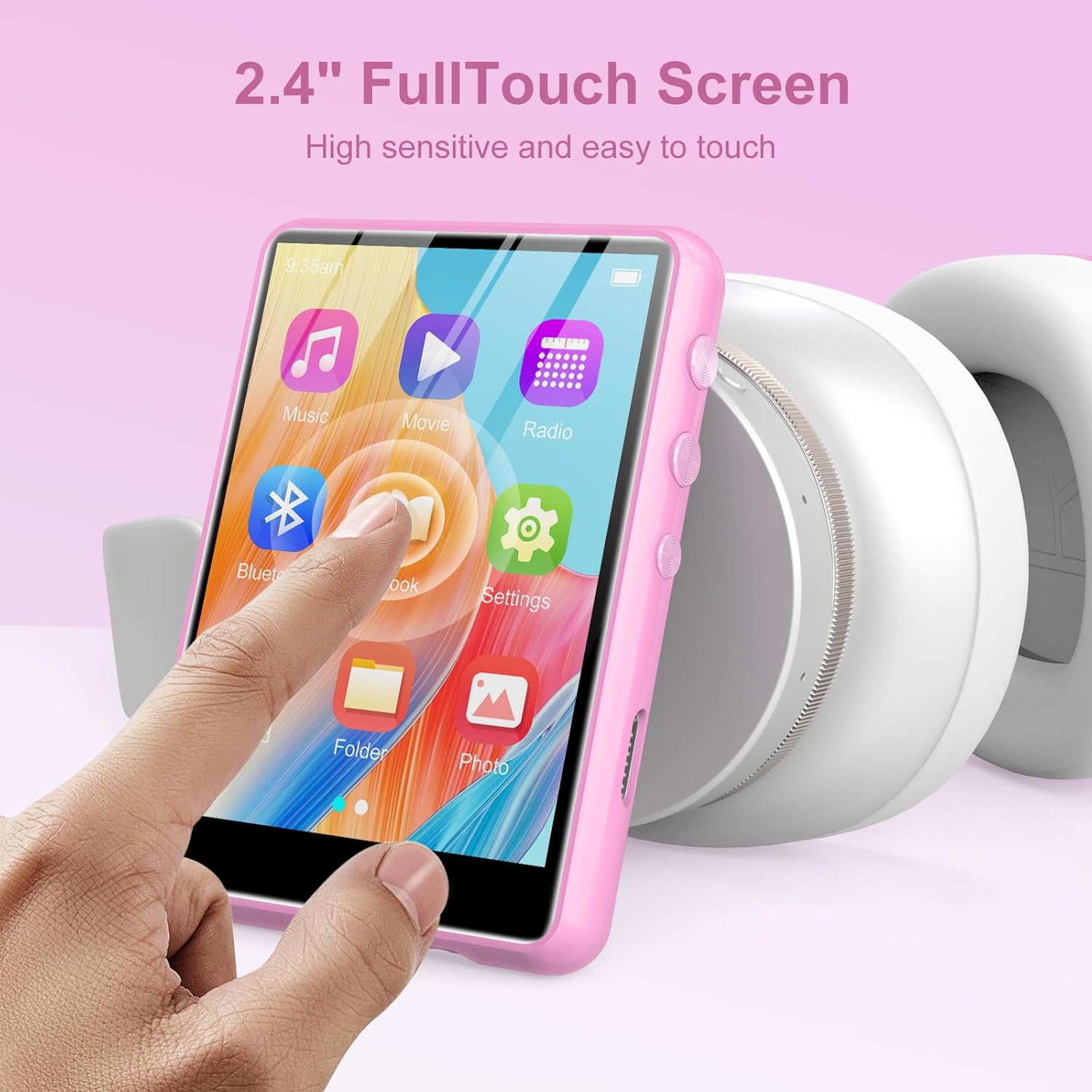
Image: User interacting with the 2.4-inch full touchscreen.
4. Eto
4.1. Ngba agbara ẹrọ
Before first use, fully charge the MP3 player. Connect the provided Type-C USB cable to the player's charging port and the other end to a USB power adapter (not included) or a computer's USB port. The device has a built-in 300mAh rechargeable battery.

Image: The 300mAh battery capacity of the MP3 player.
4.2. Agbara Tan / Paa
- Lati Fi agbara: Tẹ mọlẹ bọtini agbara titi iboju yoo fi tan.
- Lati Paarẹ: Press and hold the power button, then follow the on-screen prompts to shut down.
4.3. Iṣeto ni ibẹrẹ
Upon first power-on, you may be prompted to select a language and set the date/time. Follow the on-screen instructions to complete these initial settings.
5. Awọn ilana Iṣiṣẹ
5.1. Sisisẹsẹhin Orin
The ZAQE M4 supports various audio formats including MP3, WAV, APE, WMA, FLAC, and AAC-LC, offering HiFi lossless sound quality. Navigate to the 'Music' icon on the touchscreen to access your audio library.
- Selecting Music: Tap the 'Music' icon, then browse by artist, album, genre, or folder.
- Awọn idari Sisisẹsẹhin: Use the on-screen controls for play, pause, skip tracks, and volume adjustment.
- Awọn ọna Sisisẹsẹhin: The player supports AB repeat, 8-speed playback, and various playback modes (e.g., shuffle, repeat all, repeat one). An equalizer is also available for sound customization.

Image: HiFi Sound Quality and supported audio formats.

Image: Music playback modes and equalizer settings.
5.2. Sisopọ Bluetooth
The player features Bluetooth 5.3 for stable and fast wireless connections to headphones or speakers.
- Mu Bluetooth ṣiṣẹ: Go to 'Settings' and turn on Bluetooth.
- Pipọpọ: Yan 'Wa fun devices' and choose your Bluetooth headphones or speaker from the list.
- Bluetooth oni-itọnisọna: The device supports bi-directional Bluetooth, allowing it to connect to other Bluetooth devices or act as a Bluetooth source.

Àwòrán: Àwọn àṣàyàn ìsopọ̀ Bluetooth 5.3.

Image: Bi-directional Bluetooth 5.3 functionality.
5.3. Redio FM
Access the 'FM Radio' application to listen to local radio stations. The player also supports recording FM broadcasts.
- Scanning Channels: Use the auto-scan feature to find available stations.
- Gbigbasilẹ: Select the record option within the FM Radio interface to capture audio.

Image: Recordable FM Radio feature.
5.4. Olùkàwé ìwé-ẹ̀rọ itanna
The built-in e-book reader supports TXT format. Transfer your TXT files to the player and open them via the 'E-Book' application.

Image: E-book reader functionality supporting TXT files.
5.5. Sisisẹsẹhin fidio
The player supports AMV and AVI video formats. Transfer compatible video files to the device and access them through the 'Video' application for an excellent viewing experience on the 2.4-inch screen.

Image: Video playback feature with supported formats.
5.6. Agbohunsile
Use the built-in voice recorder to capture audio. The device also supports line-in recording, allowing you to record audio from external sources.

Image: Line-in recording feature using a cable connected to an external device.
5.7. Agbọrọsọ inu
The MP3 player includes a built-in speaker, allowing you to enjoy music without headphones. This feature is convenient for sharing audio or for personal listening in quiet environments.

Image: The MP3 player's built-in speaker functionality.
6. Memory Imugboroosi
The ZAQE M4 MP3 Player comes with 64GB of internal memory, capable of storing thousands of songs. For additional storage, the device supports a TF (microSD) card up to 128GB (not included).
- Fi Kaadi TF kan sii: Locate the TF card slot on the side of the player. Gently insert the card until it clicks into place.
- Removing a TF Card: Gently push the card inward until it springs out, then pull it out.

Image: Internal 64GB memory and microSD card expansion slot.

Image: Built-in 64GB memory.
7. Itọju
- Ninu: Lo asọ asọ ti o gbẹ lati nu ẹrọ naa. Yago fun awọn olutọpa omi tabi awọn ohun elo abrasive.
- Ibi ipamọ: Tọju ẹrọ orin ni itura, aye gbigbẹ kuro lati orun taara ati awọn iwọn otutu to gaju.
- Itọju Batiri: Lati pẹ aye batiri, yago fun gbigba agbara si batiri ni kikun nigbagbogbo. Gba agbara si ẹrọ nigbagbogbo, paapaa ti ko ba wa ni lilo fun awọn akoko ti o gbooro sii.
- Ideri Aabo: Use the provided protective cover to guard against scratches and minor impacts.
8. Laasigbotitusita
- Ẹrọ kii yoo tan: Ensure the battery is charged. Connect the player to a power source using the Type-C cable. If the issue persists, try a soft reset by holding the power button for 10-15 seconds.
- Cannot connect to Bluetooth device: Ensure Bluetooth is enabled on both the MP3 player and the target device. Make sure both devices are within range and in pairing mode. Try restarting both devices.
- Ko si ohun: Check the volume level. Ensure headphones are properly connected or Bluetooth is paired correctly. Test with different headphones or speakers.
- Fileko dun: Verify that the audio/video files are in a supported format (MP3, WAV, APE, WMA, FLAC, AAC-LC for audio; AMV, AVI for video; TXT for e-books). Ensure files ko baje.
- Iboju ko dahun: Try restarting the device. If the issue continues, ensure the screen is clean and dry.
9. Awọn pato
| Ẹya ara ẹrọ | Sipesifikesonu |
|---|---|
| Awoṣe | M4 |
| Iwon iboju | 2.4 inches (Iboju Fọwọkan ni kikun) |
| Ti abẹnu Memory | 64 GB |
| Expandable Memory | Up to 128GB (TF/MicroSD card) |
| Ẹya Bluetooth | 5.3 (Bi-directional) |
| Awọn ọna kika Audio atilẹyin | MP3, WAV, APE, WMA, FLAC, AAC-LC |
| Awọn ọna kika fidio atilẹyin | AMV, AVI |
| Supported E-Book Format | TXT |
| Agbara Batiri | 300mAh (Agba agbara) |
| Iwọn Nkan | 198.62 Giramu (iwọn 7 iwon) |
| Afikun Awọn ẹya ara ẹrọ | Built-in Speaker, FM Radio (Recordable), Voice Recorder (Line-in support), Alarm Clock |
10. Atilẹyin ọja ati Support
The ZAQE M4 MP3 Player comes with a standard manufacturer's warranty. For detailed warranty information, please refer to the warranty card included in your package or contact ZAQE customer support.
If you encounter any issues or have questions not covered in this manual, please contact our customer support team for assistance. Contact details can typically be found on the product packaging or the official ZAQE webojula.