
Ọrọ Iṣaaju
This manual provides detailed instructions for the proper use and maintenance of your CAMMHD H4 1920P Body Camera. Please read this manual thoroughly before operating the device to ensure optimal performance and longevity. The CAMMHD H4 is designed for reliable audio and video recording in various professional and personal scenarios, featuring 1920P Full HD resolution, night vision, and a long-lasting battery.

Image: The CAMMHD H4 Body Camera, illustrating its compact design and 360-degree rotating clip for versatile attachment.
Ohun ti o wa ninu Apoti
Daju pe gbogbo awọn nkan ti a ṣe akojọ rẹ si isalẹ wa ninu package rẹ:
- 1* H4 Body Camera (with 64GB memory pre-installed)
- 1* 360° Rotating Long Clip
- 1* 360° Rotating Short Clip
- 1* Ṣaja
- 1* Okun USB
- 1 * Itọsọna olumulo

Image: All components included with the CAMMHD H4 Body Camera: the camera unit, long clip, short clip, USB cable, charger, and user manual.
Ọja Pariview
The CAMMHD H4 Body Camera is a compact and robust recording device. It features a high-definition lens, infrared LEDs for night vision, and intuitive controls for easy operation. The device is designed for durability and versatility in various environments.

Image: The CAMMHD H4 Body Camera highlighting its one-touch start buttons for video and audio recording, emphasizing user-friendly operation.
Awọn ẹya pataki:
- 1920P Full HD Video Resolution: Yaworan foo ko o ati alayetage.
- Batiri 3000mAh: Provides 8-10 hours of continuous recording at 1080P (night vision off, screen idle).
- Auto/Manual Night Vision: High-power infrared for clear recording in low light or darkness.
- Lẹ́nsì igun gbigboro 150°: Expansive field of view.
- Gbigbasilẹ Loop: Overwrites oldest footage nigbati ipamọ ti kun.
- Iwari išipopada: Records when movement is detected.
- Idaabobo Ọrọigbaniwọle: Secures recorded data.
- Akoko St.amp: Embeds date and time into recordings.
Ṣeto
1. Ngba agbara ẹrọ
Before first use, fully charge the body camera. Connect the USB cable to the camera and then to the provided charger. Plug the charger into a standard wall outlet. The charging indicator light will show the charging status. A full charge typically takes about 4 hours.

Image: The CAMMHD H4 Body Camera emphasizing its 3000mAh battery, capable of 8 hours of continuous use.
2. Attaching the Clip
Select either the long or short 360° rotating clip based on your preference. Attach the clip to the back of the camera by sliding it into the designated slot until it clicks securely into place. The clip allows for flexible mounting on clothing or gear.
3. Agbara lori / Paa
- Agbara Tan: Press and hold the Power button for a few seconds until the screen illuminates.
- Agbara Pa: Tẹ bọtini agbara naa ki o si mu titi ti ẹrọ naa yoo fi pa.
Awọn ilana Iṣiṣẹ
1. Gbigbasilẹ fidio
From standby mode, press the dedicated Video Record button once to start recording. The indicator light will flash, and a recording icon will appear on the screen. Press the button again to stop recording. Videos are saved automatically.
2. Gbigbasilẹ ohun
From standby mode, press the dedicated Audio Record button once to start audio-only recording. An audio recording icon will appear. Press the button again to stop recording. Audio files ti wa ni fipamọ laifọwọyi.
3. Fọto Yaworan
From standby mode, press the Photo button once to take a still image. The screen may briefly flash, indicating a photo has been captured.
4. Night Iran
The camera features automatic and manual night vision. In low-light conditions, the camera can automatically activate its infrared LEDs. You can also manually toggle night vision on or off via the menu settings or a dedicated button (refer to device interface for specific button). Ensure clear visibility in dark environments.
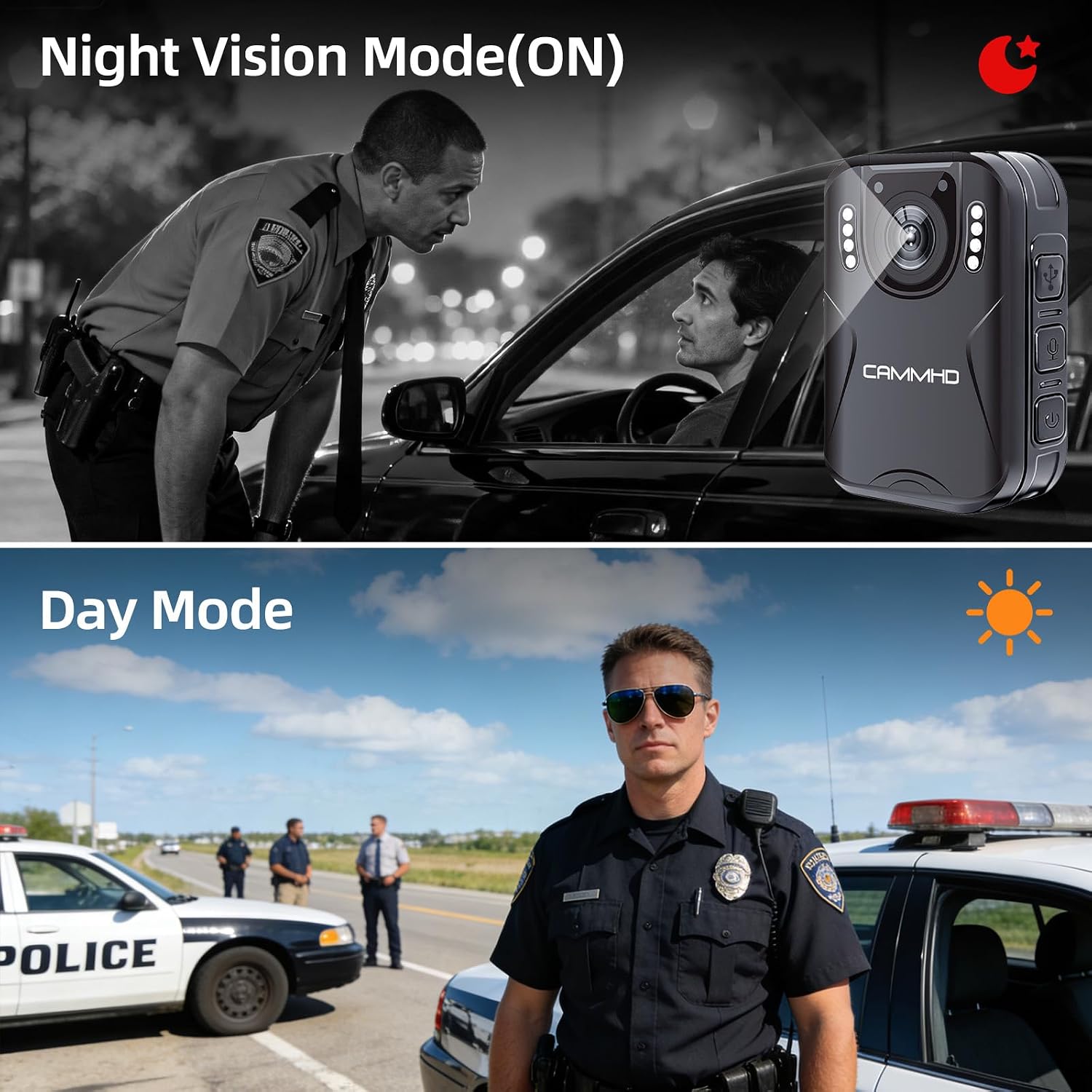
Image: Illustrates the difference between Night Vision Mode (ON) and Day Mode, showing clear visibility in dark conditions with the CAMMHD H4.
5. Loop Gbigbasilẹ
When enabled, loop recording allows the camera to continuously record. Once the memory card is full, the oldest files will be automatically overwritten by new recordings. This ensures continuous operation without manual deletion of old files.
6. išipopada erin
Activate motion detection in the camera settings. When enabled, the camera will automatically begin recording when it detects movement within its field of view and stop when motion ceases, conserving battery and storage space.
7. Password Protection and Time Stamp
The camera supports password protection to secure your recorded data. Access the settings menu to set up or change your password. The time stamp feature automatically embeds the date and time onto all recordings, providing crucial chronological evidence.
Itoju
- Ninu: Lo aṣọ rirọ ati gbigbẹ lati nu ara kamẹra naa. Fun lẹnsi naa, lo aṣọ mimọ lẹnsi pataki ati ojutu lati yago fun gige.
- Ibi ipamọ: Tọju kamẹra naa ni itura, aye gbigbẹ kuro lati orun taara ati awọn iwọn otutu to gaju.
- Itọju Batiri: Láti mú kí batiri pẹ́ sí i, má ṣe jẹ́ kí batiri náà máa jáde nígbà gbogbo. Gba agbára kámẹ́rà náà déédéé, kódà bí kò bá tiẹ̀ wà ní lílò, láti lè máa rí ìlera bátírì.
- Awọn imudojuiwọn famuwia: Ṣayẹwo awọn olupese ká webaaye lorekore fun eyikeyi awọn imudojuiwọn famuwia ti o wa lati rii daju iṣẹ ti o dara julọ ati awọn ẹya tuntun.
Laasigbotitusita
| Isoro | Owun to le Fa | Ojutu |
|---|---|---|
| Kamẹra ko ṣiṣẹ. | Batiri kekere; iṣẹ ṣiṣe ẹrọ naa ko dara. | Charge the camera for at least 4 hours. If still unresponsive, contact support. |
| Kò le gba fidio/ohun silẹ. | Memory card full; memory card error; incorrect mode. | Check available storage. Format the memory card (this will erase all data). Ensure you are in the correct recording mode. |
| Didara fidio ti ko dara. | Lẹ́nsì ìdọ̀tí; àwọn ipò ìmọ́lẹ̀ tí kò tó; ètò ìpinnu tí kò tọ́. | Clean the lens. Activate night vision in low light. Check video resolution settings in the menu. |
| Batiri n ṣan ni kiakia. | Continuous recording; night vision active; screen always on. | Reduce continuous recording time. Turn off night vision when not needed. Set screen to idle or turn off display. |
Awọn pato
| Brand | CAMMHD |
| Orukọ awoṣe | CAMMHD-H4 |
| Ipinnu Yaworan fidio | 1920p |
| Ipinnu sensọ Fọto | 4 MP |
| Viewigun igun | Awọn iwọn 170 |
| Agbara Batiri | 3000mAh |
| Tesiwaju Gbigbasilẹ Time | 8-10 hours (at 1080P, night vision off, screen idle) |
| Akoko gbigba agbara | O fẹrẹ to awọn wakati 4 |
| Asopọmọra Technology | USB |
| Ibi ipamọ | 64GB (pre-installed Micro SD) |
| Awọn iwọn Nkan | 1.03 x 2.08 x 2.99 inches |
| Iwọn Nkan | 110 giramu |
| Àwọ̀ | Dudu |
Atilẹyin ọja ati Support
Atilẹyin ọja olupese
CAMMHD offers a warranty for its products. If there is any quality problem within 30 working days after purchase, you may apply for returning the goods. Please retain your proof of purchase for warranty claims.
Onibara Support
For technical assistance, troubleshooting, or warranty inquiries, please contact CAMMHD customer support. Refer to the product packaging or the official CAMMHD webojula fun awọn julọ lọwọlọwọ alaye olubasọrọ.
O tun le ṣàbẹwò awọn CAMMHD Store on Amazon fun alaye ọja diẹ sii ati awọn orisun atilẹyin.