
1. Ifihan
The AFERIY P280 Portable Power Station is a versatile and robust energy solution designed for various applications, from home backup during power outages to outdoor adventures like camping and RV trips. This manual provides essential information on the product's features, setup, operation, and maintenance to ensure safe and efficient use.
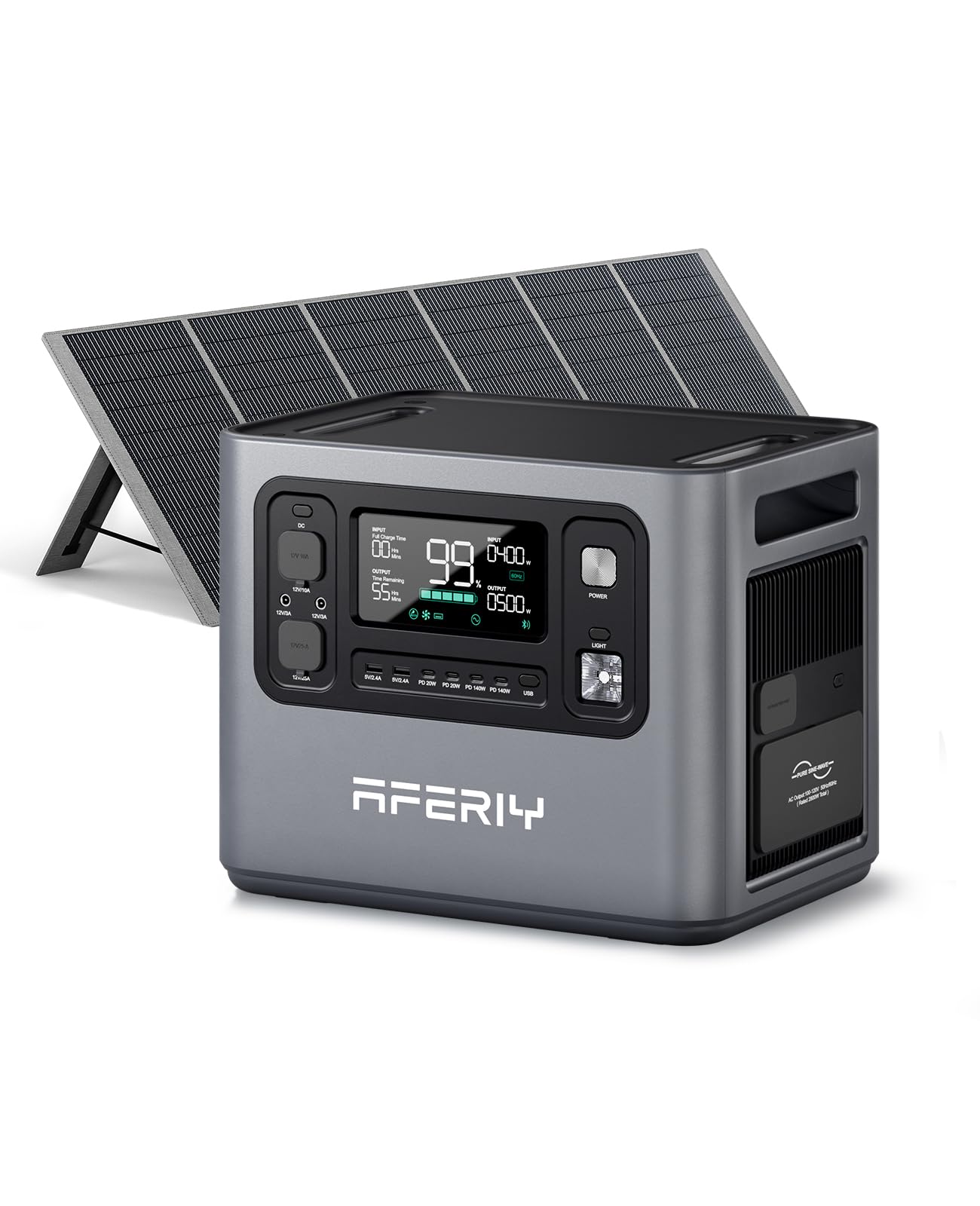
Image 1: AFERIY P280 Portable Power Station with 400W Solar Panel.
The P280 offers a 2048Wh LiFePO4 battery capacity, expandable up to 10.24kWh with additional batteries. It delivers 2800W of continuous pure sine wave AC output and supports multiple charging methods, including 1800W AC input and 1200W PV input for rapid recharging. Its UPS functionality ensures seamless power transition during outages, protecting sensitive electronics.
Video 1: AFERIY P280 Power Station Overview. This video provides a comprehensive introduction to the AFERIY P280, highlighting its features, usage scenarios, and setup procedures.
2. Ohun ti o wa ninu Apoti
Upon unboxing your AFERIY P280, please verify that all components are present:
- 1 x AFERIY P280 2800W Portable Power Station
- 1 x 400W Solar Panel (if purchased as a bundle)
- 1 x Itọsọna olumulo
- 1 x AC Ngba agbara USB
- 1 x MC4-XT90 Cable
- 1 x Kaadi atilẹyin ọja
- 1 x Eruku Ideri

Image 2: Contents of the AFERIY P280 package, including the power station, solar panel, and various cables.
3. Ọja Ipariview
3.1 Oniru ati Portability
The AFERIY P280 features a clean, square, and modern design with rugged elegance. Its cube-like structure includes built-in handles on the top sides for easy movement and portability.
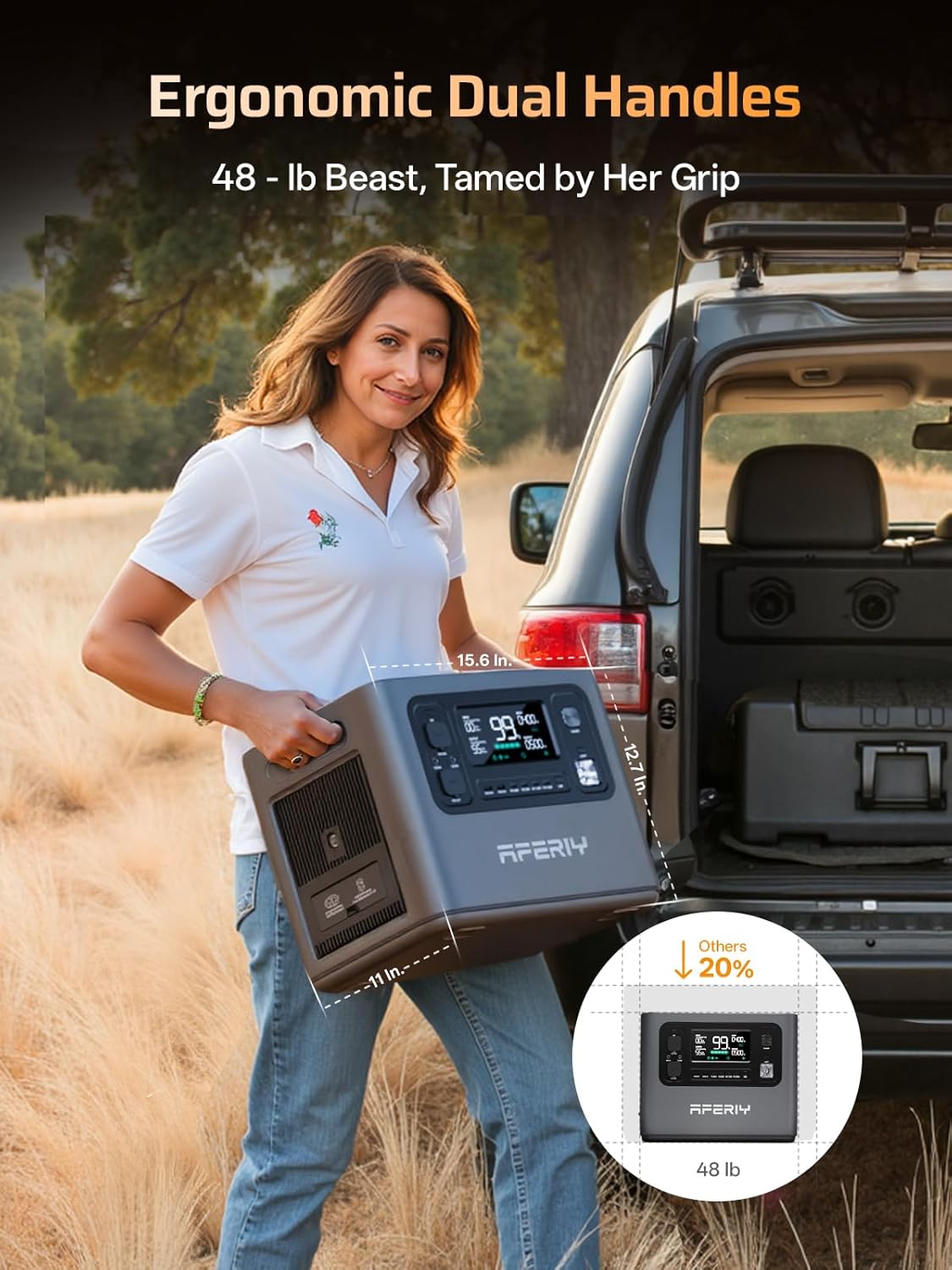
Image 3: The AFERIY P280 showcasing its ergonomic dual handles for easy transport.
3.2 Front Panel and Output Ports
The front panel of the P280 is equipped with an intuitive LCD screen and various output ports:
- Iboju LCD: Displays power levels, input power, output power, and remaining charge time.
- Awọn ibudo USB-A: Two 5V/2.4A (12W) ports.
- Awọn ibudo USB-C: Four ports, including two 20W PD and two 140W PD ports for fast charging.
- DC Iṣelọpọ: 12V car port and XT60 DC port for professional tools.
- Ijade AC: Four 110V AC outlets and one 30A AC output (NEMA TT-30) on the right side, providing up to 2800W total.

Aworan 4: alaye view of the AFERIY P280's front panel, highlighting the LCD display and diverse output options.
3.3 Awọn ibudo igbewọle
The left side of the P280 features three input ports:
- Iṣawọle AC: 1800W max for rapid wall charging.
- Iṣawọle Oorun: Two DC (XT90) input ports, supporting a total of 1200W (600W*2) from solar panels.

Image 5: The rear panel of the AFERIY P280, illustrating the AC and dual solar input ports.
4. Eto
4.1 Gbigba agbara akọkọ
Before first use, it is recommended to fully charge your AFERIY P280. Connect the AC charging cable to a standard wall outlet. The LCD screen will indicate charging status and estimated time to full charge.
4.2 Àwọn Pánẹ́lì Oòrùn Tó Sopọ̀
For solar charging, unfold your 400W solar panel and position it to maximize sunlight exposure. Connect the MC4-XT90 cable from the solar panel to one of the DC (XT90) input ports on the P280. The power station supports dual PV inputs for faster charging.

Image 6: The AFERIY P280 being charged by solar panels in an outdoor setting.
5. Awọn ilana Iṣiṣẹ
5.1 Titan / Pa a
Press and hold the 'POWER' button on the front panel to turn the unit on or off. The LCD screen will illuminate upon activation.
5.2 Lilo o wu Ports
To use any output port (AC, DC, USB), ensure the corresponding output button (e.g., 'AC', 'DC', 'USB') is pressed to activate the power supply to those ports. The LCD screen will show the output wattage.
5.3 LCD Ifihan Alaye
The LCD screen provides real-time data:
- Batiri Percentage: Current charge level.
- Agbara titẹ sii (W): Power being drawn during charging.
- Agbara Ijade (W): Power being consumed by connected devices.
- Aago ti o ku: Estimated time until full charge or depletion based on current usage.
- Awọn Atọka Ipo Icons for AC, DC, USB, and fan status.
6. Awọn aṣayan gbigba agbara
The AFERIY P280 offers multiple flexible charging options:
- Gbigba agbara AC: Utilizes 1800W AC input, charging from 0% to 80% in approximately 38 minutes, and fully charged in 1 hour.
- Gbigba agbara Oorun: Supports up to 1200W PV input, allowing full charge in 2 hours under optimal solar conditions.
- Gbigba agbara ọkọ ayọkẹlẹ: Can be charged via a car adapter, with faster charging possible using an optional AFERIY DC600 Charger.
- AC + Solar Dual Charging: Combine AC and solar inputs for the fastest possible recharge.

Image 7: The AFERIY P280 demonstrating its super AC fast charge feature, reaching 80% in 55 minutes.
7. Expandable Capacity
The AFERIY P280's base capacity of 2048Wh can be expanded significantly by connecting up to four additional expansion batteries. This modular design allows you to scale your power storage up to an impressive 10.24kWh, providing extended backup power for various needs.
7.1 Connecting Expansion Batteries
- Stack the Haven2800 Pro (P280) unit on top of the expansion batteries.
- Plug the parallel cable into the parallel port on the power station.
- Cross-connect the power station and each expansion battery using the provided parallel cables.

Image 8: The AFERIY P280 demonstrating its expandable capacity by stacking with four additional batteries, reaching 10.24kWh.
8. Smart App Iṣakoso
The AFERIY P280 can be monitored and controlled remotely via a dedicated smartphone application. This app allows you to:
- Check battery energy levels and output status.
- Monitor input and output power in real-time.
- Schedule charging during off-peak hours to optimize energy costs.
- Manage various settings and receive status updates.

Image 9: The AFERIY smart app interface, showing remote monitoring and control capabilities for the power station.
9. Safety and Battery Technology
The P280 is built with safety and longevity in mind:
- Batiri LiFePO4: Features automotive-grade LiFePO4 battery cells, offering 4000+ charge cycles and a 10-year lifespan.
- Ayípadà Ìgbì Sine Mímọ́: Delivers stable and clean power, protecting sensitive appliances from damage.
- Iṣẹ́ UPS: Provides an Uninterruptible Power Supply (UPS) with a switchover time of less than 10ms, crucial for medical devices and computers.
- Isẹ idakẹjẹ: Operates at a low noise level (around 25dB), making it suitable for indoor use without disturbance.
- Six-Layer Protection System: Incorporates multiple safety mechanisms to ensure reliable and secure operation.

Image 10: An illustration of the AFERIY P280's internal LiFePO4 battery cells and its six-layer protection system, emphasizing extended lifespan and safety.
10. Lo Awọn ọran
10.1 Home Backup
The P280 serves as a reliable backup power source for your home, keeping essential appliances running during power outages. Its UPS feature ensures that critical devices like medical equipment and computers remain operational without interruption.

Image 11: The AFERIY P280 acting as an Uninterruptible Power Supply (UPS) for a home office setup, ensuring continuous power.
10.2 Outdoor and Off-Grid Applications
With its portable design and multiple output ports, the P280 is ideal for outdoor activities and off-grid living. Power your camping equipment, RV appliances, and portable tools with ease.
- Camping: Run electric skillets, ice makers, projectors, and charge drones or cameras.
- RV Use: Dual PV inputs make it a perfect power partner for RVs, allowing you to save money on upgrades.
- Portable Life: Power corded mowers, power saws, drills, chainsaws, electric hammers, and water pumps.

Image 12: The AFERIY P280 providing power for various devices at a beach campsite, demonstrating its utility for outdoor adventures.
11. Itọju
To ensure the longevity and optimal performance of your AFERIY P280 Portable Power Station, follow these general maintenance guidelines:
- Ninu igbagbogbo: Keep the unit clean and free from dust and debris. Use a dry, soft cloth for cleaning. Ensure ventilation openings are clear.
- Ibi ipamọ: When not in use for extended periods, store the power station in a cool, dry place away from direct sunlight and extreme temperatures. It is recommended to charge the unit to about 50-80% before storage and recharge every 3-6 months to prevent battery degradation.
- Yago fun Awọn iwọn otutu to gaju: Do not operate or store the unit in excessively hot or cold environments. Refer to the specifications for recommended operating and storage temperature ranges.
- Mu pẹlu Itọju: Yago fun gbigbe silẹ tabi tẹriba ẹyọ si awọn ipa to lagbara.
12. Laasigbotitusita
If you encounter any issues with your AFERIY P280, please refer to the following basic troubleshooting steps:
- Ẹka Ko Tii: Rí i dájú pé batiri náà ti gba agbára. Tí kò bá rí bẹ́ẹ̀, so mọ́ ẹ̀rọ AC láti gba agbára.
- Ko si Ijade lati Awọn ibudo: Verify that the specific output (AC, DC, USB) is activated by pressing its respective button. Check if the connected device is working correctly.
- Idaabobo Apọju: If an overload occurs, the unit may shut down. Disconnect some devices and restart the power station. The P280 has an overload protection button on the side.
- Awọn ọran gbigba agbara: For solar charging, ensure panels are in direct sunlight and cables are securely connected. For AC charging, check the power cable and wall outlet.
- App Asopọmọra: Ensure Bluetooth is enabled on your phone and the power station is within range. Restart the app or the power station if connection issues persist.
For more detailed troubleshooting or persistent issues, please contact AFERIY customer support.
13. Awọn pato
| Ẹya ara ẹrọ | Ẹ̀kúnrẹ́rẹ́ |
|---|---|
| Brand | AFERIY |
| Orukọ awoṣe | AF-P280 |
| Agbara Batiri | 2048Wh LiFePO4 (Expandable to 10.24kWh) |
| Ijade Wattage | 2800W (Igbi Sine mimọ) |
| Iṣagbewọle AC | Iye ti o ga julọ ti 1800W |
| Iṣawọle PV | 1200W (600W*2) |
| UPS Mode Rated | 2400W (Switchover <10ms) |
| Ṣiṣejade USB-A | 2 x 5V/2.4A |
| USB-C o wu | 2 x PD 20W, 2 x PD 140W |
| Ọkọ Port o wu | 12V/10A |
| XT60 DC Ijade | 12V/25A |
| AC wu Voltage | 100-120V 50Hz / 60Hz |
| Iwọn Nkan | 58.5 iwon |
| Awọn iwọn Nkan L x W x H | 15.43"L x 10.98"W x 12.72"H |
14. Atilẹyin ọja ati Support
The AFERIY P280 Portable Power Station comes with a standard 2-year warranty. By contacting AFERIY customer service, you can extend this warranty up to 7 years, ensuring long-term peace of mind.
For further support, product information, or to connect with other AFERIY users, you are invited to join the official AFERIY User Group on Facebook. This community provides a platform for sharing experiences, asking questions, and staying updated on product news.

Image 13: Visual representation of the AFERIY P280's extended 7-year warranty and support.