
1. Ifihan
The Daitsu Velar ceiling fan combines design, technology, and sustainability to provide comfort throughout the year. Its natural FSC-certified wooden blades, sourced from responsibly managed forests, add warmth to any room while committing to the protection of the planet's forest resources.
This manual provides detailed instructions for the safe installation, operation, and maintenance of your Daitsu Velar ceiling fan. Please read it thoroughly before installation and keep it for future reference.
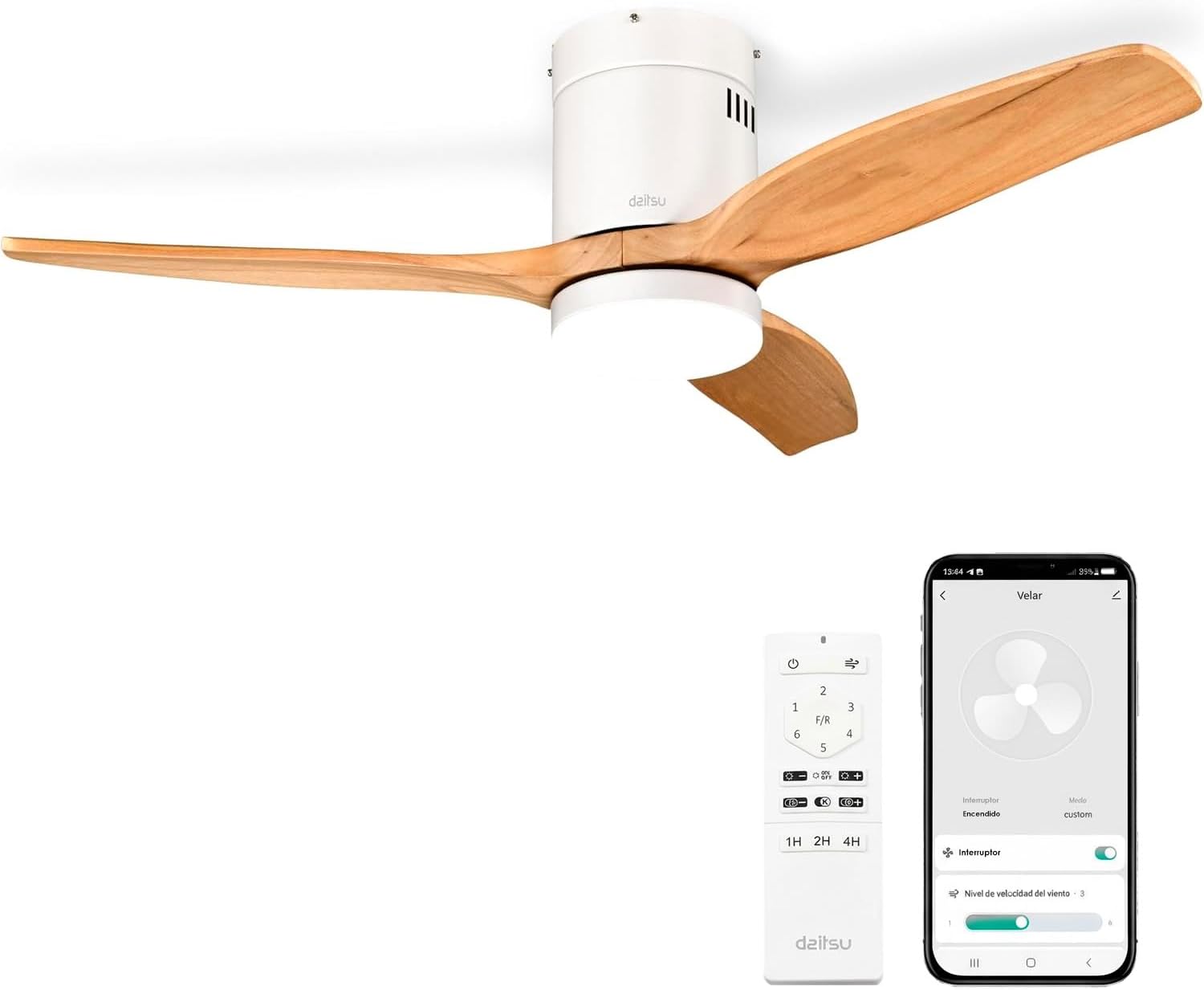
Image 1.1: Daitsu Velar Ceiling Fan in a living room setting.
2. Alaye Aabo
Awọn Itọsọna Aabo pataki:
- Ka gbogbo awọn itọnisọna ni pẹkipẹki ṣaaju fifi sori ẹrọ ati lo.
- Rii daju pe ipese agbara ti ge-asopo ni ẹrọ fifọ akọkọ ṣaaju fifi sori ẹrọ tabi itọju.
- Onímọ̀ ẹ̀rọ iná mànàmáná tó mọ̀ nípa rẹ̀ gbọ́dọ̀ fi sori ẹ̀rọ náà ní ìbámu pẹ̀lú àwọn ìlànà iná mànàmáná àdúgbò.
- Eto fifi sori ẹrọ naa gbọdọ ni agbara lati gbe iwuwo afẹfẹ naa (to iwọn 4.6 kg).
- Ensure the fan blades are at least 2.3 meters (7.5 feet) from the floor and have at least 0.5 meters (1.6 feet) clearance from walls or other obstructions.
- Má ṣe fi àwọn nǹkan sínú ojú ọ̀nà àwọn abẹ́ tí ń yípo.
- Do not attempt to repair or modify the fan yourself. Contact qualified service personnel.
- Ohun elo yii wa fun lilo inu ile nikan.
3. Package Awọn akoonu
Before beginning installation, verify that all components are present and undamaged:
- Awọn abẹfẹfẹ Fan (3x)
- Motor and Ceiling Mount Bracket
- LED Light Kit (plate + diffuser)
- Wireless Remote Control and Wall Mount Holder
- Mounting Screws (for ceiling and blades)
- Ilana Afowoyi (iwe yii)

Aworan 3.1: Example of product packaging, indicating included components.
4. Eto ati fifi sori
Awọn irinṣẹ ti a beere: Screwdriver, wire strippers, electrical tape, ladder, drill (if necessary).
- Ge asopọ agbara: Pa agbara ni ibi fifọ iyipo akọkọ lati ṣe idiwọ mọnamọna ina.
- Fifi sori akọmọ iṣagbesori: Securely attach the ceiling mount bracket to a ceiling joist or a suitable electrical junction box capable of supporting the fan's weight. Use the provided mounting screws.
- Asopọmọra: Connect the fan's electrical wires to the household wiring according to the wiring diagram in the full installation guide (not provided here, but typically included with the product). Ensure all connections are secure and insulated.
- Apejọ mọto: Farabalẹ gbe apejọ mọto àìpẹ naa ki o gbe sori akọmọ iṣagbesori.
- Asomọ Blade: Attach the three wooden blades to the motor housing using the provided screws. Ensure they are securely fastened.
- LED Light Kit Installation: Connect the LED light kit wiring and attach the light plate and diffuser to the bottom of the fan motor housing.
- Fifi sori ibori: Gbe ibori naa soke si aja ki o si so o mọ lati bo okùn ati ibi-iduro naa.
- Imupadabọ agbara: Mu pada agbara ni akọkọ Circuit fifọ.
- Eto Iṣakoso Latọna jijin: Insert batteries into the remote control. The fan should be ready for operation.
- Wi-Fi App Setup (Daitsu Connect):
- Download the "Daitsu Connect" app from your smartphone's app store.
- Follow the in-app instructions to pair your fan with your mobile device. This typically involves putting the fan into pairing mode (refer to the full app manual for specific steps).
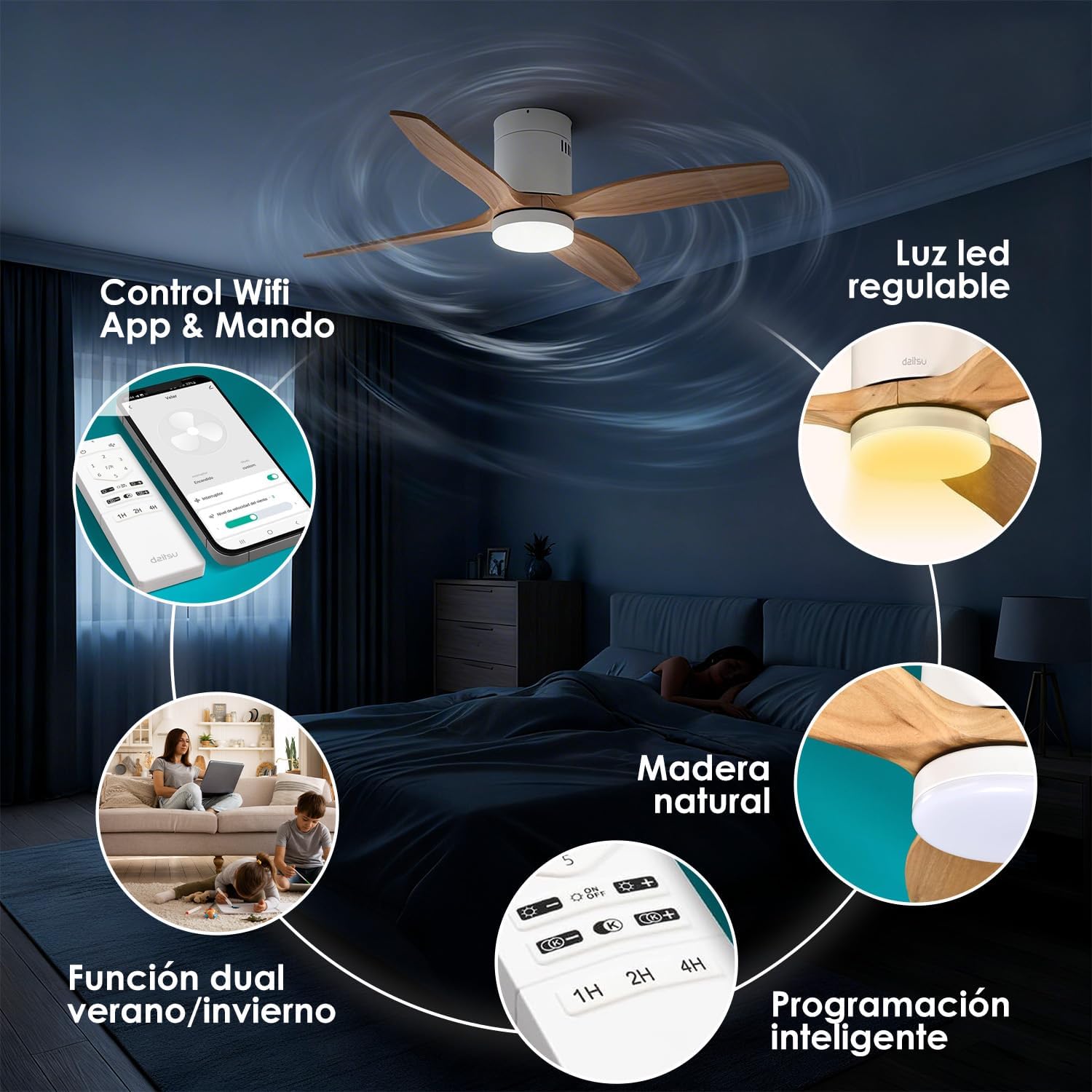
Aworan 4.1: Pariview of fan features, including Wi-Fi App & Remote Control.
5. Awọn ilana Iṣiṣẹ
Your Daitsu Velar ceiling fan can be controlled using the included wireless remote control or the Daitsu Connect mobile application.
5.1. Awọn iṣẹ Iṣakoso latọna jijin

Image 5.1: Remote control and Daitsu Connect App interface.
- Titan/Apapa: Tẹ awọn Agbara bọtini lati tan awọn àìpẹ ati ina tabi pa.
- Iyara Olufẹ: Use the speed buttons (1-6) to select one of the six available fan speeds. There is also a variable mode that alternates between low levels for a more natural air sensation.
- Summer/Winter Function (F/R): Tẹ awọn F/R button to switch between summer and winter modes.
- Ipo Ooru: Àwọn abẹ́ máa ń yípo ní ọ̀nà tí kò báradé, wọ́n á sì máa tì afẹ́fẹ́ sí ìsàlẹ̀ láti mú kí afẹ́fẹ́ tutù.
- Ipo igba otutu: Blades rotate clockwise, drawing cool air up and pushing warm air down from the ceiling, optimizing heating efficiency.
- Iṣakoso ina:
- Tan -an/Pa a: Tẹ bọtini ina lati tan ina LED si tan tabi pa.
- Atunse Imọlẹ: Lo awọn + ati - buttons to adjust the light intensity (9 levels).
- Ṣatunṣe iwọn otutu awọ: Lo awọn K+ ati K- buttons to change the color temperature from cool to warm (9 levels).
- Iṣẹ Aago: Set the fan to automatically turn off after 1, 2, or 4 hours using the respective timer buttons (1H, 2H, 4H).

Image 5.2: Summer/Winter function diagram for optimal air circulation.

Image 5.3: LED light adjustability with 9 intensity and color temperature levels.
5.2. Daitsu Connect App Control
The Daitsu Connect app provides full control over all fan functions, including speed, light, mode, and timer, directly from your mobile device. It also allows for personalized hourly programming to automate operation based on your daily or weekly routines.
- Iṣẹ ṣiṣe ni kikun: Access all remote control features and more.
- Ṣíṣe ètò ìlọsíwájú: Program specific on/off times and settings for different days.
- Iṣẹ Iranti: The fan automatically remembers its last state (speed, light, color temperature, and mode) if power is interrupted or turned off from the switch. Upon power restoration, it will resume the last settings.

Image 5.4: Key features including 6 speeds, programming, light levels, and dual control.
6. Itọju
Itọju deede ṣe idaniloju iṣẹ ṣiṣe to dara julọ ati fa gigun igbesi aye ti olufẹ rẹ.
- Ninu:
- Nigbagbogbo ge asopọ agbara ṣaaju ṣiṣe mimọ.
- Wipe the fan housing and blades with a soft, damp asọ. Ma ṣe lo abrasive ose tabi epo.
- Dust the blades regularly to maintain balance and efficiency.
- Ayẹwo abẹfẹlẹ: Máa ṣàyẹ̀wò lẹ́ẹ̀kọ̀ọ̀kan pé gbogbo àwọn skru abẹfẹlẹ náà le koko. Àwọn skru tí ó ti bàjẹ́ lè fa ìró àti ìró.
- Orisun Imọlẹ: The integrated LED light is designed for long life. If it requires replacement, contact customer support.
7. Laasigbotitusita
Ti o ba ni iriri awọn ọran pẹlu olufẹ rẹ, tọka si awọn iṣoro ti o wọpọ ati awọn ojutu wọnyi:
| Isoro | Owun to le Fa | Ojutu |
|---|---|---|
| Fan ko bẹrẹ. | No power, loose wiring, remote control battery dead. | Check circuit breaker. Ensure wiring is secure. Replace remote control batteries. |
| Fan wobbles. | Àwọn skru abẹ́ tí kò ní ìwọ́ntúnwọ́nsí, àwọn abẹ́ tí kò ní ìwọ́ntúnwọ́nsí, àti ìsopọ̀ tí kò tọ́. | Tighten all blade screws. Ensure blades are balanced (a balancing kit may be required). Recheck mounting bracket security. |
| Imọlẹ ko ṣiṣẹ. | Loose wiring, LED module failure. | Check light kit wiring connections. If issue persists, contact customer support for LED module replacement. |
| Isakoṣo latọna jijin ko dahun. | Dead batteries, interference, remote not paired. | Replace batteries. Ensure no obstructions. Re-pair remote if necessary (refer to full manual). |
| Wi-Fi app connection issues. | Incorrect Wi-Fi password, poor signal, fan not in pairing mode. | Verify Wi-Fi password. Ensure fan is within Wi-Fi range. Follow app instructions to put fan in pairing mode. |
If the problem persists after attempting these solutions, please contact Daitsu customer support.
8. Awọn pato
| Ẹya ara ẹrọ | Ẹ̀kúnrẹ́rẹ́ |
|---|---|
| Brand | Daitsu |
| Nọmba awoṣe | VELAR |
| Iwọn | Ø122cm (suitable for rooms up to 25m²) |
| Iwọn (D x W x H) | 106.5 cm x 106.5 cm x 31.5 cm (Note: The Ø122cm refers to the blade span, while 106.5cm might be the housing dimensions or a different measurement.) |
| Iwọn | 4.6 kilo |
| Àwọ̀ | White with Wooden Blades |
| Nọmba ti Blades | 3 |
| Orisun agbara | Okun Itanna |
| Voltage | 240 Volts |
| Agbara agbara | 30 Wattis |
| Agbara Afẹfẹ | 121 Onigun Mita fun iseju |
| Nọmba ti Awọn iyara | 6 |
| Ariwo Ipele | 34 Decibels (Ultra-silent DC motor) |
| Pataki Awọn ẹya ara ẹrọ | Natural wooden blades, Remote control, App control (Wi-Fi), Dimmable LED light (18W, 9 intensity levels, 9 color temperatures), Summer/Winter function, Smart memory function, Programmable auto-off. |
| Iṣeduro Lilo | Air circulation, Ventilation (Indoor use only) |

Image 8.1: Dimensions for the Ø122cm model.
9. Atilẹyin ọja ati Support
Atilẹyin ọja: This product comes with a 3-year manufacturer's warranty.
Atilẹyin Onibara: For technical assistance, warranty claims, or any questions regarding your Daitsu Velar ceiling fan, please contact Daitsu customer service through their official webaaye tabi alaye olubasọrọ ti a pese pẹlu iwe rira rẹ.
Please have your model number (VELAR) and proof of purchase ready when contacting support.
