
1. Ifihan
Thank you for choosing the XGIMI HORIZON 20 Pro 4K RGB Triple Laser Home Projector. This manual provides essential information for setting up, operating, and maintaining your projector to ensure optimal performance and longevity. The HORIZON 20 Pro delivers stunning 4K visuals with its X-Master RGB triple laser engine, 4100 ISO lumens brightness, and a 20,000:1 contrast ratio. It integrates Google TV with licensed Netflix, offers flexible installation options like optical zoom and lens shift, and supports advanced gaming features.
2. Eto ati fifi sori
The XGIMI HORIZON 20 Pro is designed for easy setup with a quick-install interface and modular design. Its lossless optics, including flexible lens shift and optical zoom, provide greater freedom in placement without compromising image clarity.
2.1 Unpacking ati Ibi Ibẹrẹ
- Ni ifarabalẹ yọ gbogbo awọn paati kuro ninu apoti.
- Place the projector on a stable, flat surface or mount it according to your preferred setup.
- Consider the projection distance and screen size for optimal viewing.

Figure 2.1: The XGIMI HORIZON 20 Pro projector mounted on an optional XGIMI Floor Stand (Elephant Grey). The projector is sold separately from the stand and is compatible only with XGIMI Horizon 20 series projectors.
2.2 Flexible Installation and Lens Shift
The projector features dynamic lens shift capabilities, allowing you to adjust the image vertically and horizontally without moving the projector itself. This ensures a perfectly aligned image even when the projector is not centered with the screen.
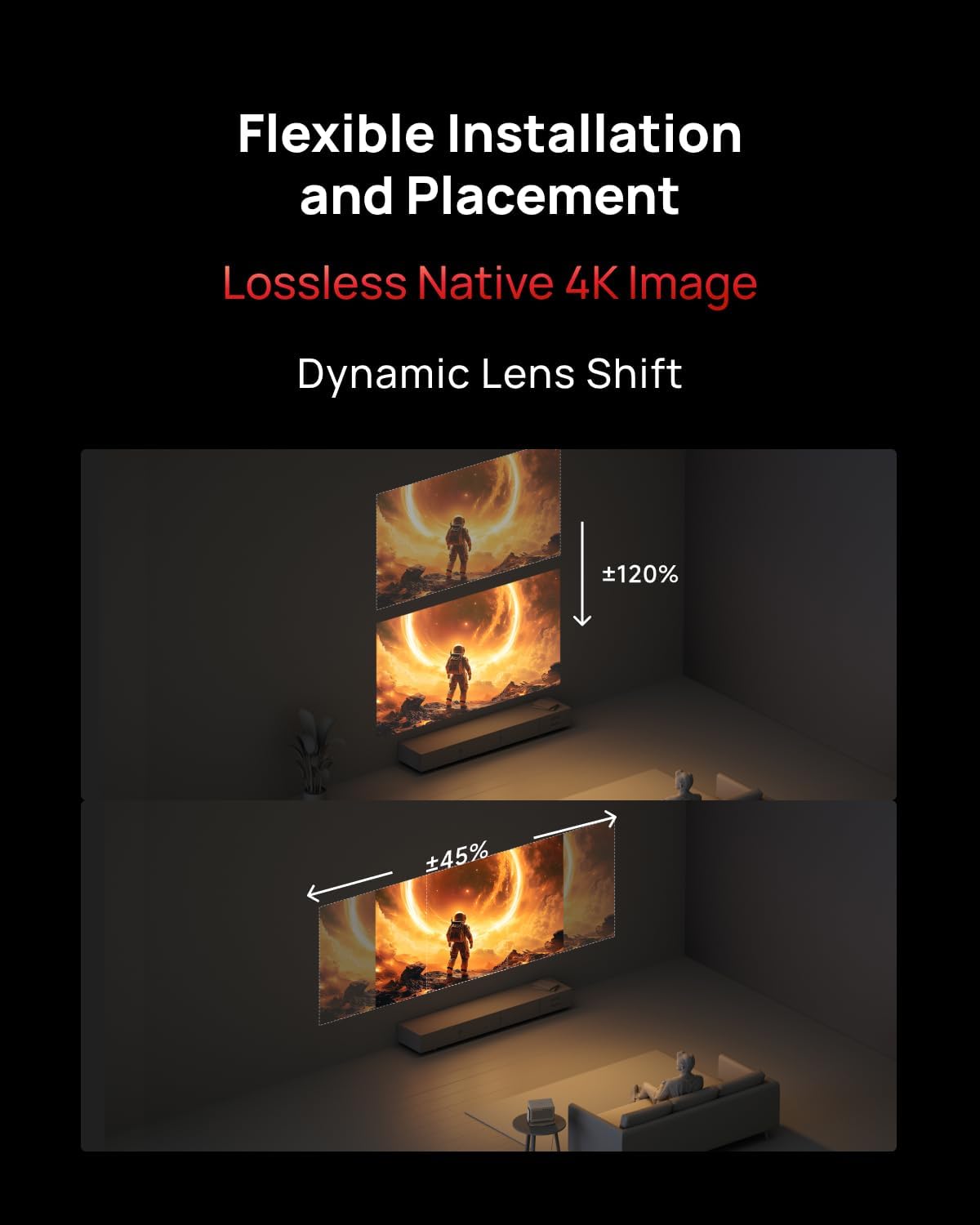
Figure 2.2: Illustration of flexible installation and placement using dynamic lens shift, demonstrating vertical (up to ±120%) and horizontal (up to ±45%) image adjustment without distortion.

Figure 2.3: The XGIMI HORIZON 20 Pro projector seamlessly integrated into a modern living space, highlighting its aesthetic design.
3. Awọn ilana Iṣiṣẹ
The HORIZON 20 Pro operates on Google TV, providing access to a wide range of streaming services and applications, including licensed Netflix. Its flagship MT9679 chipset and 4GB RAM ensure smooth navigation and fast app launches.
3.1 Agbara Titan ati Eto Ibẹrẹ
- Connect the power adapter to the projector and a power outlet.
- Tẹ bọtini agbara lori pirojekito tabi iṣakoso latọna jijin.
- Follow the on-screen instructions to complete the initial Google TV setup, including network connection and Google account login.
3.2 Accessing Content
The projector offers a centralized hub for all your entertainment needs, supporting various content formats and platforms.

Figure 3.1: The projector supports a wide array of content technologies, including IMAX Enhanced, Dolby Vision, Filmmaker Mode, HDR10+, and audio by Harman/Kardon, consolidating all content in one place.

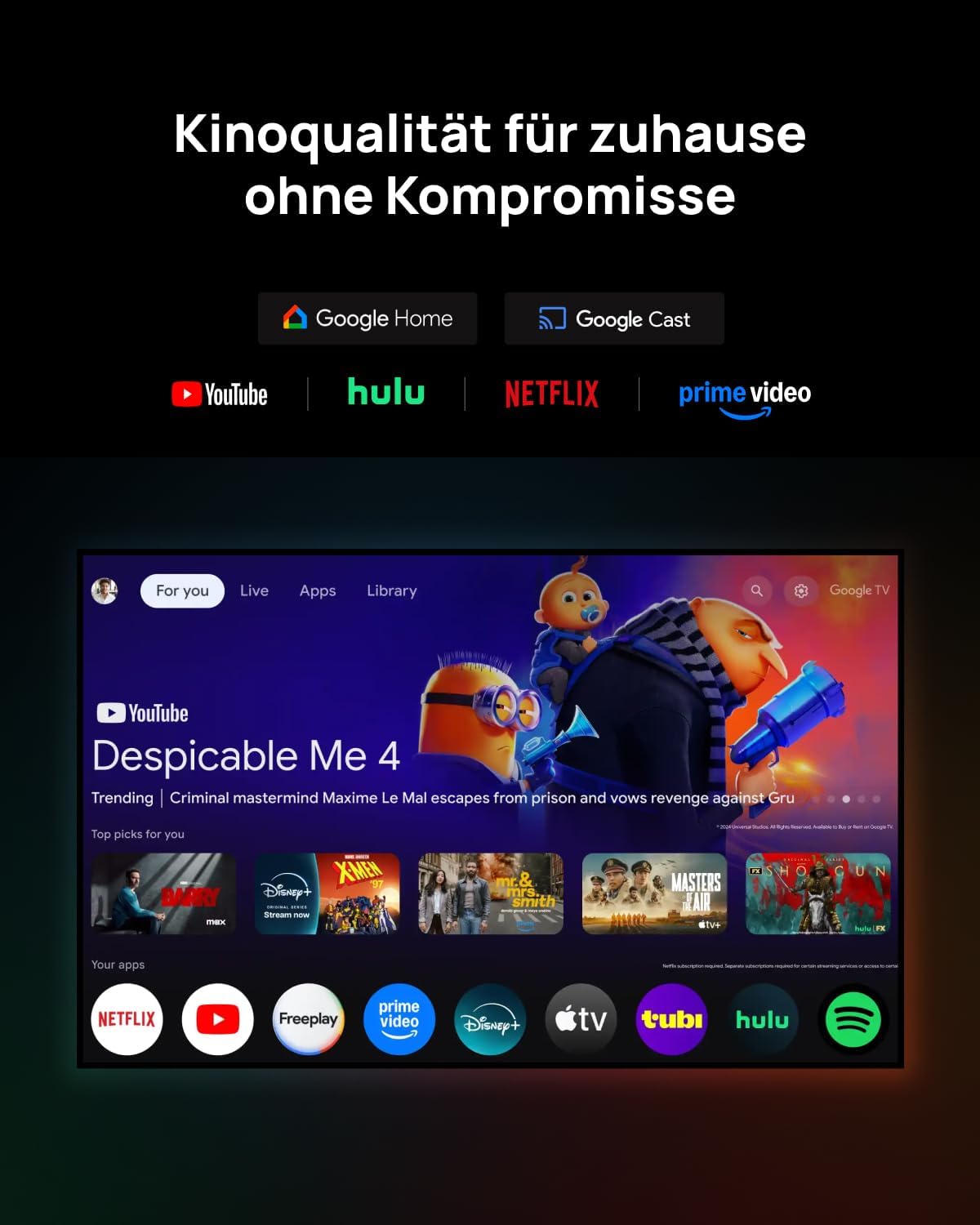
Figure 3.2: The Google TV interface provides access to popular streaming services like YouTube, Hulu, Netflix, Prime Video, Disney+, and more, offering cinema quality at home without compromise.
3.3 ayo Awọn ẹya ara ẹrọ
For an immersive gaming experience, the HORIZON 20 Pro offers a 1ms response time, 240Hz fluidity, Variable Refresh Rate (VRR), and Auto Low Latency Mode (ALLM).
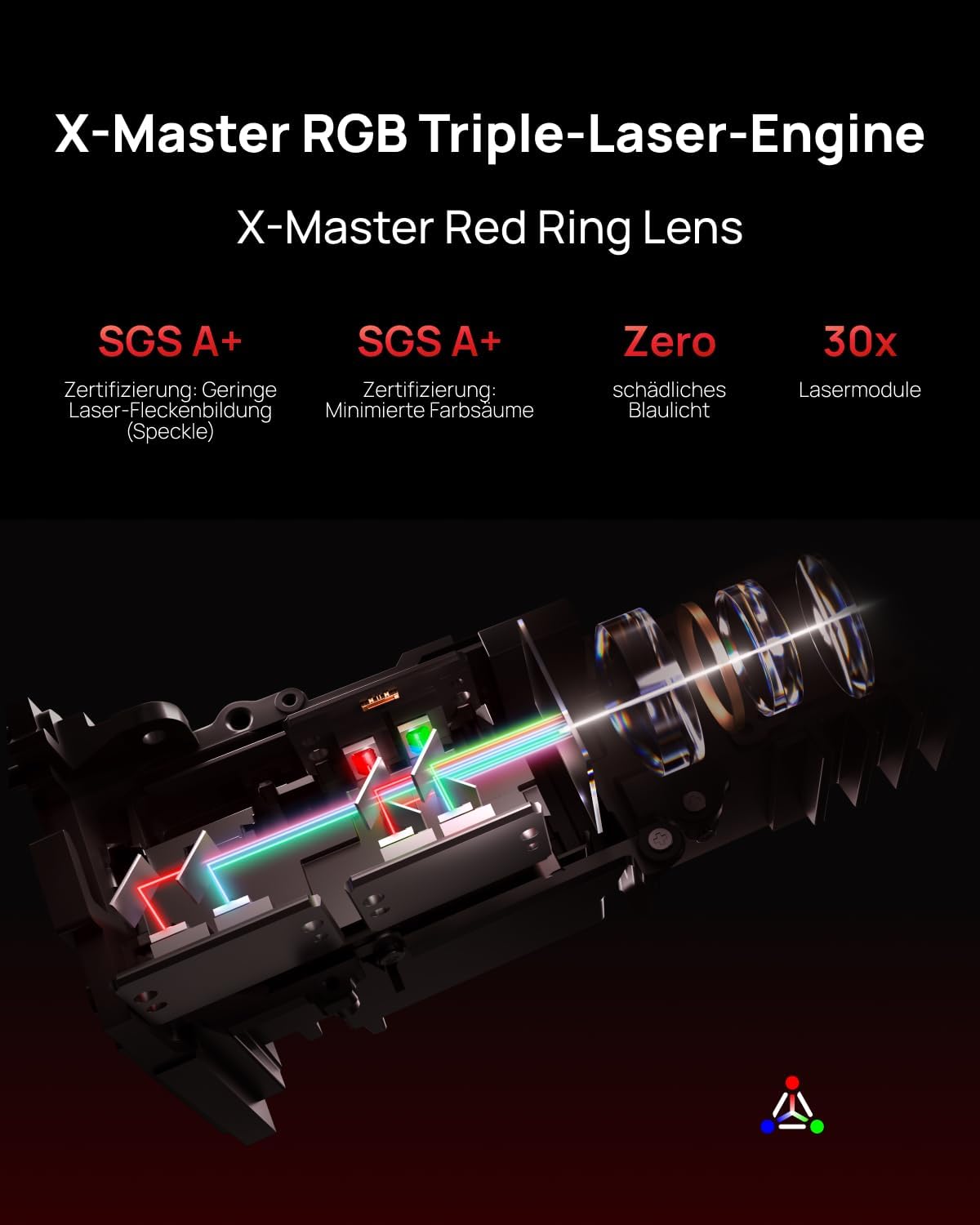
Figure 3.3: Experience next-gen gaming with 1ms input lag, VRR, and ALLM, powered by the MT9679+128GB chipset, as shown with a scene from Assassin's Creed Shadows.
4. Key Awọn ẹya ara ẹrọ
4.1 RGB Triple Laser Engine
The X-Master RGB triple laser engine delivers brilliant, color-rich, and lifelike visuals with 4100 ISO lumens of brightness and an ultra-deep 20,000:1 contrast ratio, ensuring vibrant and deep scenes day or night.
olusin 4.1: Ti abẹnu view of the X-Master RGB Triple-Laser-Engine with X-Master Red Ring Lens, highlighting its advanced laser technology for superior image quality, including SGS A+ certification for low laser speckle and minimized color fringing, zero harmful blue light, and 30x laser modules.
4.2 Flagship Processing Power
Equipped with the MT9679 chipset and 4GB RAM, the HORIZON 20 Pro ensures faster application launches, smoother navigation through the interface, and ample storage for all your favorite content and apps.
5. Itọju
Regular maintenance helps preserve the performance and lifespan of your XGIMI HORIZON 20 Pro projector.
- Fifọ lẹnsi: Gently wipe the projector lens with a soft, lint-free cloth specifically designed for optical surfaces. Avoid abrasive materials or harsh chemicals.
- Yiyọ eruku kuro: Use a can of compressed air to remove dust from the projector's vents and exterior. Ensure the projector is turned off and unplugged before cleaning.
- Ibi ipamọ: Nigbati o ko ba wa ni lilo fun awọn akoko ti o gbooro sii, tọju ẹrọ pirojekito ni itura, aye gbigbẹ, kuro lati orun taara ati awọn iwọn otutu to gaju.
6. Laasigbotitusita
If you encounter issues with your projector, refer to the following common troubleshooting steps:
- Ko si Agbara: Rí i dájú pé okùn agbára náà so mọ́ ẹ̀rọ ìfihàn àti ẹ̀rọ ìdènà agbára tó ń ṣiṣẹ́ dáadáa. Gbìyànjú ọ̀nà ìdènà mìíràn.
- Ko si Aworan: Check that the projector is powered on. Verify the input source is correctly selected. Ensure all video cables are securely connected.
- Aworan blurry: Adjust the focus using the projector's focus controls. Ensure the lens is clean. Check if the projector is within the recommended projection distance.
- Ko si Ohun: Verify the volume level on both the projector and the connected audio device. Check audio cable connections. Ensure the correct audio output is selected in the projector settings.
- Iṣakoso latọna jijin Ko Ṣiṣẹ: Rọpo awọn batiri ninu iṣakoso latọna jijin. Rii daju pe ko si idena laarin latọna jijin ati olugba IR ti projector.
For more complex issues, please contact XGIMI customer support.
7. Awọn pato
| Ẹya ara ẹrọ | Apejuwe |
|---|---|
| Brand | XGIMI |
| Awoṣe | HÓRÍSỌ́NÙ 20 Pro |
| Ipinnu | 4K (Native) |
| Imọlẹ | 4100 ISO Lumens |
| Ipin Itansan | 20,000:1 |
| Orisun Imọlẹ | RGB Triple Laser (X-Master Engine) |
| Eto isesise | Google TV pẹlu Netflix ti a fun ni aṣẹ |
| isise | MT9679 Chipset |
| Àgbo | 4GB |
| ere Awọn ẹya ara ẹrọ | 1ms Response, 240Hz Fluidity, VRR, ALLM |
| Optical Awọn ẹya ara ẹrọ | Optical Zoom, Lens Shift |
| Ohun | Harman/Kardon (Sound by) |
| Pataki Awọn ẹya ara ẹrọ | IMAX Enhanced, Quick-Install Interface |
| ASIN | B0GCZSBGSS |
8. Atilẹyin ọja ati Support
The XGIMI HORIZON 20 Pro projector comes with a manufacturer's warranty. Please refer to the warranty card included in your product packaging or visit the official XGIMI webAaye fun alaye atilẹyin ọja ofin ati ipo.
For technical support, product inquiries, or service requests, please contact XGIMI customer support through their official webaaye tabi alaye olubasọrọ ti a pese ninu iwe ọja rẹ.