
Ọrọ Iṣaaju
Thank you for choosing the EcoLink Tiny Tornado Mini Fan. This compact and portable personal fan is designed to provide powerful, quiet, and convenient cooling for various environments. Please read this manual carefully before use to ensure proper operation and maintenance.
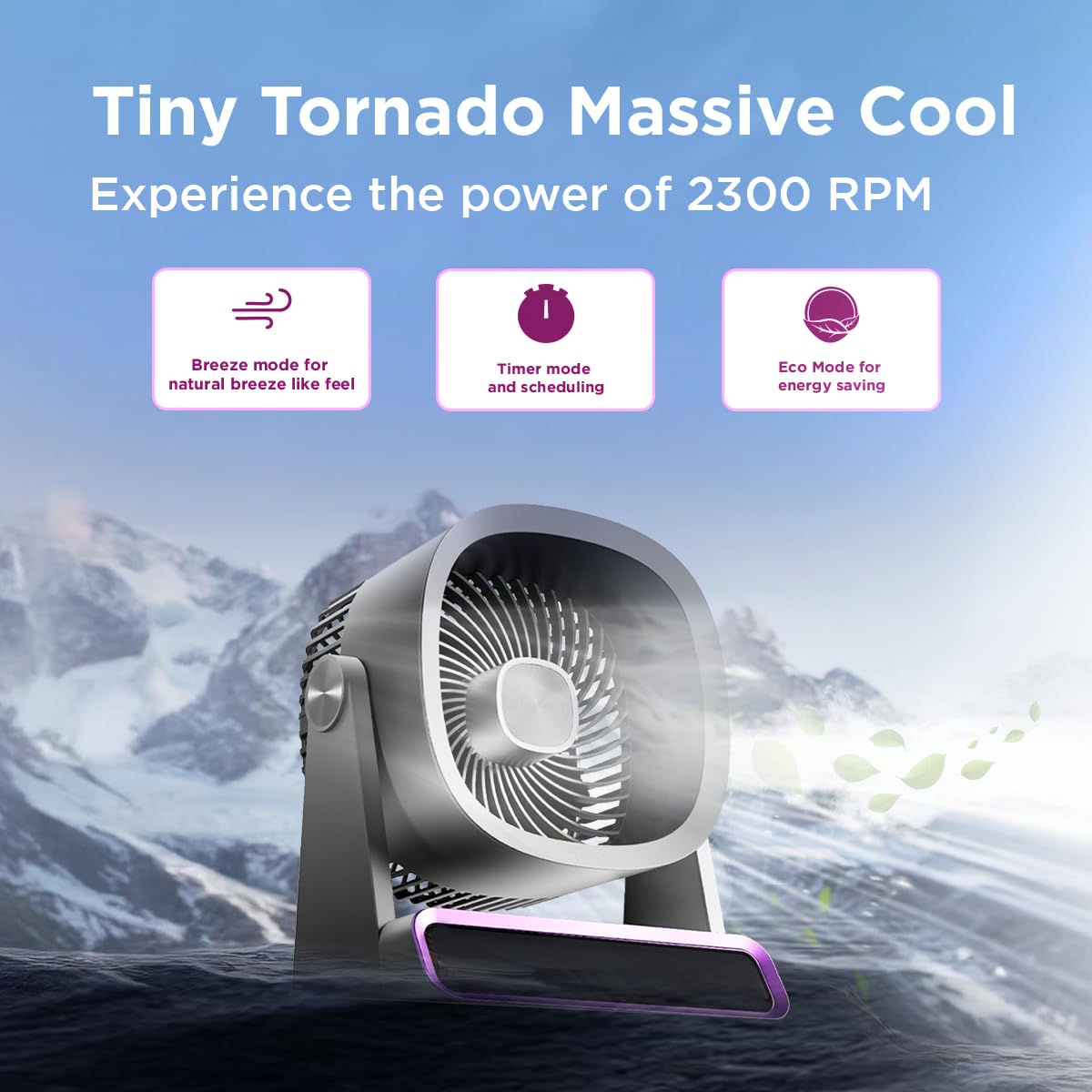
The EcoLink Tiny Tornado Mini Fan delivers powerful airflow in a compact design.
Awọn ẹya pataki:
- Mini Yet Powerful Cooling: Delivers strong airflow in a compact size for instant personal cooling.
- Ultra-Compact & Lightweight: Easy to carry and place on desks, tables, or in bags.
- Smooth & Quiet Operation: Low-noise performance suitable for various quiet environments.
- Irọrun gbigba agbara USB: Rechargeable via laptop, power bank, or USB adapter.
- Lilo Wapọ: Ideal for desk use, travel, outdoor activities, commuting, and emergency cooling.
Package Awọn akoonu
Rii daju pe gbogbo awọn nkan wa ninu package:
- EcoLink Tiny Tornado Mini Fan (1 unit)
- Okun Ngba agbara USB Iru-C (ẹyọkan 1)

The fan comes with a Type-C charging cable for easy recharging via various devices.
Awọn Itọsọna Aabo
Lati yago fun ipalara tabi ibajẹ, jọwọ tẹle awọn iṣeduro aabo wọnyi:
- Má ṣe fi ìka tàbí ohunkóhun sínú àwo afẹ́fẹ́.
- Jẹ́ kí afẹ́fẹ́ náà jìnnà sí omi tàbí àwọn ohun míràn.
- Do not use the fan in excessively humid or dusty environments.
- Jeki kuro ni arọwọto awọn ọmọde ati awọn ohun ọsin.
- Use only the provided USB cable or a certified Type-C cable for charging.
- Do not attempt to disassemble or repair the fan yourself. Contact customer support for assistance.
- Yẹra fún dídinà ìgba afẹ́fẹ́ tàbí ìjáde nígbà tí a bá ń ṣiṣẹ́.
Ṣeto
Gbigba agbara akọkọ:
- Connect the provided USB Type-C cable to the charging port on the fan.
- Connect the other end of the USB cable to a power source such as a USB adapter (not included), computer, or power bank.
- The charging indicator light will illuminate (color may vary) to show that the fan is charging.
- A full charge typically takes 10 to 12 hours. The indicator light will change or turn off when charging is complete.
Ibi:
Place the fan on a stable, flat surface. Ensure there is adequate space around the fan for proper airflow.
Awọn ilana Iṣiṣẹ
Titan/Apapa:
- To turn on the fan, press the power button (usually located on the base or front panel).
- To turn off the fan, press and hold the power button, or cycle through the speed settings until it turns off.
Titunṣe Iyara Olufẹ:
Press the power button repeatedly to cycle through different fan speeds. The fan typically has multiple speed settings (e.g., Low, Medium, High, Boost).
Awọn ọna ṣiṣe:
The fan may feature different operating modes, indicated by specific icons or lights:
- Ipo Afẹfẹ: Ṣe afarawe afẹfẹ adayeba pẹlu awọn iyara àìpẹ oriṣiriṣi.
- Ipo aago: Allows scheduling the fan to turn off after a set period. Refer to the fan's display or specific button for timer settings.
- Ipo Eco: Optimizes fan speed for energy saving, extending battery life.

The fan features digital touch screen control and a boost mode for high-speed output.
Igbesi aye batiri:
The fan offers extended battery life, with up to 17 hours of run time at the lowest speed on a full charge. Run time decreases with higher fan speeds.

The 6000 mAh battery provides long-lasting power, with up to 17 hours of run time at speed 1.
Itoju
Ninu:
- Rii daju pe afẹfẹ ti wa ni pipa ati yọọ kuro ṣaaju ṣiṣe mimọ.
- Mu ese ita gbangba pẹlu asọ, damp asọ. Ma ṣe lo abrasive ose tabi epo.
- Use a soft brush or vacuum cleaner to gently remove dust from the fan grille.
- Ma ṣe fi afẹfẹ bọ inu omi tabi omi miiran.
Ibi ipamọ:
When not in use for extended periods, store the fan in a cool, dry place, away from direct sunlight and extreme temperatures. It is recommended to fully charge the battery before storing.
Laasigbotitusita
| Isoro | Owun to le Fa | Ojutu |
|---|---|---|
| Fan ko ni tan-an. | Batiri ti dinku. | Gba agbara afẹfẹ naa nipa lilo okun USB Type-C ti a pese. |
| Afẹfẹ alailagbara. | Fan grille is obstructed or dirty. | Clean the fan grille. Ensure nothing is blocking the air intake or outlet. |
| Fan ki asopọ dani ariwo. | Foreign object inside the fan. | Turn off and unplug the fan. Carefully inspect for any foreign objects. If unable to resolve, contact customer support. |
| Atọka gbigba agbara ko ṣiṣẹ. | Ìṣòro okùn tàbí orísun agbára. | Try a different USB Type-C cable or a different power source. Ensure connections are secure. |
Awọn pato
| Ẹya ara ẹrọ | Ẹ̀kúnrẹ́rẹ́ |
|---|---|
| Brand | EcoLink |
| Nọmba awoṣe | 915006708301_1 |
| Àwọ̀ | eleyi ti |
| Electric Fan Design | Wearable Fan / Tabletop Mount |
| Orisun agbara | Agbara Batiri (USB A le gba agbara) |
| Ara | Mini |
| Awọn iwọn Ọja (D x W x H) | 19.5D x 14.5W x 25.8H |
| Iwọn Nkan | 940 giramu |
| Wattage | 4.6 Wattis |
| Awọn irinše to wa | Handheld Pack of 1 (Fan, USB Type-C Cable) |
| inu ile / ita gbangba Lilo | Ninu ile, ita gbangba |
| Iru fifi sori ẹrọ | Gbigbe |
| Smart Home ibamu | Not Smart Home Compatible |

The fan is equipped with a powerful and silent BLDC motor for smooth, consistent, and energy-efficient airflow.
Alaye atilẹyin ọja
This EcoLink product is covered by a manufacturer's warranty. Please refer to the warranty card included with your purchase or contact EcoLink customer support for detailed warranty terms and conditions. Keep your purchase receipt as proof of purchase for warranty claims.
Onibara Support
For any questions, technical assistance, or warranty claims, please contact the manufacturer:
- Olupese: Signify Innovations India Limited
- Ibi iwifunni: Refer to the packaging or official EcoLink webAaye fun awọn alaye olubasọrọ lọwọlọwọ julọ.