
1. Ifihan
Thank you for choosing the GOBOULT Tenet TWS Earbuds. This manual provides essential information for setting up, operating, and maintaining your earbuds to ensure optimal performance and longevity. The Tenet earbuds feature Bluetooth 5.4 connectivity, 13mm dynamic drivers, Quad Mic Environmental Noise Cancellation (ENC), and support for the Amp App for personalized audio.
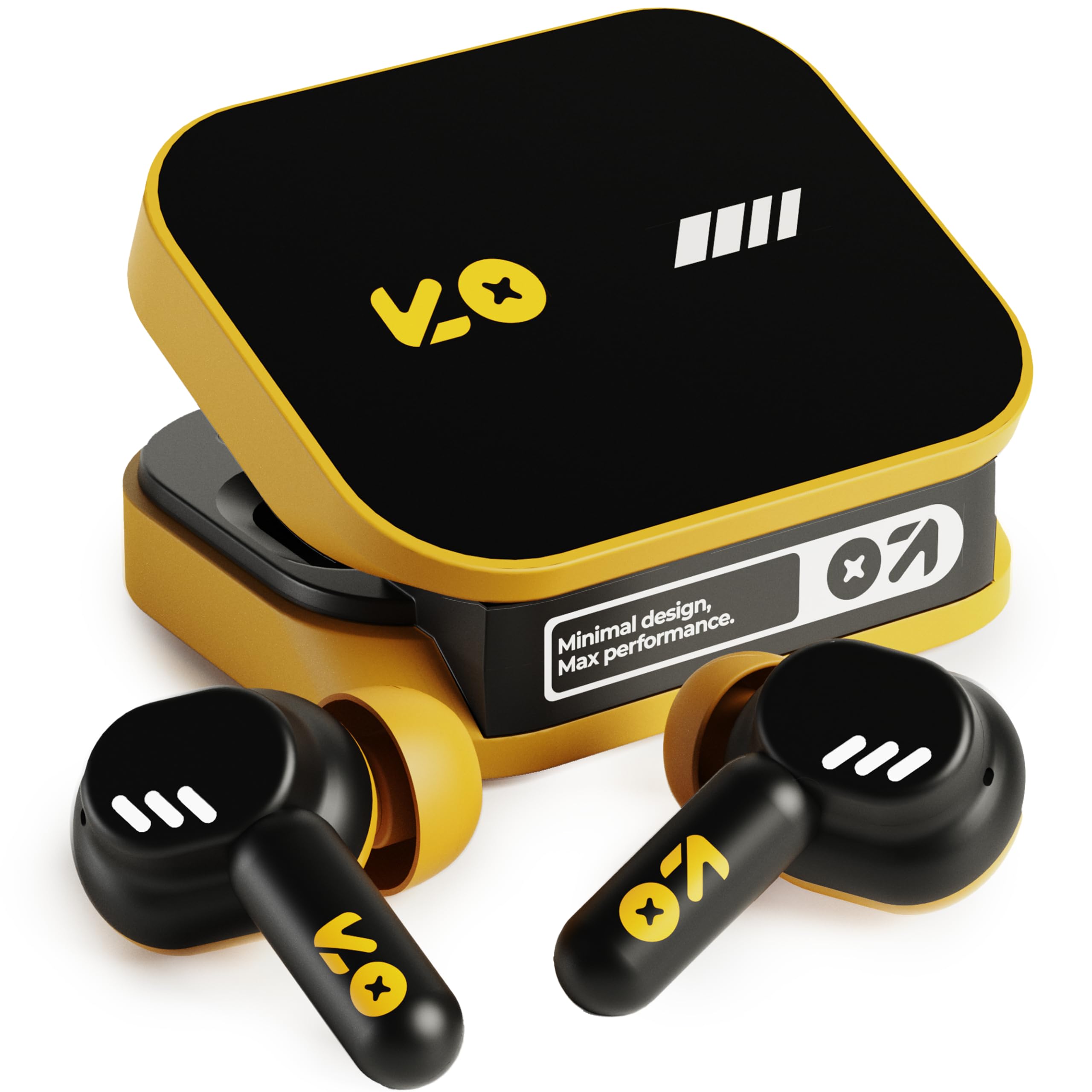
Image: The GOBOULT Tenet TWS Earbuds in Solar Yellow, shown with their charging case.
2. Package Awọn akoonu
Jẹrisi pe gbogbo awọn nkan wọnyi wa ninu package rẹ:
- GOBOULT Tenet TWS Earbuds (Left and Right)
- Ngba agbara Case
- USB Iru-C Ngba agbara USB
- Awọn iṣu Eti (oriṣiriṣi titobi)
- Afowoyi Olumulo (iwe-ipamọ yii)
- Kaadi atilẹyin ọja
3. Eto
3.1. Ngba agbara si Earbuds ati Ọran
Before first use, fully charge the earbuds and the charging case. The case provides extended battery life for the earbuds.
- Gbe awọn agbekọri mejeeji sinu apoti gbigba agbara, ni idaniloju pe wọn joko ni deede.
- Connect the provided USB Type-C charging cable to the charging port on the case and to a compatible USB power source (e.g., wall adapter, computer USB port).
- The indicator light on the charging case will show the charging status. Refer to the LED indicator guide in the operating section for details.
- A full charge provides up to 75 hours of total playtime with the charging case. A quick 10-minute charge can provide up to 120 minutes of playtime.

Image: The GOBOULT Tenet earbuds in their open charging case, illustrating the USB-C charging port and battery life.
3.2. Ibamu awọn Earbuds
Proper fit is crucial for sound quality and comfort. The earbuds feature a 'Vacuum Lock Earshell' design for a secure fit.
- Select the ear cushions that best fit your ears. Different sizes are provided.
- Fi àwọn ètí ìró náà sínú ihò etí rẹ pẹ̀lú ìrọ̀rùn.
- Twist slightly to ensure a snug and comfortable seal. This helps optimize audio performance and noise isolation.

Image: A diagram illustrating the 'Vacuum Lock Earshell' design and how the earbud sits securely in the ear.
4. Awọn ilana Iṣiṣẹ
4.1. Agbara Tan / Paa
- Agbara Tan: Ṣii apoti gbigba agbara, ati awọn agbekọri yoo tan ina laifọwọyi.
- Agbara Pa: Gbe awọn agbekọri naa pada sinu apoti gbigba agbara ki o pa ideri naa. Wọn yoo pa ina laifọwọyi ati bẹrẹ gbigba agbara.
4.2. Sisopọ Bluetooth
The GOBOULT Tenet earbuds use Bluetooth 5.4 for stable and efficient connection.
- Rii daju pe awọn agbekọri ti gba agbara ati inu apoti gbigba agbara.
- Open the charging case. The earbuds will enter pairing mode, indicated by flashing LED lights.
- Lori ẹrọ rẹ (foonuiyara, tabulẹti, kọǹpútà alágbèéká), mu Bluetooth ṣiṣẹ.
- Wa fun available Bluetooth devices and select "GOBOULT Tenet" from the list.
- Ni kete ti a ti sopọ, awọn ina atọka agbekọri yoo da didan duro.
4.3. Dual Device Connectivity
The earbuds support dual device pairing, allowing seamless switching between two connected devices.
- Pair the earbuds with your first device (e.g., smartphone) as described above.
- Disconnect the earbuds from the first device's Bluetooth settings (do not unpair).
- Pair the earbuds with your second device (e.g., laptop).
- Reconnect the earbuds to the first device from its Bluetooth settings. The earbuds are now connected to both devices.
- To switch between devices, simply pause audio on one device and play on the other.

Image: The GOBOULT Tenet earbuds and charging case positioned between a smartphone and a laptop, demonstrating dual device connectivity.
4.4. Awọn iṣakoso ifọwọkan
The earbuds feature intuitive touch controls for music playback, call management, and voice assistant activation.
| Išẹ | Iṣe |
|---|---|
| Ṣiṣẹ / Sinmi | Fọwọ ba ẹyọkan lori boya agbekọri |
| Next Track | Fọwọ́ kan etí ọ̀tún lẹ́ẹ̀mejì |
| Ti tẹlẹ Track | Fọwọ́ kan etí òsì lẹ́ẹ̀mejì |
| Idahun/Pari Ipe | Fọwọ ba ẹyọkan lori boya agbekọri |
| Kọ Ipe | Tẹ gun lori boya agbekọri |
| Mu Oluranlọwọ Ohun ṣiṣẹ (Siri/Oluranlọwọ Google) | Fọwọ ba meteta lori boya agbekọri |

Image: An illustration detailing the touch controls for music and calls, along with information on intelligent AI assistance and IPX5 water resistance.
4.5. Lilo awọn Amp App
Personalize your listening experience with the dedicated Amp App.
- Download the "Amp App" from your device's app store.
- Connect your GOBOULT Tenet earbuds to your device via Bluetooth.
- Ṣii awọn Amp App. It will automatically detect your earbuds.
- Within the app, you can customize EQ settings (e.g., Rock, Jazz, Natural, Bass), rename your earbuds, and access tailored widgets.

Image: The GOBOULT Amp App interface displayed on a smartphone, showing custom EQ modes and other personalization options for the earbuds.
4.6. Call Management (Quad Mic ENC)
The Quad Mic Environmental Noise Cancellation (ENC) ensures clear calls by reducing background noise.
- Use the touch controls (Section 4.4) to answer, end, or reject calls.
- The four integrated microphones work to isolate your voice from ambient sounds, providing clear communication even in noisy environments.
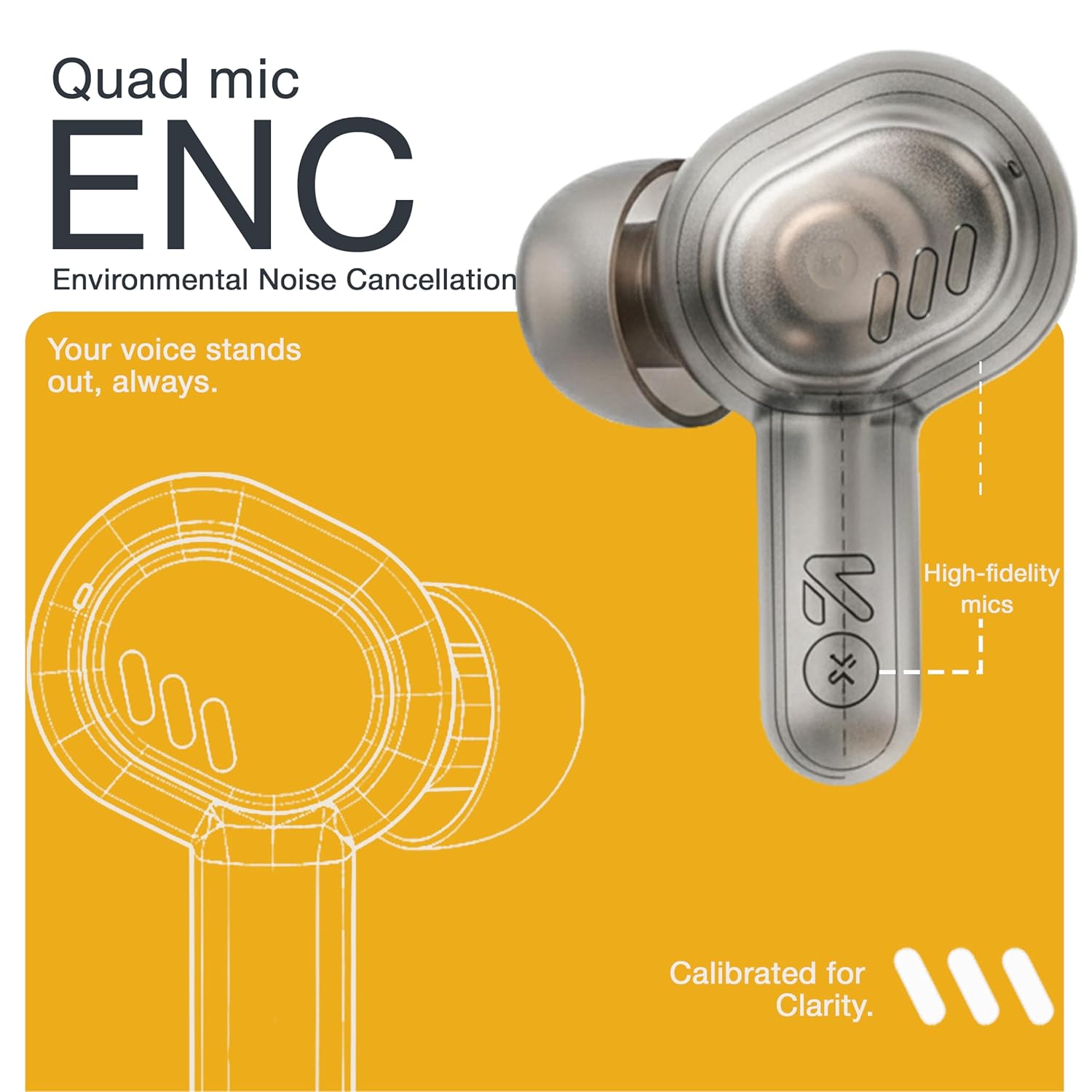
Image: A detailed diagram highlighting the Quad Mic ENC system within the earbud, designed for clear voice transmission.
4.7. Audio Performance (13mm Drivers)
The GOBOULT Tenet earbuds are equipped with 13mm dynamic drivers for a rich audio experience.
- Experience deep bass, clear vocals, and balanced audio across various music genres.
- Ṣatunṣe pro ohunfile further using the Amp App's equalizer settings.

Aworan: Ohun exploded view diagram of the earbud, showcasing the 13mm dynamic driver responsible for audio output.
4.8. Omi Resistance
The earbuds are IPX5 water resistant, making them suitable for workouts and light splashes.
- IPX5 rating means the earbuds can resist a sustained, low-pressure water jet spray.
- Do not submerge the earbuds in water or expose them to heavy rain.
- Ẹjọ gbigba agbara kii ṣe sooro omi.
5. Itọju
5.1. Ninu
- Mọ awọn afikọti nigbagbogbo ati apoti gbigba agbara pẹlu asọ ti o gbẹ, asọ ti ko ni lint.
- Remove ear cushions and clean them with mild soap and water if necessary, ensuring they are completely dry before reattaching.
- Maṣe lo awọn afọmọ abrasive, ọti-lile, tabi awọn nkan ti kemikali.
- Rii daju gbigba agbara awọn olubasọrọ lori awọn agbekọri mejeeji ati apoti jẹ mimọ ati laisi idoti.
5.2. Ibi ipamọ
- Nigbati o ko ba si ni lilo, tọju awọn afikọti sinu apoti gbigba agbara wọn lati daabobo wọn ki o jẹ ki wọn gba agbara.
- Tọju ẹrọ naa ni itura, aye gbigbẹ, kuro lati awọn iwọn otutu ti o ga julọ ati oorun taara.
5.3. Itọju batiri
- Láti mú kí batiri pẹ́ sí i, má ṣe jẹ́ kí àwọn ètí àti àpótí náà máa tú jáde dáadáa nígbà gbogbo.
- Gba agbara sori ẹrọ naa nigbagbogbo, paapaa ti ko ba si ni lilo nigbagbogbo, lati dena gbigba omi jinle.
6. Laasigbotitusita
| Isoro | Owun to le Solusan |
|---|---|
| Earbuds ko so pọ |
|
| Ko si ohun lati agbekọri kan |
|
| Awọn ọran gbigba agbara |
|
| Iwọn kekere tabi didara ohun ko dara |
|
| Oluranlọwọ ohun ko dahun |
|
7. Awọn pato
| Ẹya ara ẹrọ | Ẹ̀kúnrẹ́rẹ́ |
|---|---|
| Brand | GOBOULT |
| Orukọ awoṣe | Tenet (Airbass) |
| Nọmba awoṣe | Airbass Earbuds |
| Gbigbe Eti | Ninu Eti |
| Ariwo Iṣakoso | Environmental Noise Cancellation (ENC), Sound Isolation |
| Ẹya Bluetooth | 5.4 |
| Bluetooth Ibiti | Titi di mita 10 |
| Audio Driver Iwon | 13 Milimita |
| Iwọn Igbohunsafẹfẹ | 20 Hz - 20,000 Hz |
| Ifamọ | 105 dB |
| Battery Average Life (with case) | Titi di awọn wakati 75 |
| Gbigba agbara yara | 10 iṣẹju gba agbara fun 120 iṣẹju playtime |
| Gbigba agbara Port | USB Iru-C |
| Omi Resistance Ipele | IPX5 (Earbuds nikan) |
| Adarí Iru | Touch, Google Assistant, Siri |
| Awọn ẹrọ ibaramu | Desktops, Gaming Consoles, Laptops, Smart Watch, Tablets |
| Iwọn Nkan | 54.5 Grams (Case + Earbuds) |
| Ilu isenbale | China |
8. Atilẹyin ọja & Atilẹyin
8.1. atilẹyin ọja Information
The GOBOULT Tenet TWS Earbuds come with a 1-Year Manufacturer's Warranty from the date of purchase. This warranty covers manufacturing defects.
- Jọwọ ṣe idaduro iwe rira rẹ bi ẹri rira fun awọn iṣeduro atilẹyin ọja.
- The warranty does not cover damage caused by misuse, accidents, unauthorized modifications, or normal wear and tear.
8.2. Onibara Support
For any queries, technical assistance, or warranty claims, please contact GOBOULT customer support.
- Olupese: Exotic Mile Private Limited, B-67 Wazirpur Industrial Area, New Delhi 110052
- Olukowọle: Exotic Mile Pvt. Ltd., B67 Wazirpur Industrial Area, New Delhi 110052
- Refer to the contact information provided on your warranty card or the official GOBOULT webojula fun awọn julọ soke-si-ọjọ support awọn ikanni.