
Ọrọ Iṣaaju
Thank you for choosing the VGR 877S3 Professional Hair Clipper Kit. This all-in-one grooming system is designed for both personal and professional use, offering precision and reliability. This manual provides essential information for the safe and effective operation, maintenance, and care of your VGR 877S3 kit. Please read it thoroughly before first use and keep it for future reference.
Alaye Aabo
Always read all safety warnings and instructions before using this appliance. Failure to follow the warnings and instructions may result in electric shock, fire, or serious injury. Keep this manual in a safe place for future reference.
- Do not immerse the appliance in water or use it near water.
- Jeki ohun elo kuro lati ọdọ awọn ọmọde.
- Rii daju pe ohun ti nmu badọgba agbara baamu pẹlu vol agbegbe rẹtage.
- Ma ṣe lo ohun elo ti o ba bajẹ tabi ti ko ṣiṣẹ.
- Lo awọn asomọ ti olupese pese nikan.
- Yọọ ohun elo ṣaaju ki o to sọ di mimọ.
Package Awọn akoonu
Your VGR 877S3 Professional Hair Clipper Kit includes the following items:
- 1 x Hair Clipper Unit
- 1 x Hair Trimmer Unit
- 1 x Foil Shaver Unit
- 10 x Guide Combs (various sizes)
- 2 x Charging Bases
- Magnetic Protective Covers
- 1 x Epo fífún ni epo
- 1 x Fẹlẹ ifọṣọ
- 1 x Okun Ngba agbara USB-C
- Zero-Gap Adjustment Tool
Ọja Pariview
Familiarize yourself with the components of your VGR 877S3 kit:
Nọmba 1: Labeled components of the VGR Hair Clipper and Trimmer. Key parts include Ceramic blades, Adjusting rod, Magnetic cover, LED Display, On/off switch, Polygon cutting machine body, and Charging dock.

Nọmba 2: The Hair Clipper features a 9000 RPM motor, and the Hair Trimmer features an 8000 RPM motor, both designed for high-efficiency cutting.

Nọmba 3: T-Shaped Profile Trimming Blade with precise adjustment from 0.1 mm to 0.5 mm, featuring precision ceramic injection molded metal blades for smooth and even trimming.

Nọmba 4: The kit includes a full set of guide combs: 4 guide combs for the clipper (1.5mm, 3mm, 6mm, 9mm) and 6 guide combs for the trimmer (1.5mm, 3mm, 4.5mm, 6mm, 9mm, 12mm).
Ṣeto
Ngba agbara si Ẹrọ
Before first use, fully charge the hair clipper, trimmer, and foil shaver. Each unit has its own battery specifications:
- Age irun: 2000mAh Lithium Battery, 3 hours charging time for 150 minutes working time.
- Hair Trimmer: 2000mAh Lithium Battery, 3 hours charging time for 180 minutes working time.
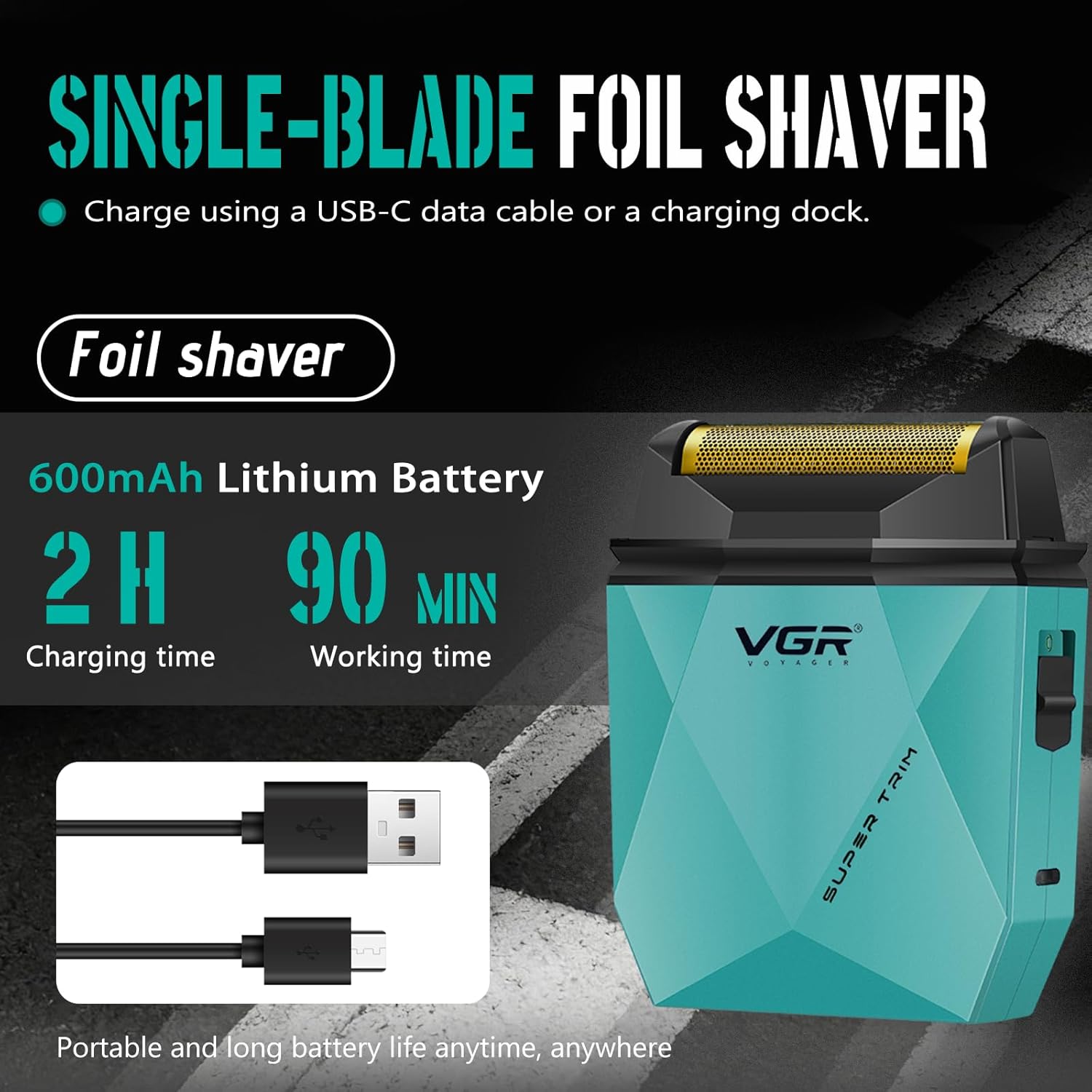
- Fájá Fáìlì: 600mAh Lithium Battery, 2 hours charging time for 90 minutes working time.
Lati gba agbara:
- Place the desired unit (clipper, trimmer, or shaver) onto one of the provided charging bases.
- Connect the USB-C charging cable to the charging base and then to a compatible USB power adapter (not included).
- The LED display on the unit will indicate the charging status. A full charge is indicated when the battery percentage de ọdọ 100%.

Nọmba 5: Hair Clipper charging on its base, displaying 2000mAh battery, 3 hours charging time, and 150 minutes working time.
Nọmba 6: Hair Trimmer charging on its base, displaying 2000mAh battery, 3 hours charging time, and 180 minutes working time.

Nọmba 7: Foil Shaver with its USB-C charging cable, displaying 600mAh battery, 2 hours charging time, and 90 minutes working time.
So Itọsọna Combs
To achieve desired hair lengths, attach the appropriate guide comb:
- Select the guide comb corresponding to the desired cutting length.
- Align the comb with the blade of the clipper or trimmer.
- Titari comb ṣinṣin titi ti o fi tẹ sinu aaye.
- Lati yọọ kuro, rọra fa comb kuro lati abẹfẹlẹ.
Awọn ilana Iṣiṣẹ
Titan / Pipa agbara
Press the On/Off switch located on the front of the unit to power the device on or off. The LED display will illuminate upon activation.
Using the Hair Clipper and Trimmer
- Ensure the blades are clean and oiled before use.
- Select and attach the appropriate guide comb for your desired hair length. For zero-gap cutting, use the trimmer without a guide comb and adjust the blade using the zero-gap adjustment tool.
- Turn on the device. The LED display will show the current battery level and speed setting.
- For thicker hair, activate the turbo function (if available on your model) for increased motor speed and cutting power.
- Hold the unit with the blades pointing downwards and move it against the direction of hair growth.
- Use smooth, even strokes for consistent results.
Lilo awọn Foil Shaver
- Rii daju pe awọ ara rẹ mọ ati ki o gbẹ.
- Tan ohun-irun.
- Gently press the shaver head against your skin and move it in short, circular motions or straight strokes against the direction of hair growth.
- Avoid applying excessive pressure to prevent irritation.
LED Ifihan
The intelligent LED display provides real-time feedback:
- Batiri Percentage: Shows the remaining battery life, allowing you to monitor usage and recharge as needed.
- Eto Iyara: Indicates the current motor speed, which can be adjusted on some models.
- Atọka gbigba agbara: Displays when the unit is charging.
Itoju
Ninu awọn Blades
Ṣiṣe mimọ nigbagbogbo ṣe idaniloju iṣẹ ti o dara julọ ati mimọ.
- Pa ẹrọ naa kuro ki o ge asopọ lati orisun agbara.
- Yọọ awọn combs itọsọna ti a so mọ.
- For the clipper and trimmer, the magnetic cap can be easily removed for cleaning. Gently detach the magnetic cover to access the blades.
- Use the provided cleaning brush to remove hair clippings from the blades and the internal mechanism.
- For the foil shaver, carefully remove the foil head and brush away any trapped hairs.
- Reattach the magnetic cap or foil head securely.

Nọmba 8: The magnetic cap design allows for easy opening and disassembly for cleaning with a cleaning brush.
Oiling awọn Blades
To maintain blade sharpness and smooth operation, oil the blades regularly:
- After cleaning, apply 1-2 drops of the provided lubricating oil onto the blades.
- Turn on the device for a few seconds to distribute the oil evenly.
- Pa epo ti o pọju kuro pẹlu asọ asọ.
Laasigbotitusita
| Isoro | Owun to le Fa | Ojutu |
|---|---|---|
| Ẹrọ ko tan. | Batiri kekere tabi ko si idiyele. | Charge the device fully. Check if the charging cable and adapter are working correctly. |
| Ige iṣẹ ti ko dara. | Blades are dull, dirty, or not oiled. | Clean the blades thoroughly and apply lubricating oil. If blades are dull, consider professional sharpening or replacement. |
| Device pulls hair. | Blades are dirty, not oiled, or moving too slowly. | Clean and oil the blades. Ensure the device is fully charged. Use the turbo function for thicker hair. |
| Ariwo pupọ tabi gbigbọn. | Foreign object in blades or internal issue. | Turn off and clean blades. If problem persists, contact customer support. |
Awọn pato
| Ẹya ara ẹrọ | Sipesifikesonu |
|---|---|
| Nọmba awoṣe | VGR 877S3 |
| Orisun agbara | Batiri Ṣiṣẹ |
| Hair Clipper Battery | 2000mAh Lithium, 150 min runtime (3h charge) |
| Batiri irun gige | 2000mAh Lithium, 180 min runtime (3h charge) |
| Foil Shaver Battery | 600mAh Lithium, 90 min runtime (2h charge) |
| Hair Clipper Motor Speed | 9000 RPM (with Turbo function) |
| Hair Trimmer Motor Speed | 8000 RPM (with Turbo function) |
| Clipper Blade Material | DLC Coated |
| Trimmer Blade Material | Ceramic Injection Molded Metal |
| Foil Shaver Blade Material | Titanium Coated Foil |
| Gbigba agbara Iru | USB-C / USB-A (Universal Voltage 100-240V) |
| Awọn irinše to wa | 3 main units, 10 guide combs, 2 charging bases, magnetic protective covers, oil, brush, cleaning tools, zero-gap adjustment tool. |
Atilẹyin ọja ati Support
The VGR 877S3 Professional Hair Clipper Kit comes with a standard manufacturer's warranty. Please refer to the warranty card included in your package for specific terms and conditions. For technical support, troubleshooting assistance, or warranty claims, please contact VGR customer service through the retailer where the product was purchased or visit the official VGR webojula.