
1. Ifihan
Thank you for choosing the xinwld Air3 Pro Wireless Earbuds. This manual provides detailed instructions on how to set up, operate, and maintain your new earbuds. Please read this manual carefully before use to ensure optimal performance and longevity of your device. Keep this manual for future reference.
2. Package Awọn akoonu
Rii daju pe gbogbo awọn nkan wa ninu package:
- xinwld Air3 Pro Wireless Earbuds (Left and Right)
- Ngba agbara Case
- USB Iru-C Ngba agbara USB
- Multiple Ear Tip Sizes (S, M, L)
- Itọsọna olumulo
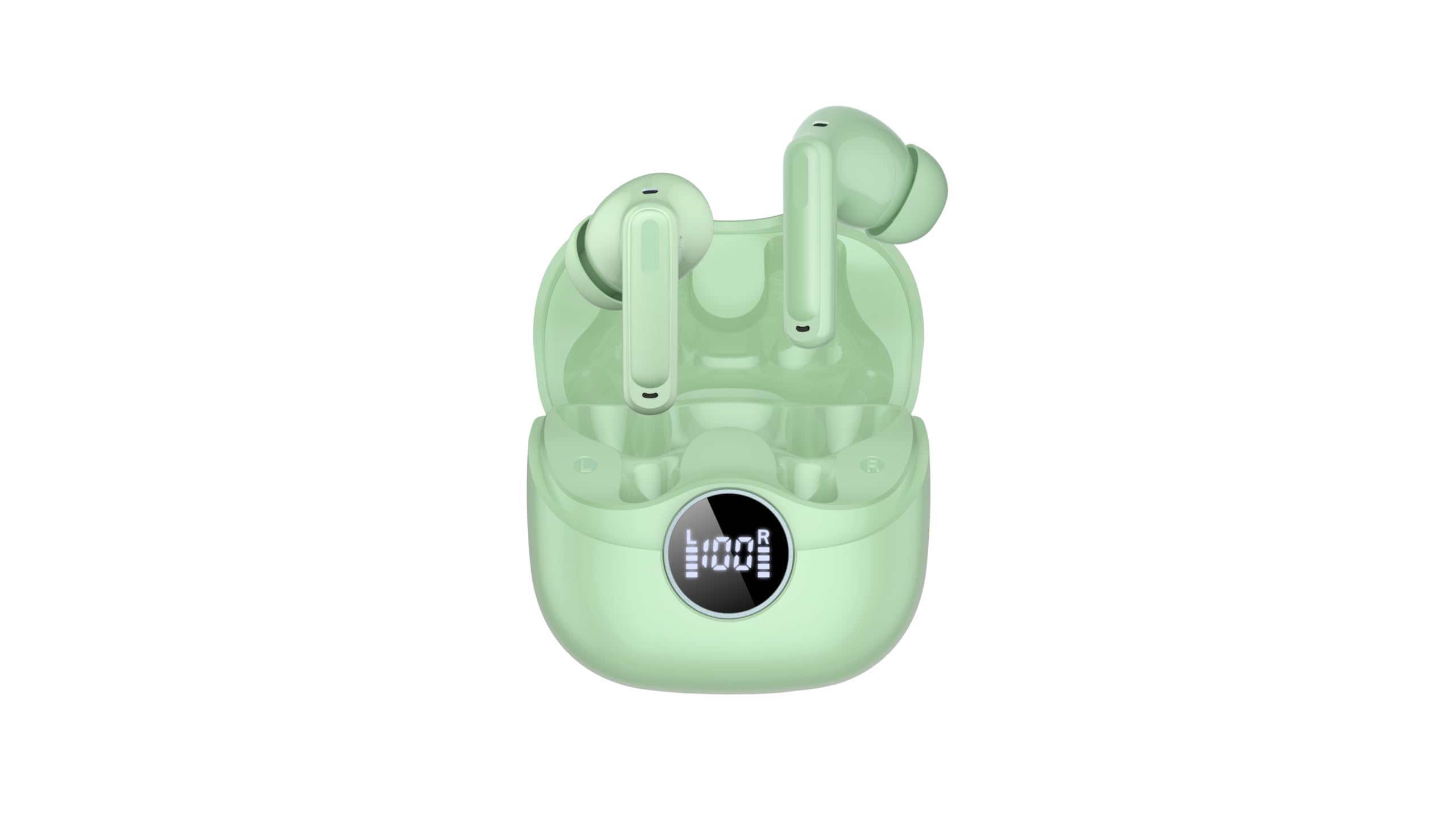
Image 2.1: xinwld Air3 Pro Wireless Earbuds and Charging Case with accessories.
3. Ọja Ipariview
The xinwld Air3 Pro Wireless Earbuds are designed for a superior audio experience with advanced features.
Awọn ẹya pataki:
- Bluetooth 5.4: Pese asopọ alailowaya iduroṣinṣin ati lilo daradara.
- 4 ENC Noise Cancelling Microphones: Imudara pipe pipe nipa idinku ariwo ayika.
- HiFi Stereo Deep Bass: Delivers rich, immersive audio quality.
- Akoko ere 40: Agbara batiri ti o gbooro sii pẹlu apoti gbigba agbara.
- IP7 Mabomire: Resistant to sweat and rain, suitable for workouts and outdoor activities.
- Ifihan LED: Shows battery status of the charging case and individual earbuds.
- Iṣakoso Fọwọkan: Intuitive control for music, calls, and voice assistant.
Aworan 3.1: Isunmọ view of the xinwld Air3 Pro Wireless Earbuds.
4. Gbigba agbara
The earbuds and charging case come with a partial charge. It is recommended to fully charge them before first use.
Ngba agbara si ọran gbigba agbara:
- Connect the provided USB Type-C cable to the charging port on the case.
- So opin okun miiran pọ si ohun ti nmu badọgba agbara USB (kii ṣe pẹlu) tabi ibudo USB ti kọnputa kan.
- The LED display on the case will show the charging progress. A full charge typically takes about 1 hour.
Ngba agbara si Earbuds:
- Fi àwọn agbekọri naa sinu awọn iho ti o yẹ ninu apoti gbigba agbara. Rii daju pe awọn olubasọrọ gbigba agbara naa wa ni ibamu.
- Close the charging case lid. The earbuds will automatically begin charging.
- The LED display on the case will indicate the charging status of each earbud.
Akiyesi: The earbuds can be recharged 2-3 times by a fully charged case, providing up to 40 hours of total playtime.
5. Initial Setup and Bluetooth Pairing
Follow these steps to pair your xinwld Air3 Pro earbuds with your device:
- Gba agbara Agbekọri: Rii daju pe awọn agbekọri mejeeji ati ọran gbigba agbara ti gba agbara to.
- Agbara Tan: Open the charging case lid. The earbuds will automatically power on and enter pairing mode. You may see indicator lights flashing on the earbuds.
- Mu Bluetooth ṣiṣẹ: Lórí fóònù alágbèéká rẹ, tábìlẹ́ẹ̀tì, tàbí ẹ̀rọ mìíràn tí Bluetooth ń ṣiṣẹ́, lọ sí àwọn ètò Bluetooth kí o sì tan Bluetooth.
- Wa fun Ẹrọ: In the list of available devices, select "Air3 Pro".
- Sopọ: Once selected, your device should connect to the earbuds. A voice prompt or indicator light change will confirm successful pairing.
- Lilo atẹle: After the initial pairing, the earbuds will automatically connect to the last paired device when removed from the charging case, provided Bluetooth is enabled on your device.
Akiyesi: If pairing fails, place the earbuds back into the case, close the lid, and repeat the steps. Ensure the earbuds are close to your device during pairing.
6. Awọn ilana Iṣiṣẹ
Awọn iṣakoso Fọwọkan:
The xinwld Air3 Pro earbuds feature intuitive touch controls on each earbud. The specific functions may vary slightly depending on your device and application.
| Iṣe | Agbekọti Osi | Ọtun Earbud |
|---|---|---|
| Mu ṣiṣẹ/Danu Orin duro | Fọwọ ba Nikan | Fọwọ ba Nikan |
| Next Track | Fọwọ ba lẹẹmeji | Fọwọ ba lẹẹmeji |
| Ti tẹlẹ Track | Fọwọ ba Meteta | Fọwọ ba Meteta |
| Idahun/Pari Ipe | Fọwọ ba Nikan | Fọwọ ba Nikan |
| Kọ Ipe | Tẹ Gigun (2s) | Tẹ Gigun (2s) |
| Mu Oluranlọwọ Ohun ṣiṣẹ | Tẹ Gigun (2s) | Tẹ Gigun (2s) |
Wọ Awọn Agbekọti:
Fun didara ohun to dara julọ ati itunu, rii daju pe awọn afikọti ti wọ ni deede.
- Yan Awọn imọran Eti: Choose the ear tips that provide the best seal and comfort for your ears.
- Fi Agbekọri sii: Fi rọra fi agbekọri kọọkan sinu odo eti rẹ.
- Ṣatunṣe Ipo: Rotate the earbud slightly until it fits snugly and securely. The microphone should be pointing towards your mouth for clear calls.
7. Itọju ati Itọju
Proper care ensures the longevity and performance of your earbuds.
- Ninu: Mọ awọn afikọti nigbagbogbo ati apoti gbigba agbara pẹlu asọ ti o gbẹ, asọ ti ko ni lint. Maṣe lo awọn kẹmika lile tabi awọn ohun elo abrasive.
- Fifọ Italolobo Eti: Yọ awọn imọran eti kuro ki o sọ wọn di mimọ pẹlu ọṣẹ kekere ati omi ti o ba jẹ dandan. Rii daju pe wọn ti gbẹ patapata ṣaaju ki o to tun ṣe.
- Ibi ipamọ: Tí o kò bá lò ó, máa fi àwọn ètí ìgbọ́rọ̀ sí inú àpótí ìgbóná wọn láti dáàbò bò wọ́n kúrò lọ́wọ́ eruku àti ìbàjẹ́.
- Itọju Batiri: Avoid fully discharging the battery frequently. Charge the earbuds and case regularly, even if not in use for extended periods, to maintain battery health.
- Omi Resistance: While IP7 waterproof, avoid prolonged submersion in water. Dry the earbuds completely if they get wet before placing them back in the charging case.
- Yago fun Awọn iwọn otutu to gaju: Do not expose the earbuds or charging case to extreme temperatures (hot or cold) or high humidity.
8. Laasigbotitusita
Ti o ba pade awọn ọran pẹlu awọn agbekọri rẹ, tọka si awọn iṣoro ti o wọpọ ati awọn ojutu wọnyi:
- Awọn agbekọri ti ko so pọ pẹlu ẹrọ:
- Rii daju pe Bluetooth ti ṣiṣẹ lori ẹrọ rẹ.
- Rí i dájú pé àwọn ètí ìró náà ti gba agbára, wọ́n sì ti yọ kúrò nínú àpótí ìgbówó.
- Forget "Air3 Pro" from your device's Bluetooth list and try pairing again.
- Tun ẹrọ rẹ bẹrẹ ati awọn agbekọri (nipa gbigbe wọn pada sinu ọran ati gbigbe wọn jade).
- Ko si ohun lati ọkan tabi mejeeji agbekọri:
- Ṣayẹwo ipele iwọn didun lori ẹrọ rẹ mejeeji ati awọn agbekọri.
- Rii daju pe awọn agbekọri ti sopọ daradara si ẹrọ rẹ.
- Try resetting the earbuds (refer to the manual for specific reset instructions if available, or try placing them in the case, closing, and reopening).
- Nu eyikeyi idoti kuro lati apapo agbọrọsọ agbekọri.
- Apo gbigba agbara ko gba agbara:
- Rí i dájú pé okùn USB Type-C so mọ́ àpótí àti orísun agbára dáadáa.
- Gbiyanju okun USB ti o yatọ tabi ohun ti nmu badọgba agbara.
- Ṣayẹwo fun eyikeyi idoti ni ibudo gbigba agbara ti ọran naa.
- Didara ipe ti ko dara:
- Rii daju pe awọn agbekọri ti joko daradara ni awọn eti rẹ.
- Check for strong environmental noise; the ENC feature works best within its limits.
- Ensure your device has good network reception.
9. Awọn alaye ọja
Detailed technical specifications for the xinwld Air3 Pro Wireless Earbuds:
| Ẹya ara ẹrọ | Sipesifikesonu |
|---|---|
| Orukọ awoṣe | Air3 Pro |
| Asopọmọra Technology | Ailokun (Bluetooth) |
| Ẹya Bluetooth | 5.4 |
| Àwọn Ẹ̀yà Ìṣàkóso Ariwo | Ifagile Noise ayika (ENC) |
| Igbesi aye batiri | Titi di Awọn wakati 40 (pẹlu ọran gbigba agbara) |
| Omi Resistance Ipele | IP7 mabomire |
| Ọna Iṣakoso | Fọwọkan |
| Apẹrẹ Akọti | Ninu Eti |
| Audio Driver Type | Bass Awakọ |
| Awọn ẹrọ ibaramu | Foonuiyara, Kọǹpútà alágbèéká, Awọn tabulẹti, Awọn Agbọrọsọ Smart |
| Iwọn Nkan | 0.071 iwon (eti agbekọri) |
10. Alaye Aabo
Jọwọ ka ki o si tẹle awọn itọnisọna ailewu lati yago fun ipalara tabi ibajẹ si ẹrọ rẹ:
- Má ṣe tú ọjà náà ká, má ṣe tún un ṣe, tàbí ṣe àtúnṣe rẹ̀. Èyí lè fa iná, ìkọlù iná mànàmáná, tàbí ìbàjẹ́ pátápátá sí ọjà náà.
- Keep the earbuds and charging case away from extreme temperatures, direct sunlight, and high humidity.
- Avoid using the earbuds at excessively high volumes for prolonged periods to prevent hearing damage.
- Pa mọ́ kúrò lọ́wọ́ àwọn ọmọdé àti ẹranko láti dènà jíjẹ àwọn ẹ̀yà kékeré láìròtẹ́lẹ̀.
- Má ṣe lo àwọn ètí ìgbọ́rọ̀ ní àwọn ibi tí o ti nílò láti gbọ́ bí a ṣe ń wakọ̀, gígun kẹ̀kẹ́, tàbí rírìn nínú ọkọ̀ ojú irin.
- Lo awọn kebulu gbigba agbara ti a pese tabi ifọwọsi nikan ati awọn oluyipada.
11. Atilẹyin ọja ati Support
xinwld products are designed and manufactured to the highest quality standards. For warranty information, technical support, or customer service inquiries, please refer to the warranty card included in your package or contact xinwld customer support through the retailer where you purchased the product. Please have your product model number (Air3 Pro) and ASIN (B0GHC3X3BP) ready when contacting support.