
1. Ifihan
This manual provides essential information for the safe and efficient operation of your THKFMSRC GD3024EMH High Frequency Off-Grid MPPT Solar Inverter. Please read this manual thoroughly before installation and use, and retain it for future reference.
The GD3024EMH is a high-frequency off-grid solar inverter designed to convert DC power from solar panels into AC power for household appliances. It features Maximum Power Point Tracking (MPPT) technology for optimized solar energy harvesting and operates as a hybrid system.
2. Alaye Aabo
ÌKÌLỌ̀: Àìtẹ̀lé àwọn ìlànà ààbò wọ̀nyí lè yọrí sí ìkọlù iná mànàmáná, iná, ìpalára ńlá, tàbí ikú.
- Fifi sori gbọdọ wa ni ošišẹ ti nipasẹ oṣiṣẹ eniyan.
- Ensure all wiring is correctly polarized and securely connected.
- Má ṣe lo inverter náà bí ó bá ti bàjẹ́ tàbí tí ó bá dàbí pé kò ṣiṣẹ́ dáadáa.
- Jeki oluyipada kuro lati awọn ohun elo ina, ọrinrin, ati imọlẹ orun taara.
- Rii daju pe fentilesonu to peye ni ayika ẹrọ oluyipada lati ṣe idiwọ igbona.
- Gé gbogbo orísun agbára (oòrùn, bátìrì, àti ohun èlò ìṣiṣẹ́) kúrò kí o tó ṣe ìtọ́jú tàbí wáyà.
3. Package Awọn akoonu
Daju pe gbogbo awọn ohun ti a ṣe akojọ rẹ si isalẹ wa ninu package rẹ. Ti awọn ohun kan ba nsọnu tabi bajẹ, jọwọ kan si olupese rẹ.
- THKFMSRC GD3024EMH Solar Inverter Unit
- Afowoyi Olumulo (iwe-ipamọ yii)
- Ohun elo iṣagbesori (awọn skru, awọn ìdákọró)
- Okùn ìbánisọ̀rọ̀ (tí ó bá wúlò)
4. Ọja Ipariview
The THKFMSRC GD3024EMH inverter integrates a solar charge controller, inverter, and battery charger into one unit. It is designed to provide uninterrupted power support.
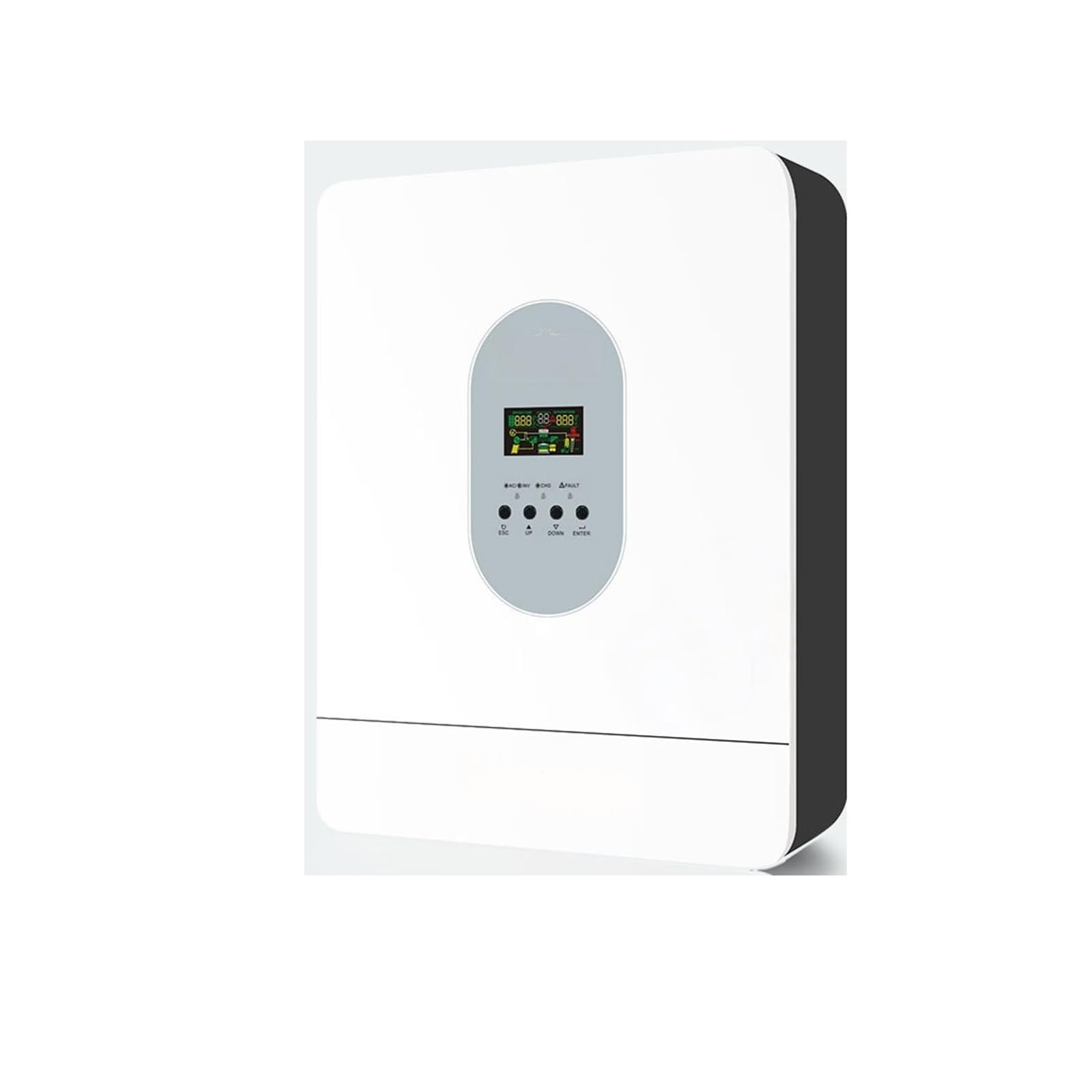
olusin 4.1: Iwaju view of the THKFMSRC GD3024EMH solar inverter. This image displays the main unit with its control panel and various connection points for solar input, battery, and AC output.
4.1. Awọn ẹya ara ẹrọ
- Oṣuwọn igbi ti o dara
- Oluṣakoso idiyele oorun oorun MPPT
- Configurable igbewọle voltage ibiti fun ile onkan ati awọn ara ẹni awọn kọmputa nipasẹ LCD eto
- Gbigba agbara batiri atunto lọwọlọwọ da lori awọn ohun elo nipasẹ eto LCD
- Configurable AC / Ṣaja Ṣaja oorun nipasẹ eto LCD
- Ni ibamu pẹlu mains voltage tabi monomono agbara
- Tun bẹrẹ aifọwọyi lakoko ti AC n bọsipọ
- Apọju / Lori otutu / Idaabobo Circuit kukuru
- Apẹrẹ ṣaja ṣaja Smart fun iṣapeye iṣẹ batiri
- Cold ibere iṣẹ
5. Eto
5.1. Iṣagbesori Inverter
- Yan ipo fifi sori ẹrọ ti o yẹ:
- Indoors, protected from direct sunlight, rain, and dust.
- A ṣe iṣeduro fifi sori ogiri inaro.
- Ensure sufficient clearance (at least 20 cm) around the unit for proper heat dissipation.
- Iwọn otutu ayika yẹ ki o wa laarin 0°C ati 55°C.
- Mark the positions for the mounting screws on the wall using the inverter as a template.
- Lu awọn ihò ki o si fi awọn ìdákọ̀ró ogiri sinu wọn (ti o ba jẹ dandan).
- Securely mount the inverter to the wall using the provided screws.
5.2. Wiring Awọn isopọ
CAUTION: Before making any connections, ensure all power sources (solar panels, batteries, AC input) are disconnected and turned off.
- Asopọ batiri: Connect the battery cables to the inverter's battery terminals. Ensure correct polarity (+ to + and - to -). The GD3024EMH requires a 24V battery bank.
- Isopọmọ igbimọ oorun: Connect the solar panel cables to the inverter's PV input terminals. Observe correct polarity. Ensure the open-circuit voltage ti eto oorun rẹ ko kọja iwọn didun titẹ sii PV ti o pọju ti invertertage.
- Isopọwọle AC: If connecting to a utility grid or generator, connect the AC input cable to the designated AC input terminal.
- Asopọ jade AC: Connect your loads (appliances) to the AC output terminals.
- Ilẹ: Connect the inverter to an earth ground using a suitable grounding wire.
Refer to the wiring diagram provided in the full product manual for detailed connection points.
6. Awọn ilana Iṣiṣẹ
6.1. Ibẹrẹ Agbara-soke
- Rii daju pe gbogbo awọn asopọ onirin wa ni aabo ati pe o tọ.
- Turn on the battery breaker/switch.
- Turn on the solar panel breaker/switch.
- If using AC input, turn on the AC input breaker.
- Press and hold the ON/OFF button on the inverter for a few seconds to power it on. The LCD display will illuminate.
6.2. LCD Display and Buttons
Ẹ̀rọ inverter naa ni ifihan LCD kan ati awọn bọtini pupọ fun ibojuwo ati iṣeto.
- Ifihan LCD: Fi ipo eto akoko gidi han, iwọn didun titẹ sii/o wujadetages, battery charge, and error codes.
- Awọn bọtini iṣẹ: Typically include UP, DOWN, ENTER, and ESCAPE for navigating menus and adjusting settings.
6.3. Awọn ipilẹ Eto
Access the settings menu via the function buttons to configure parameters such as:
- O wujade Voltage/Igbohunsafẹfẹ: (e.g., 110V/60Hz for this model)
- Gbigba agbara lọwọlọwọ: Adjust based on battery capacity.
- AC Input Voltage Ibiti: For appliance or UPS mode.
- Charger Priority: Solar first, AC first, or Solar and AC.
- Àkọ́kọ́ Orísun Ìjáde: Solar first, Utility first, or SBU (Solar-Battery-Utility).
Consult the detailed settings section in the complete manual for specific parameter adjustments.
7. Itọju
Itọju deedee ṣe idaniloju iṣẹ ti o dara julọ ati igba pipẹ ti inverter rẹ.
- Ninu: Lẹsẹkẹsẹ nu ita ẹrọ oluyipada pẹlu asọ gbigbẹ. Rii daju pe awọn ṣiṣi atẹgun ko ni eruku ati idoti.
- Awọn isopọ: Annually check all electrical connections for tightness and corrosion. Re-tighten if necessary.
- Ayewo Batiri: Regularly inspect battery terminals for corrosion and ensure battery fluid levels (if applicable) are correct.
- Ayika: Rii daju pe agbegbe iṣẹ wa laarin iwọn otutu pato ati awọn sakani ọriniinitutu.
WARNING: Disconnect all power sources before performing any cleaning or inspection.
8. Laasigbotitusita
Apá yìí ń pèsè àwọn ìdáhùn sí àwọn ìṣòro tó wọ́pọ̀. Fún àwọn ìṣòro tí a kò kọ síbí, kan si olùrànlọ́wọ́ ìmọ̀-ẹ̀rọ.
| Isoro | Owun to le Fa | Ojutu |
|---|---|---|
| Inverter ko tan | Kò sí ìsopọ̀ batiri; Iwọn batiritage too low; ON/OFF button not pressed correctly. | Check battery connections; Charge battery; Press and hold ON/OFF button. |
| Ko si AC jade | Overload; Short circuit; Inverter in fault mode. | Reduce load; Check for short circuits in wiring; Restart inverter. |
| Solar panels not charging battery | Incorrect PV connection; Insufficient sunlight; PV voltagó kéré jù/ga jù. | Check PV wiring polarity; Ensure panels are in direct sunlight; Verify PV array voltage jẹ laarin awọn pato. |
| Koodu aṣiṣe han | Aṣiṣe eto pato. | Refer to the full manual's error code section for detailed explanations and solutions. |
9. Awọn pato
Key technical specifications for the THKFMSRC GD3024EMH (24V-110V) model:
- Awoṣe: GD3024EMH
- Eto Voltage: 24V DC
- AC wu Voltage: 110V AC
- Inverter Efficiency: 98% (as per product description)
- Orisun Agbara: Battery Powered (Hybrid with Solar/AC)
- Wattage: 1 kWh (as per product specifications, likely refers to energy capacity or rated power)
- Iru: High Frequency Off-Grid MPPT Solar Inverter
- ASIN: B0GHF554WP
Note: Detailed specifications, including maximum PV input, charge current, and surge power, are available in the complete product datasheet.
10. Atilẹyin ọja ati Support
For warranty information, please refer to the warranty card included with your product or contact your point of purchase. THKFMSRC products are designed for reliability and performance.
For technical support, troubleshooting assistance, or spare parts, please contact THKFMSRC customer service through the retailer where the product was purchased or visit the official THKFMSRC webaaye fun awọn alaye olubasọrọ.
When contacting support, please have your model number (GD3024EMH) and ASIN (B0GHF554WP) ready.