
MorePro AIR6
MorePro Fitness Tracker AIR6 Black User Manual
Model: AIR6 Black
1. Ifihan
Welcome to the MorePro Fitness Tracker AIR6 Black user manual. This guide provides detailed instructions on how to set up, operate, and maintain your new fitness tracker. The MorePro AIR6 is designed to help you monitor your health and fitness activities with features such as 24/7 heart rate, blood pressure, blood oxygen, and sleep tracking. It also includes multiple sports modes, smart notifications, and a durable, waterproof design.
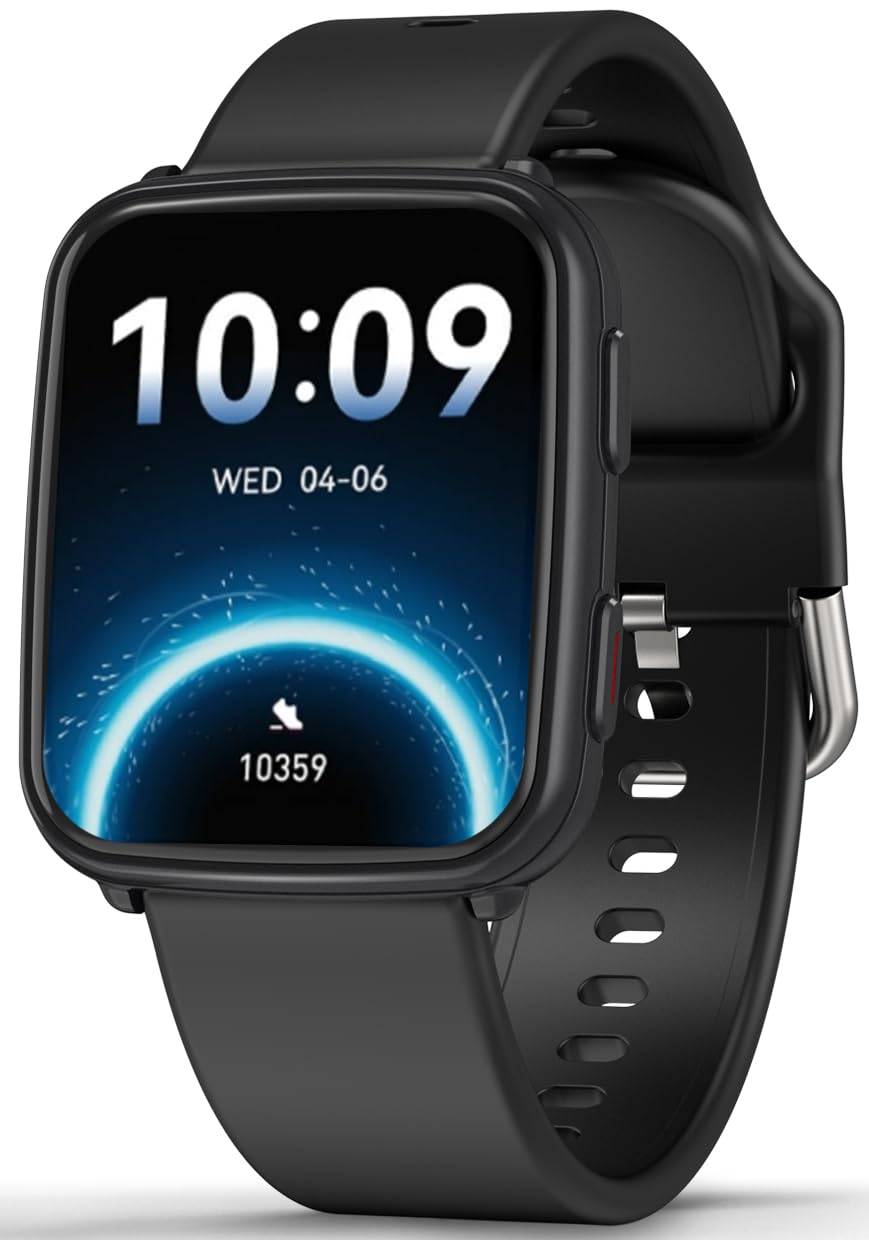
Image: MorePro Fitness Tracker AIR6 Black, showcasing awọn oniwe-aso oniru.
2. Eto Itọsọna
2.1. Unboxing ati Ni ibẹrẹ idiyele
Upon opening the package, you will find the MorePro Fitness Tracker, a charging cable, and this user manual. Before first use, ensure the device is fully charged.
- So okun gbigba agbara oofa pọ si awọn aaye gbigba agbara lori ẹhin aago naa.
- Pulọọgi opin USB ti okun naa sinu ohun ti nmu badọgba agbara USB boṣewa (kii ṣe pẹlu) tabi ibudo USB ti kọnputa kan.
- Iboju aago yoo tọkasi ipo gbigba agbara. Gbigba agbara ni kikun maa n gba to awọn wakati 2.
2.2. Powering On and App Pairing
- To power on the device, press and hold the side button until the screen lights up.
- Select your preferred language from the options displayed on the screen.
- Scan the QR code shown on the watch screen or in the manual using your smartphone to download the companion MorePro app. The app is compatible with Android 7.0+ and iOS 13.0+ devices.
- Open the MorePro app on your smartphone, create an account, and follow the on-screen instructions to pair your fitness tracker via Bluetooth. Ensure Bluetooth is enabled on your phone.
Video: Demonstrates unboxing, connecting the charger, powering on the watch, selecting language, and scanning the QR code for app download and pairing.
3. Awọn ilana Iṣiṣẹ
3.1. Ipilẹ Lilọ kiri
The MorePro Fitness Tracker features a responsive touchscreen and a side button for navigation:
- Ra soke/isalẹ: Yi lọ nipasẹ awọn akojọ aṣayan ati awọn iwifunni.
- Ra osi/Ọtun: Access quick data screens (e.g., steps, heart rate, weather).
- Fọwọ ba: Yan ohun kan tabi jẹrisi iṣẹ kan.
- Bọtini ẹgbẹ: Press to return to the previous screen or wake the display. Press and hold to access the main menu or power options.
3.2. Abojuto Ilera
The device continuously monitors various health metrics:
- Oṣuwọn Ọkàn: Provides 24/7 heart rate tracking. Access detailed graphs in the app.
- Iwọn Ẹjẹ: Offers on-demand blood pressure measurements. (Note: Not for medical use.)
- Atẹgun ẹjẹ (SpO2): Check your blood oxygen levels at any time.
- Titele orun: Automatically tracks deep sleep, light sleep, and wake-up times to provide comprehensive sleep insights.

Image: The watch screen showing real-time heart rate, blood pressure, and blood oxygen data.

Image: A close-up of the smart watch displaying heart rate monitoring.

Image: The smart watch screen showing blood pressure measurement.

Image: The smart watch displaying blood oxygen levels.
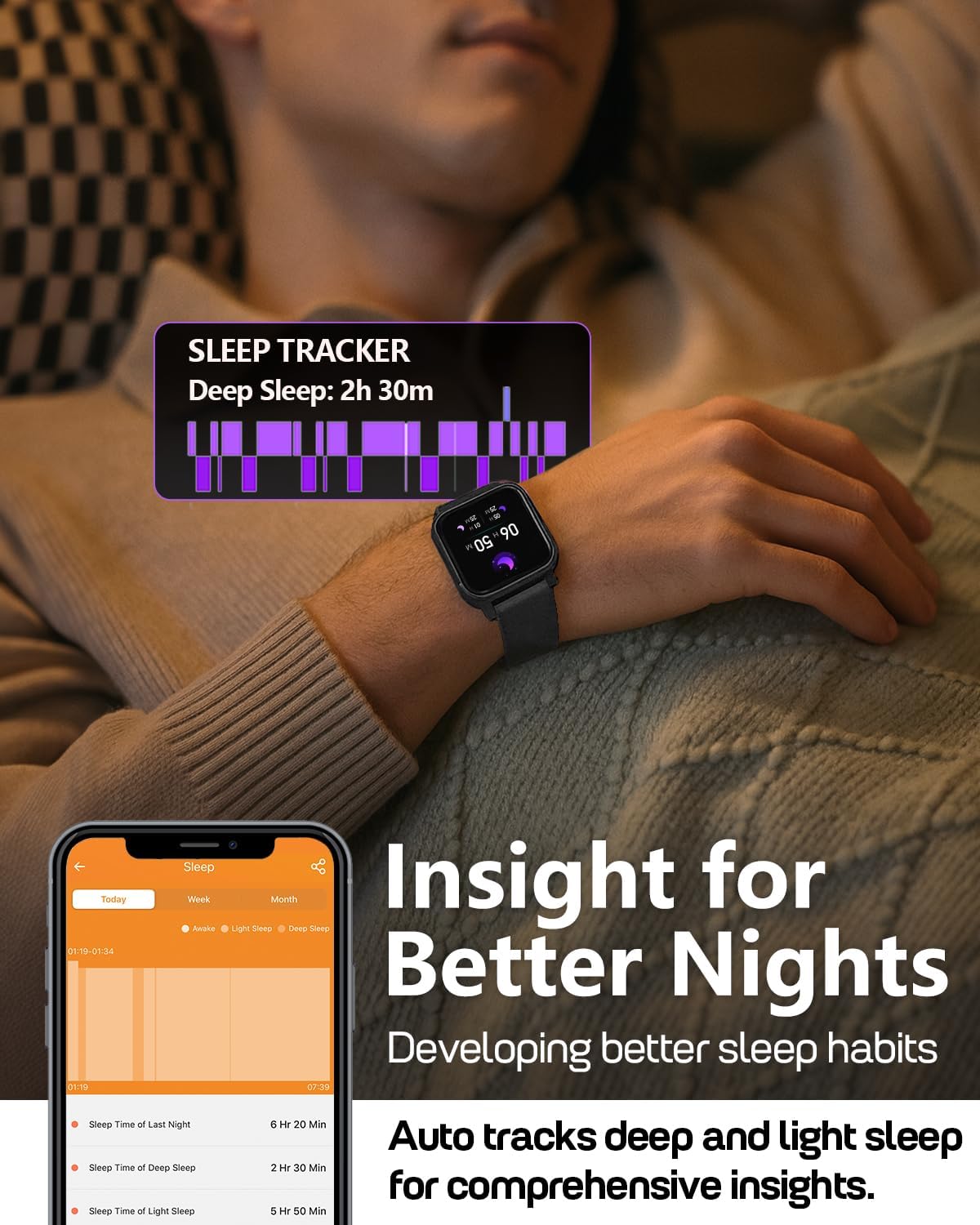
Image: A person wearing the MorePro Fitness Tracker while sleeping, with sleep data displayed on the screen.

Image: The smart watch displaying sleep tracking data.
3.3. Titele aṣayan iṣẹ-ṣiṣe
The tracker supports over 20 sports modes and records daily activity:
- Awọn ọna Idaraya 20+: Includes running, walking, cycling, yoga, elliptical, swimming, basketball, football, badminton, table tennis, skipping, tennis, baseball, rugby, hula hoop, golf, and more.
- Iṣẹ́ ojoojúmọ́: Ṣe igbasilẹ awọn igbesẹ, ijinna, ati awọn kalori sisun.

Image: A person exercising while wearing the MorePro Fitness Tracker, displaying activity time, heart rate, steps, and calories burned.

Image: The fitness tracker displaying various sports modes like cycling, exercise bike, swimming, and yoga.
3.4. Women's Health Tracking
The tracker includes a dedicated feature for women's health, allowing you to log and track menstrual periods, safe days, ovulation windows, and ovulation days directly on your wrist. The app supports period mode, trying-to-conceive mode, and pregnancy mode.

Image: A woman using the smart watch to track her menstrual cycle.
3.5. Awọn iṣẹ Smart
Stay connected and organized with these smart features:
- Awọn iwifunni: Receive real-time call, SMS, and app message notifications (e.g., Facebook, Instagram, TikTok) on your wrist.
- Àfojúsùn ojú ọjọ: Get on-wrist weather updates.
- Iṣakoso Orin: Ṣakoso ṣiṣiṣẹsẹhin orin lori foonu rẹ.
- Iṣakoso kamẹra: Lo aago naa bi olutọpa latọna jijin fun kamẹra foonu rẹ.
- Aago iṣẹju-aaya & Aago: Àwọn irinṣẹ́ tí a ṣe sínú rẹ̀ fún àwọn iṣẹ́ àkókò.
- Aago itaniji: Ṣeto awọn itaniji taara lati ọwọ ọwọ rẹ.
- Wa Foonu: Wa foonu alagbeka rẹ ti o sọnu.
- Sedentary & Hydration Reminders: Prompts to move and drink water throughout the day.
- Awọn oju Wiwo Aṣa: Choose from over 200 watch faces or create custom ones using your own photos.

Image: The smart watch showing notifications from various social media apps and a stress monitor.

Image: The 1.52-inch HD screen of the MorePro Fitness Tracker displaying various watch face options, including custom photo faces.
4. Itọju
4.1. Waterproofing
The MorePro Fitness Tracker is IP68 waterproof, meaning it is resistant to sweat, rain, and can be worn during hand-washing or swimming. However, it is not recommended for hot showers, saunas, or diving.

Image: Demonstrates the IP68 waterproof feature, showing the watch being exposed to sweat, poolside splashes, and hand-washing.
4.2. Ninu
To maintain your device, regularly clean the watch and strap with a soft, damp asọ. Yago fun lilo awọn kẹmika lile tabi awọn ohun elo abrasive.
4.3. Aye batiri ati gbigba agbara
The device offers up to 7-10 days of battery life with normal use and 15 days on standby. Recharge using the provided magnetic charging cable when the battery is low.

Image: A person in a desert setting, highlighting the ultra-long battery life of 15 days standby and 7 days normal use, with a 2-hour magnetic charging time.
5. Laasigbotitusita
If you encounter issues with your MorePro Fitness Tracker, try the following steps:
- Ẹrọ ti ko tan: Ensure the device is fully charged. Connect it to the charger and wait a few minutes before attempting to power it on again.
- Awọn iṣoro Asopọmọra: Make sure Bluetooth is enabled on your smartphone and the tracker is within range. Restart both your phone and the tracker. Check the app for pairing status.
- Awọn kika ti ko pe: Rii daju pe aago naa ti wọ snugly lori ọwọ ọwọ rẹ, kii ṣe ju tabi alaimuṣinṣin pupọ. Nu awọn sensọ lori ẹhin aago naa.
- Ohun elo ko muṣiṣẹpọ: Verify your phone has an active internet connection. Close and reopen the MorePro app.
- Awọn iwifunni ko han: Check your phone's notification settings for the MorePro app and ensure all necessary permissions are granted.
For further assistance, refer to the in-app help section or contact customer support.
6. Awọn pato
| Ẹya ara ẹrọ | Ẹ̀kúnrẹ́rẹ́ |
|---|---|
| Brand | Diẹ siiPro |
| Awoṣe | AIR6 Black |
| Iwon iboju | 1.52 inches |
| Ifihan Iru | LCD |
| Agbara Ibi ipamọ Iranti | 128 MB |
| Eto isesise | Android & iOS |
| Awọn ẹrọ ibaramu | Foonuiyara |
| Pataki Awọn ẹya ara ẹrọ | Activity Tracker, Cycle Tracking, Daily Workout Memory, Music Player, Sedentary Reminder, Heart Rate, Blood Pressure, Blood Oxygen, Sleep Monitor, Weather, Alarm Clock, Find Phone, Camera Control, Stopwatch, Timer, Hydration Reminder |
| Mabomire Rating | IP68 |
| Agbara Batiri | 230 Milionuamp Awọn wakati |
| Igbesi aye batiri (Lilo deede) | 7-10 Ọjọ |
| Igbesi aye batiri (Iduroṣinṣin) | 15 Ọjọ |
| Akoko gbigba agbara | Isunmọ. Awọn wakati 2 |
| Asopọmọra Technology | Bluetooth 5.3 |
| Ohun elo Iru | Ṣiṣu |
| Ibamu Iwọn Ọwọ́ | 6.3 - 8.6 inches |

Image: Details on watch dimensions, minimum and maximum wrist sizes, and compatibility with Android 7.0+ and iOS 13.0+ via Bluetooth 5.3.

Image: The smart watch highlighting its 1.52-inch HD screen and various watch face options.

Image: Detailed measurements of the watch strap, indicating its adjustable length for wrist sizes between 6.3 and 8.6 inches.
7. Atilẹyin ọja & Atilẹyin
MorePro offers comprehensive support for your fitness tracker:
- Ìyípadà Ọdún 2: Gbadun eto imulo rirọpo ọdun mẹta fun awọn abawọn iṣelọpọ.
- Iṣẹ igbesi aye: Benefit from lifetime technical support and service.
- Ìdáhùn kíákíá fún wákàtí mẹ́rìnlélógún: Expect a prompt response to your inquiries within 12 hours.
For any questions or support needs, please contact MorePro customer service.

Image: Highlights MorePro's after-sales support, including a 2-year premium service and 12-hour quick support.
Ask a question about this manual
Ask about setup, troubleshooting, compatibility, parts, safety, or missing instructions. Manuals+ will review the question and use this page’s manual context to help answer it.