
1. Ifihan
This manual provides instructions for the proper use and maintenance of your EUQQ Translation Earbuds Model YYK. These earbuds are designed to facilitate communication across language barriers through real-time translation, in addition to offering standard audio functions.
2. Ọja Ipariview
The EUQQ Translation Earbuds Model YYK feature advanced Bluetooth 5.4 technology for stable connections and lower power consumption. They offer 2-way instant voice translation in up to 144 languages, 4-mic noise cancelling for clear audio, and a total playtime of up to 40 hours with the charging case.
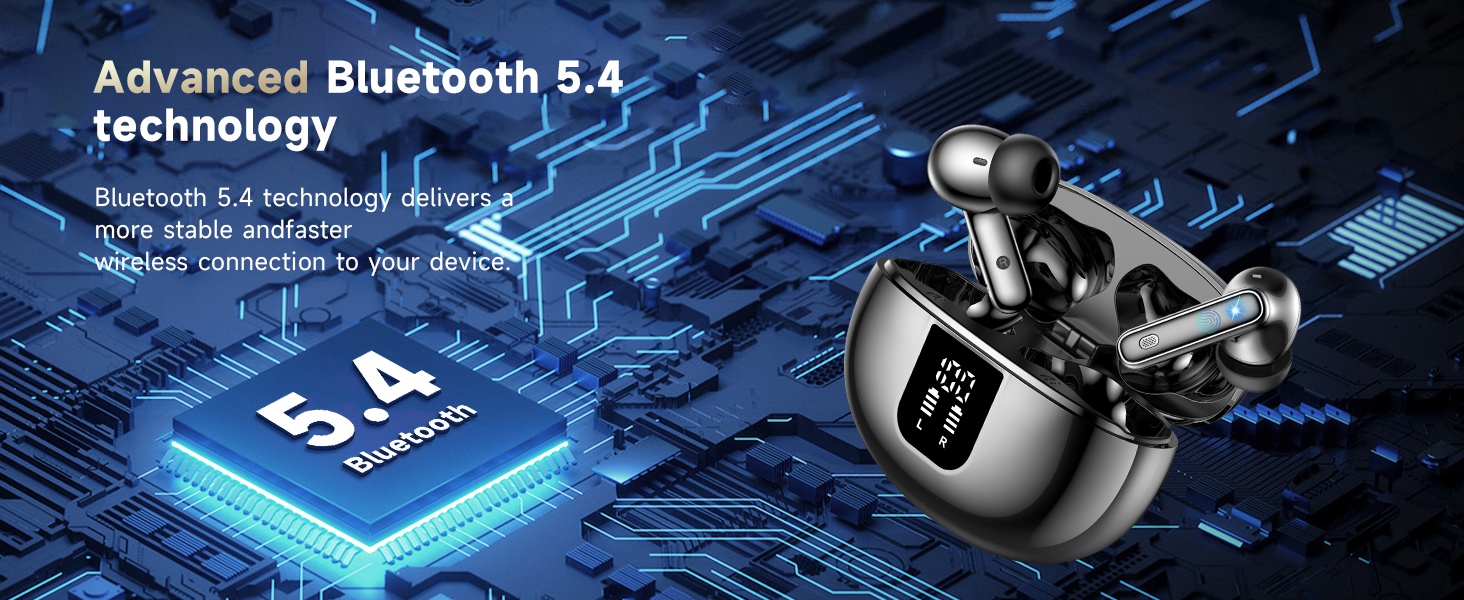
Image: Earbuds illustrating Bluetooth 5.4 technology benefits, including increased connection range, stable connection, and transfer speed.
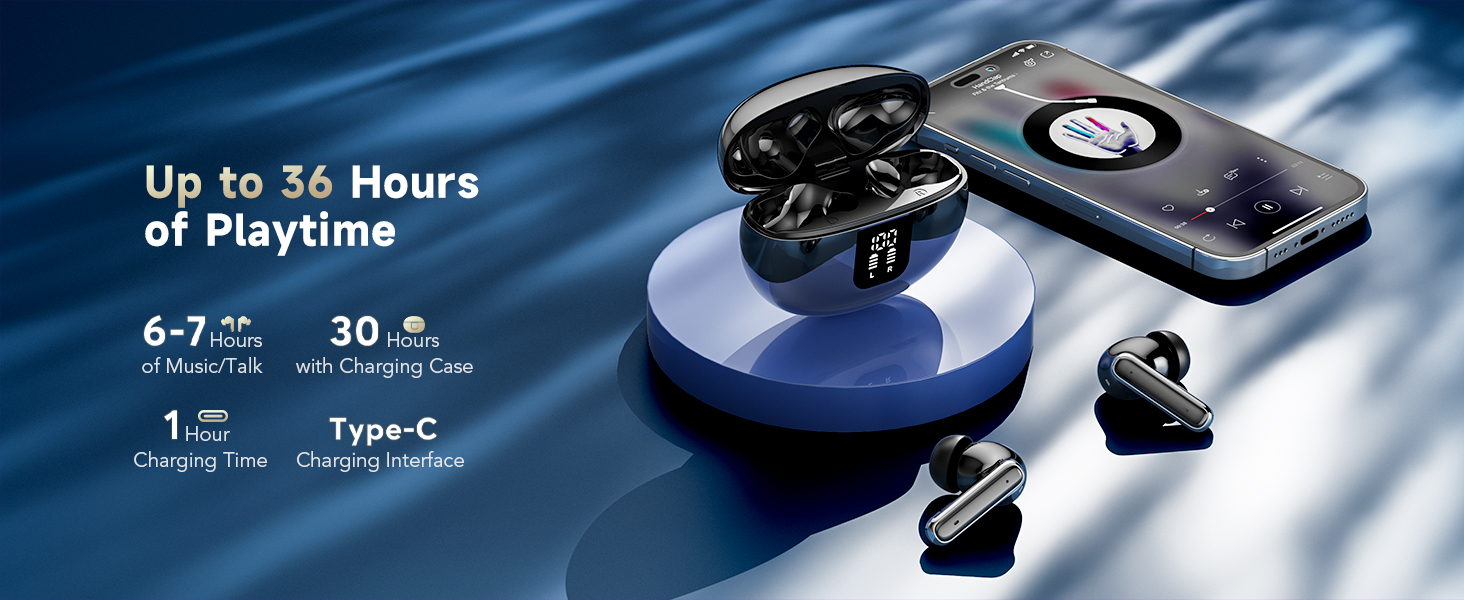
Image: Earbuds and charging case displaying up to 36 hours of playtime, 6-7 hours per charge, 1 hour charging time, and Type-C interface.
3. Eto
3.1 Gbigba agbara akọkọ
Ṣaaju lilo akọkọ, gba agbara ni kikun awọn agbekọri ati apoti gbigba agbara. So okun USB-C ti a pese si apoti gbigba agbara ati orisun agbara kan. Awọn ina Atọka lori ọran naa yoo fihan ipo gbigba agbara.
3.2 App sori ati Asopọ
To utilize the translation features, you must download and connect to the companion application.
- Download the "BitDynamic" app from your device's app store (e.g., App Store for iOS, Google Play Store for Android).
- Rii daju pe Bluetooth ti ṣiṣẹ lori foonu rẹ.
- Open the "BitDynamic" app and grant necessary permissions (e.g., Bluetooth, microphone, network access).
- The app should automatically detect the earbuds. Select your earbuds (e.g., "Q10 AI") and confirm connection.

Image: Visual guide showing the four steps to connect the earbuds to the "BitDynamic" application, including app download, Bluetooth activation, app permissions, and device selection.
3.3 Bluetooth Pairing (Standard Audio)
For standard audio use without translation features, you can pair the earbuds directly via your device's Bluetooth settings:
- Ṣí àpótí gbigba agbara. Àwọn agbekọri yoo wọ ipo asopọ.
- Lori ẹrọ rẹ, lọ si awọn eto Bluetooth ki o wa awọn ẹrọ to wa.
- Select "EUQQ YYK" (or similar name) from the list to connect.
4. Awọn ilana Iṣiṣẹ
4.1 Fọwọkan Iṣakoso
Àwọn agbekọri naa ni awọn agbegbe ti o ni imọlara ifọwọkan fun iṣakoso awọn iṣẹ oriṣiriṣi:
- Click MFB button: Pause/Play audio.
- Double-click left/right MFB buttons: Next/Previous track (function may vary by app).
- Long press MFB button: Kọ ipe ti nwọle.
- Click MFB button: Answer/End a call.
- Press and hold right MFB button for 2 seconds: Activate voice assistant (e.g., Siri).
- Press and hold left MFB button for 2 seconds: Switch to ANC mode.
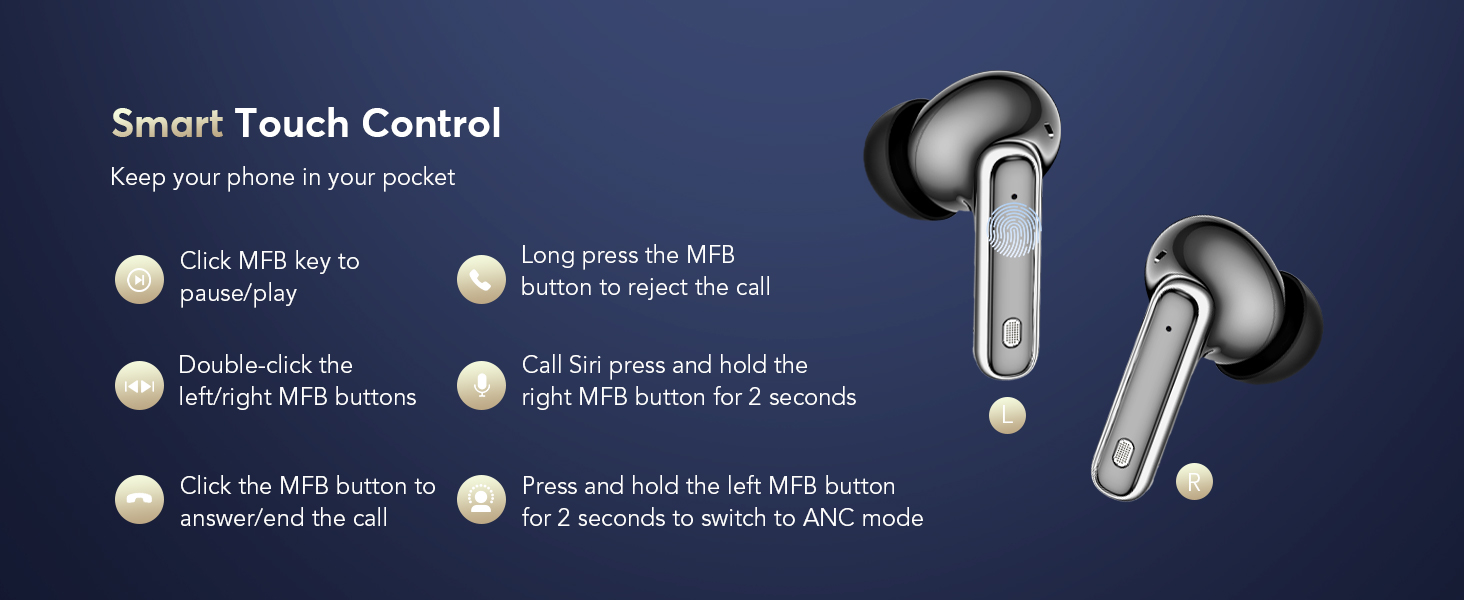
Image: Diagram illustrating the touch control functions on the left and right earbuds.
4.2 Àwọn Ìgbésẹ̀ Ìṣàkóso Ariwo
The earbuds offer three modes for different listening environments:
- Ipo Ifagile Ariwo Nṣiṣẹ (ANC): Reduces ambient noise for immersive audio.
- Ipo deede: Standard audio experience without noise cancellation or transparency.
- Ipo akoyawo: Gba ọ laaye lati gbọ agbegbe rẹ lakoko ti o ngbọ ohun.
To switch between modes, long press the touch button on the left earbud. You will hear an audio prompt indicating the current mode (ANC on/off/Transparency Mode).
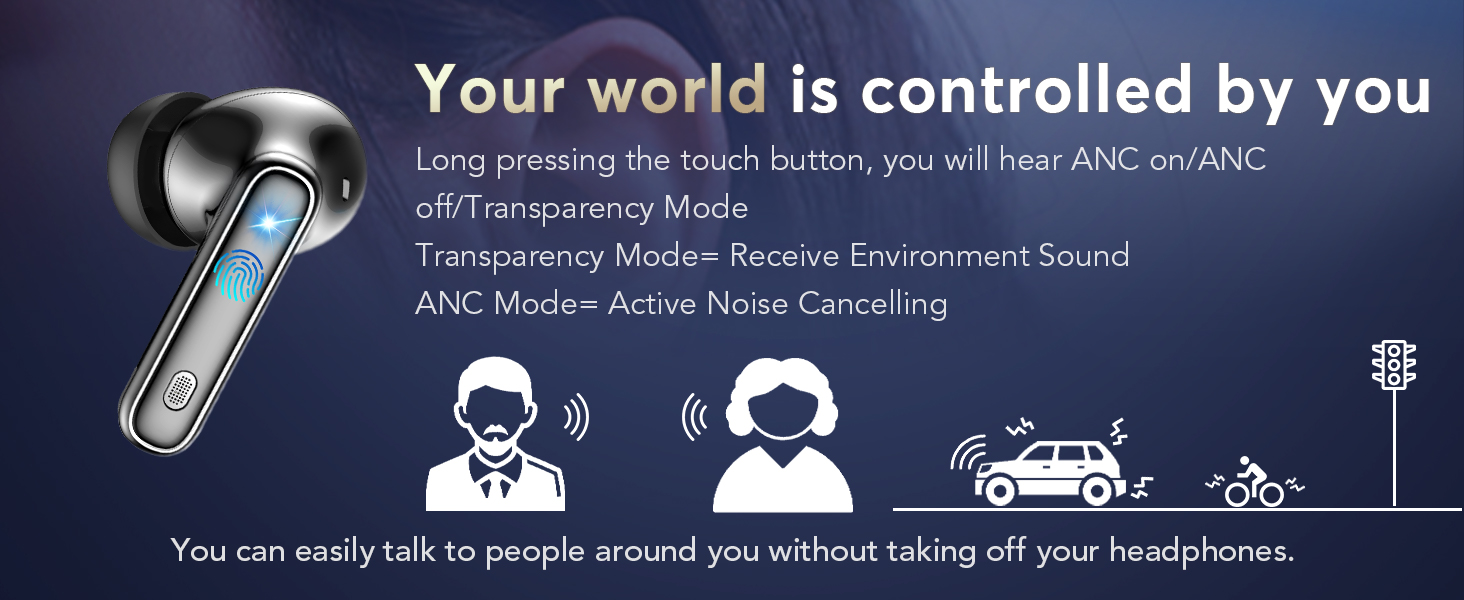
Image: Illustration of the earbud's ability to switch between Active Noise Cancellation, Normal, and Transparency modes.
4.3 Translation Modes (via BitDynamic App)
The BitDynamic app provides several translation modes:
- Face-to-Face Translation (Earphones + Mobile Phone): For two-way conversations. One person speaks into the phone, and the translation is heard through the earbuds. The other person hears the translation from the phone's speaker. This mode is switchable.
- Free Speech Mode: For in-depth one-on-one conversations. Each participant wears an earbud and speaks naturally. The app processes and translates the conversation in real-time.
- Ipo Agbọrọsọ: For directions or ordering food. You wear the earbuds and speak; the translated results are played through your phone's speaker.
- Ipo Fọwọkan: For fluent conversations where each person wears an earbud. Touch your earbud before speaking, and the other person will hear the translation in their earbud.
- Itumọ nigbakanna: For international conferences. Set the target language, click "Start," and the app provides real-time voice translation.
- Audio and Video Call Translation: Online calls with real-time translation. Set up the dialogue language, share the call link, and the call will be translated once participants join.
- Real-Time Text Translation: The app provides various translation modes, including photo translation and audio transcription.
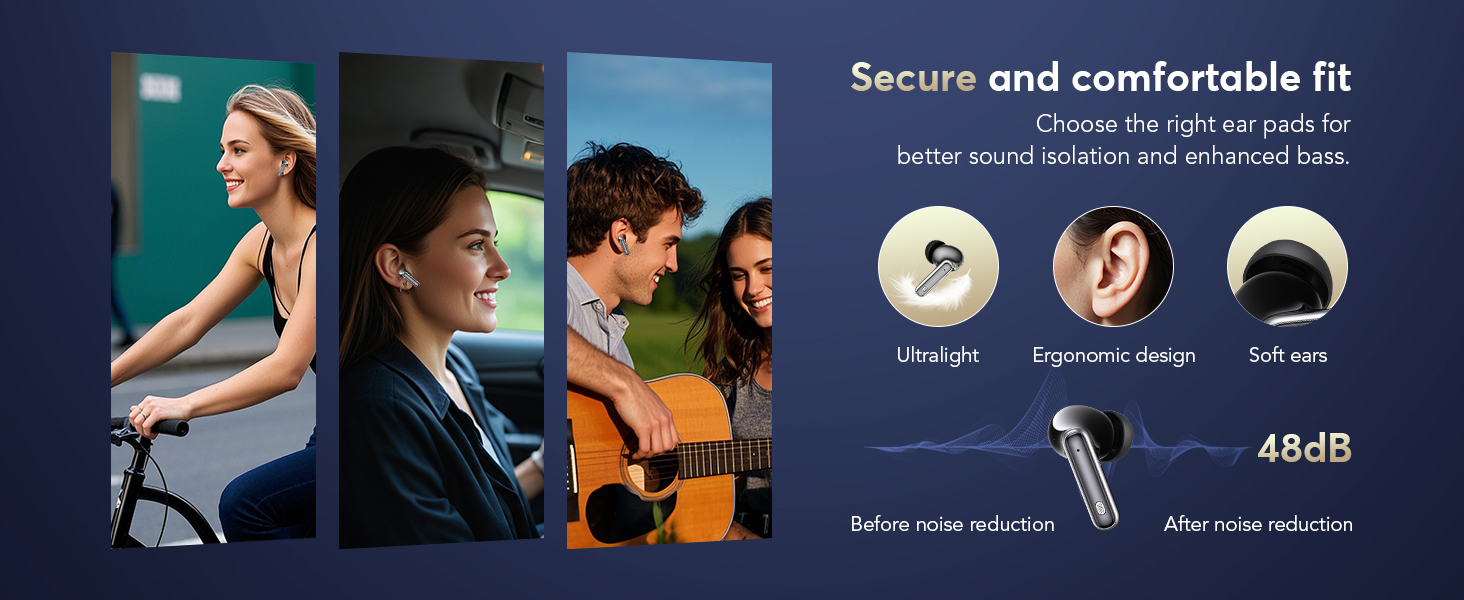
Image: Screenshot of the app interface demonstrating Face-to-Face Translation mode, where one person uses earbuds and the other uses the phone.
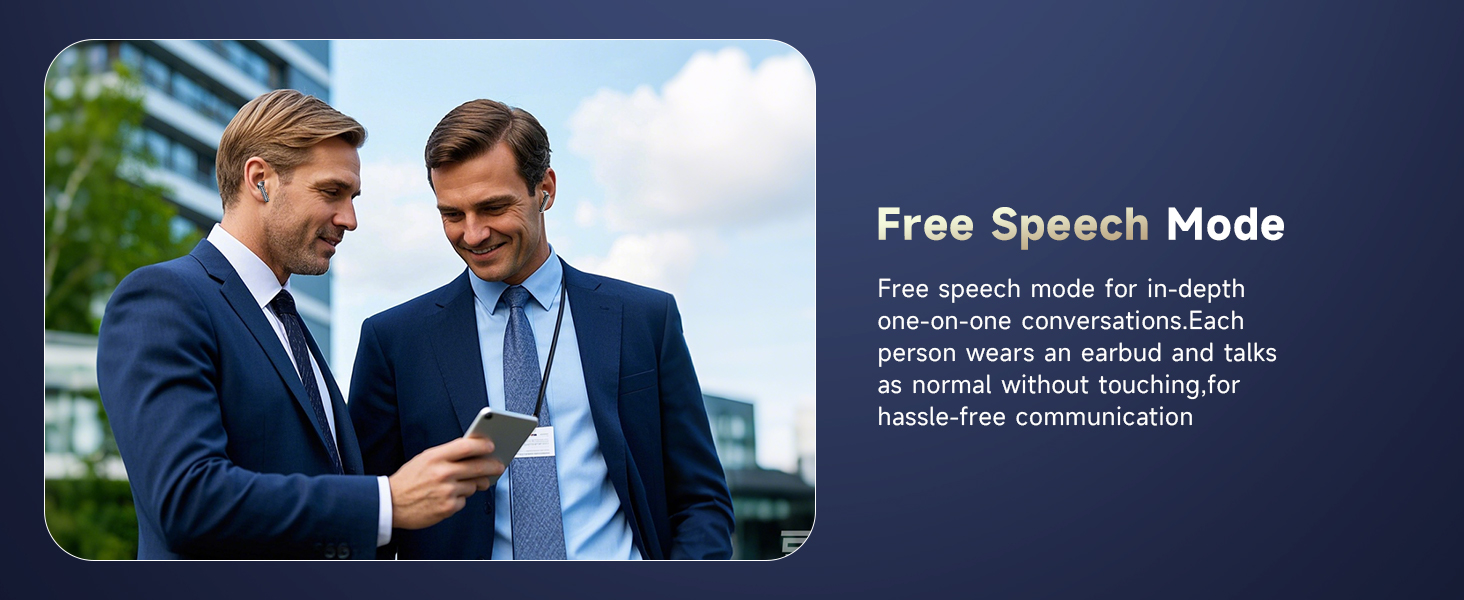
Image: Two individuals engaged in conversation, both wearing earbuds, illustrating the Free Speech Mode.
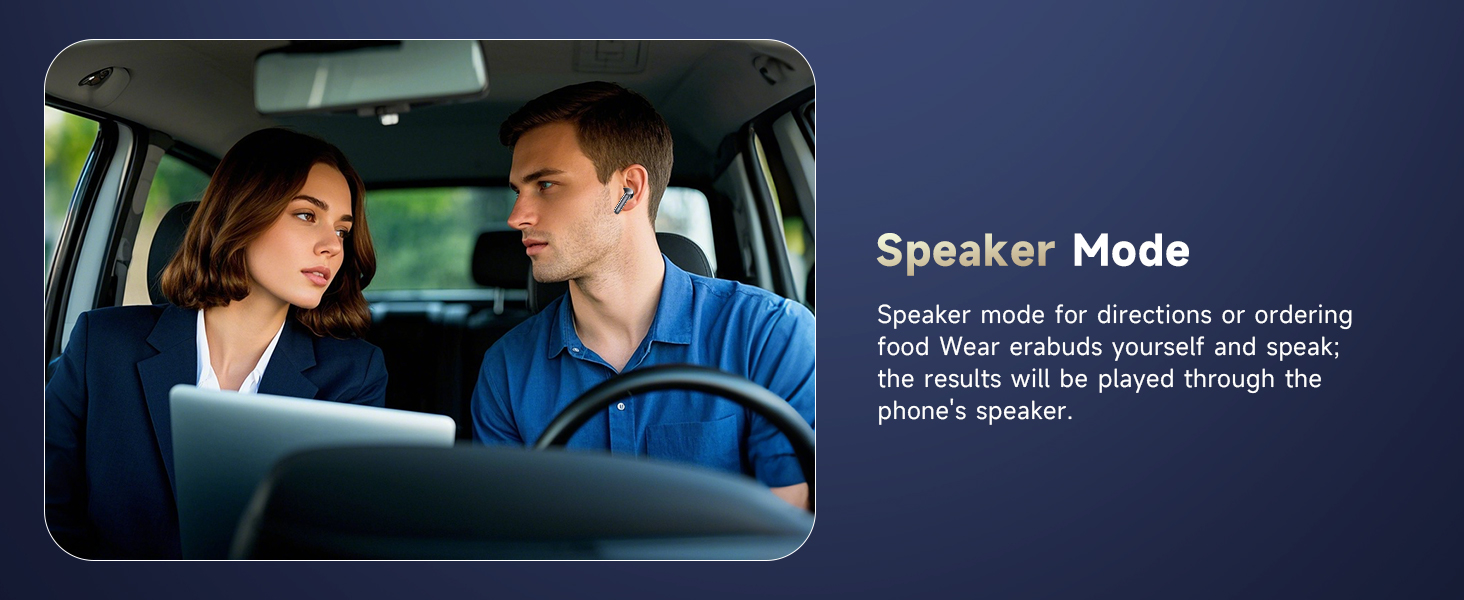
Image: A man wearing an earbud in a car, demonstrating Speaker Mode where translations are broadcast through the phone.
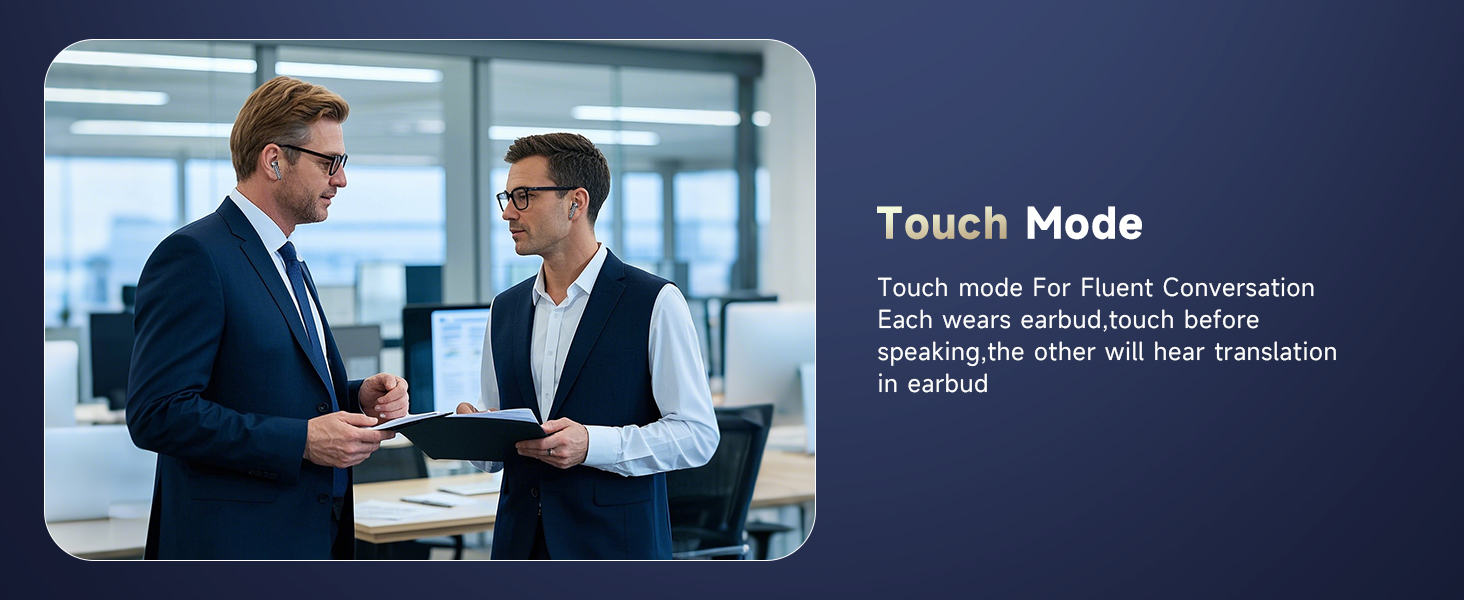
Image: Two men in a professional setting, both wearing earbuds, illustrating the Touch Mode for fluent conversation.
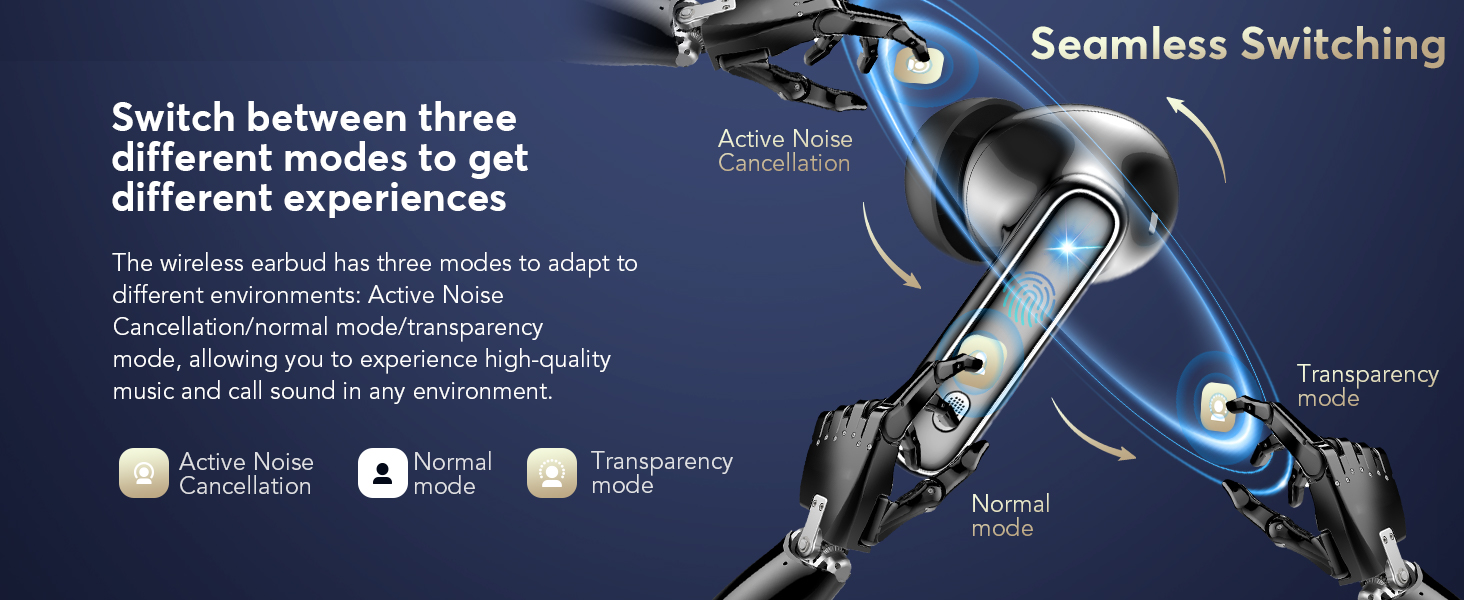
Image: Screenshot of the app showing simultaneous interpretation, translating spoken text between two languages.
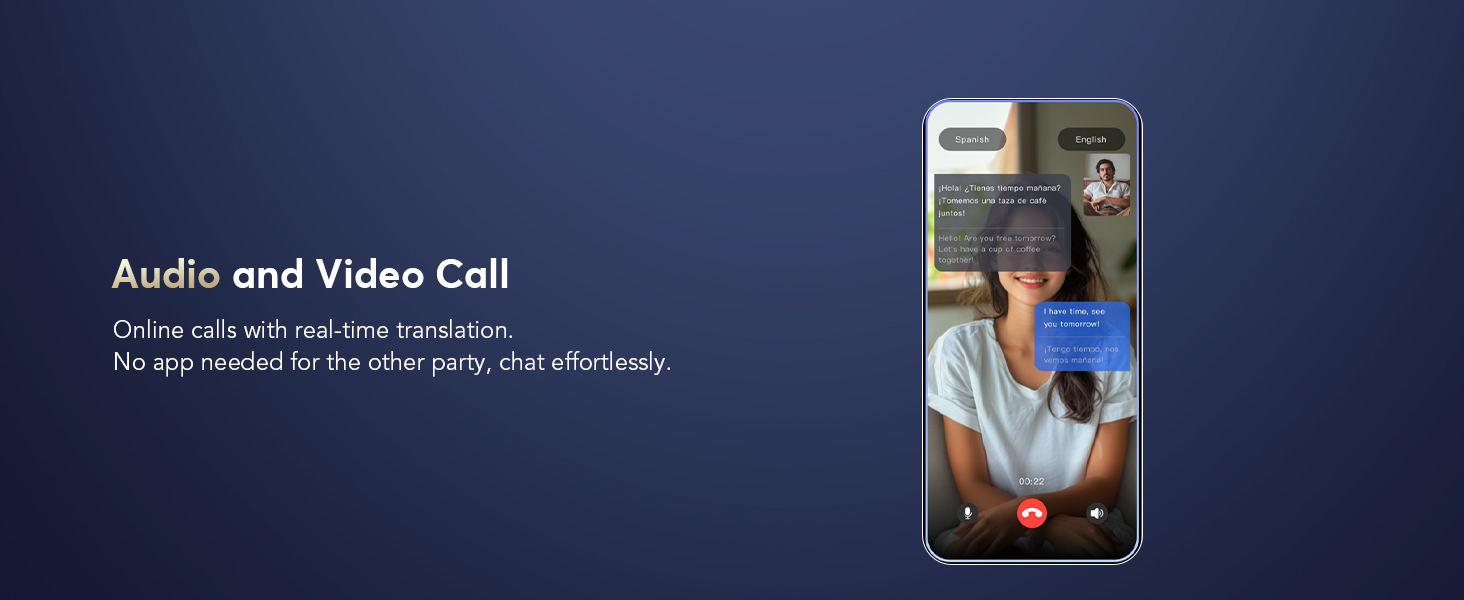
Image: Screenshot of the app demonstrating real-time translation during an audio or video call.

Image: Screenshot of the app showing real-time text translation from spoken input.
4.4 Additional App Features
- AI Voice Smart Dialogue: Use real-time voice interaction to ask AI questions within the app.
- AI Meeting Assistant: Record, transcribe, summarize, and generate mind maps from meetings.
- Live Recording: Convert recordings to text for meeting notes or personal reference.
- Find Earphones: If your earbuds are misplaced, use this feature in the app to make them emit a sound or show their last known location on a map.
- Iranlowo orun: Features built-in white noise sounds (e.g., rain, ocean waves) to assist with sleep.

Image: Screenshots of the app demonstrating AI Voice Smart Dialogue with different AI models.

Image: Screenshots of the app showing the AI Meeting Assistant features, including recording, transcription, and mind mapping.

Image: Screenshot of the app displaying the Live Recording feature, converting spoken audio to text.

Image: Screenshot of the app showing the 'Find Earphones' feature with options to play sound or navigate to the location on a map.

Image: Screenshot of the app displaying the Sleep Aid feature with various white noise options.
5. Itọju
5.1 Ninu
Ṣe nu awọn afikọti rẹ nigbagbogbo ati ọran gbigba agbara lati rii daju iṣẹ ṣiṣe to dara julọ ati mimọ.
- Use a soft, dry, lint-free cloth to wipe the exterior of the earbuds and charging case.
- For ear tips, gently remove them and clean with a mild soap solution if necessary, then rinse and dry thoroughly before reattaching.
- Lo owú gbígbẹ láti fọ àwọn ohun tí ó ń gba agbára lórí àwọn ètí àti inú àpótí náà dáadáa.
- Yago fun lilo awọn ohun elo abrasive, nkanmimu, tabi awọn kẹmika lile.
5.2 Gbigba agbara
To maintain battery health, charge the earbuds and case regularly. A quick 10-minute charge provides approximately 2 hours of use. The total battery life with the charging case is up to 40 hours.
5.3 Secure and Comfortable Fit
Choosing the correct ear tip size is crucial for sound isolation and comfort. Experiment with different sizes to find the best fit for your ears.

Image: Illustration highlighting the secure and comfortable fit of the earbuds, with options for ultralight, ergonomic design, and soft ear tips.
6. Laasigbotitusita
If you encounter issues with your EUQQ Translation Earbuds, refer to the following common solutions:
- Àwọn etí ìgbọ́rọ̀ kò so mọ́ fóònù:
- Rii daju pe awọn agbekọri ti gba agbara.
- Pa Bluetooth foonu rẹ ki o si tan.
- Gbagbe ẹrọ inu awọn eto Bluetooth ti foonu rẹ ki o tun-meji.
- Tun foonu rẹ bẹrẹ.
- Itumọ ko ṣiṣẹ tabi aiṣe:
- Ensure the "BitDynamic" app is open and connected to the earbuds.
- Check your internet connection, as cloud-based translation requires it.
- Daju pe orisun ti o pe ati awọn ede ibi-afẹde ni a yan ninu app naa.
- Sọ kedere ati ni iyara iwọntunwọnsi.
- Ṣe imudojuiwọn ohun elo naa si ẹya tuntun.
- Didara ohun ti ko dara:
- Rí i dájú pé àwọn agbekọri etí náà mọ́ tónítóní, wọn kò sì ní ìdọ̀tí kankan.
- Check for a secure fit with the correct ear tip size.
- Rii daju pe ẹrọ rẹ wa laarin Bluetooth (to awọn mita 15).
- Awọn iṣoro gbigba agbara:
- Rí i dájú pé okùn gbigba agbara àti adapter náà ń ṣiṣẹ́ dáadáa.
- Nu awọn olubasọrọ gbigba agbara kuro lori awọn agbekọri mejeeji ati ọran naa.
- Rii daju pe awọn agbekọri ti joko daradara ni apoti gbigba agbara.
Ti awọn iṣoro ba wa, jọwọ kan si atilẹyin alabara.
7. Awọn pato
| Ẹya ara ẹrọ | Ẹ̀kúnrẹ́rẹ́ |
|---|---|
| Brand | EUQQ |
| Nọmba awoṣe | YYK |
| Àwọ̀ | Dudu |
| Gbigbe Eti | Ninu Eti |
| Fọọmù ifosiwewe | Ninu Eti |
| Asopọmọra Technology | Ailokun |
| Alailowaya Technology | Bluetooth |
| Ẹya Bluetooth | 5.4 |
| Bluetooth Ibiti | 15 Mita |
| Ariwo Iṣakoso | Ti nṣiṣe lọwọ Noise Ifagile |
| Iṣakoso Iru | Iṣakoso ifọwọkan |
| Omi Resistance Ipele | Mabomire |
| Igbesi aye batiri (Lapapọ pẹlu Ọran) | Titi di wakati 40 |
| Ngba agbara Interface | Iru-C |
| Awọn ẹrọ ibaramu | iPhone 17, iPhone 17 Air, iPhone 17 Pro, iPhone 17 Pro Max, IPhone 16, IPhone 16 Plus, iPhone16 Pro, iPhone16 Pro Max, IPhone 15, iPhone15 Pro, iPhone15 Pro Max, IPhone 14, iPhone14 Pro, iPhone14 Pro max, IPhone13, iPhone13Pro, IPhone12, iPhone12Pro, iPhone12 Pro max, iPhone11, iPhone11Pro, iPhone11Pro max, iPhone XS Max, iPhone XS, iPhone XR, iPhone X, iPhone 8, 8 plus, iPhone 7, 7 plus, Apple Watch, iPad Pro, iPad Air 2, iPad Air, iPad mini 4, iPad mini 2; Samsung Galaxy S8 & S8+, Samsung Galaxy S6 edge, Samsung Galaxy S6, Samsung Galaxy Note5, Note 4, Note 3; Moto X, Moto G, Moto E, DROID Turbo 2, DROID Maxx 2, SONY Xperia X Performance, Xperia X, Xperia XA, Xperia Z5, Xperia Z5 Compact, Xperia C4, Xperia M4 Aqua, Xperia Z3, Xperia Z4 Tablet, Xperia Z3 Tablet Compact, Xperia Z2 Tablet; Xiaomi 6, Xiaomi 5s, Xiaomi 5, Huawei mate9, Huawei mate8, Huawei P10, Huawei P8, OnePlus one, LG, Huawei mate30, Huawei mate40. Compatible with almost all Bluetooth devices. |
8. Atilẹyin ọja ati Support
8.1 atilẹyin ọja Alaye
Your EUQQ Translation Earbuds Model YYK are protected by a 365-day, no-questions-asked warranty. This includes a full year of hassle-free after-sales support. If the product has quality defects, it will be replaced or a full refund will be provided.

Image: Graphic indicating hassle-free after-sales service and a 365-day warranty.
8.2 Onibara Support
For any inquiries, issues, or assistance, please contact the EUQQ Customer Service Team directly. Our dedicated team is available to provide support and resolve any concerns you may have.

Image: Graphic promoting 24-hour online customer service for product support.