
Ọrọ Iṣaaju
Welcome to your new Yamaha YDP105 Digital Piano. This manual provides essential information for setting up, operating, maintaining, and troubleshooting your instrument. Please read it thoroughly to ensure proper use and to maximize your playing experience.
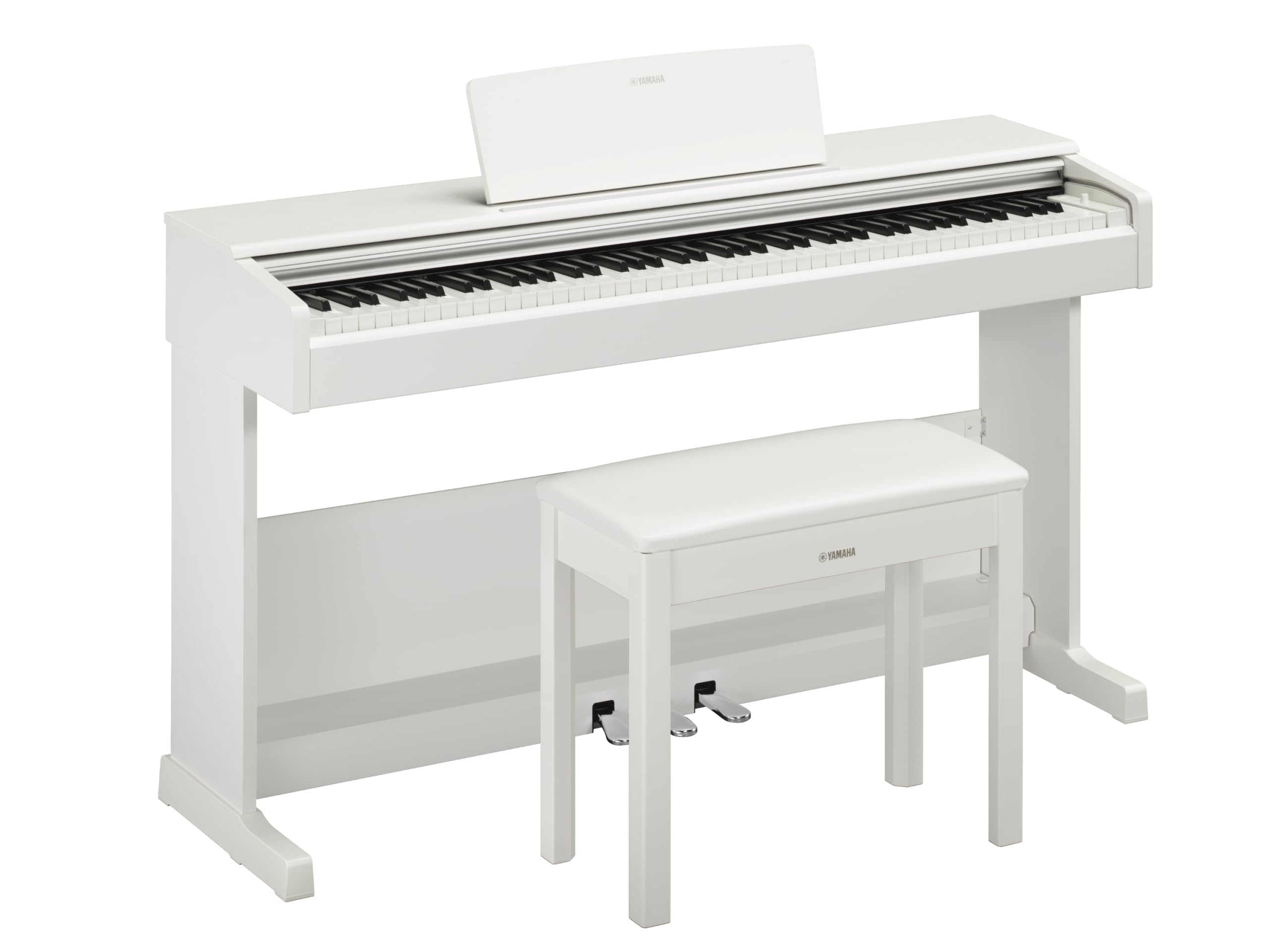
This image shows the Yamaha YDP105 digital piano in a white finish, positioned in a modern living room environment, highlighting its elegant design.
Awọn Itọsọna Aabo pataki
- Ibi ti ina elekitiriki ti nwa: Lo oluyipada agbara pàtó kan. Rii daju pe voltage ibaamu ti agbegbe rẹ ipese agbara.
- Omi ati Ọrinrin: Má ṣe fi ohun èlò náà sí òjò, ọrinrin, tàbí ọ̀rinrin tó pọ̀ jù. Má ṣe jẹ́ kí omi wà níbi tí a ti ń lo piano.
- Afẹfẹ: Ensure adequate ventilation around the instrument. Do not block ventilation openings.
- Ibi: Place the piano on a stable, level surface. Avoid direct sunlight, heat sources, and areas with excessive dust or vibrations.
- Mimu: Fi ọwọ́ mú ohun èlò náà dáadáa. Má ṣe jẹ́ kí ó jábọ́ tàbí kí ó fa ìkọlù líle.
- Ṣiṣẹ: Do not attempt to service the instrument yourself. Refer all servicing to qualified personnel.
Ṣeto
Ṣiṣi silẹ
Carefully remove all components from the packaging. Ensure all included items are present: the piano unit, bench, 3-pedal unit, power adapter, and music rest.
Apejọ
The Yamaha YDP105 requires some assembly. Follow these steps:
- Attach the side panels to the main keyboard unit using the provided screws.
- Secure the pedal unit to the assembled frame.
- Attach the backboard.
- Place the music rest into its slot on the keyboard unit.
- Assemble the bench according to its separate instructions.

This image shows the fully assembled Yamaha YDP105 digital piano in white, complete with its matching bench and music rest.
Asopọ agbara
Connect the supplied power adapter to the DC IN jack on the rear of the piano and then to a standard AC outlet.
Asopọ Ẹyọ Efatelese
Ensure the 3-pedal unit cable is securely connected to the corresponding jack on the piano.

This image displays a close-up of the three-pedal unit, showing the sustain, sostenuto, and soft pedals.
Awọn ilana Iṣiṣẹ
Titan / Paa
Tẹ awọn AGBARA button to turn the instrument on or off.
Iṣakoso iwọn didun
Lo awọn NIPA TITUNTO koko lati ṣatunṣe ipele ohun gbogbo.
Yiyan Awọn ohun (Awọn ohun elo)
The YDP105 features 10 instrument voices. To select a voice:
- Tẹ awọn Ohùn bọtini.
- Use the keyboard keys to select the desired voice as indicated in the manual's voice list.

This image shows a close-up of the control panel on the left side of the keyboard, highlighting the "GRAND PIANO" and "FUNCTION" buttons.
Lilo Agbekọri
The piano includes dual headphone jacks for private practice or duets. Connect standard 3.5mm headphones to either jack.

This image shows a pair of headphones resting on the top surface of the digital piano, near the keys.
Ìṣọ̀kan Ohun èlò Smart Pianist
Enhance your experience by connecting the YDP105 to the Yamaha Smart Pianist app. This app allows for intuitive control of piano functions, access to scores, and learning tools. Refer to the Smart Pianist app's documentation for detailed connection and usage instructions.

This image displays the icon for the Yamaha Smart Pianist App, featuring a stylized piano keyboard and musical notes.
Itoju
Ninu
Fi aṣọ rírọrùn àti gbígbẹ nu ohun èlò náà. Fún eruku líle, lo ẹ̀rọ díẹ́ díẹ̀.amp cloth and then wipe dry. Avoid abrasive cleaners, solvents, or polishes.
Ibi ipamọ
Store the piano in a stable environment, away from direct sunlight, extreme temperatures, and high humidity.
Moving the Instrument
Nígbà tí o bá ń gbé piano náà, rí i dájú pé ó ti pa, ó sì ti gé kúrò lára orísun agbára. Fi ọwọ́ ṣọ́ra mú un kí ó má baà ba jẹ́.
Laasigbotitusita
Ko si Ohun
- Ṣayẹwo boya agbara wa ni titan.
- Rii daju pe iwọn didun ti wa ni titan.
- Tí a bá so àwọn agbekọri pọ̀, yọ wọ́n kúrò láti ṣàyẹ̀wò bí agbohùnsọ̀kan ṣe ń jáde.
- Daju gbogbo awọn kebulu ti sopọ ni aabo.
Awọn bọtini Ko Fesi
- Tan ohun èlò náà (pa á, lẹ́yìn náà tún tan á).
- Ensure no objects are obstructing the keys.
Pedals Not Working
- Check the pedal unit cable connection.
- Ensure the pedal unit is correctly assembled and positioned.
Awọn pato
| Ẹya ara ẹrọ | Ẹ̀kúnrẹ́rẹ́ |
|---|---|
| Orukọ awoṣe | YDP-105 |
| Nọmba ti Awọn bọtini | 88 |
| Iru bọtini | Graded Hammer Standard (GHS) keyboard with matte black keytops |
| Idahun Fọwọkan | Hard/Medium/Soft/Fixed |
| Awọn ohun | 10 (including Grand Piano) |
| Polyphony | 64 awọn akọsilẹ |
| Pedals | 3 (Damper with half pedal effect, Sostenuto, Soft) |
| Asopọmọra | USB to Host, Headphone Jacks (2 x Standard Stereo Phone Jack) |
| Awọn agbọrọsọ | 12 cm x2 |
| Ampitanna | 8 W x2 |
| Awọn iwọn (W x D x H) | 1357 mm x 422 mm x 815 mm (53.44" x 16.63" x 32.09") |
| Iwọn | 37.5 kg (82.7 lbs) |
| Ibi ti ina elekitiriki ti nwa | PA-150B or an equivalent recommended by Yamaha |
Alaye atilẹyin ọja
The Yamaha YDP105 Digital Piano comes with a 1-year manufacturer warranty. Yamaha Corporation of America is committed to the quality and craftsmanship of its products. This limited warranty applies only to products purchased from an authorized Yamaha retailer in the fifty United States (including the District of Columbia) and used within this area. For complete warranty details and terms, please refer to the official Yamaha website or contact Yamaha customer support.
Onibara Support
For further assistance, technical support, or service inquiries, please visit the official Yamaha webojula tabi kan si wọn onibara iṣẹ Eka.