
Ọrọ Iṣaaju
This manual provides detailed instructions for the installation, operation, maintenance, and troubleshooting of your Blackspider BSDD1460A 7-inch Android multimedia radio. Please read this manual thoroughly before using the device to ensure proper functionality and safety.
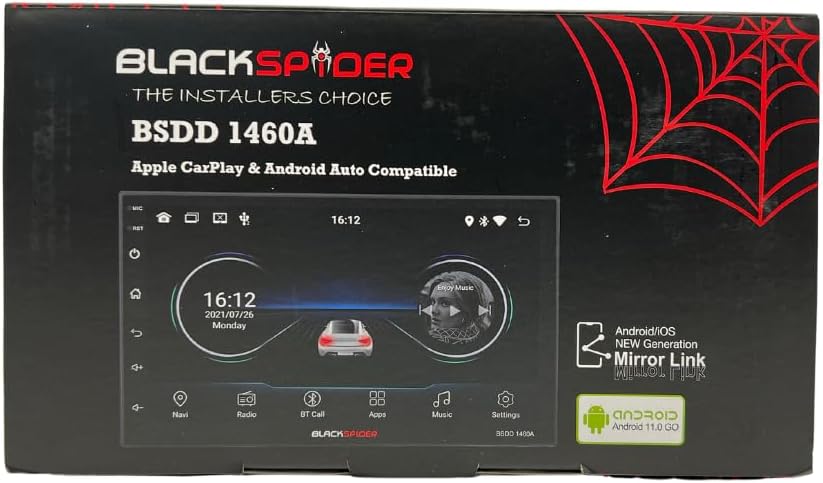
Figure 1: Blackspider BSDD1460A Product Packaging
The Blackspider BSDD1460A is a double-DIN head unit featuring a 7-inch Android 11 touchscreen. It supports Wireless Apple CarPlay, Wired Android Auto, built-in GPS navigation, and offers robust multimedia control and audio output. It is designed for seamless integration with various car systems, including rear cameras and steering wheel controls.
Eto ati fifi sori
Package Awọn akoonu
Ṣaaju fifi sori ẹrọ, rii daju pe gbogbo awọn paati wa ninu package:
- 1 x BSDD1460A Radio Unit
- 1 x Okun kamẹra
- 1 x RCA Cables Set
- 2 x Awọn kebulu USB
- 1 x Olugba GPS
- 1 x Aworan onirin
- 2 x iṣagbesori Awọn Biraketi
- 4 x Skru
- 1 x Gbohungbohun ita
- 1 x Okun Agbara

Figure 2: Unboxed Components

Nọmba 3: Alaye View of Cables and Wiring Diagram
Awọn Itọsọna fifi sori ẹrọ
Installation of the BSDD1460A unit should ideally be performed by a qualified professional. Incorrect wiring can damage the unit or your vehicle's electrical system. Refer to the included wiring diagram for specific connections.
Key connection points include:
- Ibi ti ina elekitiriki ti nwa: Connect the power cable to the vehicle's electrical system, ensuring correct polarity and fuse protection.
- Awọn igbejade Agbọrọsọ: Connect to your vehicle's speakers. The unit provides 60W x 4 max output.
- Eriali GPS: Connect the GPS receiver to the dedicated input and mount the antenna in a location with clear sky visibility.
- Iṣawọle Kamẹra Tẹhin: So ẹhin rẹ pọ-view camera to the designated input for automatic display when reversing.
- Awọn ibudo USB: Utilize the dual rear USB ports for media playback or charging devices.
- Gbohungbohun ita: Connect the external microphone for improved hands-free calling audio quality.
- Awọn idari Kẹkẹ idari: Connect to your vehicle's resistive steering wheel controls for integrated functionality.
- Awọn abajade RCA: Use the RCA audio outputs (Front/Rear) and dedicated Subwoofer output for external ampalifiers.

olusin 4: Ru Panel Awọn isopọ
Awọn ilana Iṣiṣẹ
Titan / Paa
Press and hold the power button on the front panel or use the vehicle's ignition to turn the unit on or off. The unit will display the Blackspider logo upon startup.

Figure 5: Startup Screen
Fọwọkan Interface
The 7-inch touchscreen provides intuitive control over all functions. Tap icons to open applications, swipe to navigate menus, and use pinch-to-zoom gestures where applicable (e.g., in navigation apps).
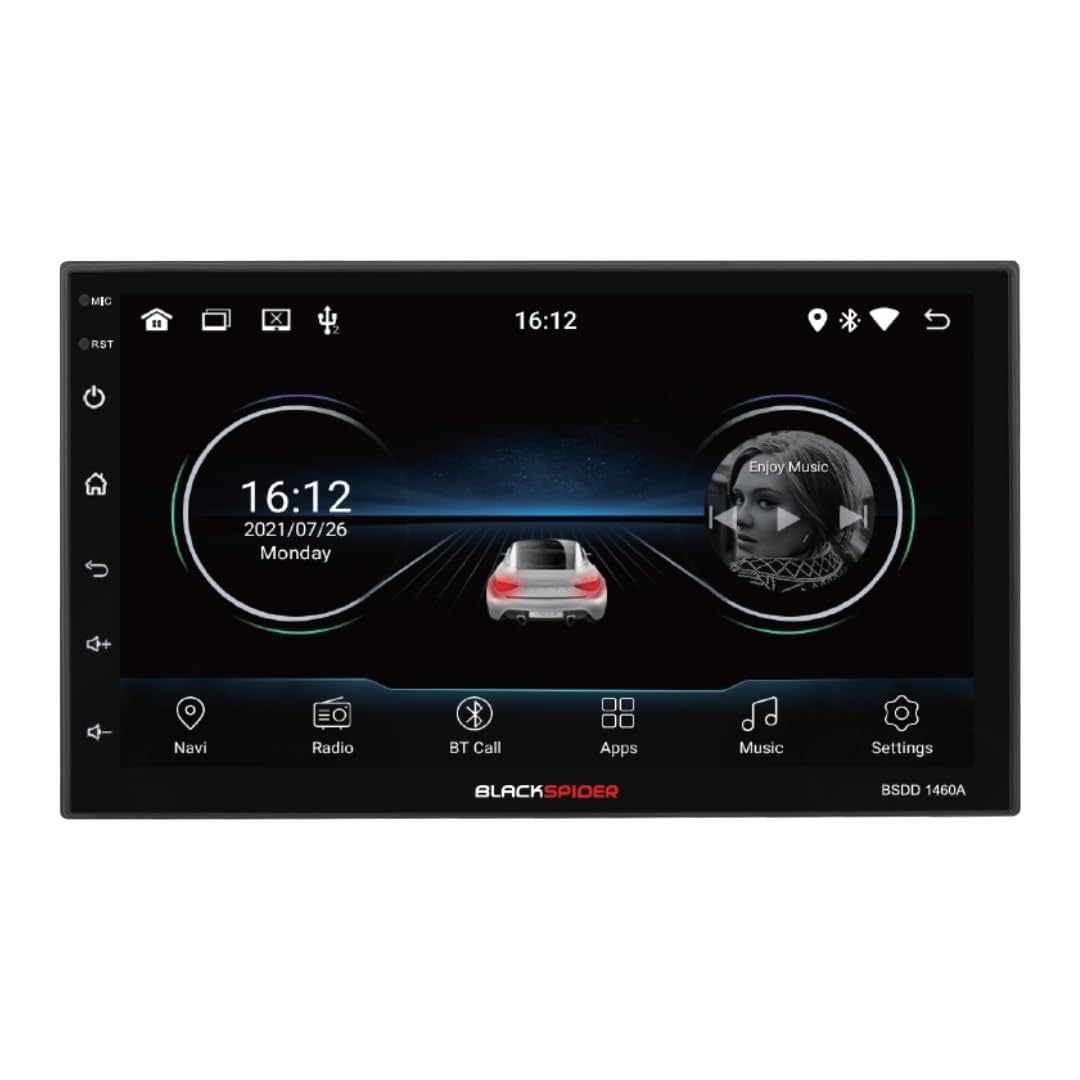
Figure 6: Main Home Screen

Figure 7: Applications Screen
Key Awọn ẹya ara ẹrọ
- Alailowaya Apple CarPlay: Connect your iPhone wirelessly for access to navigation, music, messages, and more directly on the unit's screen. Ensure Bluetooth and Wi-Fi are enabled on your iPhone.
- Android Auto ti firanṣẹ: Connect your Android smartphone via a USB cable to use Android Auto features, including Google Maps, Spotify, and voice commands.
- Lilọ kiri GPS ti a ṣe sinu rẹ: The unit comes with built-in GPS capabilities. You can download and use various navigation applications from the Android system's app store.
- Bluetooth Hands-Free Calling & Music Streaming: Pair your smartphone via Bluetooth for hands-free calls and wireless audio streaming. The included external microphone enhances call clarity.
- Sisisẹsẹhin Multimedia: Mu ohun ati fidio ṣiṣẹ files from USB drives connected to the dual rear USB ports.
- Rear Camera Support: Nigbati kamẹra ẹhin ba ti sopọ, ifihan yoo yipada laifọwọyi si kamẹra view nígbà tí ọkọ̀ bá wà ní ìyípadà jia.
- Iṣakoso ohun: Adjust volume, balance, fader, and utilize the built-in equalizer presets to customize your audio experience.
Itoju
To ensure the longevity and optimal performance of your Blackspider BSDD1460A, follow these maintenance guidelines:
- Ninu: Use a soft, dry cloth to clean the screen and unit exterior. For stubborn marks on the screen, use a screen cleaner specifically designed for electronic displays. Avoid abrasive cleaners or solvents.
- Awọn imudojuiwọn sọfitiwia: Ṣe àyẹ̀wò lẹ́ẹ̀kọ̀ọ̀kan fún àwọn àtúnṣe sọ́fítíwèètì nípasẹ̀ àtòjọ ètò ẹ̀rọ tàbí ti olùpèsè webAaye ayelujara. Mimu software naa wa ni imudojuiwọn le mu iṣẹ ṣiṣe dara si ati ṣafikun awọn ẹya tuntun.
- Awọn ipo Ayika: Yago fun ṣiṣafihan ẹyọkan si awọn iwọn otutu to gaju, imọlẹ orun taara fun awọn akoko gigun, tabi ọrinrin pupọ.
Laasigbotitusita
If you encounter issues with your Blackspider BSDD1460A, refer to the following common problems and solutions:
| Isoro | Owun to le Fa | Ojutu |
|---|---|---|
| Unit ko ni agbara lori | Waya ti ko tọ, fiusi ti o fẹ, iṣoro batiri ọkọ | Check power connections and fuses. Ensure vehicle battery is charged. Consult an installer. |
| Ko si ohun jade | Speaker wires disconnected, volume too low, mute activated | Check speaker connections. Increase volume. Deactivate mute function. |
| Ifihan GPS sọnu tabi aiṣedeede | GPS antenna obstructed or improperly placed | Rii daju pe eriali GPS ni gbangba view ti oju ọrun. Ṣayẹwo asopọ eriali naa. |
| Apple CarPlay / Android Auto ko sopọ | Incorrect settings, cable issue (for Android Auto), phone compatibility | For CarPlay, ensure Wi-Fi and Bluetooth are on. For Android Auto, try a different USB cable. Check phone compatibility and settings. |
| Iboju ifọwọkan ko dahun | Ibùgbé software glitch | Restart the unit. If issue persists, perform a factory reset (note: this will erase all user data). |
Awọn pato
Technical specifications for the Blackspider BSDD1460A multimedia radio:
- Awoṣe: BSDD1460A
- Ifihan: 7-inch Android 11 Touchscreen
- Iranti: 2GB Ramu + 32GB ROM
- Asopọmọra: Wireless Apple CarPlay, Wired Android Auto, Bluetooth, GPS, Dual Rear USB, AV Input & Video Output, RCA Audio Outputs (Front/Rear), Dedicated Subwoofer Output
- Ijade ohun: 60W × 4 max speaker output, Built-in Equalizer Presets
- Awọn ẹya pataki: Pada-view camera input, Resistive steering wheel control support, External microphone support
- Awọn iwọn (D x W x H): 14D x 17.8W x 10H sẹntimita
- Ìwọ̀n Nkan: 1.35 kilo
- Àwọ̀: Dudu
Alaye atilẹyin ọja
The Blackspider BSDD1460A comes with a 1 Odun atilẹyin ọja from the date of purchase. This warranty covers manufacturing defects under normal use. It does not cover damage caused by improper installation, misuse, accidents, unauthorized repairs, or normal wear and tear. Please retain your proof of purchase for warranty claims.
Atilẹyin
For further assistance, technical support, or warranty claims, please contact your retailer or the Blackspider customer service department. Refer to the contact information provided with your purchase or visit the official Blackspider webojula fun support oro.