
1. Ifihan
The Cellularline NEBIT TWS Earbuds are designed to facilitate seamless communication and productivity through advanced AI features. These earbuds offer real-time translation in over 100 languages, instant transcription, AI-generated summaries, and photo translation. Their open-ear design ensures comfort and environmental awareness, making them suitable for various daily activities, travel, work, and study.
This manual provides detailed instructions on how to set up, operate, and maintain your NEBIT earbuds to ensure optimal performance and longevity.
2. Ohun ti o wa ninu Apoti
Jọwọ ṣayẹwo awọn akoonu package lati rii daju pe gbogbo awọn ohun kan wa:
- Cellularline NEBIT TWS Earbuds
- Ngba agbara Case
- Okun Ngba agbara USB
- Itọsọna olumulo
3. Eto
3.1. Gbigba agbara akọkọ
Before first use, fully charge your NEBIT earbuds and charging case. Place the earbuds into the charging case. Connect the USB charging cable to the case and a power source. The LED display on the case will indicate the charging status.
3.2. Downloading the NebulaBuds App
The NebulaBuds App is essential for unlocking all features of your NEBIT earbuds. It is available for free on both the Apple App Store and Google Play Store.

Image: A smartphone scanning a QR code to download the NebulaBuds App. The image highlights that the app is 100% free and unlocks all translation features.

Image: A smartphone screen displaying the NebulaBuds App with options to download from the App Store and Google Play. Text confirms no subscription is required.
- Open the packaging and locate the QR code for the NebulaBuds App.
- Scan the QR code with your smartphone camera, or search for "NebulaBuds" directly in the Apple App Store or Google Play Store.
- Ṣe igbasilẹ ati fi sori ẹrọ ohun elo naa.
3.3. Pairing and Activation
Follow these steps to pair your NEBIT earbuds with your smartphone and activate them within the app:
- Open the NebulaBuds App.
- Grant necessary permissions for location access to enable all functions.
- Rii daju pe Bluetooth ti ṣiṣẹ lori foonuiyara rẹ.
- Take the NEBIT earbuds out of their charging case. They will automatically enter pairing mode.
- In the NebulaBuds App, navigate to the device connection section.
- The app will prompt you to connect. You can either scan the QR code provided in the manual or manually enter the activation code.
- Tap "Connect" to complete the pairing process.
- Log in or create a new account within the app to finalize setup.
Video: A step-by-step guide on how to connect and activate the Cellularline NEBIT TWS Earbuds with the NebulaBuds App, including app download, Bluetooth pairing, and device activation via QR code or manual entry.
4. Awọn ilana Iṣiṣẹ
The Cellularline NEBIT earbuds offer multiple modes to enhance communication and productivity. Once connected, select your desired mode within the NebulaBuds App.
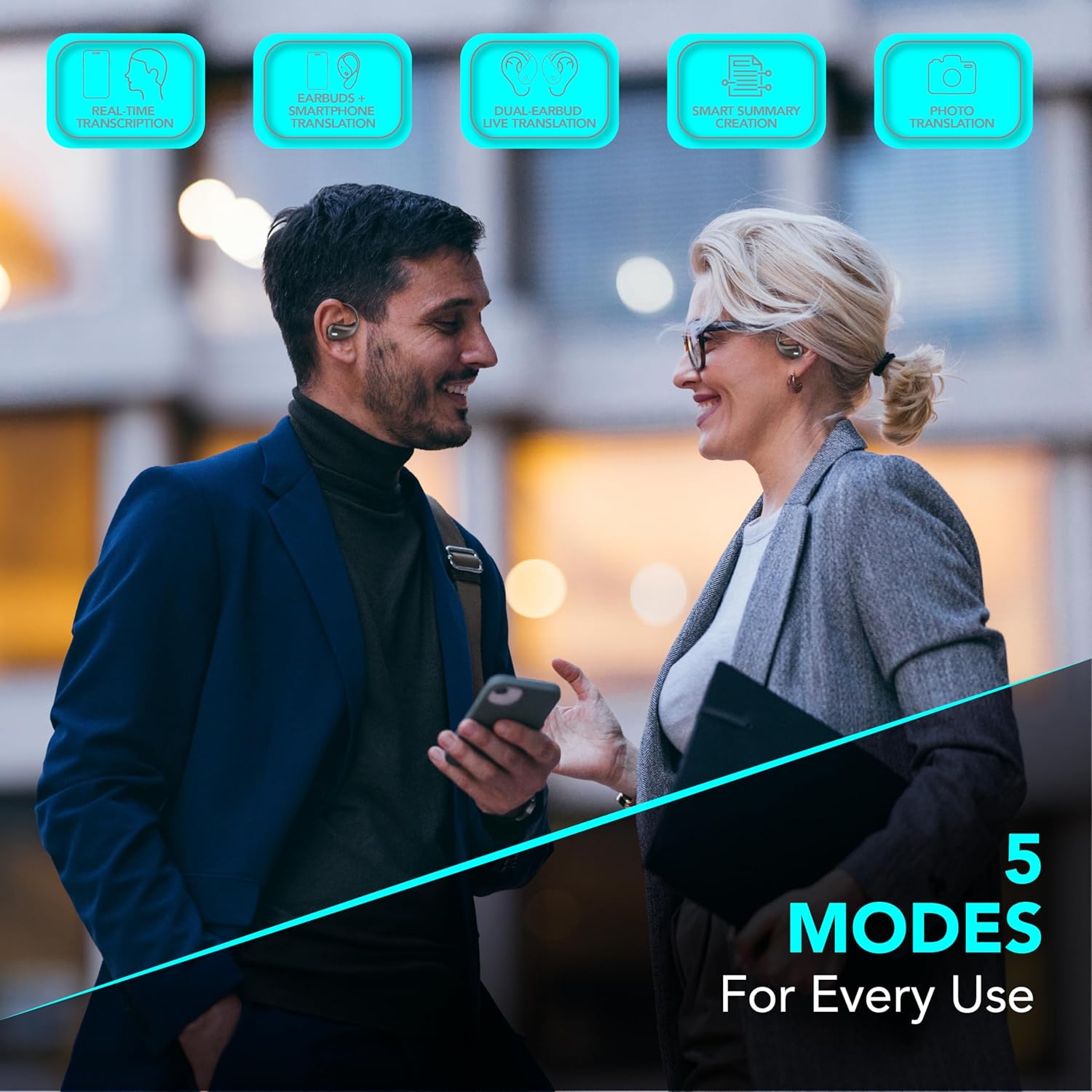
Image: Two individuals using the NEBIT earbuds and a smartphone, illustrating the five operational modes: Real-time transcription, Earbuds + phone translation, Dual-earbud live translation, Smart summary creation, and Photo translation.
4.1. Ìtumọ̀ Àkókò Gan-an
Engage in conversations across over 100 languages with instant translation. This feature allows for natural and immediate dialogue, ideal for travel, business, or study.
- Earbuds + Phone Translation: Use one earbud while speaking into your phone's microphone for guided conversations.
- Dual-Earbud Live Translation: Share an earbud with another person for seamless two-way translation during face-to-face interactions.
4.2. Instant Transcription and AI Summaries
Transform spoken words into text and generate concise summaries of your recordings.
- Instant Transcription: Converts voice to text in real-time, perfect for taking notes during meetings, lectures, or important conversations.
- AI Summaries: Automatically generates key points from your recorded transcriptions, enhancing productivity and retention.
4.3. Fọto Translation
Translate text from images quickly and efficiently.
- Use your smartphone camera through the NebulaBuds App to capture text from signs, menus, or documents. The app will provide an instant translation.
4.4. Open-Ear Design and Touch Control
The open-ear design provides comfort for extended wear and allows you to remain aware of your surroundings. The earbuds feature intuitive touch controls for managing calls, music, and AI functions.

Image: Two individuals wearing the NEBIT open-ear earbuds, emphasizing the design's benefits for full awareness, all-day comfort, and hygienic sharing.

Image: The NEBIT earbuds in their charging case, with text indicating '18 Hours Total Play Time' and 'Touch control' pointing to the earbud's surface.
4.5. Music and Calls
Enjoy your music and manage calls safely while maintaining awareness of your environment.
Fídíò: Ìfihàn fídíò ìpolówó kanasing the various features of the NEBIT earbuds, including real-time translation, transcription, and the open-ear design for safe listening during activities like running.
5. Itọju
5.1. Ninu
- Mọ awọn afikọti nigbagbogbo ati apoti gbigba agbara pẹlu asọ ti o gbẹ, asọ ti ko ni lint.
- Maṣe lo awọn afọmọ abrasive, ọti-lile, tabi awọn nkan ti kemikali.
- Ensure charging contacts are free from dust and debris.
5.2. Ibi ipamọ
- Nigbati o ko ba si ni lilo, tọju awọn afikọti sinu apoti gbigba agbara wọn lati daabobo wọn ki o jẹ ki wọn gba agbara.
- Tọju ni itura, aye gbigbẹ kuro ni iwọn otutu ti o ga julọ ati oorun taara.
5.3. Itọju batiri
- Yago fun gbigba agbara si batiri ni kikun nigbagbogbo.
- Charge the earbuds regularly, even if not in frequent use, to maintain battery health.
6. Laasigbotitusita
If you encounter issues with your Cellularline NEBIT earbuds, please refer to the following common solutions:
| Isoro | Owun to le Solusan |
|---|---|
| Earbuds ko so pọ |
|
| Ko si ohun tabi iwọn didun kekere |
|
| Awọn ẹya ara ẹrọ app ko ṣiṣẹ |
|
| Translation inaccuracies |
|
7. Awọn pato
| Ẹya ara ẹrọ | Ẹ̀kúnrẹ́rẹ́ |
|---|---|
| Brand | cellularline |
| Orukọ awoṣe | BTNEBITTWSK |
| Àwọ̀ | Dudu |
| Gbigbe Eti | Ninu-eti |
| Fọọmù ifosiwewe | Ṣii-eti |
| Ipalara | 20 ohm |
| Ariwo Iṣakoso | Ko si |
| Asopọmọra Technology | Ailokun (Bluetooth) |
| Imọ-ẹrọ Ibaraẹnisọrọ Alailowaya | Bluetooth |
| Ọja Awọn ẹya ara ẹrọ | AI-generated smart summaries, Real-time translation, Instant transcription, Image translation |
| Niyanju Lilo | Meetings, Study, Travel |
| Awọn ẹrọ ibaramu | Mobile phones, Tablets, Music production equipment |
| Omi Resistance Ipele | Ko omi sooro |
| Apapọ batiri Life | Awọn wakati 18 |
8. Atilẹyin ọja & Atilẹyin
8.1. Atilẹyin ọja olupese
The Cellularline NEBIT TWS Earbuds come with a 2-odun olupese ká atilẹyin ọja Láti ọjọ́ tí a rà á. Àtìlẹ́yìn yìí bo àwọn àbùkù nínú àwọn ohun èlò àti iṣẹ́ ọwọ́ lábẹ́ lílò déédéé. Kò bo ìbàjẹ́ tí ó wáyé nípasẹ̀ àìlòkulò, jàǹbá, àtúnṣe tí a kò gbà láyè, tàbí ìbàjẹ́ déédé.
8.2. Onibara Support
For technical assistance, warranty claims, or further information, please visit the official Cellularline webojú-òpó wẹ́ẹ̀bù tàbí kí o kàn sí àwọn oníbàárà wọn tààrà. O tún le ṣèbẹ̀wò sí ojú-òpó wẹ́ẹ̀bù wọn. Cellularline Store on Amazon fun awọn alaye ọja ati awọn orisun atilẹyin.