
1. Ifihan
O ṣeun fun riraasing the coioc S18 Portable Bluetooth Speaker. This manual provides essential information for setting up, operating, and maintaining your speaker. Please read it thoroughly before use to ensure optimal performance and longevity of the device.
2. Ohun ti o wa ninu Apoti
- coioc S18 Portable Bluetooth Speaker (x1)
- Okun Ngba agbara Iru-C (x1)
- Cable AUX (x1)
- Itọsọna olumulo (x1)

Image: The coioc S18 speaker and its accessories, including the Type-C charging cable, AUX cable, and user manual.
3. Ọja Ipariview
Awọn iṣakoso ati Awọn Atọka
The coioc S18 speaker features intuitive controls and indicators for easy operation:
- Bọtini agbara: Tẹ mọlẹ fun iṣẹju-aaya 2 lati fi agbara tan/pa a.
- Bọtini Imọlẹ: Press once to change RGB light mode. Press three times to turn off lights.
- Iwọn didun isalẹ: Tẹ lẹẹkan lati dinku iwọn didun.
- Tẹlẹ Orin: Tẹ ki o si dimu fun awọn aaya meji lati lọ si orin ti tẹlẹ.
- Iwọn didun Up: Tẹ lẹẹkan lati mu iwọn didun pọ si.
- Orin t’okan: Press and hold for 2 seconds to go to the next track.
- Bọ́tìnnì Ṣíṣe/Sánu duro: Tẹ lẹẹkan lati mu ṣiṣẹ tabi daduro orin duro.
- Bọtini Ipe: Press once to answer/end a call. Press and hold for 2 seconds to reject a call.
- Bọtini EQ: Press once to switch between Normal and Vocal EQ modes.
- Bọtini TWS: Press twice to activate TWS pairing mode.
- Atọka Batiri: LED display shows battery level from 1% to 100%.
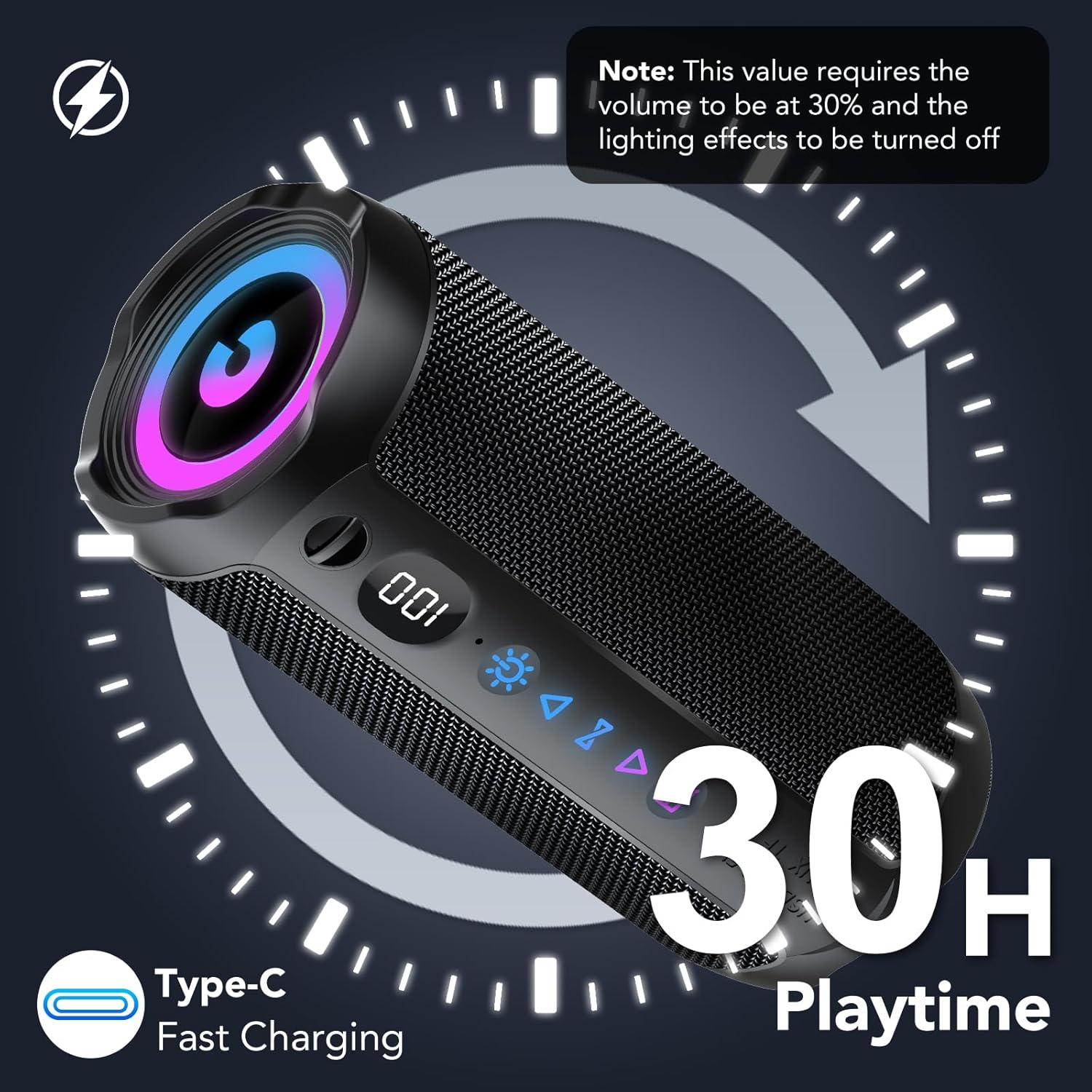
Image: The control panel of the coioc S18 speaker, highlighting the various buttons and the battery level display.
Awọn ibudo
The speaker includes the following ports, typically located under a protective cover:
- Ibudo USB: Fun ṣiṣiṣẹsẹhin drive USB.
- Iho Kaadi TF: Fun TF (MicroSD) kaadi šišẹsẹhin.
- Iṣawọle AUX: Fún ìsopọ̀ ohùn onírin nípa lílo okùn AUX tí a pèsè.
- Ibudo Ngba agbara Iru-C: Fun gbigba agbara si agbọrọsọ.

Image: The coioc S18 speaker demonstrating its multiple connectivity options, including Bluetooth, AUX, TF card, and USB.
4. Eto
4.1 Gbigba agbara si Agbọrọsọ
- Locate the Type-C charging port on your speaker.
- So okun gbigba agbara Iru-C ti a pese si ibudo gbigba agbara ti agbọrọsọ.
- So opin okun miiran pọ si ohun ti nmu badọgba agbara USB (kii ṣe pẹlu) tabi ibudo USB ti kọnputa kan.
- The LED battery indicator will show the charging progress. A full charge provides up to 30 hours of playtime (at 30% volume with lights off).

Image: The coioc S18 speaker connected for charging, illustrating its 30-hour playtime capability.
4.2 Titan / Pa a
- Lati Fi agbara: Press and hold the Power button for 2 seconds. You will hear an audible prompt, and the LED lights will activate.
- Lati Paarẹ: Press and hold the Power button for 2 seconds. You will hear an audible prompt, and the LED lights will turn off.
5. Awọn ilana Iṣiṣẹ
5.1 Sisopọ Bluetooth
- Ensure the speaker is powered on and in Bluetooth pairing mode (indicated by a flashing Bluetooth icon).
- Lori ẹrọ rẹ (foonuiyara, tabulẹti, kọmputa), mu Bluetooth ṣiṣẹ ki o wa awọn ẹrọ to wa.
- Select "coioc S18" from the list of devices.
- Once connected, you will hear a confirmation sound, and the Bluetooth icon on the speaker will stop flashing.
- The speaker utilizes Bluetooth 5.4 technology for a stable connection up to 100 feet (30 meters).
5.2 Ìsopọ̀ TWS (Stéréó Aláìlókùn Tòótọ́)
To achieve a more immersive stereo sound experience, you can pair two coioc S18 speakers together:
- Ensure both coioc S18 speakers are powered on and not connected to any other Bluetooth device.
- Lori ọkan ninu awọn agbohunsoke (eyi yoo jẹ agbọrọsọ akọkọ), tẹ lẹẹmeji TWS bọtini. The speaker will enter TWS pairing mode.
- The primary speaker will automatically search for and connect to the secondary speaker. Once connected, you will hear a confirmation sound.
- Bayi, so ẹrọ rẹ pọ si agbọrọsọ akọkọ nipasẹ Bluetooth gẹgẹbi a ti ṣalaye ni apakan 5.1. Audio yoo ṣiṣẹ nipasẹ awọn agbohunsoke mejeeji ni sitẹrio.

Image: Two coioc S18 speakers connected wirelessly for a stereo audio experience.
5.3 Connecting via AUX, TF Card, or USB
- Ipo AUX: Insert the 3.5mm AUX cable into the speaker's AUX port and the other end into your audio device's headphone jack. The speaker will automatically switch to AUX mode.
- Ipo Kaadi TF: Fi káàdì TF (MicroSD) pẹ̀lú ohùn sí i files into the TF card slot. The speaker will automatically detect the card and begin playback.
- Ipo USB: Fi kọnputa filasi USB sii pẹlu ohun files into the USB port. The speaker will automatically detect the drive and begin playback.
5.4 Ṣíṣàkóso Ìṣiṣẹ́padà àti Ìwọ̀n
- Ṣiṣẹ/Daduro: Tẹ bọtini Play/Sinmi ni ẹẹkan.
- Iwọn didun Up: Tẹ bọtini Iwọn didun Up lẹẹkan.
- Iwọn didun isalẹ: Tẹ bọtini Iwọn didun isalẹ lẹẹkan.
- Orin t’okan: Press and hold the Next Track button for 2 seconds.
- Tẹlẹ Orin: Press and hold the Previous Track button for 2 seconds.
Awọn ọna Imọlẹ RGB 5.5
The speaker features dynamic RGB lighting that can be customized:
- Press the Light button once to cycle through different RGB lighting modes.
- Press the Light button three times to turn off the RGB lights.
5.6 Awọn ipo EQ
The speaker offers two Equalizer (EQ) modes to optimize your listening experience:
- Press the EQ button once to switch between Deede ati Ohun orin awọn ipo.
- Ipo deede: Pese pro ohun iwọntunwọnsifile o dara fun ọpọlọpọ awọn oriṣi orin.
- Ipo ohun: Enhances vocal clarity, ideal for podcasts or vocal-centric music.
5.7 Ipe laisi ọwọ
When connected via Bluetooth to a smartphone, the speaker's built-in microphone allows for hands-free calls:
- Idahun/Ipe Ipari: Tẹ bọtini Ipe lẹẹkan.
- Kọ Ipe: Tẹ mọlẹ bọtini Ipe fun iṣẹju meji 2.
Video: A short demonstration of the coioc S18 Portable Bluetooth Speaker's features, including its 30W volume, enhanced bass, Bluetooth 5.4 connectivity, IPX7 waterproofing, and various connection options. This video highlights the speaker's key functionalities and design.
6. Itọju
6.1 Omi Resistance (IPX7)
The coioc S18 speaker is rated IPX7 waterproof, meaning it can be submerged in water up to 1 meter for 30 minutes. This makes it suitable for outdoor activities and use near water. However, please observe the following:
- Ensure the charging port and other input covers are securely closed before exposing the speaker to water.
- Má ṣe fi agbọ́rọ̀sọ náà sí omi iyọ̀ tàbí àwọn kẹ́míkà mìíràn, nítorí pé èyí lè ba àwọn èdìdì náà jẹ́.
- After exposure to water, wipe the speaker dry with a soft cloth before charging or opening any ports.

Image: The coioc S18 speaker submerged in water, highlighting its IPX7 waterproof feature.
6.2 Ninu
- Lo asọ, damp cloth to clean the speaker's exterior.
- Maṣe lo awọn olutọpa abrasive, ọti-lile, tabi awọn nkan ti kemikali, nitori iwọnyi le ba oju ilẹ jẹ.
6.3 Ibi ipamọ
- Tọju agbohunsoke ni itura, aye gbigbẹ kuro lati orun taara ati awọn iwọn otutu to gaju.
- Tí o bá ń tọ́jú rẹ̀ fún ìgbà pípẹ́, gba agbára bátìrì náà sí nǹkan bí 50% ní gbogbo oṣù díẹ̀ láti lè mú kí bátìrì náà ní ìlera tó dára.
7. Laasigbotitusita
| Isoro | Owun to le Fa | Ojutu |
|---|---|---|
| Agbọrọsọ ko ni agbara lori | Batiri kekere; Agbara bọtini ko te gun to | Charge the speaker; Press and hold the Power button for 2 seconds |
| Ko le so pọ nipasẹ Bluetooth | Agbọrọsọ kii ṣe ni ipo sisopọ; Ẹrọ Bluetooth kuro; Agbọrọsọ tẹlẹ ti sopọ si ẹrọ miiran | Ensure speaker is flashing Bluetooth icon; Enable Bluetooth on your device; Disconnect from other devices |
| Ko si ohun | Ìwọ̀n didun kéré jù; Ipo ìtẹ̀wọlé tí kò tọ́; Ẹ̀rọ náà kò gbọ́ ohùn | Increase speaker and device volume; Switch to correct input mode (Bluetooth, AUX, TF, USB); Ensure audio is playing on your device |
| Sisopọ TWS kuna | Àwọn agbọ́rọ̀sọ jìnnà jù; Agbọ́rọ̀sọ kan ti so mọ́ ẹ̀rọ kan tẹ́lẹ̀ | Ensure speakers are within close proximity; Disconnect both speakers from any other Bluetooth devices before TWS pairing |
| Didara ohun afetigbọ | Bluetooth interference; Low battery; Source audio quality | Move closer to the connected device; Charge the speaker; Use high-quality audio files |
8. Awọn pato
| Ẹya ara ẹrọ | Sipesifikesonu |
|---|---|
| Nọmba awoṣe | S18 |
| Brand | koko |
| O pọju o wu Power | 30 Wattis |
| Asopọmọra Technology | Bluetooth, AUX, TF, USB |
| Ẹya Bluetooth | 5.4 |
| Bluetooth Ibiti | Titi de 100 ẹsẹ (30 mita) |
| Ipo Ijade Ohun | Sitẹrio |
| Pataki Awọn ẹya ara ẹrọ | IPX7 Waterproof, Bass Boost, RGB Lighting, TWS Pairing, Built-in Microphone, LED Battery Indicator |
| Agbara Batiri | 4000 mAh |
| Apapọ batiri Life | Awọn wakati 30 |
| Ifihan Ibuwọlu-si-Noise | 90 dB |
| Audio Driver Iwon | 55 mm |
| Ọja Mefa | 5 x 5 x 5 cm; 630g |
| Àwọ̀ | Dudu |
9. Atilẹyin ọja ati Support
The coioc S18 Portable Bluetooth Speaker comes with a limited warranty. Please refer to the warranty information provided with your purchase for specific terms and conditions. For technical support or customer service inquiries, please contact coioc customer support through the retailer's platform or the official brand webojula.