
1. Eto
1.1 Unboxing ati Package Awọn akoonu
Fi ìṣọ́ra yọ tẹlifíṣọ̀n àti gbogbo àwọn ohun èlò inú àpótí náà kúrò. Rí i dájú pé gbogbo àwọn ohun tí a kọ sí ìsàlẹ̀ yìí wà níbẹ̀.
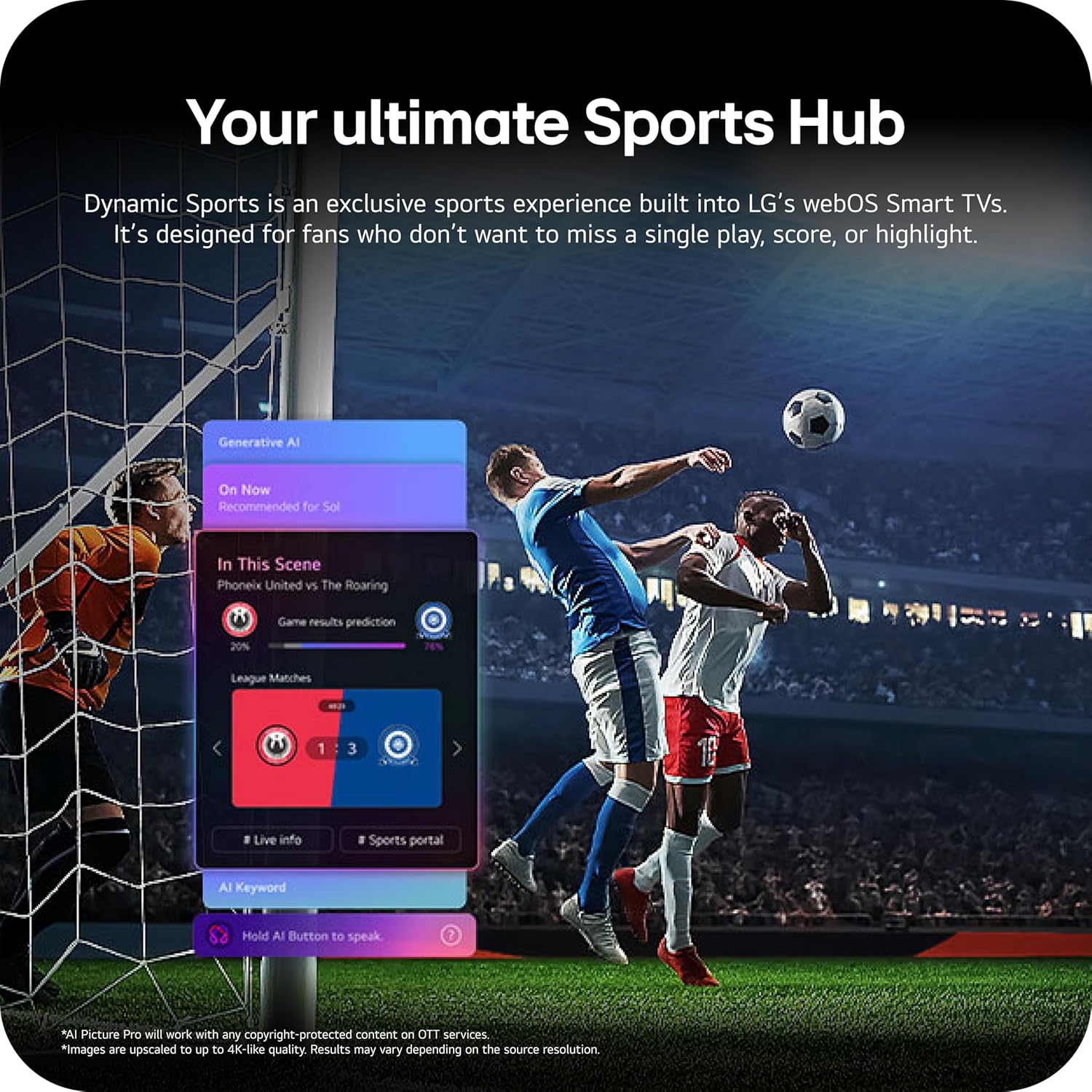
Image: The LG 65-inch OLED TV showing its dimensions with and without the stand, and a list of included accessories such as the Magic Remote, batteries, power cable, stand, and quick start guide.
Awọn eroja to wa:
- Klas LG 65-Inch OLED evo AI 4K C6 Series Smart TV
- Latọna Idan
- Remote Control Batteries (2 AAA)
- Okun agbara
- Duro
- Afowoyi Olumulo (iwe-ipamọ yii)
1.2 Fifi sori ti ara
The LG OLED65C6PUA can be installed using the included stand or mounted on a wall. Refer to the separate Installation Manual (PDF) for detailed wall mounting instructions.
Fifi sori imurasilẹ:
- Gbe iboju TV si isalẹ lori rirọ, dada alapin lati yago fun ibajẹ.
- Attach the stand to the designated area on the bottom of the TV using the provided screws. Ensure it is securely fastened.
- Farabalẹ gbe TV naa ki o si gbe sori iduro, ipele ipele.
Awọn iwọn:
- TV Dimensions with Stand (WxHxD): 56.7" x 34.6" x 9.1"
- TV Dimensions without Stand (WxHxD): 56.7" x 32.5" x 1.8"
- Stand Footprint: 18.5"
1.3 Asopọmọra
Connect your external devices to the appropriate ports on the rear and side of the television.

Image: The back panel of the LG OLED TV, displaying multiple HDMI ports, USB ports, Ethernet port, and antenna input for connecting various devices.
- Awọn ibudo HDMI (4): Connect Blu-ray players, gaming consoles, soundbars, and other HDMI-enabled devices.
- Awọn ibudo USB (2): So awọn ẹrọ ibi ipamọ USB pọ fun ṣiṣiṣẹsẹhin media tabi awọn imudojuiwọn sọfitiwia.
- Ibudo Ethernet (LAN): Fun isopọ Ayelujara ti a firanṣẹ.
- Antenna/Igbewọle okun: So eriali tabi okun TV ifihan agbara.
- Optical Digital Audio Out (S/PDIF): Fun sisopọ si awọn ọna ṣiṣe ohun ita.
1.4 Agbara akọkọ Lori ati Eto Nẹtiwọọki
- Pulọọgi okun agbara sinu TV ati lẹhinna sinu iṣan ogiri.
- Tẹ bọtini agbara lori isakoṣo latọna jijin tabi TV.
- Tẹ̀lé àwọn ìlànà tó wà lójú ìbòjú láti parí ìṣètò àkọ́kọ́, títí bí àṣàyàn èdè, agbègbè àkókò, àti ìsopọ̀ nẹ́tíwọ́ọ̀kì (Wi-Fi tàbí Ethernet).
- An LG account may be required to access network-based smart services.
2. Awọn ilana Iṣiṣẹ
2.1 Magic isakoṣo latọna jijin
The Magic Remote allows for intuitive control of your TV with point, click, scroll, and voice commands.

Image: The LG Magic Remote, featuring a central scroll wheel, directional buttons, and dedicated buttons for various functions and streaming services.
- Bọtini agbara: Tan TV si tan tabi paa.
- Awọn bọtini Nọmba: Wiwọle ikanni taara.
- Iwọn didun Soke/Isalẹ: Ṣatunṣe iwọn didun.
- Ikanni Soke/Isalẹ: Ayipada awọn ikanni.
- Bọtini Ile: Wọle si awọn webIboju ile OS Smart TV.
- Pointer/Scroll Wheel: Lilọ kiri awọn akojọ aṣayan ko si yan awọn ohun kan.
- Bọ́tìnì Àṣẹ Ohùn: Activates intelligent voice recognition.
2.2 webOS Smart TV Platform (AI Hub)
Awọn webOS 2026 platform provides access to streaming services, apps, and AI-powered features.

Àwòrán: Àwòrán ìrísí LG webOS Smart TV interface, highlighting AI features like Multi AI Search, AI Concierge, AI Voice ID, AI Picture Wizard, AI Chatbot, and AI Sound Wizard, all accessible via the remote's AI button.
- AI Hub: Press the AI button on your remote to access personalized recommendations and AI features.
- Awọn iṣẹ ṣiṣanwọle: Access popular apps like Netflix, Disney+, Prime Video, Apple TV, and YouTube.
- Awọn ikanni LG: Enjoy over 400 free channels and 10,000+ movies & shows on-demand.
- Multi AI Search: Powered by Google Gemini & Microsoft Copilot for broader, more relevant search results.
2.3 Aworan ati Ohun Eto
Ṣe ilọsiwaju rẹ viewing and listening experience with advanced picture and sound technologies.

Image: A split screen on an LG OLED TV illustrating the difference between an anti-glare matte display and a Perfect Black & Perfect Color display, emphasizing the deep blacks and vibrant colors achieved by OLED technology.
- Igbega Imọlẹ: Enhances visuals for brighter, more vivid detail, powered by the α11 AI Processor Gen 3.
- Àwọ̀ Dúdú Pípé àti Àwọ̀ Pípé: Over 8.3 million self-lit pixels deliver infinite contrast and accurate colors.
- Dolby Vision, HDR10, HLG: Supports multiple HDR formats for enhanced contrast and color.
- Ipo onifiimu: Ó ń pa ìran olùdarí mọ́ nípa pípa ìrọ̀rùn ìṣíṣẹ́ àti àwọn iṣẹ́ mìíràn lẹ́yìn iṣẹ́ náà.
- Dolby Atmos: Ó fúnni ní ohùn tó wúni lórí, tó sì ní ọ̀pọ̀lọpọ̀ ìpele.
- AI Picture & AI Sound: AI-assisted deep learning analyzes content to optimize picture and sound settings.
2.4 ayo Awọn ẹya ara ẹrọ
Experience responsive and fluid gameplay with dedicated gaming enhancements.

Image: A dynamic image of a race car on a track, overlaid with logos for 165Hz refresh rate, NVIDIA G-Sync, and AMD FreeSync Premium, indicating the TV's advanced gaming capabilities.
- Oṣuwọn Isọdọtun 165Hz: Provides ultra-smooth motion for gaming (up to 165Hz for PC gaming).
- Àkókò Ìdáhùn 0.1ms: Minimizes input lag for quick reactions.
- NVIDIA G-Sync & AMD FreeSync Premium: Reduces screen tearing and stuttering for compatible graphics cards.
- Four HDMI 2.1 Inputs: Supports high bandwidth features required for next-gen gaming.
2.5 Dynamic Sports Hub
Access an exclusive sports experience built into LG's webOS Smart TVs.

Image: A soccer match displayed on an LG webOS Smart TV, with an overlay showing the 'Dynamic Sports Hub' interface, offering game results predictions, live info, and a sports portal.
The Dynamic Sports Hub is designed for fans to track scores, highlights, and relevant information without missing live action.
3. Itọju
3.1 OLED Care
The OLED Care feature helps protect your OLED display and maintain picture quality over time.

Image: A simple graphic displaying the 'OLED Care' logo with the LG brand, indicating a feature designed for display maintenance.
Access OLED Care settings through the TV menu to manage features like Pixel Cleaning and Screen Shift, which help prevent image retention.
3.2 Ninu TV
- Yọọ TV nigba gbogbo ṣaaju ṣiṣe mimọ.
- Lo aṣọ microfiber rirọ ati gbigbẹ lati nu iboju ati awọn kabọọdi naa ni rọra.
- Fun awọn ami alagidi, fẹẹrẹ dampen the cloth with water or a specialized screen cleaner (ensure it is safe for OLED displays). Do not spray liquid directly onto the screen.
- Yago fun lilo abrasive ose, waxes, tabi epo.
4. Laasigbotitusita
Abala yii n pese awọn ojutu si awọn ọran ti o wọpọ ti o le ba pade.
4.1 Ko si Agbara / TV Ko Titan
- Ensure the power cable is securely plugged into both the TV and a working wall outlet.
- Check if the wall outlet is receiving power by plugging in another device.
- Gbiyanju titẹ bọtini agbara lori TV funrararẹ, kii ṣe latọna jijin nikan.
4.2 Ko si Aworan tabi Aworan Daru
- Jẹrisi pe a yan orisun titẹ sii to pe (fun apẹẹrẹ, HDMI 1, HDMI 2).
- Check all cable connections between the TV and external devices (HDMI, antenna, etc.). Ensure they are firmly seated.
- Ti o ba nlo eriali, ṣayẹwo asopọ ati ipo rẹ.
- Restart the connected device (e.g., cable box, gaming console).
4.3 Isakoṣo latọna jijin Ko Ṣiṣẹ
- Replace the batteries in the Magic Remote (requires 2 AAA batteries).
- Rii daju pe ko si awọn idena laarin isakoṣo latọna jijin ati TV.
- Re-pair the Magic Remote if it has become disconnected. Point the remote at the TV and press the Wheel (OK) button.
4.4 Ko si Ohun tabi Low Ohun
- Ṣayẹwo iwọn didun TV ati rii daju pe ko dakẹ.
- Ti o ba nlo awọn ẹrọ ohun afetigbọ ita (ọpa ohun, olugba), rii daju pe wọn ti wa ni titan ati pe wọn ti sopọ ni deede.
- Check the audio output settings in the TV menu to ensure the correct output is selected (e.g., TV Speaker, Optical Out).
4.5 Network Asopọ oran
- Fún Wi-Fi, rí i dájú pé réètì náà wà ní titan àti pé ó wà láàárín ààyè tí a lè fi réètì náà sí. Gbìyànjú láti tún réètì náà bẹ̀rẹ̀.
- For wired connection, ensure the Ethernet cable is securely connected to both the TV and the router.
- Check network settings in the TV menu to ensure correct configuration.
5. Awọn pato
| Ẹya ara ẹrọ | Sipesifikesonu |
|---|---|
| Orukọ awoṣe | LGOLED65C6PUA |
| Nọmba awoṣe | OLED65C6PUA |
| Iwon iboju | 65 inches |
| Ifihan ọna ẹrọ | OLED |
| Ipinnu | 4K (3840 x 2160) |
| Oṣuwọn sọtun | 120 Hz (Native), up to 165Hz for PC gaming |
| isise | α11 AI Processor 4K Gen3 (Dual AI Engine) |
| HDR kika Atilẹyin | Dolby Vision, HDR10, HLG |
| Akoko Idahun | 0.1 millise-aaya |
| Eto isesise | webOS 2026 |
| Asopọmọra Technology | Bluetooth (v5.3), Ethernet, HDMI, USB, Wi-Fi |
| Lapapọ HDMI Ports | 4 (HDMI 2.1) |
| Lapapọ Awọn ibudo USB | 2 (USB 2.0) |
| Ijade ohun | Ojú (S/PDIF) |
| Agbọrọsọ Apejuwe | Dolby Atmos (2.2 Channel) |
| Pataki Awọn ẹya ara ẹrọ | AMD FreeSync, Built-In Speaker, Chromecast, Intelligent Voice Recognition, NVIDIA G-Sync |
| Ibi ti ina elekitiriki ti nwa | 120 folti |
| Ìwúwo Ohun kan (láìsí ìdúró) | 36.6 iwon |
| Item Dimensions (with stand) | 9.1"D x 56.7"W x 34.6"H |
| Boṣewa VESA Mount | 300 x 200 mm |
6. Atilẹyin ọja ati Support
6.1 Atilẹyin ọja
This LG OLED TV (Model OLED65C6PUA) comes with a Atilẹyin ọja to lopin fun Awọn ẹya ara ati Iṣẹ Ọdun 1 lati ọjọ ti o ra. Jọwọ ṣe idaduro ẹri rira rẹ fun awọn iṣeduro atilẹyin ọja.
6.2 Afikun Idaabobo Eto
Awọn ero aabo ti o gbooro le wa fun rira ni lọtọ:
- Eto Idaabobo Ọdun 4: Ó ń pèsè ààbò fún oṣù mẹ́rìnlélógún.
- Idaabobo pipe: Eto ṣiṣe alabapin oṣooṣu kan ti o bo ẹtọ ti o kọja ati awọn rira iwaju.
For details on coverage and terms, please refer to the respective plan documentation or contact the provider.
6.3 Onibara Support
For technical assistance, troubleshooting beyond this manual, or warranty service, please contact LG Customer Support. You can find contact information on the official LG website or in the Quick Start Guide included with your TV.
O tun le tọka si osise Ilana olumulo (PDF) ati Ilana fifi sori ẹrọ (PDF) fun alaye diẹ ẹ sii.