
Ọrọ Iṣaaju
This manual provides essential information for setting up, operating, maintaining, and troubleshooting your Xiaomi 17T smartphone. Please read this guide thoroughly to ensure optimal performance and longevity of your device.
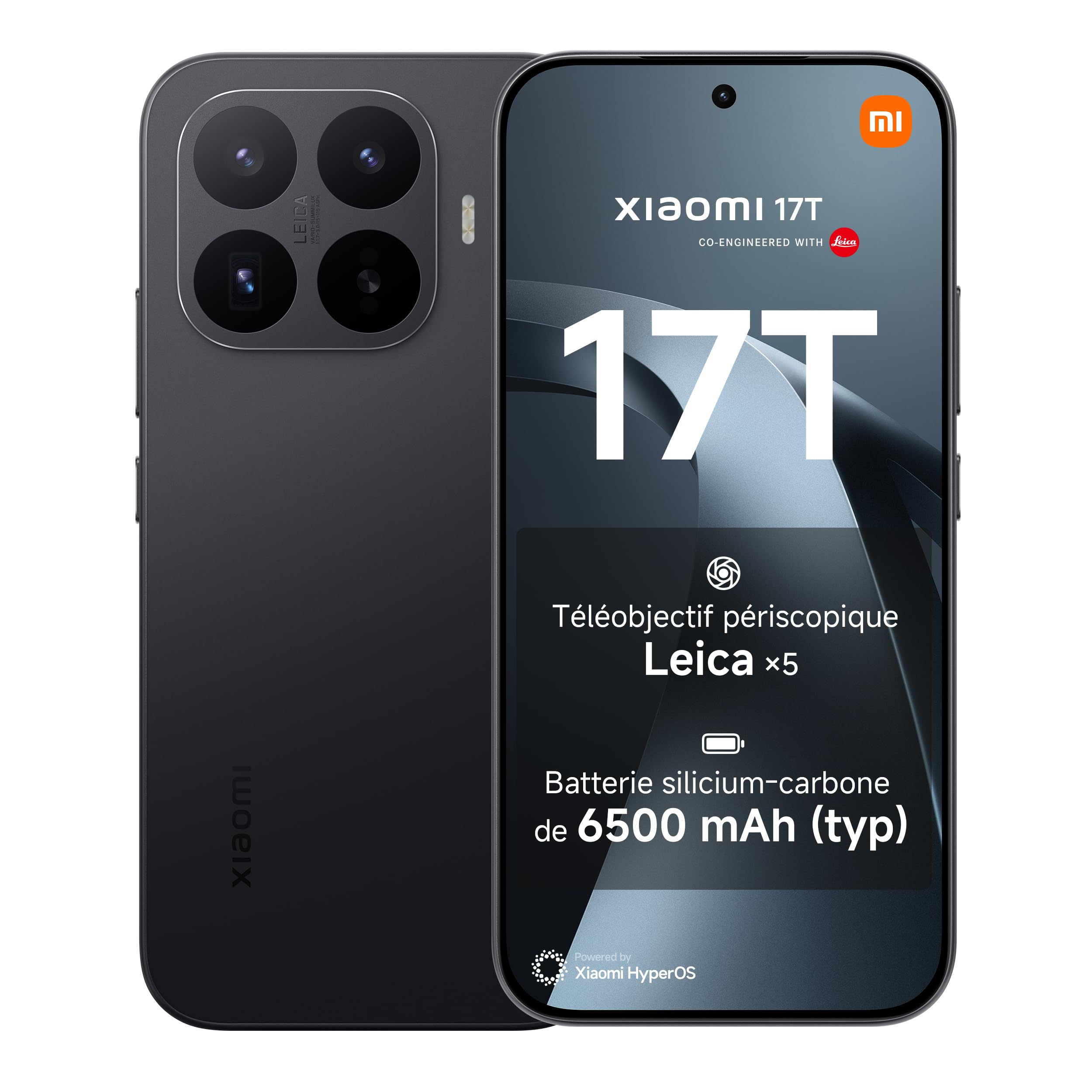
Aworan: Iwaju ati sẹhin view of the Xiaomi 17T smartphone in black.
Ṣeto
1. Unboxing ati Ibẹrẹ Ayẹwo
Carefully remove all items from the packaging. Verify that all components are present and undamaged.
Awọn akoonu idii:
- Xiaomi 17T Foonuiyara
- Okun USB (Iru-C)
- Foonu Case
- SIM Ejector Ọpa

Image: The contents of the Xiaomi 17T retail box, showing the smartphone, USB-C cable, protective case, and SIM ejector tool.
2. Fi kaadi SIM sii
- Wa atẹ kaadi SIM ni ẹgbẹ ẹrọ rẹ.
- Fi ohun elo SIM ejector sii sinu iho kekere ti o tẹle atẹ ki o tẹ ṣinṣin titi ti atẹ naa yoo jade.
- Place your Nano-SIM card(s) into the tray with the gold contacts facing down. The Xiaomi 17T supports Dual SIM functionality.
- Fi iṣọra tun fi atẹ sii sinu foonu naa.
3. Gbigba agbara akọkọ ati Agbara Tan
Before first use, it is recommended to fully charge your device. Connect the USB cable to the phone's USB Type-C port and to a compatible power adapter (67W or higher recommended, consult your local retailer for availability). Press and hold the power button until the Xiaomi logo appears to turn on the device.
Operating Your Xiaomi 17T
Ifihan Awọn ẹya ara ẹrọ
The Xiaomi 17T features a 6.59-inch AMOLED display with a 120Hz refresh rate. It incorporates Xiaomi Vision Care technology, including Wet Touch 2.0 and low blue light certification, designed for enhanced visual comfort and eye protection.

Image: Illustration of the Xiaomi Vision Care display technology on the smartphone screen.
Eto kamẹra
The device is equipped with a Leica co-engineered triple camera system, featuring a 50 MP rear sensor and a 32 MP front sensor. A key highlight is the Leica x5 telephoto lens, offering up to x120 AI Ultra Zoom for capturing distant subjects with clarity. The Leica Live Moment feature enhances photo capture by preserving the context before the shutter press.

Aworan: Isunmọ view of the triple Leica camera system on the back of the Xiaomi 17T.

Aworan: Example of the Leica Live Moment feature in action, capturing a dynamic scene.
Išẹ ati Batiri
Powered by the MediaTek Dimensity 8500-Ultra processor and an 8-core GPU, the Xiaomi 17T delivers robust performance for multitasking and demanding applications. The 6500mAh battery provides approximately 17.2 hours of continuous use. The device supports 67W HyperCharge, allowing a full charge in approximately 58 minutes. It also supports PD/PPS 50W fast charging and 22.5W wired reverse charging.

Image: Diagram illustrating the 6500mAh battery inside the Xiaomi 17T smartphone.

Image: Close-up of the MediaTek Dimensity 8500-Ultra processor chip.
Operating System and Security
The Xiaomi 17T runs on Hyper OS, offering a smooth and intuitive user experience. For security, the device includes fingerprint recognition.

Image: The Xiaomi HyperOS logo, indicating the operating system.
Itoju
Itọju Batiri
To maximize battery lifespan, avoid exposing the device to extreme temperatures. Use only the provided or certified charging accessories. Regular full discharge and recharge cycles are not necessary for modern lithium-ion batteries.
Itọju iboju
The display is designed for durability, but avoid sharp objects and excessive pressure. Clean the screen with a soft, lint-free cloth. The Wet Touch 2.0 technology allows for improved responsiveness even with wet fingers.
Itutu System
The Xiaomi 17T incorporates a Xiaomi 3D IceLoop cooling system to manage internal temperatures during intensive use, ensuring stable performance. Ensure proper airflow around the device during heavy tasks.
Laasigbotitusita
If you encounter issues with your Xiaomi 17T, consider the following basic troubleshooting steps:
- Ohun elo Ko dahun: Tẹ bọtini agbara ki o si dimu fun bii iṣẹju-aaya 10-15 lati fi agbara mu lati tun bẹrẹ.
- Awọn ọran gbigba agbara: Ensure the USB cable and power adapter are securely connected and undamaged. Try a different compatible charger if available.
- Asopọmọra nẹtiwọki: Check if your SIM card is correctly inserted. Toggle Airplane Mode on and off. Restart the device.
- Awọn aiṣedeede App: Close and reopen the problematic application. If the issue persists, clear the app's cache or reinstall it.
For more detailed troubleshooting or persistent issues, please refer to the official Xiaomi support resources or contact customer service.
For safety information, please refer to the Aabo Alaye PDF.
Awọn pato
| Ẹya ara ẹrọ | Ẹ̀kúnrẹ́rẹ́ |
|---|---|
| Brand | XIAOMI |
| Orukọ awoṣe | Xiaomi 17T |
| Eto isesise | Hyper OS |
| Àgbo | 12 GB |
| Agbara ipamọ | 256 GB |
| Iwon iboju | 6.59 inches |
| Ipinnu | 2756 x 1268 |
| Oṣuwọn sọtun | 120 Hz |
| Cellular Technology | 5G |
| Alailowaya ti ngbe | Gbogbo awọn ti ngbe |
| Àwọ̀ | Noir (Dúdú) |
| Iho kaadi SIM | SIM ilọpo meji |
| Biometric Aabo | Idanimọ itẹka |
| Ipinnu Kamẹra iwaju | 32 MP |
| Ipinnu Kamẹra ti o kẹhin | 50 Megapiksẹli |
| Digital Sisun | 10 x |
| Agbara Batiri | 6500 mAh |
| Apapọ batiri Life | Awọn wakati 17.2 (lilo tẹsiwaju) |
| Talk Time Battery Life | Awọn wakati 30 |
| Iwọn Nkan | 219 giramu |
| Awọn iwọn Nkan | 16.1 x 7.5 cm (Height x Width) |
| Ipinnu fidio | 3840 MP (Effective), 4K, 8K (Capture) |
| Asopọmọra Technology | Bluetooth, NFC, Wi-Fi |
| Odun ti Awoṣe | 2026 |
| Ilu isenbale | China |
| Oṣuwọn Gbigba Ni pato (SAR) | 1 Watts per kilogram |
| EU Product Information | EPREL aaye data Link |
Alaye atilẹyin ọja
The Xiaomi 17T smartphone comes with a meji-odun olupese atilẹyin ọja, supplemented by an additional one-year extended warranty. No activation is required for this extended warranty.
Ni afikun, a free screen replacement is provided for the first six months from the date of purchase. Please refer to the warranty card included in your package or the official Xiaomi webaaye fun awọn ofin ati ipo ni kikun.

Aworan: Pariview of warranty and service offers for the Xiaomi 17T, including free screen replacement and extended warranty.
Atilẹyin ati Olubasọrọ
For further assistance, technical support, or service inquiries, please contact Xiaomi customer support:
- Olupese: Xiaomi
- Olupese iṣẹ: Xiaomi Technology Netherlands BV
- Adirẹsi: Vriendweg 2, 5657 EH, The Hague, Pays-Bas
- Imeeli: compliance@xiaomi.com
- Foonu: +31 0900 3344553
- Osise Webojula: www.mi.com
O tun le ṣabẹwo si osise naa Ile itaja Xiaomi lori Amazon fun ọja alaye ati awọn ẹya ẹrọ.